
Loading...
Loading...
Loading...
Loading...
Loading...
Loading...
Loading...
Loading...
Loading...
Loading...
Loading...
Loading...
Loading...
Loading...
Loading...
Loading...
Loading...
Loading...
Loading...
Loading...
Loading...
Loading...
Loading...
Loading...
Loading...
Loading...
Loading...
Loading...
Loading...
Loading...
Loading...
Loading...
Loading...
Loading...
Loading...
Loading...
Loading...
Loading...
Loading...
Loading...
Loading...
Loading...
Loading...
Loading...
Loading...
Loading...
Loading...
Loading...
Loading...
Loading...
Loading...
Loading...
Loading...
Loading...
Loading...
Loading...
Loading...
Loading...
Loading...
Loading...
Loading...
Loading...
Loading...
Loading...
Loading...
Loading...
Loading...
Loading...
Loading...
Loading...
Loading...
Loading...
Loading...
Loading...
Loading...
Loading...
Loading...
Loading...
Loading...
Loading...
Loading...
Loading...
Loading...
Loading...
Loading...
Loading...
Loading...
Loading...
Loading...
Loading...
Loading...
Loading...
Loading...
Loading...
Loading...
Loading...
Loading...
Loading...
Here you will find a collection of ready-made sample applications and examples for real-world data
This page links to multiple quick start guides for deploying Pinot to different public cloud providers.
These quickstart guides show you how to run an Apache Pinot cluster using Kubernetes on different public cloud providers.
Running on AzureRunning on GCPRunning on AWSThis release fixes the major issue of CVE-2021-44228 and a major bug fixing of pinot admin exit code issue(#7798).
The release is based on the release 0.9.0 with the following cherry-picks:
This is a bug-fixing release contains:
use legacy case-when format (https://github.com/apache/pinot/pull/10291)
The release is based on the release 0.12.0 with the following cherry-picks:
This is a bug fixing release contains:
Update Log4j to 2.17.0 to address CVE-2021-45105 (#7933)
The release is based on the release 0.9.2 with the following cherry-picks:
Pinot offers various ways to assist with troubleshooting and debugging problems that might happen.
Start with the debug api which will surface many of the commonly occurring problems. The debug api provides information such as tableSize, ingestion status, and error messages related to state transition in server.
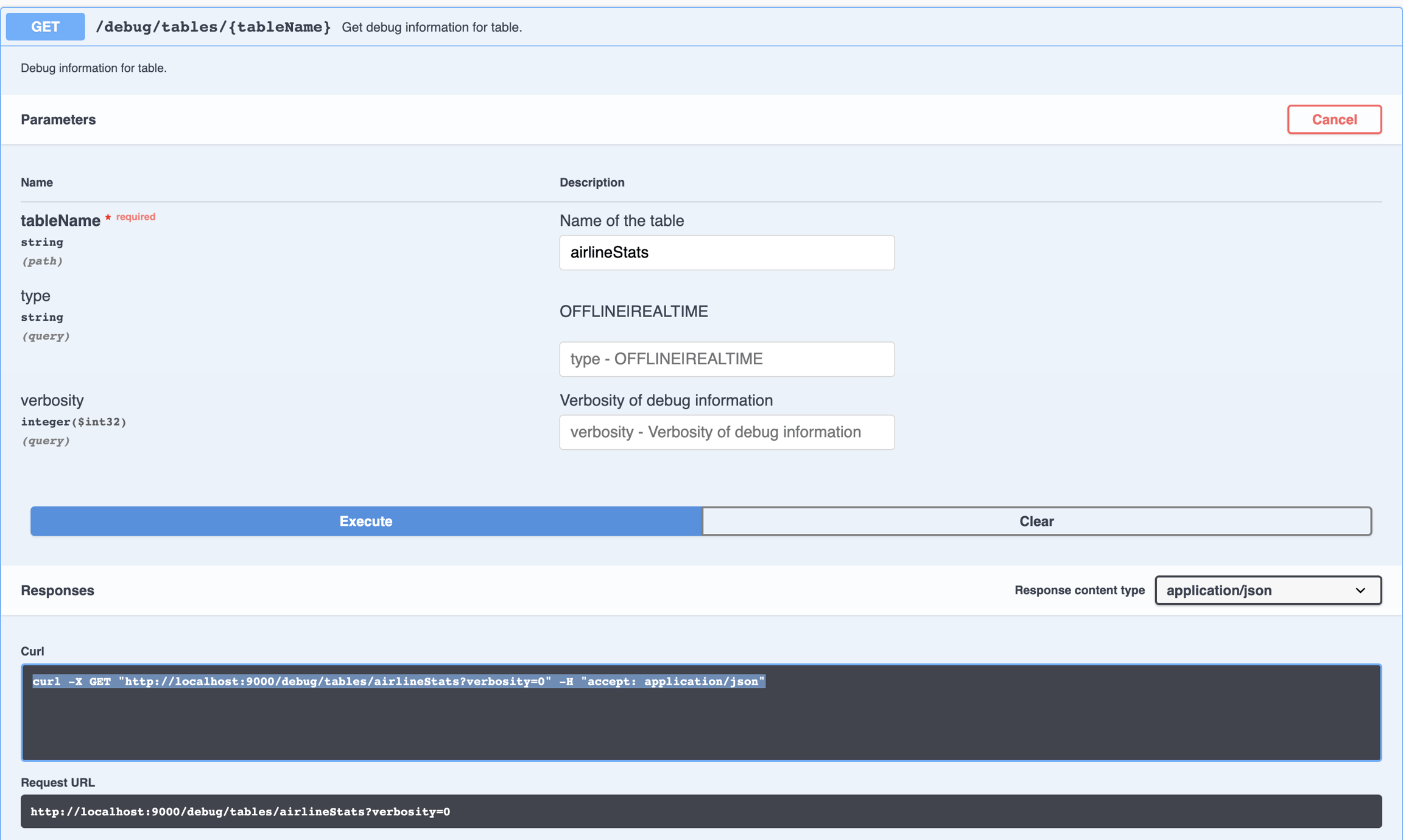
The table debug api can be invoked via the Swagger UI, as in the following image:
It can also be invoked directly by accessing the URL as follows. The api requires the tableName, and can optionally take tableType (offline|realtime) and verbosity level.
curl -X GET "http://localhost:9000/debug/tables/airlineStats?verbosity=0" -H "accept: application/json"Pinot also provides a variety of operational metrics that can be used for creating dashboards, alerting and monitoring.
Finally, all pinot components log debug information related to error conditions.
Use the following steps:
If the query executes, look at the query result. Specifically look at numEntriesScannedInFilter and numDocsScanned.
If numEntriesScannedInFilter is very high, consider adding indexes for the corresponding columns being used in the filter predicates. You should also think about partitioning the incoming data based on the dimension most heavily used in your filter queries.
Apache Pinot is a real-time distributed OLAP datastore purpose-built for low-latency, high-throughput analytics.
Apache Pinot is a real-time distributed online analytical processing (OLAP) datastore. Use Pinot to ingest and immediately query data from streaming or batch data sources (including, Apache Kafka, Amazon Kinesis, Hadoop HDFS, Amazon S3, Azure ADLS, and Google Cloud Storage).
Apache Pinot includes the following:
Ultra low-latency analytics even at extremely high throughput.
Columnar data store with several smart indexing and pre-aggregation techniques.
Scaling up and out with no upper bound.
Consistent performance based on the size of your cluster and an expected query per second (QPS) threshold.
It's perfect for user-facing real-time analytics and other analytical use cases, including internal dashboards, anomaly detection, and ad hoc data exploration.
User-facing analytics refers to the analytical tools exposed to the end users of your product. In a user-facing analytics application, all users receive personalized analytics on their devices, resulting in hundreds of thousands of queries per second. Queries triggered by apps may grow quickly in proportion to the number of active users on the app, as many as millions of events per second. Data generated in Pinot is immediately available for analytics in latencies under one second.
User-facing real-time analytics requires the following:
Fresh data. The system needs to be able to ingest data in real time and make it available for querying, also in real time.
Support for high-velocity, highly dimensional event data from a wide range of actions and from multiple sources.
Low latency. Queries are triggered by end users interacting with apps, resulting in hundreds of thousands of queries per second with arbitrary patterns.
Pinot is designed to execute OLAP queries with low latency. It works well where you need fast analytics, such as aggregations, on both mutable and immutable data.
User-facing, real-time analytics
Pinot was originally built at LinkedIn to power rich interactive real-time analytics applications, such as , , , and many more. is another example of a user-facing analytics app built with Pinot.
Real-time dashboards for business metrics
Pinot can perform typical analytical operations such as slice and dice, drill down, roll up, and pivot on large scale multi-dimensional data. For instance, at LinkedIn, Pinot powers dashboards for thousands of business metrics. Connect various business intelligence (BI) tools such as , , or to visualize data in Pinot.
Enterprise business intelligence
For analysts and data scientists, Pinot works well as a highly-scalable data platform for business intelligence. Pinot converges big data platforms with the traditional role of a data warehouse, making it a suitable replacement for analysis and reporting.
Enterprise application development
For application developers, Pinot works well as an aggregate store that sources events from streaming data sources, such as Kafka, and makes it available for a query using SQL. You can also use Pinot to aggregate data across a microservice architecture into one easily queryable view of the domain.
Pinot prevent any possibility of sharing ownership of database tables across microservice teams. Developers can create their own query models of data from multiple systems of record depending on their use case and needs. As with all aggregate stores, query models are eventually consistent.
If you're new to Pinot, take a look at our Getting Started guide:
To start importing data into Pinot, see how to import batch and stream data:
To start querying data in Pinot, check out our Query guide:
For a conceptual overview that explains how Pinot works, check out the Concepts guide:
To understand the distributed systems architecture that explains Pinot's operating model, take a look at our basic architecture section:
This page lists options for importing data into Pinot with links to detailed instructions with examples.
There are multiple options for importing data into Pinot. The pages in this section provide step-by-step instructions for importing records into Pinot, supported by our plugin architecture. The intent is to get you up and running with imported data as quickly as possible.
Pinot supports multiple file input formats without needing to change anything other than the file name. Each example imports a ready-made dataset so you can see how things work without needing to find or create your own dataset.
These guides show you how to import data from popular big data platforms.
SparkHadoopThis guide shows you how to import data using stream ingestion from Apache Kafka topics.
Apache KafkaThis guide shows you how to import data using stream ingestion with upsert.
Stream Ingestion with UpsertThis guide shows you how to import data using stream ingestion with deduplication.
Stream Ingestion with DedupThis guide shows you how to import data using stream ingestion with CLP.
Stream Ingestion with CLPBy default, Pinot does not come with a storage layer, so all the data sent won't be stored in case of system crash. In order to persistently store the generated segments, you will need to change controller and server configs to add a deep storage. See for all the info and related configs.
These guides show you how to import data and persist it in these file systems.
This guide shows you how to import data from various Pinot-supported input formats.
This guide shows you how to handle the complex type in the ingested data, such as map and array.
This guide shows you how to reload Pinot segments from your deep store.
This guide shows you how to upload Pinot segments from an old, closed Pinot instance.
Discover the core components of Apache Pinot, enabling efficient data processing and analytics. Unleash the power of Pinot's building blocks for high-performance data-driven applications.
Pages in this section define and describe the major components and logical abstractions used in Pinot.
For a general overview that ties all these components together, see Basic Concepts.
This page lists pages with frequently asked questions with answers from the community.
This is a bug fixing release contains:
Upgrade log4j to 2.16.0 to fix CVE-2021-45046 (#7903)
Upgrade swagger-ui to 3.23.11 to fix CVE-2019-17495 (#7902)
Fix the bug that RealtimeToOfflineTask failed to progress with large time bucket gaps ().
The release is based on the release 0.9.1 with the following cherry-picks:
Discover how Apache Pinot's broker component optimizes query processing, data retrieval, and enhances data-driven applications.
Brokers handle Pinot queries. They accept queries from clients and forward them to the right servers. They collect results back from the servers and consolidate them into a single response, to send back to the client.
Pinot brokers are modeled as Helix spectators. They need to know the location of each segment of a table (and each replica of the segments) and route requests to the appropriate server that hosts the segments of the table being queried.
The broker ensures that all the rows of the table are queried exactly once so as to return correct, consistent results for a query. The brokers may optimize to prune some of the segments as long as accuracy is not sacrificed.
Helix provides the framework by which spectators can learn the location in which each partition of a resource (i.e. participant) resides. The brokers use this mechanism to learn the servers that host specific segments of a table.
In the case of hybrid tables, the brokers ensure that the overlap between real-time and offline segment data is queried exactly once, by performing
Learn to build and manage Apache Pinot clusters, uncovering key components for efficient data processing and optimized analysis.
A cluster is a set of nodes comprising of servers, brokers, controllers and minions.
Pinot uses for cluster management. Helix is a cluster management framework that manages replicated, partitioned resources in a distributed system. Helix uses Zookeeper to store cluster state and metadata.
For details of cluster configuration settings, see .
Helix divides nodes into logical components based on their responsibilities:
Participants are the nodes that host distributed, partitioned resources
Pinot servers are modeled as participants. For details about server nodes, see .
Spectators are the nodes that observe the current state of each participant and use that information to access the resources. Spectators are notified of state changes in the cluster (state of a participant, or that of a partition in a participant).
This page describes configuring the inverted index for Apache Pinot
An inverted index stores a map of words to the documents that contain them.
When an inverted index is enabled for a column, Pinot maintains a map from each value to a bitmap of rows, which makes value lookup take constant time. If you have a column that is frequently used for filtering, adding an inverted index will improve performance greatly. You can create an inverted index on a multi-value column.
An inverted index can be configured for a table by setting it in the :
A sorted forward index can directly be used as an inverted index, with log(n) time lookup and it can benefit from data locality.
For the following example, if the query has a filter on memberId, Pinot will perform a binary search on memberId values to find the range pair of docIds for corresponding filtering value. If the query needs to scan values for other columns after filtering, values within the range docId pair will be located together, which means we can benefit from data locality.
Reload a table segment in Apache Pinot.
When Pinot writes data to segments in a table, it saves those segments to a deep store location specified in your , such as a storage drive or Amazon S3 bucket.
To reload segments from your deep store, use the Pinot Controller API or Pinot Admin Console.
To reload all segments from a table, use:
To reload a specific segment from a table, use:
A successful API call returns the following response:
To use the Pinot Admin Console, do the following:
This page describes configuring the range index for Apache Pinot
Range indexing allows you to get better performance for queries that involve filtering over a range.
It would be useful for a query like the following:
A range index is a variant of an , where instead of creating a mapping from values to columns, we create mapping of a range of values to columns. You can use the range index by setting the following config in the .
Range index is supported for both dictionary and raw-encoded columns.
This section contains quick start guides to help you get up and running with Pinot.
To simplify the getting started experience, Pinot ships with quick start guides that launch Pinot components in a single process and import pre-built datasets.
For a full list of these guides, see .
Getting data into Pinot is easy. Take a look at these two quick start guides which will help you get up and running with sample data for offline and real-time .
Learn how to query Apache Pinot using SQL or explore data using the web-based Pinot query console.
The following summarizes Pinot's releases, from the latest one to the earliest one.
Before upgrading from one version to another one, read the release notes. While the Pinot committers strive to keep releases backward-compatible and introduce new features in a compatible manner, your environment may have a unique combination of configurations/data/schema that may have been somehow overlooked. Before you roll out a new release of Pinot on your cluster, it is best that you run the compatibility test suite that Pinot provides. The tests can be easily customized to suit the configurations and tables in your pinot cluster(s). As a good practice, you should build your own test suite, mirroring the table configurations, schema, sample data, and queries that are used in your cluster.
Under TENANTS, select the Tenant Name.
From the list of tables in the tenant, select the Table Name.
Do one of the following:
To reload all segments, under OPERATIONS, click Reload All Segments.
To reload a specific segment, under SEGMENTS, select the Segment Name, and then in the new OPERATIONS section, select Reload Segment.
SELECT COUNT(*)
FROM baseballStats
WHERE hits > 11{
"tableIndexConfig": {
"rangeIndexColumns": [
"column_name",
...
],
...
}
}POST /segments/{tableName}/reloadPOST /segments/{tableName}/{segmentName}/reload{
"status": "200"
}numDocsScanned is very high, that means the selectivity for the query is low and lots of documents need to be processed after the filtering. Consider refining the filter to increase the selectivity of the query.If the query is not executing, you can extend the query timeout by appending a timeoutMs parameter to the query, for example, select * from mytable limit 10 option(timeoutMs=60000). Then repeat step 1, as needed.
Look at garbage collection (GC) stats for the corresponding Pinot servers. If a particular server seems to be running full GC all the time, you can do a couple of things such as
Increase Java Virtual Machine (JVM) heap (java -Xmx<size>).
Consider using off-heap memory for segments.
Decrease the total number of segments per server (by partitioning the data in a more efficient way).
Scalability.
Low cost to serve.
Let's take this example, we have real-time data for 5 days - March 23 to March 27, and offline data has been pushed until Mar 25, which is 2 days behind real-time. The brokers maintain this time boundary.
Suppose, we get a query to this table : select sum(metric) from table. The broker will split the query into 2 queries based on this time boundary – one for offline and one for real-time. This query becomes select sum(metric) from table_REALTIME where date >= Mar 25
and select sum(metric) from table_OFFLINE where date < Mar 25
The broker merges results from both these queries before returning the result to the client.
Make sure you've set up Zookeeper. If you're using Docker, make sure to pull the Pinot Docker image. To start a broker:
docker run \
--network=pinot-demo \
--name pinot-broker \
-d ${PINOT_IMAGE} StartBroker \
-zkAddress pinot-zookeeper:2181bin/pinot-admin.sh StartBroker \
-zkAddress localhost:2181 \
-clusterName PinotCluster \
-brokerPort 7000Pinot brokers are modeled as spectators. For details about broker nodes, see Broker.
The node that observes and controls the Participant nodes. It is responsible for coordinating all transitions in the cluster and ensuring that state constraints are satisfied while maintaining cluster stability.
Pinot controllers are modeled as controllers. For details about controller nodes, see Controller.
Another way to visualize the cluster is a logical view, where:
Typically, there is only one cluster per environment/data center. There is no need to create multiple Pinot clusters because Pinot supports tenants.
To set up a cluster, see one of the following guides:
A sorted index performs much better than an inverted index, but it can only be applied to one column per table. When the query performance with an inverted index is not good enough and most queries are filtering on the same column (e.g. memberId), a sorted index can improve the query performance.
{
"tableIndexConfig": {
"invertedIndexColumns": [
"column_name",
...
],
...
}
}This page has a collection of frequently asked questions about Pinot on Kubernetes with answers from the community.
The following is an example using Amazon Elastic Kubernetes Service (Amazon EKS).
In the Kubernetes (k8s) cluster, check the storage class: in Amazon EKS, it should be gp2.
Then update StorageClass to ensure:
allowVolumeExpansion: trueOnce StorageClass is updated, it should look like this:
Once the storage class is updated, then we can update the PersistentVolumeClaim (PVC) for the server disk size.
Now we want to double the disk size for pinot-server-3.
The following is an example of current disks:
The following is the output of data-pinot-server-3:
Now, let's change the PVC size to 2T by editing the server PVC.
Once updated, the specification's PVC size is updated to 2T, but the status's PVC size is still 1T.
Restart the pinot-server-3 pod:
Recheck the PVC size:
Uncover the efficient data processing and storage capabilities of Apache Pinot's server component, optimizing performance for data-driven applications.
Servers host the data segments and serve queries off the data they host. There are two types of servers:
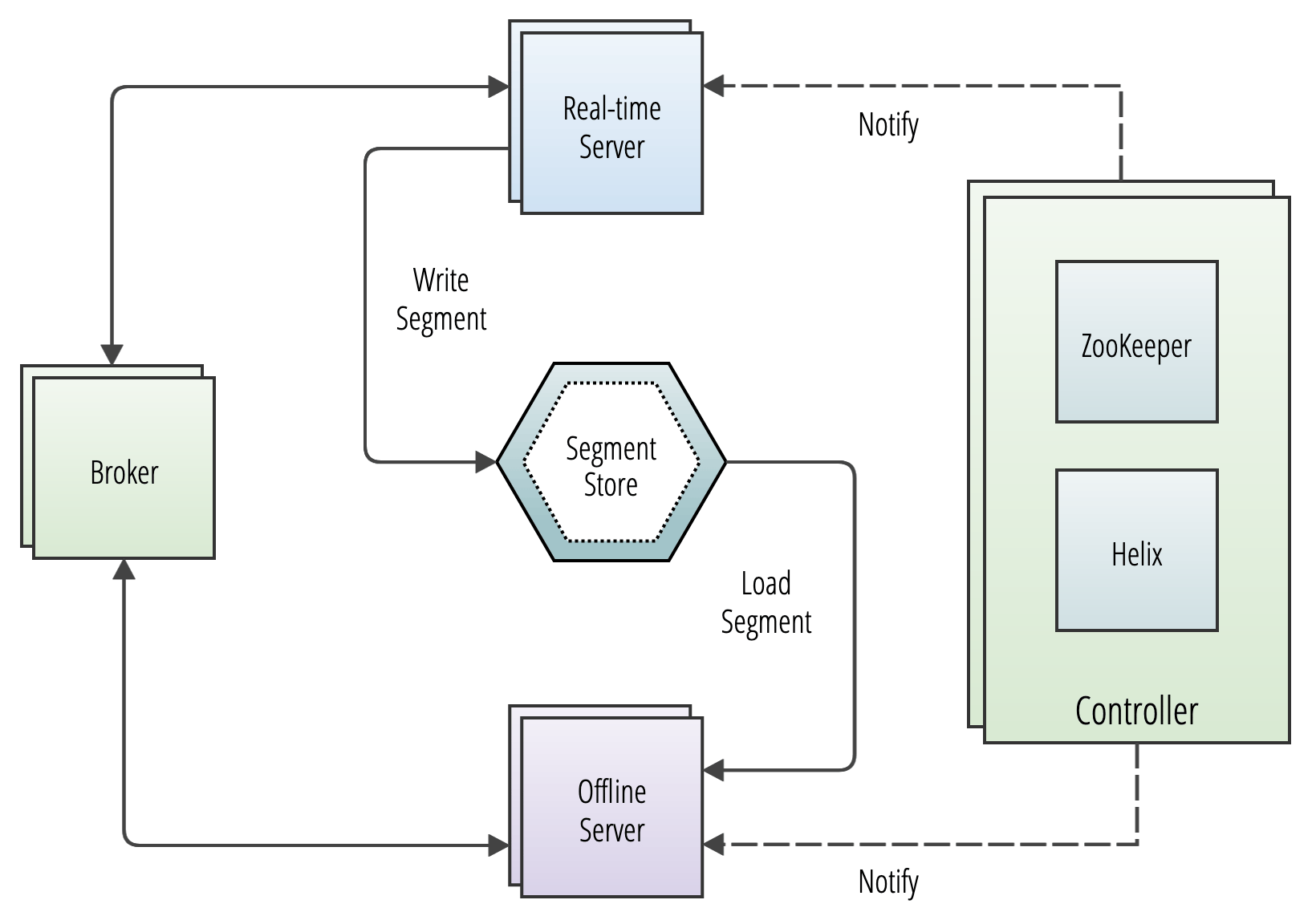
Offline Offline servers are responsible for downloading segments from the segment store, to host and serve queries off. When a new segment is uploaded to the controller, the controller decides the servers (as many as replication) that will host the new segment and notifies them to download the segment from the segment store. On receiving this notification, the servers download the segment file and load the segment onto the server, to server queries off them.
Real-time Real-time servers directly ingest from a real-time stream (such as Kafka or EventHubs). Periodically, they make segments of the in-memory ingested data, based on certain thresholds. This segment is then persisted onto the segment store.
Pinot servers are modeled as Helix participants, hosting Pinot tables (referred to as resources in Helix terminology). Segments of a table are modeled as Helix partitions (of a resource). Thus, a Pinot server hosts one or more Helix partitions of one or more helix resources (i.e. one or more segments of one or more tables).
Make sure you've . If you're using Docker, make sure to . To start a server:
Batch ingestion of backfill data into Apache Pinot.
Pinot batch ingestion involves two parts: routine ingestion job(hourly/daily) and backfill. Here are some examples to show how routine batch ingestion works in Pinot offline table:
High-level description
Organize raw data into buckets (eg: /var/pinot/airlineStats/rawdata/2014/01/01). Each bucket typically contains several files (eg: /var/pinot/airlineStats/rawdata/2014/01/01/airlineStats_data_2014-01-01_0.avro)
Run a Pinot batch ingestion job, which points to a specific date folder like ‘/var/pinot/airlineStats/rawdata/2014/01/01’. The segment generation job will convert each such avro file into a Pinot segment for that day and give it a unique name.
Run Pinot segment push job to upload those segments with those uniques names via a Controller API
This newly uploaded data can now be queried in Pinot. However, sometimes users will make changes to the raw data which need to be reflected in Pinot. This process is known as 'Backfill'.
Pinot supports data modification only at the segment level, which means you must update entire segments for doing backfills. The high level idea is to repeat steps 2 (segment generation) and 3 (segment upload) mentioned above:
Backfill jobs must run at the same granularity as the daily job. E.g., if you need to backfill data for 2014/01/01, specify that input folder for your backfill job (e.g.: ‘/var/pinot/airlineStats/rawdata/2014/01/01’)
The backfill job will then generate segments with the same name as the original job (with the new data).
When uploading those segments to Pinot, the controller will replace the old segments with the new ones (segment names act like primary keys within Pinot) one by one.
Backfill jobs expect the same number of (or more) data files on the backfill date. So the segment generation job will create the same number of (or more) segments than the original run.
For example, assuming table airlineStats has 2 segments(airlineStats_2014-01-01_2014-01-01_0, airlineStats_2014-01-01_2014-01-01_1) on date 2014/01/01 and the backfill input directory contains only 1 input file. Then the segment generation job will create just one segment: airlineStats_2014-01-01_2014-01-01_0. After the segment push job, only segment airlineStats_2014-01-01_2014-01-01_0 got replaced and stale data in segment airlineStats_2014-01-01_2014-01-01_1 are still there.
If the raw data is modified in such a way that the original time bucket has fewer input files than the first ingestion run, backfill will fail.
This section contains a collection of short guides to show you how to import data from a Pinot-supported file system.
FileSystem is an abstraction provided by Pinot to access data stored in distributed file systems (DFS).
Pinot uses distributed file systems for the following purposes:
Batch ingestion job: To read the input data (CSV, Avro, Thrift, etc.) and to write generated segments to DFS.
Controller: When a segment is uploaded to the controller, the controller saves it in the configured DFS.
Server:- When a server(s) is notified of a new segment, the server copies the segment from remote DFS to their local node using the DFS abstraction.
Pinot lets you choose a distributed file system provider. The following file systems are supported by Pinot:
To use a distributed file system, you need to enable plugins. To do that, specify the plugin directory and include the required plugins:
You can change the file system in the controller and server configuration. In the following configuration example, the URI is s3://bucket/path/to/file and scheme refers to the file system URI prefix s3.
You can also change the file system during ingestion. In the ingestion job spec, specify the file system with the following configuration:
Explore the fundamental concepts of Apache Pinot for efficient data processing and analysis. Gain insights into the core principles and foundational ideas behind Pinot's capabilities.
Pinot is designed to deliver low latency queries on large datasets. To achieve this performance, Pinot stores data in a columnar format and adds additional indices to perform fast filtering, aggregation and group by.
Raw data is broken into small data shards. Each shard is converted into a unit called a segment. One or more segments together form a table, which is the logical container for querying Pinot using SQL/PQL.
Pinot's storage model and infrastructure components include segments, tables, tenants, and clusters.
Pinot has a distributed systems architecture that scales horizontally. Pinot expects the size of a table to grow infinitely over time. In order to achieve this, all data needs to be distributed across multiple nodes. Pinot achieves this by breaking data into smaller chunks known as segments (similar to shards/partitions in high-availability (HA) relational databases). Another way to describe segments is as time-based partitions.
Similar to traditional databases, Pinot has the concept of a table—a logical abstraction that refers to a collection of related data.
As is the case with relational database management systems (RDBMS), a table is a construct that consists of columns and rows (documents) that are queried using SQL. A table is associated with a that defines the columns in a table as well as their data types.
In contrast to RDBMS schemas, multiple tables in Pinot can share a single schema definition. Tables are independently configured for concerns such as indexing strategies, partitioning, tenants, data sources, or replication.
Pinot supports multi-tenancy. Every Pinot table is associated with a This allows all tables belonging to a particular logical namespace to be grouped under a single tenant name and isolated from other tenants. This isolation between tenants provides different namespaces for applications and teams to prevent sharing tables or schemas. Development teams building applications will never have to operate an independent deployment of Pinot. An organization can operate a single cluster and scale it out as new tenants increase the overall volume of queries. Developers can manage their own schemas and tables without being impacted by any other tenant on a cluster.
By default, all tables belong to a default tenant named "default". The concept of tenants is very important, as it satisfies the architectural principle of a "database per service/application" without having to operate many independent data stores. Further, tenants will schedule resources so that segments (shards) are able to restrict a table's data to reside only on a specified set of nodes. Similar to the kind of isolation that is ubiquitously used in Linux containers, compute resources in Pinot can be scheduled to prevent resource contention between tenants.
Logically, a is simply a group of tenants. As with the classical definition of a cluster, it is also a grouping of a set of compute nodes. Typically, there is only one cluster per environment/data center. There is no needed to create multiple clusters since Pinot supports the concept of tenants. At LinkedIn, the largest Pinot cluster consists of 1000+ nodes distributed across a data center. The number of nodes in a cluster can be added in a way that will linearly increase performance and availability of queries. The number of nodes and the compute resources per node will reliably predict the QPS for a Pinot cluster, and as such, capacity planning can be easily achieved using SLAs that assert performance expectations for end-user applications.
A Pinot cluster consists of multiple distributed system components. These components are useful to understand for operators that are monitoring system usage or are debugging an issue with a cluster deployment.
Controller
Broker
Server
Minion (optional)
Pinot's integration with and allow it to be linearly scalable for an unbounded number of nodes.
A is the core orchestrator that drives the consistency and routing in a Pinot cluster. Controllers are horizontally scaled as an independent component (container) and has visibility of the state of all other components in a cluster. The controller reacts and responds to state changes in the system and schedules the allocation of resources for tables, segments, or nodes. As mentioned earlier, Helix is embedded within the controller as an agent that is a participant responsible for observing and driving state changes that are subscribed to by other components.
In addition to cluster management, resource allocation, and scheduling, the controller is also the HTTP gateway for REST API administration of a Pinot deployment. A web-based query console is also provided for operators to quickly and easily run SQL/PQL queries.
A receives queries from a client and routes its execution to one or more Pinot servers before returning a consolidated response.
host segments (shards) that are scheduled and allocated across multiple nodes and routed on an assignment to a tenant (there is a single-tenant by default). Servers are independent containers that scale horizontally and are notified by Helix through state changes driven by the controller. A server can either be a real-time server or an offline server.
A real-time and offline server have very different resource usage requirements, where real-time servers are continually consuming new messages from external systems (such as Kafka topics) that are ingested and allocated on segments of a tenant. Because of this, resource isolation can be used to prioritize high-throughput real-time data streams that are ingested and then made available for query through a broker.
Pinot is an optional component that can be used to run background tasks such as "purge" for GDPR (General Data Protection Regulation). As Pinot is an immutable aggregate store, records containing sensitive private data need to be purged on a request-by-request basis. Minion provides a solution for this purpose that complies with GDPR while optimizing Pinot segments and building additional indices that guarantee performance in the presence of the possibility of data deletion. One can also write a custom task that runs on a periodic basis. While it's possible to perform these tasks on the Pinot servers directly, having a separate process (Minion) lessens the overall degradation of query latency as segments are impacted by mutable writes.
This page talks about native text indices and corresponding search functionality in Apache Pinot.
Pinot supports text indexing and search by building Lucene indices as sidecars to the main Pinot segments. While this is a great technique, it essentially limits the avenues of optimizations that can be done for Pinot specific use cases of text search.
Pinot, like any other database/OLAP engine, does not need to conform to the entire full text search domain-specific language (DSL) that is traditionally used by full-text search (FTS) engines like ElasticSearch and Solr. In traditional SQL text search use cases, the majority of text searches belong to one of three patterns: prefix wildcard queries (like pino*), postfix or suffix wildcard queries (like *inot), and term queries (like pinot).
In Pinot, native text indices are built from the ground up. They use a custom text-indexing engine, coupled with Pinot's powerful inverted indices, to provide a fast text search experience.
The benefits are that native text indices are 80-120% faster than Lucene-based indices for the text search use cases mentioned above. They are also 40% smaller on disk.
Native text indices support real-time text search. For REALTIME tables, native text indices allow data to be indexed in memory in the text index, while concurrently supporting text searches on the same index.
Historically, most text indices depend on the in-memory text index being written to first and then sealed, before searches are possible. This limits the freshness of the search, being near-real-time at best.
Native text indices come with a custom in-memory text index, which allows for real-time indexing and search.
The function, TEXT\_CONTAINS, supports text search on native text indices.
Examples:
TEXT\_CONTAINS can be combined using standard boolean operators
Note: TEXT\_CONTAINS supports regex and term queries and will work only on native indices. TEXT\_CONTAINS supports standard regex patterns (as used by LIKE in SQL Standard), so there might be some syntatical differences from Lucene queries.
Native text indices are created using field configurations. To indicate that an index type is native, specify it using properties in the field configuration:
Insert a file into Pinot from Query Console
Ensure you have available Pinot Minion instances deployed within the cluster.
Pinot version is 0.11.0 or above
Parse the query with the table name and directory URI along with a list of options for the ingestion job.
Call controller minion task execution API endpoint to schedule the task on minion
Response has the schema of table name and task job id.
INSERT INTO [database.]table FROM FILE dataDirURI OPTION ( k=v ) [, OPTION (k=v)]*
Screenshot
We are actively developing this feature...
The details will be revealed soon.
This page has a collection of frequently asked questions of a general nature with answers from the community.
When data is pushed to Apache Pinot, Pinot makes a backup copy of the data and stores it on the configured deep-storage (S3/GCP/ADLS/NFS/etc). This copy is stored as tar.gz Pinot segments. Note, that Pinot servers keep a (untarred) copy of the segments on their local disk as well. This is done for performance reasons.
Pinot uses Apache Helix for cluster management, which in turn is built on top of Zookeeper. Helix uses Zookeeper to store the cluster state, including Ideal State, External View, Participants, and so on. Pinot also uses Zookeeper to store information such as Table configurations, schemas, Segment Metadata, and so on.
Please check the JDK version you are using. You may be getting this error if you are using an older version than the current Pinot binary release was built on. If so, you have two options: switch to the same JDK release as Pinot was built with or download the source code for the Pinot release and build it locally.
Batch ingestion of data into Apache Pinot using dimension tables.
Dimension tables are a special kind of offline tables from which data can be looked up via the lookup UDF, providing join-like functionality.
Dimension tables are replicated on all the hosts for a given tenant to allow faster lookups.
To mark an offline table as a dimension table, isDimTable should be set to true and segmentsConfig.segementPushType should be set to REFRESH in the table config, like this:
{
"OFFLINE": {
"tableName": "dimBaseballTeams_OFFLINE",
"tableType": "OFFLINE",
"segmentsConfig": {
"schemaName": "dimBaseballTeams",
"segmentPushType": "REFRESH"
},
"metadata": {},
"quota": {
"storage": "200M"
},
"isDimTable": true
}
}As dimension tables are used to perform lookups of dimension values, they are required to have a primary key (can be a composite key).
{
"dimensionFieldSpecs": [
{
"dataType": "STRING",
"name": "teamID"
},
{
"dataType": "STRING",
"name": "teamName"
}
],
"schemaName": "dimBaseballTeams",
"primaryKeyColumns": ["teamID"]
}When a table is marked as a dimension table, it will be replicated on all the hosts, which means that these tables must be small in size.
The maximum size quota for a dimension table in a cluster is controlled by the controller.dimTable.maxSize controller property. Table creation will fail if the storage quota exceeds this maximum size.
A dimension table cannot be part of a .
Discover the controller component of Apache Pinot, enabling efficient data and query management.
The Pinot controller is responsible for the following:
Maintaining global metadata (e.g., configs and schemas) of the system with the help of Zookeeper which is used as the persistent metadata store.
Hosting the Helix Controller and managing other Pinot components (brokers, servers, minions)
This quickstart guide helps you get started running Pinot on Google Cloud Platform (GCP).
In this quickstart guide, you will set up a Kubernetes Cluster on
Follow this link () to install kubectl.
For Mac users
Check kubectl version after installation.
Follow this link () to install helm.
For Mac users
Check helm version after installation.
To install Google Cloud SDK, see
Cardinality estimation is a classic problem. Pinot solves it with multiple ways each of which has a trade-off between accuracy and latency.
Functions:
DistinctCount(x) -> LONG
Returns accurate count for all unique values in a column.
The underlying implementation is using a IntOpenHashSet in library: it.unimi.dsi:fastutil:8.2.3 to hold all the unique values.
It usually takes a lot of resources and time to compute accurate results for unique counting on large datasets. In some circumstances, we can tolerate a certain error rate, in which case we can use approximation functions to tackle this problem.
Leverage Apache Pinot's deep store component for efficient large-scale data storage and management, enabling impactful data processing and analysis.
The deep store (or deep storage) is the permanent store for files.
It is used for backup and restore operations. New nodes in a cluster will pull down a copy of segment files from the deep store. If the local segment files on a server gets damaged in some way (or accidentally deleted), a new copy will be pulled down from the deep store on server restart.
The deep store stores a compressed version of the segment files and it typically won't include any indexes. These compressed files can be stored on a local file system or on a variety of other file systems. For more details on supported file systems, see .
Note: Deep store by itself is not sufficient for restore operations. Pinot stores metadata such as table config, schema, segment metadata in Zookeeper. For restore operations, both Deep Store as well as Zookeeper metadata are required.
There are several different ways that segments are persisted in the deep store.
For offline tables, the batch ingestion job writes the segment directly into the deep store, as shown in the diagram below:
This guide shows how to set up HDFS as deep storage for a Pinot segment.
To use HDFS as deep storage you need to include HDFS dependency jars and plugins.
If you receive an error that says No FileSystem for scheme"hdfs", the problem is likely to be a class loading issue.
To fix, try adding the following property to core-site.xml:
fs.hdfs.impl org.apache.hadoop.hdfs.DistributedFileSystem
And then export /opt/pinot/lib/hadoop-common-<release-version>.jar in the classpath.
Serving admin endpoints for viewing, creating, updating, and deleting configs, which are used to manage and operate the cluster.
Serving endpoints for segment uploads, which are used in offline data pushes. They are responsible for initializing real-time consumption and coordination of persisting real-time segments into the segment store periodically.
Undertaking other management activities such as managing retention of segments, validations.
For redundancy, there can be multiple instances of Pinot controllers. Pinot expects that all controllers are configured with the same back-end storage system so that they have a common view of the segments (e.g. NFS). Pinot can use other storage systems such as HDFS or ADLS.
The controller runs several periodic tasks in the background, to perform activities such as management and validation. Each periodic task has its own configuration to define the run frequency and default frequency. Each task runs at its own schedule or can also be triggered manually if needed. The task runs on the lead controller for each table.
For period task configuration details, see Controller configuration reference.
Use the GET /periodictask/names API to fetch the names of all the periodic tasks running on your Pinot cluster.
To manually run a named periodic task, use the GET /periodictask/run API:
The Log Request Id (api-09630c07) can be used to search through pinot-controller log file to see log entries related to execution of the Periodic task that was manually run.
If tableName (and its type OFFLINE or REALTIME) is not provided, the task will run against all tables.
Make sure you've set up Zookeeper. If you're using Docker, make sure to pull the Pinot Docker image. To start a controller:
Install Google Cloud SDK
Restart your shell
This script will create a 3 node cluster named pinot-quickstart in us-west1-b with n1-standard-2 machines for demo purposes.
Modify the parameters in the following example command with your gcloud details:
Use the following command do monitor cluster status:
Once the cluster is in RUNNING status, it's ready to be used.
Run the following command to get the credential for the cluster pinot-quickstart that you just created:
To verify the connection, run the following:
Follow this Kubernetes quickstart to deploy your Pinot demo.
HyperLogLog is an approximation algorithm for unique counting. It uses fixed number of bits to estimate the cardinality of given data set.
Pinot leverages HyperLogLog Class in library com.clearspring.analytics:stream:2.7.0as the data structure to hold intermediate results.
Functions:
DistinctCountHLL(x)_ -> LONG_
For column type INT/LONG/FLOAT/DOUBLE/STRING , Pinot treats each value as an individual entry to add into HyperLogLog Object, then compute the approximation by calling method cardinality().
For column type BYTES, Pinot treats each value as a serialized HyperLogLog Object with pre-aggregated values inside. The bytes value is generated by org.apache.pinot.core.common.ObjectSerDeUtils.HYPER_LOG_LOG_SER_DE.serialize(hyperLogLog).
All deserialized HyperLogLog object will be merged into one then calling method **cardinality() **to get the approximated unique count.
The Theta Sketch framework enables set operations over a stream of data, and can also be used for cardinality estimation. Pinot leverages the Sketch Class and its extensions from the library org.apache.datasketches:datasketches-java:1.2.0-incubating to perform distinct counting as well as evaluating set operations.
Functions:
DistinctCountThetaSketch(<thetaSketchColumn>, <thetaSketchParams>, predicate1, predicate2..., postAggregationExpressionToEvaluate**) **-> LONG
thetaSketchColumn (required): Name of the column to aggregate on.
thetaSketchParams (required): Parameters for constructing the intermediate theta-sketches. Currently, the only supported parameter is nominalEntries.
predicates (optional)_: _ These are individual predicates of form lhs <op> rhs which are applied on rows selected by the where clause. During intermediate sketch aggregation, sketches from the thetaSketchColumn that satisfies these predicates are unionized individually. For example, all filtered rows that match country=USA are unionized into a single sketch. Complex predicates that are created by combining (AND/OR) of individual predicates is supported.
postAggregationExpressionToEvaluate (required): The set operation to perform on the individual intermediate sketches for each of the predicates. Currently supported operations are SET_DIFF, SET_UNION, SET_INTERSECT , where DIFF requires two arguments and the UNION/INTERSECT allow more than two arguments.
In the example query below, the where clause is responsible for identifying the matching rows. Note, the where clause can be completely independent of the postAggregationExpression. Once matching rows are identified, each server unionizes all the sketches that match the individual predicates, i.e. country='USA' , device='mobile' in this case. Once the broker receives the intermediate sketches for each of these individual predicates from all servers, it performs the final aggregation by evaluating the postAggregationExpression and returns the final cardinality of the resulting sketch.
DistinctCountRawThetaSketch(<thetaSketchColumn>, <thetaSketchParams>, predicate1, predicate2..., postAggregationExpressionToEvaluate**)** -> HexEncoded Serialized Sketch Bytes
This is the same as the previous function, except it returns the byte serialized sketch instead of the cardinality sketch. Since Pinot returns responses as JSON strings, bytes are returned as hex encoded strings. The hex encoded string can be deserialized into sketch by using the library org.apache.commons.codec.binaryas Hex.decodeHex(stringValue.toCharArray()).
-Dplugins.dir=/opt/pinot/plugins -Dplugins.include=pinot-plugin-to-include-1,pinot-plugin-to-include-2#CONTROLLER
pinot.controller.storage.factory.class.[scheme]=className of the pinot file system
pinot.controller.segment.fetcher.protocols=file,http,[scheme]
pinot.controller.segment.fetcher.[scheme].class=org.apache.pinot.common.utils.fetcher.PinotFSSegmentFetcher#SERVER
pinot.server.storage.factory.class.[scheme]=className of the Pinot file system
pinot.server.segment.fetcher.protocols=file,http,[scheme]
pinot.server.segment.fetcher.[scheme].class=org.apache.pinot.common.utils.fetcher.PinotFSSegmentFetcherpinotFSSpecs
- scheme: file
className: org.apache.pinot.spi.filesystem.LocalPinotFSSELECT COUNT(*) FROM Foo WHERE TEXT_CONTAINS (<column_name>, <search_expression>)SELECT COUNT(*) FROM Foo WHERE TEXT_CONTAINS (<column_name>, "foo.*")SELECT COUNT(*) FROM Foo WHERE TEXT_CONTAINS (<column_name>, ".*bar")SELECT COUNT(*) FROM Foo WHERE TEXT_CONTAINS (<column_name>, "foo")SELECT COUNT(*) FROM Foo WHERE TEXT_CONTAINS ("col1", "foo") AND TEXT_CONTAINS ("col2", "bar")"fieldConfigList":[
{
"name":"text_col_1",
"encodingType":"RAW",
"indexTypes": ["TEXT"],
"properties":{"fstType":"native"}
}
]pinot.server.instance.enable.split.commit=true
pinot.server.storage.factory.class.hdfs=org.apache.pinot.plugin.filesystem.HadoopPinotFS
pinot.server.storage.factory.hdfs.hadoop.conf.path=/path/to/hadoop/conf/directory/
pinot.server.segment.fetcher.protocols=file,http,hdfs
pinot.server.segment.fetcher.hdfs.class=org.apache.pinot.common.utils.fetcher.PinotFSSegmentFetcher
pinot.server.segment.fetcher.hdfs.hadoop.kerberos.principle=<your kerberos principal>
pinot.server.segment.fetcher.hdfs.hadoop.kerberos.keytab=<your kerberos keytab>
pinot.set.instance.id.to.hostname=true
pinot.server.instance.dataDir=/path/in/local/filesystem/for/pinot/data/server/index
pinot.server.instance.segmentTarDir=/path/in/local/filesystem/for/pinot/data/server/segment
pinot.server.grpc.enable=true
pinot.server.grpc.port=8090export HADOOP_HOME=/path/to/hadoop/home
export HADOOP_VERSION=2.7.1
export HADOOP_GUAVA_VERSION=11.0.2
export HADOOP_GSON_VERSION=2.2.4
export GC_LOG_LOCATION=/path/to/gc/log/file
export PINOT_VERSION=0.10.0
export PINOT_DISTRIBUTION_DIR=/path/to/apache-pinot-${PINOT_VERSION}-bin/
export SERVER_CONF_DIR=/path/to/pinot/conf/dir/
export ZOOKEEPER_ADDRESS=localhost:2181
export CLASSPATH_PREFIX="${HADOOP_HOME}/share/hadoop/hdfs/hadoop-hdfs-${HADOOP_VERSION}.jar:${HADOOP_HOME}/share/hadoop/common/lib/hadoop-annotations-${HADOOP_VERSION}.jar:${HADOOP_HOME}/share/hadoop/common/lib/hadoop-auth-${HADOOP_VERSION}.jar:${HADOOP_HOME}/share/hadoop/common/hadoop-common-${HADOOP_VERSION}.jar:${HADOOP_HOME}/share/hadoop/common/lib/guava-${HADOOP_GUAVA_VERSION}.jar:${HADOOP_HOME}/share/hadoop/common/lib/gson-${HADOOP_GSON_VERSION}.jar"
export JAVA_OPTS="-Xms4G -Xmx16G -XX:+UseG1GC -XX:MaxGCPauseMillis=200 -Xloggc:${GC_LOG_LOCATION}/gc-pinot-server.log"
${PINOT_DISTRIBUTION_DIR}/bin/start-server.sh -zkAddress ${ZOOKEEPER_ADDRESS} -configFileName ${SERVER_CONF_DIR}/server.confcontroller.data.dir=hdfs://path/in/hdfs/for/controller/segment
controller.local.temp.dir=/tmp/pinot/
controller.zk.str=<ZOOKEEPER_HOST:ZOOKEEPER_PORT>
controller.enable.split.commit=true
controller.access.protocols.http.port=9000
controller.helix.cluster.name=PinotCluster
pinot.controller.storage.factory.class.hdfs=org.apache.pinot.plugin.filesystem.HadoopPinotFS
pinot.controller.storage.factory.hdfs.hadoop.conf.path=/path/to/hadoop/conf/directory/
pinot.controller.segment.fetcher.protocols=file,http,hdfs
pinot.controller.segment.fetcher.hdfs.class=org.apache.pinot.common.utils.fetcher.PinotFSSegmentFetcher
pinot.controller.segment.fetcher.hdfs.hadoop.kerberos.principle=<your kerberos principal>
pinot.controller.segment.fetcher.hdfs.hadoop.kerberos.keytab=<your kerberos keytab>
controller.vip.port=9000
controller.port=9000
pinot.set.instance.id.to.hostname=true
pinot.server.grpc.enable=trueexport HADOOP_HOME=/path/to/hadoop/home
export HADOOP_VERSION=2.7.1
export HADOOP_GUAVA_VERSION=11.0.2
export HADOOP_GSON_VERSION=2.2.4
export GC_LOG_LOCATION=/path/to/gc/log/file
export PINOT_VERSION=0.10.0
export PINOT_DISTRIBUTION_DIR=/path/to/apache-pinot-${PINOT_VERSION}-bin/
export SERVER_CONF_DIR=/path/to/pinot/conf/dir/
export ZOOKEEPER_ADDRESS=localhost:2181
export CLASSPATH_PREFIX="${HADOOP_HOME}/share/hadoop/hdfs/hadoop-hdfs-${HADOOP_VERSION}.jar:${HADOOP_HOME}/share/hadoop/common/lib/hadoop-annotations-${HADOOP_VERSION}.jar:${HADOOP_HOME}/share/hadoop/common/lib/hadoop-auth-${HADOOP_VERSION}.jar:${HADOOP_HOME}/share/hadoop/common/hadoop-common-${HADOOP_VERSION}.jar:${HADOOP_HOME}/share/hadoop/common/lib/guava-${HADOOP_GUAVA_VERSION}.jar:${HADOOP_HOME}/share/hadoop/common/lib/gson-${HADOOP_GSON_VERSION}.jar"
export JAVA_OPTS="-Xms8G -Xmx12G -XX:+UseG1GC -XX:MaxGCPauseMillis=200 -Xloggc:${GC_LOG_LOCATION}/gc-pinot-controller.log"
${PINOT_DISTRIBUTION_DIR}/bin/start-controller.sh -configFileName ${SERVER_CONF_DIR}/controller.confpinot.set.instance.id.to.hostname=true
pinot.server.grpc.enable=trueexport HADOOP_HOME=/path/to/hadoop/home
export HADOOP_VERSION=2.7.1
export HADOOP_GUAVA_VERSION=11.0.2
export HADOOP_GSON_VERSION=2.2.4
export GC_LOG_LOCATION=/path/to/gc/log/file
export PINOT_VERSION=0.10.0
export PINOT_DISTRIBUTION_DIR=/path/to/apache-pinot-${PINOT_VERSION}-bin/
export SERVER_CONF_DIR=/path/to/pinot/conf/dir/
export ZOOKEEPER_ADDRESS=localhost:2181
export CLASSPATH_PREFIX="${HADOOP_HOME}/share/hadoop/hdfs/hadoop-hdfs-${HADOOP_VERSION}.jar:${HADOOP_HOME}/share/hadoop/common/lib/hadoop-annotations-${HADOOP_VERSION}.jar:${HADOOP_HOME}/share/hadoop/common/lib/hadoop-auth-${HADOOP_VERSION}.jar:${HADOOP_HOME}/share/hadoop/common/hadoop-common-${HADOOP_VERSION}.jar:${HADOOP_HOME}/share/hadoop/common/lib/guava-${HADOOP_GUAVA_VERSION}.jar:${HADOOP_HOME}/share/hadoop/common/lib/gson-${HADOOP_GSON_VERSION}.jar"
export JAVA_OPTS="-Xms4G -Xmx4G -XX:+UseG1GC -XX:MaxGCPauseMillis=200 -Xloggc:${GC_LOG_LOCATION}/gc-pinot-broker.log"
${PINOT_DISTRIBUTION_DIR}/bin/start-broker.sh -zkAddress ${ZOOKEEPER_ADDRESS} -configFileName ${SERVER_CONF_DIR}/broker.confdocker run \
--network=pinot-demo \
--name pinot-controller \
-p 9000:9000 \
-d ${PINOT_IMAGE} StartController \
-zkAddress pinot-zookeeper:2181bin/pinot-admin.sh StartController \
-zkAddress localhost:2181 \
-clusterName PinotCluster \
-controllerPort 9000curl -X GET "http://localhost:9000/periodictask/names" -H "accept: application/json"
[
"RetentionManager",
"OfflineSegmentIntervalChecker",
"RealtimeSegmentValidationManager",
"BrokerResourceValidationManager",
"SegmentStatusChecker",
"SegmentRelocator",
"StaleInstancesCleanupTask",
"TaskMetricsEmitter"
]curl -X GET "http://localhost:9000/periodictask/run?taskname=SegmentStatusChecker&tableName=jsontypetable&type=OFFLINE" -H "accept: application/json"
{
"Log Request Id": "api-09630c07",
"Controllers notified": true
}brew install kubernetes-clikubectl versionbrew install kubernetes-helmhelm versioncurl https://sdk.cloud.google.com | bashexec -l $SHELLgcloud initGCLOUD_PROJECT=[your gcloud project name]
GCLOUD_ZONE=us-west1-b
GCLOUD_CLUSTER=pinot-quickstart
GCLOUD_MACHINE_TYPE=n1-standard-2
GCLOUD_NUM_NODES=3
gcloud container clusters create ${GCLOUD_CLUSTER} \
--num-nodes=${GCLOUD_NUM_NODES} \
--machine-type=${GCLOUD_MACHINE_TYPE} \
--zone=${GCLOUD_ZONE} \
--project=${GCLOUD_PROJECT}gcloud compute instances listGCLOUD_PROJECT=[your gcloud project name]
GCLOUD_ZONE=us-west1-b
GCLOUD_CLUSTER=pinot-quickstart
gcloud container clusters get-credentials ${GCLOUD_CLUSTER} --zone ${GCLOUD_ZONE} --project ${GCLOUD_PROJECT}kubectl get nodesGCLOUD_ZONE=us-west1-b
gcloud container clusters delete pinot-quickstart --zone=${GCLOUD_ZONE}select distinctCountThetaSketch(
sketchCol,
'nominalEntries=1024',
'country'=''USA'' AND 'state'=''CA'', 'device'=''mobile'', 'SET_INTERSECT($1, $2)'
)
from table
where country = 'USA' or device = 'mobile...' The ingestion job then sends a notification about the new segment to the controller, which in turn notifies the appropriate server to pull down that segment.
For real-time tables, by default, a segment is first built-in memory by the server. It is then uploaded to the lead controller (as part of the Segment Completion Protocol sequence), which writes the segment into the deep store, as shown in the diagram below:
Having all segments go through the controller can become a system bottleneck under heavy load, in which case you can use the peer download policy, as described in Decoupling Controller from the Data Path.
When using this configuration, the server will directly write a completed segment to the deep store, as shown in the diagram below:
For hands-on examples of how to configure the deep store, see the following tutorials:
kubectl edit pvc data-pinot-server-3 -n pinotUsage: StartServer
-serverHost <String> : Host name for controller. (required=false)
-serverPort <int> : Port number to start the server at. (required=false)
-serverAdminPort <int> : Port number to serve the server admin API at. (required=false)
-dataDir <string> : Path to directory containing data. (required=false)
-segmentDir <string> : Path to directory containing segments. (required=false)
-zkAddress <http> : Http address of Zookeeper. (required=false)
-clusterName <String> : Pinot cluster name. (required=false)
-configFileName <Config File Name> : Broker Starter Config file. (required=false)
-help : Print this message. (required=false)docker run \
--network=pinot-demo \
--name pinot-server \
-d ${PINOT_IMAGE} StartServer \
-zkAddress pinot-zookeeper:2181bin/pinot-admin.sh StartServer \
-zkAddress localhost:2181SET taskName = 'myTask-s3';
SET input.fs.className = 'org.apache.pinot.plugin.filesystem.S3PinotFS';
SET input.fs.prop.accessKey = 'my-key';
SET input.fs.prop.secretKey = 'my-secret';
SET input.fs.prop.region = 'us-west-2';
INSERT INTO "baseballStats"
FROM FILE 's3://my-bucket/public_data_set/baseballStats/rawdata/'Deduplication support in Apache Pinot.
Pinot provides native support for deduplication (dedup) during the real-time ingestion (v0.11.0+).
To enable dedup on a Pinot table, make the following table configuration and schema changes:
To be able to dedup records, a primary key is needed to uniquely identify a given record. To define a primary key, add the field primaryKeyColumns to the schema definition.
{
"primaryKeyColumns": ["id"]
}Note this field expects a list of columns, as the primary key can be composite.
While ingesting a record, if its primary key is found to be already present, the record will be dropped.
An important requirement for the Pinot dedup table is to partition the input stream by the primary key. For Kafka messages, this means the producer shall set the key in the send API. If the original stream is not partitioned, then a streaming processing job (e.g. Flink) is needed to shuffle and repartition the input stream into a partitioned one for Pinot's ingestion.
The dedup Pinot table can use only the low-level consumer for the input streams. As a result, it uses the for the segments. Moreover, dedup poses the additional requirement that all segments of the same partition must be served from the same server to ensure the data consistency across the segments. Accordingly, it requires strictReplicaGroup as the routing strategy. To use that, configure instanceSelectorType in Routing as the following:
The high-level consumer is not allowed for the input stream ingestion, which means stream.kafka.consumer.type must be lowLevel.
The incoming stream must be partitioned by the primary key such that, all records with a given primaryKey must be consumed by the same Pinot server instance.
To enable dedup for a REALTIME table, add the following to the table config.
Supported values for hashFunction are NONE, MD5 and MURMUR3, with the default being NONE.
Unlike other real-time tables, Dedup table takes up more memory resources as it needs to bookkeep the primary key and its corresponding segment reference, in memory. As a result, it's important to plan the capacity beforehand, and monitor the resource usage. Here are some recommended practices of using Dedup table.
Create the Kafka topic with more partitions. The number of Kafka partitions determines the partition numbers of the Pinot table. The more partitions you have in the Kafka topic, more Pinot servers you can distribute the Pinot table to and therefore more you can scale the table horizontally.
Dedup table maintains an in-memory map from the primary key to the segment reference. So it's recommended to use a simple primary key type and avoid composite primary keys to save the memory cost. In addition, consider the hashFunction config in the Dedup config, which can be MD5 or MURMUR3, to store the 128-bit hashcode of the primary key instead. This is useful when your primary key takes more space. But keep in mind, this hash may introduce collisions, though the chance is very low.
This document contains all the available query options
This quickstart guide helps you get started running Pinot on Microsoft Azure.
In this quickstart guide, you will set up a Kubernetes Cluster on Azure Kubernetes Service (AKS)
Follow this link (https://kubernetes.io/docs/tasks/tools/install-kubectl) to install kubectl.
For Mac users
brew install kubernetes-cliCheck kubectl version after installation.
kubectl versionTo install Helm, see Installing Helm.
For Mac users
brew install kubernetes-helmCheck helm version after installation.
helm versionFollow this link (https://docs.microsoft.com/en-us/cli/azure/install-azure-cli?view=azure-cli-latest) to install Azure CLI.
For Mac users
This script will open your default browser to sign-in to your Azure Account.
Use the following script create a resource group in location eastus.
This script will create a 3 node cluster named pinot-quickstart for demo purposes.
Modify the parameters in the following example command with your resource group and cluster details:
Once the command succeeds, the cluster is ready to be used.
Run the following command to get the credential for the cluster pinot-quickstart that you just created:
To verify the connection, run the following:
Follow this to deploy your Pinot demo.
This guide shows you how to import data from GCP (Google Cloud Platform).
Enable the Google Cloud Storage using the pinot-gcs plugin. In the controller or server, add the config:
-Dplugins.dir=/opt/pinot/plugins -Dplugins.include=pinot-gcsGCP file systems provides the following options:
projectId - The name of the Google Cloud Platform project under which you have created your storage bucket.
gcpKey - Location of the json file containing GCP keys. You can refer to download the keys.
Each of these properties should be prefixed by pinot.[node].storage.factory.class.gs. where node is either controller or server depending on the configuration, like this:
This page describes the indexing techniques available in Apache Pinot
Apache Pinot supports the following indexing techniques:
Dictionary-encoded forward index with bit compression
Raw value forward index
Sorted forward index with run-length encoding
Bitmap inverted index
Sorted inverted index
Text Index
By default, Pinot creates a dictionary-encoded forward index for each column.
There are two ways to enable indexes for a Pinot table.
Indexing is enabled by specifying the desired column names in the table configuration. More details about how to configure each type of index can be found in the respective index's section linked above or in the .
Indexes can also be dynamically added to or removed from segments at any point. Update your table configuration with the latest set of indexes you want to have.
For example, if you have an inverted index on the foo field and now want to also include the bar field, you would update your table configuration from this:
To this:
The updated index configuration won't be picked up unless you invoke the reload API. This API sends reload messages via Helix to all servers, as part of which indexes are added or removed from the local segments. This happens without any downtime and is completely transparent to the queries.
When adding an index, only the new index is created and appended to the existing segment. When removing an index, its related states are cleaned up from Pinot servers. You can find this API under the Segments tab on Swagger:
You can also find this action on the , on the specific table's page.
The inverted index provides good performance for most use cases, especially if your use case doesn't have a strict low latency requirement.
You should start by using this, and if your queries aren't fast enough, switch to advanced indices like the sorted or star-tree index.
This guide shows you how to import data from files stored in Azure Data Lake Storage Gen2 (ADLS Gen2)
Enable the Azure Data Lake Storage using the pinot-adls plugin. In the controller or server, add the config:
-Dplugins.dir=/opt/pinot/plugins -Dplugins.include=pinot-adlsAzure Blob Storage provides the following options:
accountName: Name of the Azure account under which the storage is created.
accessKey: Access key required for the authentication.
fileSystemName: Name of the file system to use, for example, the container name (similar to the bucket name in S3).
enableChecksum: Enable MD5 checksum for verification. Default is false.
Each of these properties should be prefixed by pinot.[node].storage.factory.class.adl2. where node is either controller or server depending on the config, like this:
This page describes configuring the bloom filter for Apache Pinot
The bloom filter prunes segments that do not contain any record matching an EQUALITY predicate.
This is useful for a query like the following:
SELECT COUNT(*)
FROM baseballStats
WHERE playerID = 12345There are 3 parameters to configure the bloom filter:
fpp: False positive probability of the bloom filter (from 0 to 1, 0.05 by default). The lower the fpp , the higher accuracy the bloom filter has, but it will also increase the size of the bloom filter.
maxSizeInBytes: Maximum size of the bloom filter (unlimited by default). If a fpp setting generates a bloom filter larger than this size, using this setting will increase the fpp to keep the bloom filter size within this limit.
loadOnHeap: Whether to load the bloom filter using heap memory or off-heap memory (false by default).
There are 2 ways to configure a bloom filter for a table in the :
Default settings
Customized parameters
This guide shows you how to ingest a stream of records from an Amazon Kinesis topic into a Pinot table.
To ingest events from an Amazon Kinesis stream into Pinot, set the following configs into the table config:
where the Kinesis specific properties are:
Pinot Data Explorer is a user-friendly interface in Apache Pinot for interactive data exploration, querying, and visualization.
Once you have set up a cluster, you can start exploring the data and the APIs using the Pinot Data Explorer.
Navigate to in your browser to open the Data Explorer UI.
The first screen that you'll see when you open the Pinot Data Explorer is the Cluster Manager. The Cluster Manager provides a UI to operate and manage your cluster.
If you want to view the contents of a server, click on its instance name. You'll then see the following:
To view the baseballStats table, click on its name, which will show the following screen:
Batch ingestion of data into Apache Pinot using Apache Hadoop.
Pinot supports as a processor to create and push segment files to the database. Pinot distribution is bundled with the Spark code to process your files and convert and upload them to Pinot.
You can follow the to build Pinot from source. The resulting JAR file can be found in pinot/target/pinot-all-${PINOT_VERSION}-jar-with-dependencies.jar
Next, you need to change the execution config in the job spec to the following -
You can check out the sample job spec here.
Finally execute the hadoop job using the command -
Ensure environment variables PINOT_ROOT_DIR and PINOT_VERSION
Support for encoding fields with CLP during ingestion.
When performing stream ingestion of JSON records using , users can encode specific fields with by using a CLP-specific StreamMessageDecoder.
CLP is a compressor designed to encode unstructured log messages in a way that makes them more compressible while retaining the ability to search them. It does this by decomposing the message into three fields:
the message's static text, called a log type;
repetitive variable values, called dictionary variables; and
This guide shows you how to import data from files stored in Amazon S3.
Enable the file system backend by including the pinot-s3 plugin. In the controller or server configuration, add the config:
You can configure the S3 file system using the following options:
Explore the Schema component in Apache Pinot, vital for defining the structure and data types of Pinot tables, enabling efficient data processing and analysis.
Each table in Pinot is associated with a schema. A schema defines what fields are present in the table along with the data types.
The schema is stored in Zookeeper along with the table configuration.
A schema also defines what category a column belongs to. Columns in a Pinot table can be categorized into three categories:
Discover the tenant component of Apache Pinot, which facilitates efficient data isolation and resource management within Pinot clusters.
A tenant is a logical component defined as a group of server/broker nodes with the same Helix tag.
In order to support multi-tenancy, Pinot has first-class support for tenants. Every table is associated with a server tenant and a broker tenant. This controls the nodes that will be used by this table as servers and brokers. This allows all tables belonging to a particular use case to be grouped under a single tenant name.
The concept of tenants is very important when the multiple use cases are using Pinot and there is a need to provide quotas or some sort of isolation across tenants. For example, consider we have two tables Table A and Table B in the same Pinot cluster.
We can configure Table A with server tenant
Use a timestamp index to speed up your time query with different granularities
The TIMESTAMP data type introduced in the stores value as millisecond epoch long value.
Typically, users won't need this low level granularity for analytics queries. Scanning the data and time value conversion can be costly for big data.
A common query pattern for timestamp columns is filtering on a time range and then grouping by using different time granularities(days/month/etc).
Typically, this requires the query executor to extract values, apply the transform functions then do filter/groupBy, with no leverage on the dictionary or index.
This was the inspiration for the Pinot timestamp index, which is used to improve the query performance for range query and group by queries on TIMESTAMP columns.
A TIMESTAMP
Batch ingestion of data into Apache Pinot using Apache Flink.
Pinot supports Apache Flink as a processing framework to push segment files to the database.
Pinot distribution contains an Apache Flink that can be used as part of the Apache Flink application (Streaming or Batch) to directly write into a designated Pinot database.
Here is an example code snippet to show how to utilize the in a Flink streaming application:
As in the example shown above, the only required information from the Pinot side is the table and the table .
For a more detailed executable, refer to the .
PinotSinkFunction uses mostly the TableConfig object to infer the batch ingestion configuration to start a SegmentWriter and SegmentUploader to communicate with the Pinot cluster.
Note that even though in the above example Flink application is running in streaming mode, the data is still batch together and flush/upload to Pinot once the flush threshold is reached. It is not a direct streaming write into Pinot.
Monitoring: Set up a dashboard over the metric pinot.server.dedupPrimaryKeysCount.tableName to watch the number of primary keys in a table partition. It's useful for tracking its growth which is proportional to the memory usage growth.
Capacity planning: It's useful to plan the capacity beforehand to ensure you will not run into resource constraints later. A simple way is to measure the amount of the primary keys in the Kafka throughput per partition and time the primary key space cost to approximate the memory usage. A heap dump is also useful to check the memory usage so far on an dedup table instance.
{
"tableIndexConfig": {
"bloomFilterColumns": [
"playerID",
...
],
...
},
...
}stream.kinesis.topic.name
Kinesis stream name
region
Kinesis region e.g. us-west-1
accessKey
Kinesis access key
secretKey
Kinesis secret key
shardIteratorType
Set to LATEST to consume only new records, TRIM_HORIZON for earliest sequence number_,_ AT___SEQUENCE_NUMBER and AFTER_SEQUENCE_NUMBER to start consumptions from a particular sequence number
maxRecordsToFetch
... Default is 20.
Kinesis supports authentication using the DefaultCredentialsProviderChain. The credential provider looks for the credentials in the following order -
Environment Variables - AWS_ACCESS_KEY_ID and AWS_SECRET_ACCESS_KEY (RECOMMENDED since they are recognized by all the AWS SDKs and CLI except for .NET), or AWS_ACCESS_KEY and AWS_SECRET_KEY (only recognized by Java SDK)
Java System Properties - aws.accessKeyId and aws.secretKey
Web Identity Token credentials from the environment or container
Credential profiles file at the default location (~/.aws/credentials) shared by all AWS SDKs and the AWS CLI
Credentials delivered through the Amazon EC2 container service if AWS_CONTAINER_CREDENTIALS_RELATIVE_URI environment variable is set and security manager has permission to access the variable,
Instance profile credentials delivered through the Amazon EC2 metadata service
Although you can also specify the accessKey and secretKey in the properties above, we don't recommend this unsecure method. We recommend using it only for non-production proof-of-concept (POC) setups. You can also specify other AWS fields such as AWS_SESSION_TOKEN as environment variables and config and it will work.
ShardID is of the format "shardId-000000000001". We use the numeric part as partitionId. Our partitionId variable is integer. If shardIds grow beyond Integer.MAX\_VALUE, we will overflow into the partitionId space.
Segment size based thresholds for segment completion will not work. It assumes that partition "0" always exists. However, once the shard 0 is split/merged, we will no longer have partition 0.
streamType
This should be set to "kinesis"
We’ve seen some requests that data should be massaged (like partitioning, sorting, resizing) before creating and pushing segments to Pinot.
The MapReduce job called SegmentPreprocessingJob would be the best fit for this use case, regardless of whether the input data is of AVRO or ORC format.
Check the below example to see how to use SegmentPreprocessingJob.
In Hadoop properties, set the following to enable this job:
In table config, specify the operations in preprocessing.operations that you'd like to enable in the MR job, and then specify the exact configs regarding those operations:
Minimum number of reducers. Optional. Fetched when partitioning gets disabled and resizing is enabled. This parameter is to avoid having too many small input files for Pinot, which leads to the case where Pinot server is holding too many small segments, causing too many threads.
Maximum number of records per reducer. Optional.Unlike, “preprocessing.num.reducers”, this parameter is to avoid having too few large input files for Pinot, which misses the advantage of muti-threading when querying. When not set, each reducer will finally generate one output file. When set (e.g. M), the original output file will be split into multiple files and each new output file contains at most M records. It does not matter whether partitioning is enabled or not.
For more details on this MR job, refer to this document.
region
The AWS Data center region in which the bucket is located
accessKey
(Optional) AWS access key required for authentication. This should only be used for testing purposes as we don't store these keys in secret.
secretKey
(Optional) AWS secret key required for authentication. This should only be used for testing purposes as we don't store these keys in secret.
endpoint
(Optional) Override endpoint for s3 client.
disableAcl
If this is set tofalse, bucket owner is granted full access to the objects created by pinot. Default value is true.
serverSideEncryption
(Optional) The server-side encryption algorithm used when storing this object in Amazon S3 (Now supports aws:kms), set to null to disable SSE.
ssekmsKeyId
(Optional, but required when serverSideEncryption=aws:kms) Specifies the AWS KMS key ID to use for object encryption. All GET and PUT requests for an object protected by AWS KMS will fail if not made via SSL or using SigV4.
ssekmsEncryptionContext
(Optional) Specifies the AWS KMS Encryption Context to use for object encryption. The value of this header is a base64-encoded UTF-8 string holding JSON with the encryption context key-value pairs.
Each of these properties should be prefixed by pinot.[node].storage.factory.s3. where node is either controller or server depending on the config
e.g.
S3 Filesystem supports authentication using the DefaultCredentialsProviderChain. The credential provider looks for the credentials in the following order -
Environment Variables - AWS_ACCESS_KEY_ID and AWS_SECRET_ACCESS_KEY (RECOMMENDED since they are recognized by all the AWS SDKs and CLI except for .NET), or AWS_ACCESS_KEY and AWS_SECRET_KEY (only recognized by Java SDK)
Java System Properties - aws.accessKeyId and aws.secretKey
Web Identity Token credentials from the environment or container
Credential profiles file at the default location (~/.aws/credentials) shared by all AWS SDKs and the AWS CLI
Credentials delivered through the Amazon EC2 container service if AWS_CONTAINER_CREDENTIALS_RELATIVE_URI environment variable is set and security manager has permission to access the variable,
Instance profile credentials delivered through the Amazon EC2 metadata service
You can also specify the accessKey and secretKey using the properties. However, this method is not secure and should be used only for POC setups.
Here is an example table config
the only required configurations are:
"outputDirURI": where PinotSinkFunction should write the constructed segment file to
"push.controllerUri": which Pinot cluster (controller) URL PinotSinkFunction should communicate with.
The rest of the configurations are standard for any Pinot table.
{
"routing": {
"instanceSelectorType": "strictReplicaGroup"
}
}{
...
"dedupConfig": {
"dedupEnabled": true,
"hashFunction": "NONE"
},
...
}brew update && brew install azure-cliaz loginAKS_RESOURCE_GROUP=pinot-demo
AKS_RESOURCE_GROUP_LOCATION=eastus
az group create --name ${AKS_RESOURCE_GROUP} \
--location ${AKS_RESOURCE_GROUP_LOCATION}AKS_RESOURCE_GROUP=pinot-demo
AKS_CLUSTER_NAME=pinot-quickstart
az aks create --resource-group ${AKS_RESOURCE_GROUP} \
--name ${AKS_CLUSTER_NAME} \
--node-count 3AKS_RESOURCE_GROUP=pinot-demo
AKS_CLUSTER_NAME=pinot-quickstart
az aks get-credentials --resource-group ${AKS_RESOURCE_GROUP} \
--name ${AKS_CLUSTER_NAME}kubectl get nodesAKS_RESOURCE_GROUP=pinot-demo
AKS_CLUSTER_NAME=pinot-quickstart
az aks delete --resource-group ${AKS_RESOURCE_GROUP} \
--name ${AKS_CLUSTER_NAME}pinot.controller.storage.factory.class.gs.projectId=test-projectexecutionFrameworkSpec:
name: 'standalone'
segmentGenerationJobRunnerClassName: 'org.apache.pinot.plugin.ingestion.batch.standalone.SegmentGenerationJobRunner'
segmentTarPushJobRunnerClassName: 'org.apache.pinot.plugin.ingestion.batch.standalone.SegmentTarPushJobRunner'
segmentUriPushJobRunnerClassName: 'org.apache.pinot.plugin.ingestion.batch.standalone.SegmentUriPushJobRunner'
jobType: SegmentCreationAndTarPush
inputDirURI: 'gs://my-bucket/path/to/input/directory/'
outputDirURI: 'gs://my-bucket/path/to/output/directory/'
overwriteOutput: true
pinotFSSpecs:
- scheme: gs
className: org.apache.pinot.plugin.filesystem.GcsPinotFS
configs:
projectId: 'my-project'
gcpKey: 'path-to-gcp json key file'
recordReaderSpec:
dataFormat: 'csv'
className: 'org.apache.pinot.plugin.inputformat.csv.CSVRecordReader'
configClassName: 'org.apache.pinot.plugin.inputformat.csv.CSVRecordReaderConfig'
tableSpec:
tableName: 'students'
pinotClusterSpecs:
- controllerURI: 'http://localhost:9000'controller.data.dir=gs://path/to/data/directory/
controller.local.temp.dir=/path/to/local/temp/directory
controller.enable.split.commit=true
pinot.controller.storage.factory.class.gs=org.apache.pinot.plugin.filesystem.GcsPinotFS
pinot.controller.storage.factory.gs.projectId=my-project
pinot.controller.storage.factory.gs.gcpKey=path/to/gcp/key.json
pinot.controller.segment.fetcher.protocols=file,http,gs
pinot.controller.segment.fetcher.gs.class=org.apache.pinot.common.utils.fetcher.PinotFSSegmentFetcherpinot.server.instance.enable.split.commit=true
pinot.server.storage.factory.class.gs=org.apache.pinot.plugin.filesystem.GcsPinotFS
pinot.server.storage.factory.gs.projectId=my-project
pinot.server.storage.factory.gs.gcpKey=path/to/gcp/key.json
pinot.server.segment.fetcher.protocols=file,http,gs
pinot.server.segment.fetcher.gs.class=org.apache.pinot.common.utils.fetcher.PinotFSSegmentFetcherpinot.minion.storage.factory.class.gs=org.apache.pinot.plugin.filesystem.GcsPinotFS
pinot.minion.storage.factory.gs.projectId=my-project
pinot.minion.storage.factory.gs.gcpKey=path/to/gcp/key.json
pinot.minion.segment.fetcher.protocols=file,http,gs
pinot.minion.segment.fetcher.gs.class=org.apache.pinot.common.utils.fetcher.PinotFSSegmentFetcher"tableIndexConfig": {
"invertedIndexColumns": ["foo"],
...
}"tableIndexConfig": {
"invertedIndexColumns": ["foo", "bar"],
...
}curl -X POST \
"http://localhost:9000/segments/myTable/reload" \
-H "accept: application/json"pinot.controller.storage.factory.class.adl2.accountName=test-userexecutionFrameworkSpec:
name: 'standalone'
segmentGenerationJobRunnerClassName: 'org.apache.pinot.plugin.ingestion.batch.standalone.SegmentGenerationJobRunner'
segmentTarPushJobRunnerClassName: 'org.apache.pinot.plugin.ingestion.batch.standalone.SegmentTarPushJobRunner'
segmentUriPushJobRunnerClassName: 'org.apache.pinot.plugin.ingestion.batch.standalone.SegmentUriPushJobRunner'
jobType: SegmentCreationAndTarPush
inputDirURI: 'adl2://path/to/input/directory/'
outputDirURI: 'adl2://path/to/output/directory/'
overwriteOutput: true
pinotFSSpecs:
- scheme: adl2
className: org.apache.pinot.plugin.filesystem.ADLSGen2PinotFS
configs:
accountName: 'my-account'
accessKey: 'foo-bar-1234'
fileSystemName: 'fs-name'
recordReaderSpec:
dataFormat: 'csv'
className: 'org.apache.pinot.plugin.inputformat.csv.CSVRecordReader'
configClassName: 'org.apache.pinot.plugin.inputformat.csv.CSVRecordReaderConfig'
tableSpec:
tableName: 'students'
pinotClusterSpecs:
- controllerURI: 'http://localhost:9000'controller.data.dir=adl2://path/to/data/directory/
controller.local.temp.dir=/path/to/local/temp/directory
controller.enable.split.commit=true
pinot.controller.storage.factory.class.adl2=org.apache.pinot.plugin.filesystem.ADLSGen2PinotFS
pinot.controller.storage.factory.adl2.accountName=my-account
pinot.controller.storage.factory.adl2.accessKey=foo-bar-1234
pinot.controller.storage.factory.adl2.fileSystemName=fs-name
pinot.controller.segment.fetcher.protocols=file,http,adl2
pinot.controller.segment.fetcher.adl2.class=org.apache.pinot.common.utils.fetcher.PinotFSSegmentFetcherpinot.server.instance.enable.split.commit=true
pinot.server.storage.factory.class.adl2=org.apache.pinot.plugin.filesystem.ADLSGen2PinotFS
pinot.server.storage.factory.adl2.accountName=my-account
pinot.server.storage.factory.adl2.accessKey=foo-bar-1234
pinot.controller.storage.factory.adl2.fileSystemName=fs-name
pinot.server.segment.fetcher.protocols=file,http,adl2
pinot.server.segment.fetcher.adl2.class=org.apache.pinot.common.utils.fetcher.PinotFSSegmentFetcherstorage.factory.class.adl2=org.apache.pinot.plugin.filesystem.ADLSGen2PinotFS
storage.factory.adl2.accountName=my-account
storage.factory.adl2.fileSystemName=fs-name
storage.factory.adl2.accessKey=foo-bar-1234
segment.fetcher.protocols=file,http,adl2
segment.fetcher.adl2.class=org.apache.pinot.common.utils.fetcher.PinotFSSegmentFetcher{
"tableIndexConfig": {
"bloomFilterConfigs": {
"playerID": {
"fpp": 0.01,
"maxSizeInBytes": 1000000,
"loadOnHeap": true
},
...
},
...
},
...
}{
"tableName": "kinesisTable",
"tableType": "REALTIME",
"segmentsConfig": {
"timeColumnName": "timestamp",
"replicasPerPartition": "1"
},
"tenants": {},
"tableIndexConfig": {
"loadMode": "MMAP",
"streamConfigs": {
"streamType": "kinesis",
"stream.kinesis.topic.name": "<your kinesis stream name>",
"region": "<your region>",
"accessKey": "<your access key>",
"secretKey": "<your secret key>",
"shardIteratorType": "AFTER_SEQUENCE_NUMBER",
"stream.kinesis.consumer.type": "lowlevel",
"stream.kinesis.fetch.timeout.millis": "30000",
"stream.kinesis.decoder.class.name": "org.apache.pinot.plugin.stream.kafka.KafkaJSONMessageDecoder",
"stream.kinesis.consumer.factory.class.name": "org.apache.pinot.plugin.stream.kinesis.KinesisConsumerFactory",
"realtime.segment.flush.threshold.rows": "1000000",
"realtime.segment.flush.threshold.time": "6h"
}
},
"metadata": {
"customConfigs": {}
}
}# executionFrameworkSpec: Defines ingestion jobs to be running.
executionFrameworkSpec:
# name: execution framework name
name: 'hadoop'
# segmentGenerationJobRunnerClassName: class name implements org.apache.pinot.spi.ingestion.batch.runner.IngestionJobRunner interface.
segmentGenerationJobRunnerClassName: 'org.apache.pinot.plugin.ingestion.batch.hadoop.HadoopSegmentGenerationJobRunner'
# segmentTarPushJobRunnerClassName: class name implements org.apache.pinot.spi.ingestion.batch.runner.IngestionJobRunner interface.
segmentTarPushJobRunnerClassName: 'org.apache.pinot.plugin.ingestion.batch.hadoop.HadoopSegmentTarPushJobRunner'
# segmentUriPushJobRunnerClassName: class name implements org.apache.pinot.spi.ingestion.batch.runner.IngestionJobRunner interface.
segmentUriPushJobRunnerClassName: 'org.apache.pinot.plugin.ingestion.batch.hadoop.HadoopSegmentUriPushJobRunner'
# segmentMetadataPushJobRunnerClassName: class name implements org.apache.pinot.spi.ingestion.batch.runner.IngestionJobRunner interface.
segmentMetadataPushJobRunnerClassName: 'org.apache.pinot.plugin.ingestion.batch.hadoop.HadoopSegmentMetadataPushJobRunner'
# extraConfigs: extra configs for execution framework.
extraConfigs:
# stagingDir is used in distributed filesystem to host all the segments then move this directory entirely to output directory.
stagingDir: your/local/dir/stagingexport PINOT_VERSION=0.10.0
export PINOT_DISTRIBUTION_DIR=${PINOT_ROOT_DIR}/build/
export HADOOP_CLIENT_OPTS="-Dplugins.dir=${PINOT_DISTRIBUTION_DIR}/plugins -Dlog4j2.configurationFile=${PINOT_DISTRIBUTION_DIR}/conf/pinot-ingestion-job-log4j2.xml"
hadoop jar \\
${PINOT_DISTRIBUTION_DIR}/lib/pinot-all-${PINOT_VERSION}-jar-with-dependencies.jar \\
org.apache.pinot.tools.admin.PinotAdministrator \\
LaunchDataIngestionJob \\
-jobSpecFile ${PINOT_DISTRIBUTION_DIR}/examples/batch/airlineStats/hadoopIngestionJobSpec.yamlenable.preprocessing = true
preprocess.path.to.output = <output_path>{
"OFFLINE": {
"metadata": {
"customConfigs": {
“preprocessing.operations”: “resize, partition, sort”, // To enable the following preprocessing operations
"preprocessing.max.num.records.per.file": "100", // To enable resizing
"preprocessing.num.reducers": "3" // To enable resizing
}
},
...
"tableIndexConfig": {
"aggregateMetrics": false,
"autoGeneratedInvertedIndex": false,
"bloomFilterColumns": [],
"createInvertedIndexDuringSegmentGeneration": false,
"invertedIndexColumns": [],
"loadMode": "MMAP",
"nullHandlingEnabled": false,
"segmentPartitionConfig": { // To enable partitioning
"columnPartitionMap": {
"item": {
"functionName": "murmur",
"numPartitions": 4
}
}
},
"sortedColumn": [ // To enable sorting
"actorId"
],
"streamConfigs": {}
},
"tableName": "tableName_OFFLINE",
"tableType": "OFFLINE",
"tenants": {
...
}
}
}-Dplugins.dir=/opt/pinot/plugins -Dplugins.include=pinot-s3pinot.controller.storage.factory.s3.region=ap-southeast-1executionFrameworkSpec:
name: 'standalone'
segmentGenerationJobRunnerClassName: 'org.apache.pinot.plugin.ingestion.batch.standalone.SegmentGenerationJobRunner'
segmentTarPushJobRunnerClassName: 'org.apache.pinot.plugin.ingestion.batch.standalone.SegmentTarPushJobRunner'
segmentUriPushJobRunnerClassName: 'org.apache.pinot.plugin.ingestion.batch.standalone.SegmentUriPushJobRunner'
jobType: SegmentCreationAndTarPush
inputDirURI: 's3://pinot-bucket/pinot-ingestion/batch-input/'
outputDirURI: 's3://pinot-bucket/pinot-ingestion/batch-output/'
overwriteOutput: true
pinotFSSpecs:
- scheme: s3
className: org.apache.pinot.plugin.filesystem.S3PinotFS
configs:
region: 'ap-southeast-1'
recordReaderSpec:
dataFormat: 'csv'
className: 'org.apache.pinot.plugin.inputformat.csv.CSVRecordReader'
configClassName: 'org.apache.pinot.plugin.inputformat.csv.CSVRecordReaderConfig'
tableSpec:
tableName: 'students'
pinotClusterSpecs:
- controllerURI: 'http://localhost:9000'controller.data.dir=s3://path/to/data/directory/
controller.local.temp.dir=/path/to/local/temp/directory
controller.enable.split.commit=true
pinot.controller.storage.factory.class.s3=org.apache.pinot.plugin.filesystem.S3PinotFS
pinot.controller.storage.factory.s3.region=ap-southeast-1
pinot.controller.segment.fetcher.protocols=file,http,s3
pinot.controller.segment.fetcher.s3.class=org.apache.pinot.common.utils.fetcher.PinotFSSegmentFetcherpinot.server.instance.enable.split.commit=true
pinot.server.storage.factory.class.s3=org.apache.pinot.plugin.filesystem.S3PinotFS
pinot.server.storage.factory.s3.region=ap-southeast-1
pinot.server.storage.factory.s3.httpclient.maxConnections=50
pinot.server.storage.factory.s3.httpclient.socketTimeout=30s
pinot.server.storage.factory.s3.httpclient.connectionTimeout=2s
pinot.server.storage.factory.s3.httpclient.connectionTimeToLive=0s
pinot.server.storage.factory.s3.httpclient.connectionAcquisitionTimeout=10s
pinot.server.segment.fetcher.protocols=file,http,s3
pinot.server.segment.fetcher.s3.class=org.apache.pinot.common.utils.fetcher.PinotFSSegmentFetcherpinot.minion.storage.factory.class.s3=org.apache.pinot.plugin.filesystem.S3PinotFS
pinot.minion.storage.factory.s3.region=ap-southeast-1
pinot.minion.segment.fetcher.protocols=file,http,s3
pinot.minion.segment.fetcher.s3.class=org.apache.pinot.common.utils.fetcher.PinotFSSegmentFetcher// some environmental setup
StreamExecutionEnvironment execEnv = StreamExecutionEnvironment.getExecutionEnvironment();
DataStream<Row> srcRows = execEnv.addSource(new FlinkKafkaConsumer<Row>(...));
RowTypeInfo typeInfo = new RowTypeInfo(
new TypeInformation[]{Types.FLOAT, Types.FLOAT, Types.STRING, Types.STRING},
new String[]{"lon", "lat", "address", "name"});
// add processing logic for the data stream for example:
DataStream<Row> processedRows = srcRow.keyBy(r -> r.getField(0));
...
// configurations for PinotSinkFunction
Schema pinotSchema = ...
TableConfig pinotTableConfig = ...
processedRows.addSink(new PinotSinkFunction<>(
new FlinkRowGenericRowConverter(typeInfo),
pinotTableConfig,
pinotSchema);
// execute the program
execEnv.execute();{
"tableName" : "tbl_OFFLINE",
"tableType" : "OFFLINE",
"segmentsConfig" : {
// ...
},
"tenants" : {
// ...
},
"tableIndexConfig" : {
// ....
},
"ingestionConfig": {
"batchIngestionConfig": {
"segmentIngestionType": "APPEND",
"segmentIngestionFrequency": "HOURLY",
"batchConfigMaps": [
{
"outputDirURI": "file://path/to/flink/segmentwriter/output/dir",
"overwriteOutput": "false",
"push.controllerUri": "https://target.pinot.cluster.controller.url"
}
]
}
}
}
For example, if we want to add yearID to the list of inverted indexes, click on Edit Table, add the extra column, and click Save:
Let's run some queries on the data in the Pinot cluster. Navigate to Query Console to see the querying interface.
We can see our baseballStats table listed on the left (you will see meetupRSVP or airlineStats if you used the streaming or the hybrid quick start). Click on the table name to display all the names along with the data types of the columns of the table.
You can also execute a sample query select * from baseballStats limit 10 by typing it in the text box and clicking the Run Query button.
Cmd + Enter can also be used to run the query when focused on the console.
Here are some sample queries you can try:
Pinot supports a subset of standard SQL. For more information, see Pinot Query Language.
The Pinot Admin UI contains all the APIs that you will need to operate and manage your cluster. It provides a set of APIs for Pinot cluster management including health check, instances management, schema and table management, data segments management.
Let's check out the tables in this cluster by going to Table -> List all tables in cluster, click Try it out, and then click Execute. We can see thebaseballStats table listed here. We can also see the exact cURL call made to the controller API.
You can look at the configuration of this table by going to Tables -> Get/Enable/Disable/Drop a table, click Try it out, type baseballStats in the table name, and then click Execute.
Let's check out the schemas in the cluster by going to Schema -> List all schemas in the cluster, click Try it out, and then click Execute. We can see a schema called baseballStats in this list.
Take a look at the schema by going to Schema -> Get a schema, click Try it out, type baseballStats in the schema name, and then click Execute.
Finally, let's check out the data segments in the cluster by going to Segment -> List all segments, click Try it out, type in baseballStats in the table name, and then click Execute. There's 1 segment for this table, called baseballStats_OFFLINE_0.
To learn how to upload your own data and schema, see Batch Ingestion or Stream ingestion.
select playerName, max(hits)
from baseballStats
group by playerName
order by max(hits) descselect sum(hits), sum(homeRuns), sum(numberOfGames)
from baseballStats
where yearID > 2010select *
from baseballStats
order by leaguenon-repetitive variable values (called encoded variables since we encode them specially if possible).
Searches are similarly decomposed into queries on the individual fields.
For example, consider this JSON record:
If the user specifies the fields message and logPath should be encoded with CLP, then the StreamMessageDecoder will output:
In the fields with the _logtype suffix, \x11 is a placeholder for an integer variable, \x12 is a placeholder for a dictionary variable, and \x13 is a placeholder for a float variable. In message_encoedVars, the float variable 0.335 is encoded as an integer using CLP's custom encoding.
All remaining fields are processed in the same way as they are in org.apache.pinot.plugin.inputformat.json.JSONRecordExtractor. Specifically, fields in the table's schema are extracted from each record and any remaining fields are dropped.
Assuming the user wants to encode message and logPath as in the example, they should change/add the following settings to their tableIndexConfig (we omit irrelevant settings for brevity):
stream.kafka.decoder.prop.fieldsForClpEncoding is a comma-separated list of names for fields that should be encoded with CLP.
We use for the logtype and dictionary variables since their length can vary significantly.
Ideally, we would disable the dictionaries for the encoded variable columns (since they are likely to be random), but currently, a bug prevents us from doing that for multi-valued number-type columns.
For the table's schema, users should configure the CLP-encoded fields as follows (we omit irrelevant settings for brevity):
We use the maximum possible length for the logtype and dictionary variable columns.
The dictionary and encoded variable columns are multi-valued columns.
There is currently no built-in support within Pinot for searching and decoding CLP-encoded fields. This will be added in future commits, potentially as a set of UDFs. The development of these features is being tracked in this design doc.
This is an experimental feature. Configuration options and usage may change frequently until it is stabilized.
{
"timestamp": 1672531200000,
"message": "INFO Task task_12 assigned to container: [ContainerID:container_15], operation took 0.335 seconds. 8 tasks remaining.",
"logPath": "/mnt/data/application_123/container_15/stdout"
}{
"timestamp": 1672531200000,
"message_logtype": "INFO Task \\x12 assigned to container: [ContainerID:\\x12], operation took \\x13 seconds. \\x11 tasks remaining.",
"message_dictionaryVars": [
"task_12",
"container_15"
],
"message_encodedVars": [
1801439850948198735,
8
],
"logPath_logtype": "/mnt/data/\\x12/\\x12/stdout",
"logPath_dictionaryVars": [
"application_123",
"container_15"
],
"logPath_encodedVars": []
}{
"tableIndexConfig": {
"streamConfigs": {
"stream.kafka.decoder.class.name": "org.apache.pinot.plugin.inputformat.clplog.CLPLogMessageDecoder",
"stream.kafka.decoder.prop.fieldsForClpEncoding": "message,logPath"
},
"varLengthDictionaryColumns": [
"message_logtype",
"message_dictionaryVars",
"logPath_logtype",
"logPath_dictionaryVars"
]
}
}{
"dimensionFieldSpecs": [
{
"name": "message_logtype",
"dataType": "STRING",
"maxLength": 2147483647
},
{
"name": "message_encodedVars",
"dataType": "LONG",
"singleValueField": false
},
{
"name": "message_dictionaryVars",
"dataType": "STRING",
"maxLength": 2147483647,
"singleValueField": false
},
{
"name": "message_logtype",
"dataType": "STRING",
"maxLength": 2147483647
},
{
"name": "message_encodedVars",
"dataType": "LONG",
"singleValueField": false
},
{
"name": "message_dictionaryVars",
"dataType": "STRING",
"maxLength": 2147483647,
"singleValueField": false
}
]
}Dimension
Dimension columns are typically used in slice and dice operations for answering business queries. Some operations for which dimension columns are used:
GROUP BY - group by one or more dimension columns along with aggregations on one or more metric columns
Filter clauses such as WHERE
Metric
These columns represent the quantitative data of the table. Such columns are used for aggregation. In data warehouse terminology, these can also be referred to as fact or measure columns.
Some operation for which metric columns are used:
Aggregation - SUM, MIN, MAX, COUNT, AVG etc
DateTime
This column represents time columns in the data. There can be multiple time columns in a table, but only one of them can be treated as primary. The primary time column is the one that is present in the .
The primary time column is used by Pinot to maintain the time boundary between offline and real-time data in a hybrid table and for retention management. A primary time column is mandatory if the table's push type is APPEND and optional if the push type is REFRESH .
Common operations that can be done on time column:
GROUP BY
Pinot does not enforce strict rules on which of these categories columns belong to, rather the categories can be thought of as hints to Pinot to do internal optimizations.
For example, metrics may be stored without a dictionary and can have a different default null value.
The categories are also relevant when doing segment merge and rollups. Pinot uses the dimension and time fields to identify records against which to apply merge/rollups.
Metrics aggregation is another example where Pinot uses dimensions and time are used as the key, and automatically aggregates values for the metric columns.
For configuration details, see Schema configuration reference.
Since Pinot doesn't have a dedicated DATETIME datatype support, you need to input time in either STRING, LONG, or INT format. However, Pinot needs to convert the date into an understandable format such as epoch timestamp to do operations. You can refer to DateTime field spec configs for more details on supported formats.
First, Make sure your cluster is up and running.
Let's create a schema and put it in a JSON file. For this example, we have created a schema for flight data.
Then, we can upload the sample schema provided above using either a Bash command or REST API call.
bin/pinot-admin.sh AddSchema -schemaFile flights-schema.json -exec
OR
bin/pinot-admin.sh AddTable -schemaFile flights-schema.json -tableFile flights-table.json -execcurl -F schemaName=@transcript-schema.json localhost:9000/schemasCheck out the schema in the Rest API to make sure it was successfully uploaded
{
"schemaName": "flights",
"dimensionFieldSpecs": [
{
"name": "flightNumber",
"dataType": "LONG"
},
{
"name": "tags",
"dataType": "STRING",
"singleValueField": false,
"defaultNullValue": "null"
}
],
"metricFieldSpecs": [
{
"name": "price",
"dataType": "DOUBLE",
"defaultNullValue": 0
}
],
"dateTimeFieldSpecs": [
{
"name": "millisSinceEpoch",
"dataType": "LONG",
"format": "EPOCH",
"granularity": "15:MINUTES"
},
{
"name": "hoursSinceEpoch",
"dataType": "INT",
"format": "EPOCH|HOURS",
"granularity": "1:HOURS"
},
{
"name": "dateString",
"dataType": "STRING",
"format": "SIMPLE_DATE_FORMAT|yyyy-MM-dd",
"granularity": "1:DAYS"
}
]
}Tenant ATable BTenant BTenant ATenant BTable ATenant ATable B Tenant BNo need to create separate clusters for every table or use case!
This tenant is defined in the tenants section of the table config.
This section contains two main fields broker and server , which decide the tenants used for the broker and server components of this table.
In the above example:
The table will be served by brokers that have been tagged as brokerTenantName_BROKER in Helix.
If this were an offline table, the offline segments for the table will be hosted in Pinot servers tagged in Helix as serverTenantName_OFFLINE
If this were a real-time table, the real-time segments (both consuming as well as completed ones) will be hosted in pinot servers tagged in Helix as serverTenantName_REALTIME.
Here's a sample broker tenant config. This will create a broker tenant sampleBrokerTenant by tagging three untagged broker nodes as sampleBrokerTenant_BROKER.
To create this tenant use the following command. The creation will fail if number of untagged broker nodes is less than numberOfInstances.
Follow instructions in Getting Pinot to get Pinot locally, and then
bin/pinot-admin.sh AddTenant \
-name sampleBrokerTenant
-role BROKER
-instanceCount 3 -execcurl -i -X POST -H 'Content-Type: application/json' -d @sample-broker-tenant.json localhost:9000/tenantsCheck out the table config in the Rest API to make sure it was successfully uploaded.
Here's a sample server tenant config. This will create a server tenant sampleServerTenant by tagging 1 untagged server node as sampleServerTenant_OFFLINE and 1 untagged server node as sampleServerTenant_REALTIME.
To create this tenant use the following command. The creation will fail if number of untagged server nodes is less than offlineInstances + realtimeInstances.
Follow instructions in Getting Pinot to get Pinot locally, and then
bin/pinot-admin.sh AddTenant \
-name sampleServerTenant \
-role SERVER \
-offlineInstanceCount 1 \
-realtimeInstanceCount 1 -execcurl -i -X POST -H 'Content-Type: application/json' -d @sample-server-tenant.json localhost:9000/tenantsCheck out the table config in the Rest API to make sure it was successfully uploaded.
"tenants": {
"broker": "brokerTenantName",
"server": "serverTenantName"
}{
"tenantRole" : "BROKER",
"tenantName" : "sampleBrokerTenant",
"numberOfInstances" : 3
}{
"tenantRole" : "SERVER",
"tenantName" : "sampleServerTenant",
"offlineInstances" : 1,
"realtimeInstances" : 1
}TIMESTAMPYou can configure the granularity for a Timestamp data type column. Then:
Pinot will pre-generate one column per time granularity using a forward index and range index. The naming convention is $${ts_column_name}$${ts_granularity}, where the timestamp column ts with granularities DAY, MONTH will have two extra columns generated: $ts$DAY and $ts$MONTH.
Query overwrite for predicate and selection/group by: 2.1 GROUP BY: Functions like dateTrunc('DAY', ts) will be translated to use the underly column $ts$DAY to fetch data. 2.2 PREDICATE: range index is auto-built for all granularity columns.
Example query usage:
Some preliminary benchmarking shows the query performance across 2.7 billion records improved from 45 secs to 4.2 secs using a timestamp index and a query like this:
vs.
The timestamp index is configured on a per column basis inside the fieldConfigList section in the table configuration.
Specify TIMESTAMP as part of the indexTypes. Then, in the timestampConfig field, specify the granularities that you want to index.
Sample config:
select count(*),
datetrunc('WEEK', ts) as tsWeek
from airlineStats
WHERE tsWeek > fromDateTime('2014-01-16', 'yyyy-MM-dd')
group by tsWeek
limit 10select dateTrunc('YEAR', event_time) as y,
dateTrunc('MONTH', event_time) as m,
sum(pull_request_commits)
from githubEvents
group by y, m
limit 1000
Option(timeoutMs=3000000){
"tableName": "airlineStats",
"tableType": "OFFLINE",
"segmentsConfig": {
"timeColumnName": "DaysSinceEpoch",
"timeType": "DAYS",
"segmentPushType": "APPEND",
"segmentAssignmentStrategy": "BalanceNumSegmentAssignmentStrategy",
"replication": "1"
},
"tenants": {},
"fieldConfigList": [
{
"name": "ts",
"encodingType": "DICTIONARY",
"indexTypes": ["TIMESTAMP"],
"timestampConfig": {
"granularities": [
"DAY",
"WEEK",
"MONTH"
]
}
}
],
"tableIndexConfig": {
"loadMode": "MMAP"
},
"metadata": {
"customConfigs": {}
},
"ingestionConfig": {}
}
Use table/broker level timeout
enableNullHandling
Enable the null handling of the query (introduced in 0.11.0)
false (disabled)
explainPlanVerbose
Return verbose result for EXPLAIN query (introduced in 0.11.0)
false (not verbose)
useMultistageEngine
Use multi-stage engine to execute the query (introduced in 0.11.0)
false (use single-stage engine)
maxExecutionThreads
Maximum threads to use to execute the query. Useful to limit the resource usage for expensive queries
Half of the CPU cores for non-group-by queries; all CPU cores for group-by queries
numReplicaGroupsToQuery
When replica-group based routing is enabled, use it to query multiple replica-groups (introduced in 0.11.0)
1 (only query servers within the same replica-group)
minSegmentGroupTrimSize
Minimum groups to keep when trimming groups at the segment level for group-by queries. See
Server level config
minServerGroupTrimSize
Minimum groups to keep when trimming groups at the server level for group-by queries. See
Server level config
skipUpsert
For upsert-enabled table, skip the effect of upsert and query all the records. See Stream Ingestion with Upsert
false (exclude the replaced records)
useStarTree
Useful to debug the star-tree index (introduced in 0.11.0)
true (use star-tree if available)
AndScanReordering
disabled
SET key1 = 'value1';
SET key2 = 123;
SELECT * FROM myTableSELECT * FROM myTable OPTION(key1=value1, key2=123)
SELECT * FROM myTable OPTION(key1=value1) OPTION(key2=123)
SELECT * FROM myTable OPTION(timeoutMs=30000)Learn how to look up IDs in a list of values. Filtering with IdSet is only supported with the single-stage query engine (v1).
A common use case is filtering on an id field with a list of values. This can be done with the IN clause, but using IN doesn't perform well with large lists of IDs. For large lists of IDs, we recommend using an IdSet.
ID_SET(columnName, 'sizeThresholdInBytes=8388608;expectedInsertions=5000000;fpp=0.03' )
This function returns a base 64 encoded IdSet of the values for a single column. The IdSet implementation used depends on the column data type:
INT - RoaringBitmap unless sizeThresholdInBytes is exceeded, in which case Bloom Filter.
LONG - Roaring64NavigableMap unless sizeThresholdInBytes is exceeded, in which case Bloom Filter.
Other types - Bloom Filter
The following parameters are used to configure the Bloom Filter:
expectedInsertions - Number of expected insertions for the BloomFilter, must be positive
fpp - Desired false positive probability for the BloomFilter, must be positive and < 1.0
Note that when a Bloom Filter is used, the filter results are approximate - you can get false-positive results (for membership in the set), leading to potentially unexpected results.
IN_ID_SET(columnName, base64EncodedIdSet)
This function returns 1 if a column contains a value specified in the IdSet and 0 if it does not.
IN_SUBQUERY(columnName, subQuery)
This function generates an IdSet from a subquery and then filters ids based on that IdSet on a Pinot broker.
IN_PARTITIONED_SUBQUERY(columnName, subQuery)
This function generates an IdSet from a subquery and then filters ids based on that IdSet on a Pinot server.
This function works best when the data is partitioned by the id column and each server contains all the data for a partition. The generated IdSet for the subquery will be smaller as it will only contain the ids for the partitions served by the server. This will give better performance.
You can create an IdSet of the values in the yearID column by running the following:
When creating an IdSet for values in non INT/LONG columns, we can configure the expectedInsertions:
We can also configure the fpp parameter:
We can use the IN_ID_SET function to filter a query based on an IdSet. To return rows for yearIDs in the IdSet, run the following:
To return rows for yearIDs not in the IdSet, run the following:
To filter rows for yearIDs in the IdSet on a Pinot Broker, run the following query:
To filter rows for yearIDs not in the IdSet on a Pinot Broker, run the following query:
To filter rows for yearIDs in the IdSet on a Pinot Server, run the following query:
To filter rows for yearIDs not in the IdSet on a Pinot Server, run the following query:
Query execution within Pinot is modeled as a sequence of operators that are executed in a pipelined manner to produce the final result. The output of the EXPLAIN PLAN statement can be used to see how queries are being run or to further optimize queries.
EXPLAN PLAN can be run in two modes: verbose and non-verbose (default) via the use of a query option. To enable verbose mode the query option explainPlanVerbose=true must be passed.
EXPLAIN PLAN FOR SELECT playerID, playerName FROM baseballStats
+---------------------------------------------|------------|---------|
| Operator | Operator_Id|Parent_Id|
+---------------------------------------------|------------|---------|
|BROKER_REDUCE(limit:10) | 1 | 0 |
|COMBINE_SELECT | 2 | 1 |
|PLAN_START(numSegmentsForThisPlan:1) | -1 | -1 |
|SELECT(selectList:playerID, playerName) | 3 | 2 |
|TRANSFORM_PASSTHROUGH(playerID, playerName) | 4 | 3 |
|PROJECT(playerName, playerID) | 5 | 4 |
|DOC_ID_SET | 6 | 5 |
|FILTER_MATCH_ENTIRE_SEGMENT(docs:97889) | 7 | 6 |
+---------------------------------------------|------------|---------|In the non-verbose EXPLAIN PLAN output above, the Operator column describes the operator that Pinot will run where as, the Operator_Id and Parent_Id columns show the parent-child relationship between operators.
This parent-child relationship shows the order in which operators execute. For example, FILTER_MATCH_ENTIRE_SEGMENT will execute before and pass its output to PROJECT. Similarly, PROJECT will execute before and pass its output to TRANSFORM_PASSTHROUGH operator and so on.
Although the EXPLAIN PLAN query produces tabular output, in this document, we show a tree representation of the EXPLAIN PLAN output so that parent-child relationship between operators are easy to see and user can visualize the bottom-up flow of data in the operator tree execution.
Note a special node with the Operator_Id and Parent_Id called PLAN_START(numSegmentsForThisPlan:1). This node indicates the number of segments which match a given plan. The EXPLAIN PLAN query can be run with the verbose mode enabled using the query option explainPlanVerbose=true which will show the varying deduplicated query plans across all segments across all servers.
EXPLAIN PLAN output should only be used for informational purposes because it is likely to change from version to version as Pinot is further developed and enhanced. Pinot uses a "Scatter Gather" approach to query evaluation (see for more details). At the Broker, an incoming query is split into several server-level queries for each backend server to evaluate. At each Server, the query is further split into segment-level queries that are evaluated against each segment on the server. The results of segment queries are combined and sent to the Broker. The Broker in turn combines the results from all the Servers and sends the final results back to the user. Note that if the EXPLAIN PLAN query runs without the verbose mode enabled, a single plan will be returned (the heuristic used is to return the deepest plan tree) and this may not be an accurate representation of all plans across all segments. Different segments may execute the plan in a slightly different way.
Reading the EXPLAIN PLAN output from bottom to top will show how data flows from a table to query results. In the example shown above, the FILTER_MATCH_ENTIRE_SEGMENT operator shows that all 977889 records of the segment matched the query. The DOC_ID_SET over the filter operator gets the set of document IDs matching the filter operator. The PROJECT operator over the DOC_ID_SET operator pulls only those columns that were referenced in the query. The TRANSFORM_PASSTHROUGH operator just passes the column data from PROJECT operator to the SELECT operator. At SELECT, the query has been successfully evaluated against one segment. Results from different data segments are then combined (COMBINE_SELECT) and sent to the Broker. The Broker combines and reduces the results from different servers (BROKER_REDUCE
The rest of this document illustrates the EXPLAIN PLAN output with examples and describe the operators that show up in the output of the EXPLAIN PLAN.
Since verbose mode is enabled, the EXPLAIN PLAN output returns two plans matching one segment each (assuming 2 segments for this table). The first EXPLAIN PLAN output above shows that Pinot used an inverted index to evaluate the predicate "playerID = 'aardsda01'" (FILTER_INVERTED_INDEX). The result was then fully scanned (FILTER_FULL_SCAN) to evaluate the second predicate "playerName = 'David Allan'". Note that the two predicates are being combined using AND in the query; hence, only the data that satsified the first predicate needs to be scanned for evaluating the second predicate. However, if the predicates were being combined using OR, the query would run very slowly because the entire "playerName" column would need to be scanned from top to bottom to look for values satisfying the second predicate. To improve query efficiency in such cases, one should consider indexing the "playerName" column as well. The second plan output shows a FILTER_EMPTY indicating that no matching documents were found for one segment.
The EXPLAIN PLAN output above shows how GROUP BY queries are evaluated in Pinot. GROUP BY results are created on the server (AGGREGATE_GROUPBY_ORDERBY) for each segment on the server. The server then combines segment-level GROUP BY results (COMBINE_GROUPBY_ORDERBY) and sends the combined result to the Broker. The Broker combines GROUP BY result from all the servers to produce the final result which is send to the user. Note that the COMBINE_SELECT operator from the previous query was not used here, instead a different COMBINE_GROUPBY_ORDERBY operator was used. Depending upon the type of query different combine operators such as COMBINE_DISTINCT and COMBINE_ORDERBY etc may be seen.
The root operator of the EXPLAIN PLAN output is BROKER_REDUCE. BROKER_REDUCE indicates that Broker is processing and combining server results into final result that is sent back to the user. BROKER_REDUCE has a COMBINE operator as its child. Combine operator combines the results of query evaluation from each segment on the server and sends the combined result to the Broker. There are several combine operators (COMBINE_GROUPBY_ORDERBY, COMBINE_DISTINCT, COMBINE_AGGREGATE, etc.) that run depending upon the operations being performed by the query. Under the Combine operator, either a Select (SELECT, SELECT_ORDERBY, etc.) or an Aggregate (AGGREGATE, AGGREGATE_GROUPBY_ORDERBY
This page has a collection of frequently asked questions about queries with answers from the community.
{'errorCode': 410, 'message': 'BrokerResourceMissingError'}This implies that the Pinot Broker assigned to the table specified in the query was not found. A common root cause for this is a typo in the table name in the query. Another uncommon reason could be if there wasn't actually a broker with required broker tenant tag for the table.
See this page explaining the Pinot response format: https://docs.pinot.apache.org/users/api/querying-pinot-using-standard-sql/response-format.
"timestamp" is a reserved keyword in SQL. Escape timestamp with double quotes.
select "timestamp" from myTableOther commonly encountered reserved keywords are date, time, table.
For filtering on STRING columns, use single quotes:
SELECT COUNT(*) from myTable WHERE column = 'foo'The fields in the ORDER BY clause must be one of the group by clauses or aggregations, BEFORE applying the alias. Therefore, this will not work:
SELECT count(colA) as aliasA, colA from tableA GROUP BY colA ORDER BY aliasABut, this will work:
No. Pagination only works for SELECTION queries.
You can add this at the end of your query: option(timeoutMs=X). Tthe following example uses a timeout of 20 seconds for the query:
You can also use SET "timeoutMs" = 20000; SELECT COUNT(*) from myTable.
For changing the timeout on the entire cluster, set this property pinot.broker.timeoutMs in either broker configs or cluster configs (using the POST /cluster/configs API from Swagger).
Add these two configs for Pinot server and broker to start tracking of running queries. The query tracks are added and cleaned as query starts and ends, so should not consume much resource.
Then use the Rest APIs on Pinot controller to list running queries and cancel them via the query ID and broker ID (as query ID is only local to broker), like in the following:
In order to speed up aggregations, you can enable metrics aggregation on the required column by adding a in the corresponding schema and setting aggregateMetrics to true in the table configuration. You can also use a star-tree index config for columns like these ().
There are two ways to verify this:
Log in to a server that hosts segments of this table. Inside the data directory, locate the segment directory for this table. In this directory, there is a file named index_map which lists all the indexes and other data structures created for each segment. Verify that the requested index is present here.
During query: Use the column in the filter predicate and check the value of numEntriesScannedInFilter. If this value is 0, then indexing is working as expected (works for Inverted index).
Yes, Pinot uses a default value of LIMIT 10 in queries. The reason behind this default value is to avoid unintentionally submitting expensive queries that end up fetching or processing a lot of data from Pinot. Users can always overwrite this by explicitly specifying a LIMIT value.
Pinot does not cache query results. Each query is computed in its entirety. Note though, running the same or similar query multiple times will naturally pull in segment pages into memory making subsequent calls faster. Also, for real-time systems, the data is changing in real-time, so results cannot be cached. For offline-only systems, caching layer can be built on top of Pinot, with invalidation mechanism built-in to invalidate the cache when data is pushed into Pinot.
Pinot memory maps segments. It warms up during the first query, when segments are pulled into the memory by the OS. Subsequent queries will have the segment already loaded in memory, and hence will be faster. The OS is responsible for bringing the segments into memory, and also removing them in favor of other segments when other segments not already in memory are accessed.
The query execution engine will prefer to use the star-tree index for all queries where it can be used. The criteria to determine whether the star-tree index can be used is as follows:
All aggregation function + column pairs in the query must exist in the star-tree index.
All dimensions that appear in filter predicates and group-by should be star-tree dimensions.
For queries where above is true, a star-tree index is used. For other queries, the execution engine will default to using the next best index available.
This guide shows you how to import data from HDFS.
Enable the Hadoop distributed file system (HDFS) using the pinot-hdfs plugin. In the controller or server, add the config:
-Dplugins.dir=/opt/pinot/plugins -Dplugins.include=pinot-hdfsHDFS implementation provides the following options:
hadoop.conf.path: Absolute path of the directory containing Hadoop XML configuration files, such as hdfs-site.xml, core-site.xml .
hadoop.write.checksum: Create checksum while pushing an object. Default is false
hadoop.kerberos.principle
hadoop.kerberos.keytab
Each of these properties should be prefixed by pinot.[node].storage.factory.class.hdfs. where node is either controller or server depending on the config
The kerberos configs should be used only if your Hadoop installation is secured with Kerberos. Refer to the for information on how to secure Hadoop using Kerberos.
You must provide proper Hadoop dependencies jars from your Hadoop installation to your Pinot startup scripts.
To push HDFS segment files to Pinot controller, send the HDFS path of your newly created segment files to the Pinot Controller. The controller will download the files.
This curl example requests tells the controller to download segment files to the proper table:
Standalone Job:
Hadoop Job:
This quickstart guide helps you get started running Pinot on Amazon Web Services (AWS).
In this quickstart guide, you will set up a Kubernetes Cluster on Amazon Elastic Kubernetes Service (Amazon EKS)
To install kubectl, see Install kubectl.
For Mac users
brew install kubernetes-cliCheck kubectl version after installation.
kubectl versionFollow this link (https://helm.sh/docs/using_helm/#installing-helm) to install helm.
For Mac users
brew install kubernetes-helmCheck helm version after installation.
helm versionFollow this link (https://docs.aws.amazon.com/cli/latest/userguide/cli-chap-install.html#install-tool-bundled) to install AWS CLI.
For Mac users
Follow this link () to install AWS CLI.
For Mac users
For first-time AWS users, register your account at .
Once you have created the account, go to to create a user and create access keys under Security Credential tab.
The script below will create a 1 node cluster named pinot-quickstart in us-west-2 with a t3.xlarge machine for demo purposes:
For k8s 1.23+, run the following commands to allow the containers to provision their storage:
Use the following command to monitor the cluster status:
Once the cluster is in ACTIVE status, it's ready to be used.
Run the following command to get the credential for the cluster pinot-quickstart that you just created:
To verify the connection, run the following:
Follow this to deploy your Pinot demo.
The 0.2.0 release is the first release after the initial one and includes several improvements, reported following.
Added support for Kafka 2.0
Table rebalancer now supports a minimum number of serving replicas during rebalance
Added support for UDF in filter predicates and selection
Added support to use hex string as the representation of byte array for queries (see PR )
Added support for parquet reader (see PR )
Introduced interface stability and audience annotations (see PR )
Refactor HelixBrokerStarter to separate constructor and start() - backwards incompatible (see PR )
Admin tool for listing segments with invalid intervals for offline tables
Migrated to log4j2 (see PR )
Added simple avro msg decoder
Added support for passing headers in Pinot client
Table rebalancer now supports a minimum number of serving replicas during rebalance
Support transform functions with AVG aggregation function (see PR )
Configurations additions/changes
Allow customized metrics prefix (see PR )
Controller.enable.batch.message.mode to false by default (see PR )
We are in the process of separating Helix and Pinot controllers, so that administrators can have the option of running independent Helix controllers and Pinot controllers.
We are in the process of moving towards supporting SQL query format and results.
We are in the process of separating instance and segment assignment using instance pools to optimize the number of Helix state transitions in Pinot clusters with thousands of tables.
Task management does not work correctly in this release, due to bugs in Helix. We will upgrade to Helix 0.9.2 (or later) version to get this fixed.
You must upgrade to this release before moving onto newer versions of Pinot release. The protocol between Pinot-broker and Pinot-server has been changed and this release has the code to retain compatibility moving forward. Skipping this release may (depending on your environment) cause query errors if brokers are upgraded and servers are in the process of being upgraded.
As always, we recommend that you upgrade controllers first, and then brokers and lastly the servers in order to have zero downtime in production clusters.
Upload a table segment in Apache Pinot.
This procedure uploads one or more table segments that have been stored as Pinot segment binary files outside of Apache Pinot, such as if you had to close an original Pinot cluster and create a new one.
Choose one of the following:
If your data is in a location that uses HDFS, create a segment fetcher.
If your data is on a host where you have SSH access, use the Pinot Admin script.
Before you upload, do the following:
or confirm one exists that matches the segment you want to upload.
or confirm one exists that matches the segment you want to upload.
(If needed) Upload the schema and table configs.
If the data is in a location using HDFS, you can create a , which will push segment files from external systems such as those running Hadoop or Spark. It is possible to with an external jar by implementing a class that extends this interface.
To do this, you need to create a JobSpec configuration file. For details, see . This file defines the job, including things like the job type, the input directory or URI, and the table name that the segments will be connected to.
You can upload a Pinot segment using several methods:
Segment tar push
Segment URI push
Segment metadata push
This is the original and default push mechanism. It requires the segment to be stored locally, or that the segment can be opened as an InputStream on PinotFS, so we can stream the entire segment tar file to the controller.
The push job will upload the entire segment tar file to the Pinot controller.
The Pinot controller will save the segment into the controller segment directory (Local or any PinotFS), then extract segment metadata, and add the segment to the table.
While you can create a JobSpec for this job, in simple instances you can push without one.
Upload segment files to your Pinot server from controller using the Pinot Admin script as follows:
All options should be prefixed with - (hyphen)
This push mechanism requires the segment tar file stored on a deep store with a globally accessible segment tar URI.
URI push is lightweight on the client-side, and the controller side requires equivalent work as the tar push.
The push job posts this segment tar URI to the Pinot controller.
The Pinot controller saves the segment into the controller segment directory (local or any PinotFS), then extracts segment metadata, and adds the segment to the table.
Upload segment files to your Pinot server using the JobSpec you create and the Pinot Admin script as follows:
This push mechanism also requires the segment tar file stored on a deep store with a globally accessible segment tar URI.
Metadata push is lightweight on the controller side. There is no deep store download involved from the controller side.
The push job downloads the segment based on URI, then extracts metadata, and upload metadata to the Pinot controller.
The Pinot controller adds the segment to the table based on the metadata.
Upload segment metadata to your Pinot server using the JobSpec you create and the Pinot Admin script as follows:
This release includes many new features on Pinot ingestion and connectors, query capability and a revamped controller UI.
This release includes many new features on Pinot ingestion and connectors (e.g., support for filtering during ingestion which is configurable in table config; support for json during ingestion; proto buf input format support and a new Pinot JDBC client), query capability (e.g., a new GROOVY transform function UDF) and admin functions (a revamped Cluster Manager UI & Query Console UI). It also contains many key bug fixes. See details below.
The release was cut from the following commit: and the following cherry-picks:
This quick start guide will help you bootstrap a Pinot standalone instance on your local machine.
In this guide, you'll learn how to download and install Apache Pinot as a standalone instance.
0.4.0 release introduced the theta-sketch based distinct count function, an S3 filesystem plugin, a unified star-tree index implementation, migration from TimeFieldSpec to DateTimeFieldSpec, etc.
0.4.0 release introduced various new features, including the theta-sketch based distinct count aggregation function, an S3 filesystem plugin, a unified star-tree index implementation, deprecation of TimeFieldSpec in favor of DateTimeFieldSpec, etc. Miscellaneous refactoring, performance improvement and bug fixes were also included in this release. See details below.
Made DateTimeFieldSpecs mainstream and deprecated TimeFieldSpec (#2756)
Used time column from table config instead of schema (#5320)
The Docker instructions on this page are still WIP
This example assumes you have set up your cluster using .
First, we need to set up a stream. Pinot has out-of-the-box real-time ingestion support for Kafka. Other streams can be plugged in for use, see .
Let's set up a demo Kafka cluster locally, and create a sample topic transcript-topic.
Start Kafka
Create a Kafka Topic
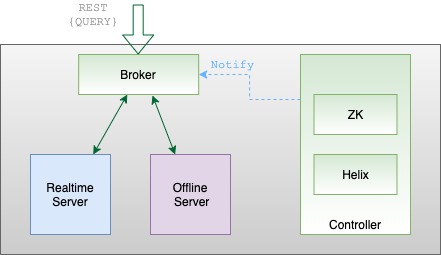
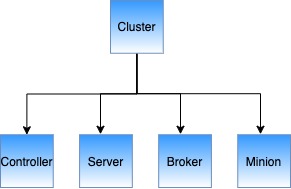
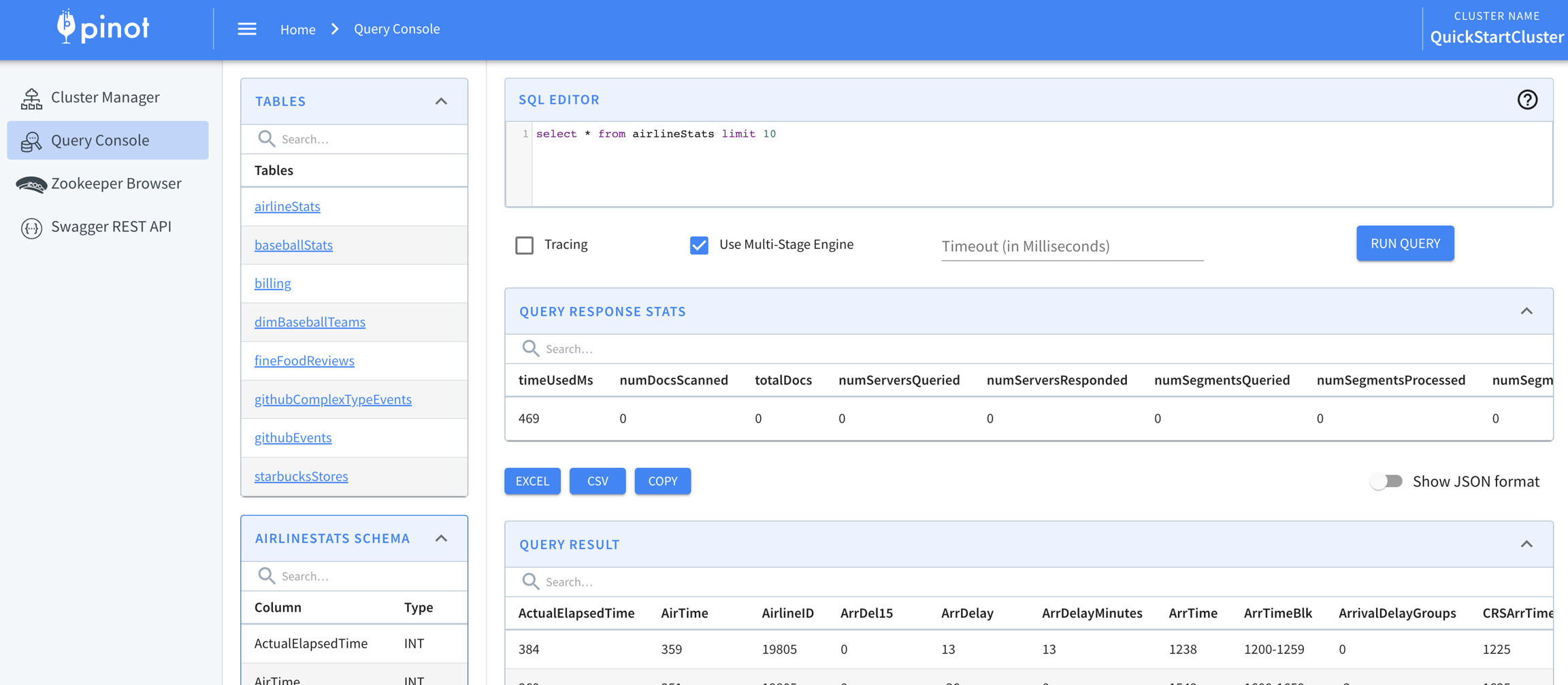


Filter clause such as WHERE
WHEREConfig to control kafka fetcher size and increase default (see PR #3869)
Added a percent threshold to consider startup of services (see PR #4011)
Make SingleConnectionBrokerRequestHandler as default (see PR #4048)
Always enable default column feature, remove the configuration (see PR #4074)
Remove redundant default broker configurations (see PR #4106)
Removed some config keys in server(see PR #4222)
Add config to disable HLC realtime segment (see PR #4235)
Make RetentionManager and OfflineSegmentIntervalChecker initial delays configurable (see PR #3946)
The following config variables are deprecated and will be removed in the next release:
pinot.broker.requestHandlerType will be removed, in favor of using the "singleConnection" broker request handler. If you have set this configuration, remove it and use the default type ("singleConnection") for broker request handler.
Pull Request #4100 introduces a backwards incompatible change to Pinot broker. If you use the Java constructor on HelixBrokerStarter class, then you will face a compilation error with this version. You will need to construct the object and call start() method in order to start the broker.
Pull Request #4139 introduces a backwards incompatible change for log4j configuration. If you used a custom log4j configuration (log4j.xml), you need to write a new log4j2 configuration (log4j2.xml). In addition, you may need to change the arguments on the command line to start Pinot components.
If you used Pinot-admin command to start Pinot components, you don't need any change. If you used your own commands to start pinot components, you will need to pass the new log4j2 config as a jvm parameter (i.e. substitute -Dlog4j.configuration or -Dlog4j.configurationFile argument with -Dlog4j2.configurationFile=log4j2.xml).


Included dateTimeFieldSpec in schema columns of Pinot Query Console #5392
Used DATE_TIME as the primary time column for Pinot tables (#5399)
Supported range queries using indexes (#5240)
Supported complex aggregation functions
Supported Aggregation functions with multiple arguments (#5261)
Added api in AggregationFunction to get compiled input expressions (#5339)
Added a simple PinotFS benchmark driver (#5160)
Supported default star-tree (#5147)
Added an initial implementation for theta-sketch based distinct count aggregation function (#5316)
One minor side effect: DataSchemaPruner won't work for DistinctCountThetaSketchAggregatinoFunction (#5382)
Added access control for Pinot server segment download api (#5260)
Added Pinot S3 Filesystem Plugin (#5249)
Text search improvement
Pruned stop words for text index (#5297)
Used 8byte offsets in chunk based raw index creator (#5285)
Derived num docs per chunk from max column value length for varbyte raw index creator (#5256)
Added inter segment tests for text search and fixed a bug for Lucene query parser creation (#5226)
Made text index query cache a configurable option (#5176)
Added Lucene DocId to PinotDocId cache to improve performance (#5177)
Removed the construction of second bitmap in text index reader to improve performance (#5199)
Tooling/usability improvement
Added template support for Pinot Ingestion Job Spec (#5341)
Allowed user to specify zk data dir and don't do clean up during zk shutdown (#5295)
Allowed configuring minion task timeout in the PinotTaskGenerator (#5317)
Update JVM settings for scripts (#5127)
Added Stream github events demo (#5189)
Moved docs link from gitbook to docs.pinot.apache.org (#5193)
Re-implemented ORCRecordReader (#5267)
Evaluated schema transform expressions during ingestion (#5238)
Handled count distinct query in selection list (#5223)
Enabled async processing in pinot broker query api (#5229)
Supported bootstrap mode for table rebalance (#5224)
Supported order-by on BYTES column (#5213)
Added Nightly publish to binary (#5190)
Shuffled the segments when rebalancing the table to avoid creating hotspot servers (#5197)
Supported built-in transform functions (#5312)
Added date time transform functions (#5326)
Deepstore by-pass in LLC: introduced segment uploader (#5277, #5314)
APIs Additions/Changes
Added a new server api for download of segments
/GET /segments/{tableNameWithType}/{segmentName}
Upgraded helix to 0.9.7 (#5411)
Added support to execute functions during query compilation (#5406)
Other notable refactoring
Moved table config into pinot-spi (#5194)
Cleaned up integration tests. Standardized the creation of schema, table config and segments (#5385)
Added jsonExtractScalar function to extract field from json object (#4597)
Added template support for Pinot Ingestion Job Spec #5372
Cleaned up AggregationFunctionContext (#5364)
Optimized real-time range predicate when cardinality is high (#5331)
Made PinotOutputFormat use table config and schema to create segments (#5350)
Tracked unavailable segments in InstanceSelector (#5337)
Added a new best effort segment uploader with bounded upload time (#5314)
In SegmentPurger, used table config to generate the segment (#5325)
Decoupled schema from RecordReader and StreamMessageDecoder (#5309)
Implemented ARRAYLENGTH UDF for multi-valued columns (#5301)
Improved GroupBy query performance (#5291)
Optimized ExpressionFilterOperator (#5132)
Do not release the PinotDataBuffer when closing the index (#5400)
Handled a no-arg function in query parsing and expression tree (#5375)
Fixed compatibility issues during rolling upgrade due to unknown json fields (#5376)
Fixed missing error message from pinot-admin command (#5305)
Fixed HDFS copy logic (#5218)
Fixed spark ingestion issue (#5216)
Fixed the capacity of the DistinctTable (#5204)
Fixed various links in the Pinot website
Upsert: support overriding data in the real-time table (#4261).
Add pinot upsert features to pinot common (#5175)
Enhancements for theta-sketch, e.g. multiValue aggregation support, complex predicates, performance tuning, etc
TableConfig no longer support de-serialization from json string of nested json string (i.e. no \" inside the json) (#5194)
The following APIs are changed in AggregationFunction (use TransformExpressionTree instead of String as the key of blockValSetMap) (#5371):
ATowAAABAAAAAAA7ABAAAABtB24HbwdwB3EHcgdzB3QHdQd2B3cHeAd5B3oHewd8B30Hfgd/B4AHgQeCB4MHhAeFB4YHhweIB4kHigeLB4wHjQeOB48HkAeRB5IHkweUB5UHlgeXB5gHmQeaB5sHnAedB54HnwegB6EHogejB6QHpQemB6cHqAc=
AwIBBQAAAAL/////////////////////
AwIBBQAAAAz///////////////////////////////////////////////9///////f///9/////7///////////////+/////////////////////////////////////////////8=
AwIBBwAAAA/////////////////////////////////////////////////////////////////////////////////////////////////////////9///////////////////////////////////////////////7//////8=
PLAN_START(numSegmentsForThisPlan:1)count(*)minmaxTRANSFORM_PASSTHROUGHTRANSFORM_PASSTHROUGHDOC_ID_SETFILTER_SORTED_INDEXFILTER_RANGE_INDEXFILTER_INVERTED_INDEXFILTER_JSON_INDEXvoid aggregate(int length, AggregationResultHolder aggregationResultHolder, Map<TransformExpressionTree, BlockValSet> blockValSetMap);
void aggregateGroupBySV(int length, int[] groupKeyArray, GroupByResultHolder groupByResultHolder, Map<TransformExpressionTree, BlockValSet> blockValSetMap);
void aggregateGroupByMV(int length, int[][] groupKeysArray, GroupByResultHolder groupByResultHolder, Map<TransformExpressionTree, BlockValSet> blockValSetMap);SELECT ID_SET(yearID)
FROM baseballStats
WHERE teamID = 'WS1'SELECT ID_SET(playerName, 'expectedInsertions=10')
FROM baseballStats
WHERE teamID = 'WS1'SELECT ID_SET(playerName, 'expectedInsertions=100')
FROM baseballStats
WHERE teamID = 'WS1'SELECT ID_SET(playerName, 'expectedInsertions=100;fpp=0.01')
FROM baseballStats
WHERE teamID = 'WS1'SELECT yearID, count(*)
FROM baseballStats
WHERE IN_ID_SET(
yearID,
'ATowAAABAAAAAAA7ABAAAABtB24HbwdwB3EHcgdzB3QHdQd2B3cHeAd5B3oHewd8B30Hfgd/B4AHgQeCB4MHhAeFB4YHhweIB4kHigeLB4wHjQeOB48HkAeRB5IHkweUB5UHlgeXB5gHmQeaB5sHnAedB54HnwegB6EHogejB6QHpQemB6cHqAc='
) = 1
GROUP BY yearIDSELECT yearID, count(*)
FROM baseballStats
WHERE IN_ID_SET(
yearID,
'ATowAAABAAAAAAA7ABAAAABtB24HbwdwB3EHcgdzB3QHdQd2B3cHeAd5B3oHewd8B30Hfgd/B4AHgQeCB4MHhAeFB4YHhweIB4kHigeLB4wHjQeOB48HkAeRB5IHkweUB5UHlgeXB5gHmQeaB5sHnAedB54HnwegB6EHogejB6QHpQemB6cHqAc='
) = 0
GROUP BY yearIDSELECT yearID, count(*)
FROM baseballStats
WHERE IN_SUBQUERY(
yearID,
'SELECT ID_SET(yearID) FROM baseballStats WHERE teamID = ''WS1'''
) = 1
GROUP BY yearID SELECT yearID, count(*)
FROM baseballStats
WHERE IN_SUBQUERY(
yearID,
'SELECT ID_SET(yearID) FROM baseballStats WHERE teamID = ''WS1'''
) = 0
GROUP BY yearID SELECT yearID, count(*)
FROM baseballStats
WHERE IN_PARTITIONED_SUBQUERY(
yearID,
'SELECT ID_SET(yearID) FROM baseballStats WHERE teamID = ''WS1'''
) = 1
GROUP BY yearID SELECT yearID, count(*)
FROM baseballStats
WHERE IN_PARTITIONED_SUBQUERY(
yearID,
'SELECT ID_SET(yearID) FROM baseballStats WHERE teamID = ''WS1'''
) = 0
GROUP BY yearID BROKER_REDUCE(limit:10)
└── COMBINE_SELECT
└── PLAN_START(numSegmentsForThisPlan:1)
└── SELECT(selectList:playerID, playerName)
└── TRANSFORM_PASSTHROUGH(playerID, playerName)
└── PROJECT(playerName, playerID)
└── DOC_ID_SET
└── FILTER_MATCH_ENTIRE_SEGMENT(docs:97889)SET explainPlanVerbose=true;
EXPLAIN PLAN FOR
SELECT playerID, playerName
FROM baseballStats
WHERE playerID = 'aardsda01' AND playerName = 'David Allan'
BROKER_REDUCE(limit:10)
└── COMBINE_SELECT
└── PLAN_START(numSegmentsForThisPlan:1)
└── SELECT(selectList:playerID, playerName)
└── TRANSFORM_PASSTHROUGH(playerID, playerName)
└── PROJECT(playerName, playerID)
└── DOC_ID_SET
└── FILTER_AND
├── FILTER_INVERTED_INDEX(indexLookUp:inverted_index,operator:EQ,predicate:playerID = 'aardsda01')
└── FILTER_FULL_SCAN(operator:EQ,predicate:playerName = 'David Allan')
└── PLAN_START(numSegmentsForThisPlan:1)
└── SELECT(selectList:playerID, playerName)
└── TRANSFORM_PASSTHROUGH(playerID, playerName)
└── PROJECT(playerName, playerID)
└── DOC_ID_SET
└── FILTER_EMPTYEXPLAIN PLAN FOR
SELECT playerID, count(*)
FROM baseballStats
WHERE playerID != 'aardsda01'
GROUP BY playerID
BROKER_REDUCE(limit:10)
└── COMBINE_GROUPBY_ORDERBY
└── PLAN_START(numSegmentsForThisPlan:1)
└── AGGREGATE_GROUPBY_ORDERBY(groupKeys:playerID, aggregations:count(*))
└── TRANORM_PASSTHROUGH(playerID)
└── PROJECT(playerID)
└── DOC_ID_SET
└── FILTER_INVERTED_INDEX(indexLookUp:inverted_index,operator:NOT_EQ,predicate:playerID != 'aardsda01')SELECT count(colA) as sumA, colA from tableA GROUP BY colA ORDER BY count(colA)SELECT COUNT(*) from myTable option(timeoutMs=20000)pinot.server.enable.query.cancellation=true // false by default
pinot.broker.enable.query.cancellation=true // false by defaultGET /queries: to show running queries as tracked by all brokers
Response example: `{
"Broker_192.168.0.105_8000": {
"7": "select G_old from baseballStats limit 10",
"8": "select G_old from baseballStats limit 100"
}
}`
DELETE /query/{brokerId}/{queryId}[?verbose=false/true]: to cancel a running query
with queryId and brokerId. The verbose is false by default, but if set to true,
responses from servers running the query also return.
Response example: `Cancelled query: 8 with responses from servers:
{192.168.0.105:7501=404, 192.168.0.105:7502=200, 192.168.0.105:7500=200}`export HADOOP_HOME=/local/hadoop/
export HADOOP_VERSION=2.7.1
export HADOOP_GUAVA_VERSION=11.0.2
export HADOOP_GSON_VERSION=2.2.4
export CLASSPATH_PREFIX="${HADOOP_HOME}/share/hadoop/hdfs/hadoop-hdfs-${HADOOP_VERSION}.jar:${HADOOP_HOME}/share/hadoop/common/lib/hadoop-annotations-${HADOOP_VERSION}.jar:${HADOOP_HOME}/share/hadoop/common/lib/hadoop-auth-${HADOOP_VERSION}.jar:${HADOOP_HOME}/share/hadoop/common/hadoop-common-${HADOOP_VERSION}.jar:${HADOOP_HOME}/share/hadoop/common/lib/guava-${HADOOP_GUAVA_VERSION}.jar:${HADOOP_HOME}/share/hadoop/common/lib/gson-${HADOOP_GSON_VERSION}.jar"curl -X POST -H "UPLOAD_TYPE:URI" -H "DOWNLOAD_URI:hdfs://nameservice1/hadoop/path/to/segment/file.executionFrameworkSpec:
name: 'standalone'
segmentGenerationJobRunnerClassName: 'org.apache.pinot.plugin.ingestion.batch.standalone.SegmentGenerationJobRunner'
segmentTarPushJobRunnerClassName: 'org.apache.pinot.plugin.ingestion.batch.standalone.SegmentTarPushJobRunner'
segmentUriPushJobRunnerClassName: 'org.apache.pinot.plugin.ingestion.batch.standalone.SegmentUriPushJobRunner'
jobType: SegmentCreationAndTarPush
inputDirURI: 'hdfs:///path/to/input/directory/'
outputDirURI: 'hdfs:///path/to/output/directory/'
includeFileNamePath: 'glob:**/*.csv'
overwriteOutput: true
pinotFSSpecs:
- scheme: hdfs
className: org.apache.pinot.plugin.filesystem.HadoopPinotFS
configs:
hadoop.conf.path: 'path/to/conf/directory/'
recordReaderSpec:
dataFormat: 'csv'
className: 'org.apache.pinot.plugin.inputformat.csv.CSVRecordReader'
configClassName: 'org.apache.pinot.plugin.inputformat.csv.CSVRecordReaderConfig'
tableSpec:
tableName: 'students'
pinotClusterSpecs:
- controllerURI: 'http://localhost:9000'executionFrameworkSpec:
name: 'hadoop'
segmentGenerationJobRunnerClassName: 'org.apache.pinot.plugin.ingestion.batch.hadoop.HadoopSegmentGenerationJobRunner'
segmentTarPushJobRunnerClassName: 'org.apache.pinot.plugin.ingestion.batch.hadoop.HadoopSegmentTarPushJobRunner'
segmentUriPushJobRunnerClassName: 'org.apache.pinot.plugin.ingestion.batch.hadoop.HadoopSegmentUriPushJobRunner'
extraConfigs:
stagingDir: 'hdfs:///path/to/staging/directory/'
jobType: SegmentCreationAndTarPush
inputDirURI: 'hdfs:///path/to/input/directory/'
outputDirURI: 'hdfs:///path/to/output/directory/'
includeFileNamePath: 'glob:**/*.csv'
overwriteOutput: true
pinotFSSpecs:
- scheme: hdfs
className: org.apache.pinot.plugin.filesystem.HadoopPinotFS
configs:
hadoop.conf.path: '/etc/hadoop/conf/'
recordReaderSpec:
dataFormat: 'csv'
className: 'org.apache.pinot.plugin.inputformat.csv.CSVRecordReader'
configClassName: 'org.apache.pinot.plugin.inputformat.csv.CSVRecordReaderConfig'
tableSpec:
tableName: 'students'
pinotClusterSpecs:
- controllerURI: 'http://localhost:9000'controller.data.dir=hdfs://path/to/data/directory/
controller.local.temp.dir=/path/to/local/temp/directory
controller.enable.split.commit=true
pinot.controller.storage.factory.class.hdfs=org.apache.pinot.plugin.filesystem.HadoopPinotFS
pinot.controller.storage.factory.hdfs.hadoop.conf.path=path/to/conf/directory/
pinot.controller.segment.fetcher.protocols=file,http,hdfs
pinot.controller.segment.fetcher.hdfs.class=org.apache.pinot.common.utils.fetcher.PinotFSSegmentFetcher
pinot.controller.segment.fetcher.hdfs.hadoop.kerberos.principle=<your kerberos principal>
pinot.controller.segment.fetcher.hdfs.hadoop.kerberos.keytab=<your kerberos keytab>pinot.server.instance.enable.split.commit=true
pinot.server.storage.factory.class.hdfs=org.apache.pinot.plugin.filesystem.HadoopPinotFS
pinot.server.storage.factory.hdfs.hadoop.conf.path=path/to/conf/directory/
pinot.server.segment.fetcher.protocols=file,http,hdfs
pinot.server.segment.fetcher.hdfs.class=org.apache.pinot.common.utils.fetcher.PinotFSSegmentFetcher
pinot.server.segment.fetcher.hdfs.hadoop.kerberos.principle=<your kerberos principal>
pinot.server.segment.fetcher.hdfs.hadoop.kerberos.keytab=<your kerberos keytab>storage.factory.class.hdfs=org.apache.pinot.plugin.filesystem.HadoopPinotFS
storage.factory.hdfs.hadoop.conf.path=path/to/conf/directory
segment.fetcher.protocols=file,http,hdfs
segment.fetcher.hdfs.class=org.apache.pinot.common.utils.fetcher.PinotFSSegmentFetcher
segment.fetcher.hdfs.hadoop.kerberos.principle=<your kerberos principal>
segment.fetcher.hdfs.hadoop.kerberos.keytab=<your kerberos keytab>curl "https://d1vvhvl2y92vvt.cloudfront.net/awscli-exe-macos.zip" -o "awscliv2.zip"
unzip awscliv2.zip
sudo ./aws/installbrew tap weaveworks/tap
brew install weaveworks/tap/eksctlaws configureEKS_CLUSTER_NAME=pinot-quickstart
eksctl create cluster \
--name ${EKS_CLUSTER_NAME} \
--version 1.16 \
--region us-west-2 \
--nodegroup-name standard-workers \
--node-type t3.xlarge \
--nodes 1 \
--nodes-min 1 \
--nodes-max 1eksctl utils associate-iam-oidc-provider --region=us-east-2 --cluster=pinot-quickstart --approve
eksctl create iamserviceaccount \
--name ebs-csi-controller-sa \
--namespace kube-system \
--cluster pinot-quickstart \
--attach-policy-arn arn:aws:iam::aws:policy/service-role/AmazonEBSCSIDriverPolicy \
--approve \
--role-only \
--role-name AmazonEKS_EBS_CSI_DriverRole
eksctl create addon --name aws-ebs-csi-driver --cluster pinot-quickstart --service-account-role-arn arn:aws:iam::$(aws sts get-caller-identity --query Account --output text):role/AmazonEKS_EBS_CSI_DriverRole --forceEKS_CLUSTER_NAME=pinot-quickstart
aws eks describe-cluster --name ${EKS_CLUSTER_NAME} --region us-west-2EKS_CLUSTER_NAME=pinot-quickstart
aws eks update-kubeconfig --name ${EKS_CLUSTER_NAME}kubectl get nodesEKS_CLUSTER_NAME=pinot-quickstart
aws eks delete-cluster --name ${EKS_CLUSTER_NAME}Local directory containing segment files
tableName
Name of the table to push the segments into
pinot-admin.sh AddTable \\
-tableConfigFile /path/to/table-config.json \\
-schemaFile /path/to/table-schema.json -execpinot-admin.sh UploadSegment \\
-controllerHost localhost \\
-controllerPort 9000 \\
-segmentDir /path/to/local/dir \\
-tableName myTablecontrollerHost
Hostname or IP address of the controller
controllerPort
Port of the controller
pinot-admin.sh LaunchDataIngestionJob \\
-jobSpecFile /file/location/my-job-spec.yamlpinot-admin.sh LaunchDataIngestionJob \\
-jobSpecFile /file/location/my-job-spec.yamlsegmentDir
Allowing update on an existing instance config: PUT /instances/{instanceName} with Instance object as the pay-load (#PR4952)
Add PinotServiceManager to start Pinot components (#PR5266)
Support for protocol buffers input format. (#PR5293)
Add GenericTransformFunction wrapper for simple ScalarFunctions () — Adding support to invoke any scalar function via GenericTransformFunction
Add Support for SQL CASE Statement ()
Support distinctCountRawThetaSketch aggregation that returns serialized sketch. ()
Add multi-value support to SegmentDumpTool () — add segment dump tool as part of the pinot-tool.sh script
Add json_format function to convert json object to string during ingestion. () — Can be used to store complex objects as a json string (which can later be queries using jsonExtractScalar)
Support escaping single quote for SQL literal () — This is especially useful for DistinctCountThetaSketch because it stores expression as literal E.g. DistinctCountThetaSketch(..., 'foo=''bar''', ...)
Support expression as the left-hand side for BETWEEN and IN clause ()
Add a new field IngestionConfig in TableConfig — FilterConfig: ingestion level filtering of records, based on filter function. () — TransformConfig: ingestion level column transformations. This was previously introduced in Schema (FieldSpec#transformFunction), and has now been moved to TableConfig. It continues to remain under schema, but we recommend users to set it in the TableConfig starting this release ().
Allow star-tree creation during segment load () — Introduced a new boolean config enableDynamicStarTreeCreation in IndexingConfig to enable/disable star-tree creation during segment load.
Support for Pinot clients using JDBC connection ()
Support customized accuracy for distinctCountHLL, distinctCountHLLMV functions by adding log2m value as the second parameter in the function. () —Adding cluster config: default.hyperloglog.log2m to allow user set default log2m value.
Add segment encryption on Controller based on table config ()
Add a constraint to the message queue for all instances in Helix, with a large default value of 100000. ()
Support order-by aggregations not present in SELECT () — Example: "select subject from transcript group by subject order by count() desc" This is equivalent to the following query but the return response should not contain count(). "select subject, count() from transcript group by subject order by count() desc"
Add geo support for Pinot queries () — Added geo-spatial data model and geospatial functions
Cluster Manager UI & Query Console UI revamp ( and ) — updated cluster manage UI and added table details page and segment details page
Add Controller API to explore Zookeeper ()
Support BYTES type for dictinctCount and group-by ( and ) —Add BYTES type support to DistinctCountAggregationFunction —Correctly handle BYTES type in DictionaryBasedAggregationOperator for DistinctCount
Support for ingestion job spec in JSON format ()
Improvements to RealtimeProvisioningHelper command () — Improved docs related to ingestion and plugins
Added GROOVY transform function UDF () — Ability to run a groovy script in the query as a UDF. e.g. string concatenation: SELECT GROOVY('{"returnType": "INT", "isSingleValue": true}', 'arg0 + " " + arg1', columnA, columnB) FROM myTable
TransformConfig: ingestion level column transformations. This was previously introduced in Schema (FieldSpec#transformFunction), and has now been moved to TableConfig. It continues to remain under schema, but we recommend users to set it in the TableConfig starting this release (PR#5681).
Config key enable.case.insensitive.pql in Helix cluster config is deprecated, and replaced with enable.case.insensitive. (#PR5546)
Change default segment load mode to MMAP. () —The load mode for segments currently defaults to heap.
Fix bug in distinctCountRawHLL on SQL path (#5494)
Fix backward incompatibility for existing stream implementations (#5549)
Fix backward incompatibility in StreamFactoryConsumerProvider (#5557)
Fix logic in isLiteralOnlyExpression. ()
Fix double memory allocation during operator setup ()
Allow segment download url in Zookeeper to be deep store uri instead of hardcoded controller uri ()
Fix a backward compatible issue of converting BrokerRequest to QueryContext when querying from Presto segment splits ()
Fix the issue that PinotSegmentToAvroConverter does not handle BYTES data type. ()
PQL queries with HAVING clause will no longer be accepted for the following reasons: (#PR5570) — HAVING clause does not apply to PQL GROUP-BY semantic where each aggregation column is ordered individually — The current behavior can produce inaccurate results without any notice — HAVING support will be added for SQL queries in the next release
Because of the standardization of the DistinctCountThetaSketch predicate strings, upgrade Broker before Server. The new Broker can handle both standard and non-standard predicate strings for backward-compatibility. (#PR5613)
First, download the Pinot distribution for this tutorial. You can either download a packaged release or build a distribution from the source code.
Install JDK11 or higher (JDK16 is not yet supported).
For JDK 8 support, use Pinot 0.7.1 or compile from the source code.
Note that some installations of the JDK do not contain the JNI bindings necessary to run all tests. If you see an error like java.lang.UnsatisfiedLinkError while running tests, you might need to change your JDK.
If using Homebrew, install AdoptOpenJDK 11 using brew install --cask adoptopenjdk11.
Download the distribution or build from source by selecting one of the following tabs:
Download the latest binary release from Apache Pinot, or use this command:
PINOT_VERSION=0.12.0 #set to the Pinot version you decide to use
wgetExtract the TAR file:
tar -zxvf apache-pinot-$PINOT_VERSION-bin.tar.gzNavigate to the directory containing the launcher scripts:
cd apache-pinot-$PINOT_VERSION-binYou can also find older versions of Apache Pinot at https://archive.apache.org/dist/pinot/. For example, to download Pinot 0.10.0, run the following command:
OLDER_VERSION="0.10.0"
wget https://archive.apache.org/dist/pinot/apache-pinot-$OLDER_VERSION/apache-pinot-$OLDER_VERSION-bin.tar.gzFollow these steps to checkout code from Github and build Pinot locally
Check out Pinot:
git clone https://github.com/apache/pinot.git
cd pinotBuild Pinot:
mvn install package -DskipTests -Pbin-distNavigate to the directory containing the setup scripts. Note that Pinot scripts are located under pinot-distribution/target, not the target directory under root.
Currently, Apache Pinot doesn't provide official binaries for M1 or M2 Mac systems. Follow the instructions below to run on an M1 or M2 Mac:
Add the following to your ~/.m2/settings.xml:
Install Rosetta:
Now that we've downloaded Pinot, it's time to set up a cluster. There are two ways to do this: through quick start or through setting up a cluster manually.
Pinot comes with quick start commands that launch instances of Pinot components in the same process and import pre-built datasets.
For example, the following quick start command launches Pinot with a baseball dataset pre-loaded:
For a list of all the available quick start commands, see the Quick Start Examples.
If you want to play with bigger datasets (more than a few megabytes), you can launch each component individually.
The video below is a step-by-step walk through for launching the individual components of Pinot and scaling them to multiple instances.
You can find the commands that are shown in this video in the this Github repository.
You can use Zooinspector to browse the Zookeeper instance.
Once your cluster is up and running, you can head over to Exploring Pinot to learn how to run queries against the data.
Set break points and inspect variables by starting a Pinot component with debug mode in IntelliJ.
The following example demonstrates server debugging:
First, startzookeeper , controller, and broker using the steps described above.
Then, use the following configuration under $PROJECT_DIR$\.run ) to start the server, replacing the metrics-core version and cluster name as needed.
This commit is an example of how to use it.
<settings>
<activeProfiles>
<activeProfile>
apple-silicon
</activeProfile>
</activeProfiles>
<profiles>
<profile>
<id>apple-silicon</id>
<properties>
<os.detected.classifier>osx-x86_64</os.detected.classifier>
</properties>
</profile>
</profiles>
</settings> softwareupdate --install-rosetta./bin/pinot-admin.sh QuickStart -type batch./bin/pinot-admin.sh StartZookeeper \
-zkPort 2191export JAVA_OPTS="-Xms4G -Xmx8G -XX:+UseG1GC -XX:MaxGCPauseMillis=200 -Xloggc:gc-pinot-controller.log"
./bin/pinot-admin.sh StartController \
-zkAddress localhost:2191 \
-controllerPort 9000export JAVA_OPTS="-Xms4G -Xmx4G -XX:+UseG1GC -XX:MaxGCPauseMillis=200 -Xloggc:gc-pinot-broker.log"
./bin/pinot-admin.sh StartBroker \
-zkAddress localhost:2191export JAVA_OPTS="-Xms4G -Xmx16G -XX:+UseG1GC -XX:MaxGCPauseMillis=200 -Xloggc:gc-pinot-server.log"
./bin/pinot-admin.sh StartServer \
-zkAddress localhost:2191./bin/pinot-admin.sh StartKafka \
-zkAddress=localhost:2191/kafka \
-port 19092<component name="ProjectRunConfigurationManager">
<configuration default="false" name="HelixServerStarter" type="Application" factoryName="Application" nameIsGenerated="true">
<classpathModifications>
<entry path="$PROJECT_DIR$/pinot-plugins/pinot-metrics/pinot-yammer/target/classes" />
<entry path="$MAVEN_REPOSITORY$/com/yammer/metrics/metrics-core/2.2.0/metrics-core-2.2.0.jar" />
</classpathModifications>
<option name="MAIN_CLASS_NAME" value="org.apache.pinot.server.starter.helix.HelixServerStarter" />
<module name="pinot-server" />
<extension name="coverage">
<pattern>
<option name="PATTERN" value="org.apache.pinot.server.starter.helix.*" />
<option name="ENABLED" value="true" />
</pattern>
</extension>
<method v="2">
<option name="Make" enabled="true" />
</method>
</configuration>
</component>Start Kafka cluster on port 9876 using the same Zookeeper from the quick-start examples.
Create a Kafka topic
Download the latest Kafka. Create a topic.
If you followed Batch upload sample data, you have already pushed a schema for your sample table. If not, see Creating a schema to learn how to create a schema for your sample data.
If you followed Batch upload sample data, you pushed an offline table and schema. To create a real-time table configuration for the sample use this table configuration for the transcript table. For a more detailed overview about table, see Table.
Next, upload the table and schema to the cluster. As soon as the real-time table is created, it will begin ingesting from the Kafka topic.
docker run \
--network=pinot-demo \
-v /tmp/pinot-quick-start:/tmp/pinot-quick-start \
--name pinot-streaming-table-creation \
apachepinot/pinot:latest AddTable \
-schemaFile /tmp/pinot-quick-start/transcript-schema.json \
-tableConfigFile /tmp/pinot-quick-start/transcript-table-realtime.json \
-controllerHost manual-pinot-controller \
-controllerPort 9000 \
-execbin/pinot-admin.sh AddTable \
-schemaFile /tmp/pinot-quick-start/transcript-schema.json \
-tableConfigFile /tmp/pinot-quick-start/transcript-table-realtime.json \
-execUse the following sample JSON file for transcript table data in the following step.
Push the sample JSON file into the Kafka topic, using the Kafka script from the Kafka download.
As soon as data flows into the stream, the Pinot table will consume it and it will be ready for querying. Browse to the Query Console running in your Pinot instance (we use localhost in this link as an example) to examine the real-time data.
docker run \
--network pinot-demo --name=kafka \
-e KAFKA_ZOOKEEPER_CONNECT=manual-zookeeper:2181/kafka \
-e KAFKA_BROKER_ID=0 \
-e KAFKA_ADVERTISED_HOST_NAME=kafka \
-d bitnami/kafka:latestdocker exec \
-t kafka \
/opt/kafka/bin/kafka-topics.sh \
--zookeeper manual-zookeeper:2181/kafka \
--partitions=1 --replication-factor=1 \
--create --topic transcript-topic{
"tableName": "transcript",
"tableType": "REALTIME",
"segmentsConfig": {
"timeColumnName": "timestampInEpoch",
"timeType": "MILLISECONDS",
"schemaName": "transcript",
"replicasPerPartition": "1"
},
"tenants": {},
"tableIndexConfig": {
"loadMode": "MMAP",
"streamConfigs": {
"streamType": "kafka",
"stream.kafka.consumer.type": "lowlevel",
"stream.kafka.topic.name": "transcript-topic",
"stream.kafka.decoder.class.name": "org.apache.pinot.plugin.stream.kafka.KafkaJSONMessageDecoder",
"stream.kafka.consumer.factory.class.name": "org.apache.pinot.plugin.stream.kafka20.KafkaConsumerFactory",
"stream.kafka.broker.list": "kafka:9092",
"realtime.segment.flush.threshold.rows": "0",
"realtime.segment.flush.threshold.time": "24h",
"realtime.segment.flush.threshold.segment.size": "50M",
"stream.kafka.consumer.prop.auto.offset.reset": "smallest"
}
},
"metadata": {
"customConfigs": {}
}
}{"studentID":205,"firstName":"Natalie","lastName":"Jones","gender":"Female","subject":"Maths","score":3.8,"timestampInEpoch":1571900400000}
{"studentID":205,"firstName":"Natalie","lastName":"Jones","gender":"Female","subject":"History","score":3.5,"timestampInEpoch":1571900400000}
{"studentID":207,"firstName":"Bob","lastName":"Lewis","gender":"Male","subject":"Maths","score":3.2,"timestampInEpoch":1571900400000}
{"studentID":207,"firstName":"Bob","lastName":"Lewis","gender":"Male","subject":"Chemistry","score":3.6,"timestampInEpoch":1572418800000}
{"studentID":209,"firstName":"Jane","lastName":"Doe","gender":"Female","subject":"Geography","score":3.8,"timestampInEpoch":1572505200000}
{"studentID":209,"firstName":"Jane","lastName":"Doe","gender":"Female","subject":"English","score":3.5,"timestampInEpoch":1572505200000}
{"studentID":209,"firstName":"Jane","lastName":"Doe","gender":"Female","subject":"Maths","score":3.2,"timestampInEpoch":1572678000000}
{"studentID":209,"firstName":"Jane","lastName":"Doe","gender":"Female","subject":"Physics","score":3.6,"timestampInEpoch":1572678000000}
{"studentID":211,"firstName":"John","lastName":"Doe","gender":"Male","subject":"Maths","score":3.8,"timestampInEpoch":1572678000000}
{"studentID":211,"firstName":"John","lastName":"Doe","gender":"Male","subject":"English","score":3.5,"timestampInEpoch":1572678000000}
{"studentID":211,"firstName":"John","lastName":"Doe","gender":"Male","subject":"History","score":3.2,"timestampInEpoch":1572854400000}
{"studentID":212,"firstName":"Nick","lastName":"Young","gender":"Male","subject":"History","score":3.6,"timestampInEpoch":1572854400000}bin/kafka-console-producer.sh \
--broker-list localhost:9876 \
--topic transcript-topic < /tmp/pinot-quick-start/rawData/transcript.jsonbin/pinot-admin.sh StartKafka -zkAddress=localhost:2123/kafka -port 9876bin/kafka-topics.sh --create --bootstrap-server localhost:9876 --replication-factor 1 --partitions 1 --topic transcript-topicThis guide will show you to run a Pinot cluster using Docker.
Get started setting up a Pinot cluster with Docker using the guide below.
Prerequisites:
Install Docker
Configure Docker memory with the following minimum resources:
CPUs: 8
Memory: 16.00 GB
Swap: 4 GB
Disk Image size: 60 GB
The latest Pinot Docker image is published at apachepinot/pinot:latest. View a list of .
Pull the latest Docker image onto your machine by running the following command:
To pull a specific version, modify the command like below:
Once you've downloaded the Pinot Docker image, it's time to set up a cluster. There are two ways to do this.
Pinot comes with quick start commands that launch instances of Pinot components in the same process and import pre-built datasets.
For example, the following quick start command launches Pinot with a baseball dataset pre-loaded:
For a list of all available quick start commands, see .
The quick start scripts launch Pinot with minimal resources. If you want to play with bigger datasets (more than a few MB), you can launch each of the Pinot components individually.
Create an isolated bridge network in docker
Start Zookeeper in daemon mode. This is a single node zookeeper setup. Zookeeper is the central metadata store for Pinot and should be set up with replication for production use. For more information, see .
Start Pinot Controller in daemon and connect to Zookeeper.
Start Pinot Broker in daemon and connect to Zookeeper.
Start Pinot Server in daemon and connect to Zookeeper.
Optionally, you can also start Kafka for setting up real-time streams. This brings up the Kafka broker on port 9092.
Now all Pinot related components are started as an empty cluster.
Run the below command to check container status:
Sample Console Output
Create a file called docker-compose.yml that contains the following:
Run the following command to launch all the components:
Run the below command to check the container status:
Sample Console Output
Once your cluster is up and running, see to learn how to run queries against the data.
If you have or installed, you can also try running the .
This page talks about geospatial support in Pinot.
Pinot supports SQL/MM geospatial data and is compliant with the Open Geospatial Consortium’s (OGC) OpenGIS Specifications. This includes:
Geospatial data types, such as point, line and polygon;
Geospatial functions, for querying of spatial properties and relationships.
Geospatial indexing, used for efficient processing of spatial operations
Geospatial data types abstract and encapsulate spatial structures such as boundary and dimension. In many respects, spatial data types can be understood simply as shapes. Pinot supports the Well-Known Text (WKT) and Well-Known Binary (WKB) forms of geospatial objects, for example:
POINT (0, 0)
LINESTRING (0 0, 1 1, 2 1, 2 2)
POLYGON (0 0, 10 0, 10 10, 0 10, 0 0),(1 1, 1 2, 2 2, 2 1, 1 1)
It is common to have data in which the coordinates are geographics or latitude/longitude. Unlike coordinates in Mercator or UTM, geographic coordinates are not Cartesian coordinates.
Geographic coordinates do not represent a linear distance from an origin as plotted on a plane. Rather, these spherical coordinates describe angular coordinates on a globe.
Spherical coordinates specify a point by the angle of rotation from a reference meridian (longitude), and the angle from the equator (latitude).
You can treat geographic coordinates as approximate Cartesian coordinates and continue to do spatial calculations. However, measurements of distance, length and area will be nonsensical. Since spherical coordinates measure angular distance, the units are in degrees.
Pinot supports both geometry and geography types, which can be constructed by the corresponding functions as shown in . And for the geography types, the measurement functions such as ST_Distance and ST_Area calculate the spherical distance and area on earth respectively.
For manipulating geospatial data, Pinot provides a set of functions for analyzing geometric components, determining spatial relationships, and manipulating geometries. In particular, geospatial functions that begin with the ST_ prefix support the SQL/MM specification.
Following geospatial functions are available out of the box in Pinot:
This aggregate function returns a MULTI geometry or NON-MULTI geometry from a set of geometries. it ignores NULL geometries.
Returns a geometry type object from WKT representation, with the optional spatial system reference.
Returns a geometry type object from WKB representation.
Returns a geometry type point object with the given coordinate values.
ST_Area(Geometry/Geography g) → double For geometry type, it returns the 2D Euclidean area of a geometry. For geography, returns the area of a polygon or multi-polygon in square meters using a spherical model for Earth.
For geometry type, returns the 2-dimensional cartesian minimum distance (based on spatial ref) between two geometries in projected units. For geography, returns the great-circle distance in meters between two SphericalGeography points. Note that g1, g2 shall have the same type.
Returns the type of the geometry as a string. e.g.: ST_Linestring,
Returns the WKB representation of the geometry.
Returns the WKT representation of the geometry/geography.
Converts a Geometry object to a spherical geography object.
Converts a spherical geographical object to a Geometry object.
Returns true if and only if no points of the second geometry/geography lie in the exterior of the first geometry/geography, and at least one point of the interior of the first geometry lies in the interior of the second geometry. Warning: ST_Contains on Geography only give close approximation
ST_Equals(Geometry, Geometry) → boolean Returns true if the given geometries represent the same geometry/geography.
ST_Within(Geometry, Geometry) → boolean Returns true if first geometry is completely inside second geometry.
Geospatial functions are typically expensive to evaluate, and using geoindex can greatly accelerate the query evaluation. Geoindexing in Pinot is based on Uber’s , a hexagon-based hierarchical gridding.
A given geospatial location (longitude, latitude) can map to one hexagon (represented as H3Index). And its neighbors in H3 can be approximated by a ring of hexagons. To quickly identify the distance between any given two geospatial locations, we can convert the two locations in the H3Index, and then check the H3 distance between them. H3 distance is measured as the number of hexagons.
For example, in the diagram below, the red hexagons are within the 1 distance of the central hexagon. The size of the hexagon is determined by the resolution of the indexing. Check this table for the level of and the corresponding precision (measured in km).
To use the geoindex, first declare the geolocation field as bytes in the schema, as in the example of the .
Note the use of transformFunction that converts the created point into SphericalGeography format, which is needed by the ST_Distance function.
Next, declare the geospatial index in the :
The query below will use the geoindex to filter the Starbucks stores within 5km of the given point in the bay area.
The Pinot geoindex accelerates query evaluation while maintaining accuracy. Currently, geoindex supports the ST_Distance function in the WHERE clause.
At the high level, geoindex is used for retrieving the records within the nearby hexagons of the given location, and then use ST_Distance to accurately filter the matched results.
As in the example diagram above, if we want to find all relevant points within a given distance around San Francisco (area within the red circle), then the algorithm with geoindex will:
First find the H3 distance x that contains the range (for example, within a red circle).
Then, for the points within the H3 distance (those covered by the hexagons completely within ), directly accept those points without filtering.
Finally, for the points contained in the hexagons of kRing(x) at the outer edge of the red circle H3 distance, the algorithm will filter them by evaluating the condition ST_Distance(loc1, loc2) < x
Learn how to query Pinot using SQL
Pinot provides a SQL interface for querying. It uses the Calcite SQL parser to parse queries and the MYSQL_ANSI dialect. For details on the syntax, see the the Calcite documentation. To find specific supported SQL operators, see SqlLibraryOperators.
In Pinot 1.0, the multi-stage query engine supports inner join, left-outer, semi-join, and nested queries out of the box. It's optimized for in-memory process and latency. For more information, see how to enable and use the multi-stage query engine.
Pinot also supports using simple Data Definition Language (DDL) to insert data into a table from file directly. For details, see programmatically access the multi-stage query engine. More DDL supports will be added in the future. But for now, the most common way for data definition is using the Controller Admin API.
In Pinot SQL:
Double quotes(") are used to force string identifiers, e.g. column names
Single quotes(') are used to enclose string literals. If the string literal also contains a single quote, escape this with a single quote e.g '''Pinot''' to match the string literal 'Pinot'
Misusing those might cause unexpected query results, like the following examples:
WHERE a='b' means the predicate on the column a equals to a string literal value 'b'
WHERE a="b" means the predicate on the column a equals to the value of the column b
If your column names use reserved keywords (e.g. timestamp or date) or special characters, you will need to use double quotes when referring to them in queries.
Note: Define decimal literals within quotes to preserve precision.
For performant filtering of IDs in a list, see .
Note that results might not be consistent if the ORDER BY column has the same value in multiple rows.
The example below counts rows where the column airlineName starts with U:
Pinot supports the CASE-WHEN-ELSE statement, as shown in the following two examples:
Pinot doesn't currently support injecting functions. Functions have to be implemented within Pinot, as shown below:
For more examples, see .
Pinot supports queries on BYTES column using hex strings. The query response also uses hex strings to represent bytes values.
The query below fetches all the rows for a given UID:
Batch ingestion of data into Apache Pinot using Apache Spark.
Pinot supports Apache Spark (2.x and 3.x) as a processor to create and push segment files to the database. Pinot distribution is bundled with the Spark code to process your files and convert and upload them to Pinot.
To set up Spark, do one of the following:
Use the Spark-Pinot Connector. For more information, see the ReadMe.
Follow the instructions below.
You can follow the wiki to build Pinot from source. The resulting JAR file can be found in pinot/target/pinot-all-${PINOT_VERSION}-jar-with-dependencies.jar
If you do build Pinot from Source, you should consider opting into using the build-shaded-jar jar profile with -Pbuild-shaded-jar. While Pinot does not bundle spark into its jar, it does bundle certain hadoop libraries.
Next, you need to change the execution config in the to the following:
To run Spark ingestion, you need the following jars in your classpath
pinot-batch-ingestion-spark plugin jar - available in plugins-external directory in the package
pinot-all jar - available in lib directory in the package
These jars can be specified using spark.driver.extraClassPath or any other option.
For loading any other plugins that you want to use, use:
The complete spark-submit command should look like this:
Ensure environment variables PINOT_ROOT_DIR and PINOT_VERSION are set properly.
Note: You should change the master to yarn and deploy-mode to cluster for production environments.
If you want to run the spark job in cluster mode on YARN/EMR cluster, the following needs to be done -
Build Pinot from source with option -DuseProvidedHadoop
Copy Pinot binaries to S3, HDFS or any other distributed storage that is accessible from all nodes.
Copy Ingestion spec YAML file to S3, HDFS or any other distributed storage. Mention this path as part of --files argument in the command
Example
Q - I am getting the following exception - Class has been compiled by a more recent version of the Java Runtime (class file version 55.0), this version of the Java Runtime only recognizes class file versions up to 52.0
Since 0.8.0 release, Pinot binaries are compiled with JDK 11. If you are using Spark along with Hadoop 2.7+, you need to use the Java8 version of Pinot. Currently, you need to .
Q - I am not able to find pinot-batch-ingestion-spark jar.
For Pinot version prior to 0.10.0, the spark plugin is located in plugin dir of binary distribution. For 0.10.0 and later, it is located in pinot-external dir.
Q - Spark is not able to find the jars leading to java.nio.file.NoSuchFileException
This means the classpath for spark job has not been configured properly. If you are running spark in a distributed environment such as Yarn or k8s, make sure both spark.driver.classpath and spark.executor.classpath are set. Also, the jars in driver.classpath should be added to --jars argument in spark-submit so that spark can distribute those jars to all the nodes in your cluster. You also need to take provide appropriate scheme with the file path when running the jar. In this doc, we have used local:\\ but it can be different depending on your cluster setup.
Q - Spark job failing while pushing the segments.
It can be because of misconfigured controllerURI in job spec yaml file. If the controllerURI is correct, make sure it is accessible from all the nodes of your YARN or k8s cluster.
Q - My data gets overwritten during ingestion.
Set to APPEND in the tableConfig.
If already set to APPEND, this is likely due to a missing timeColumnName in your table config. If you can't provide a time column, use our in ingestion spec. Generally using inputFile segment name generator should fix your issue.
Q - I am getting java.lang.RuntimeException: java.io.IOException: Failed to create directory: pinot-plugins-dir-0/plugins/*
Removing -Dplugins.dir=${PINOT_DISTRIBUTION_DIR}/plugins from spark.driver.extraJavaOptions should fix this. As long as plugins are mentioned in classpath and jars argument it should not be an issue.
Q - Getting Class not found: exception
Check if extraClassPath arguments contain all the plugin jars for both driver and executors. Also, all the plugin jars are mentioned in the --jars argument. If both of these are correct, check if the extraClassPath contains local filesystem classpaths and not s3 or hdfs or any other distributed file system classpaths.
Complex type handling in Apache Pinot.
Commonly, ingested data has a complex structure. For example, Avro schemas have and while JSON supports and .
Apache Pinot's data model supports primitive data types (including int, long, float, double, BigDecimal, string, bytes), and limited multi-value types, such as an array of primitive types. Simple data types allow Pinot to build fast indexing structures for good query performance, but does require some handling of the complex structures.
There are two options for complex type handling:
Convert the complex-type data into a JSON string and then build a JSON index.
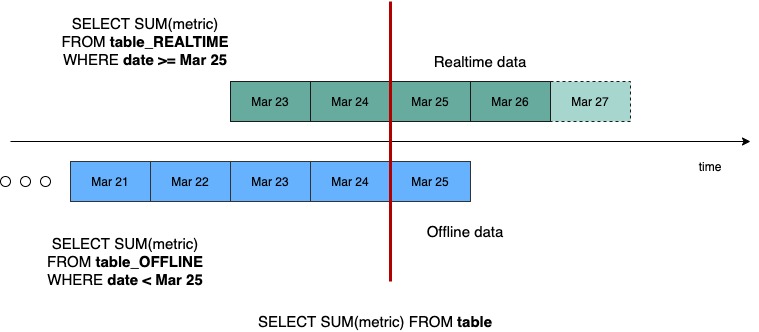
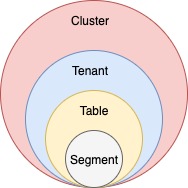
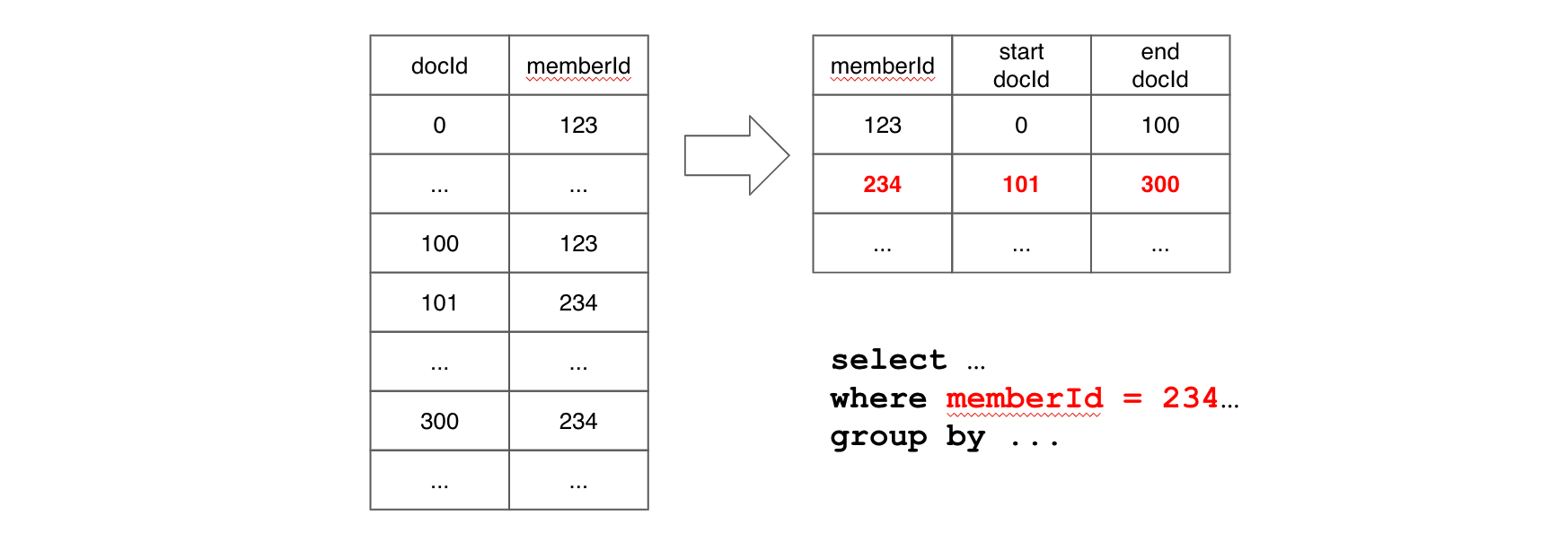
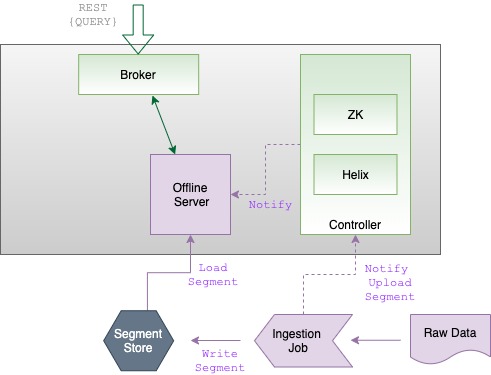
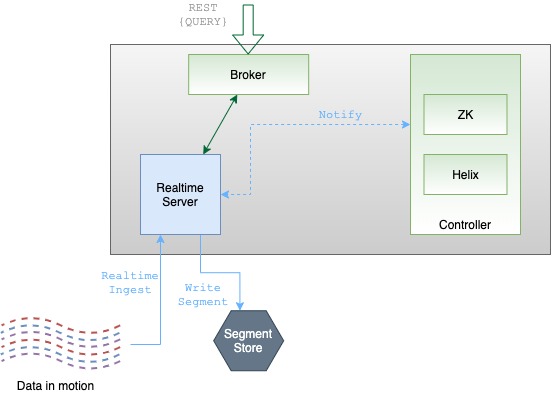

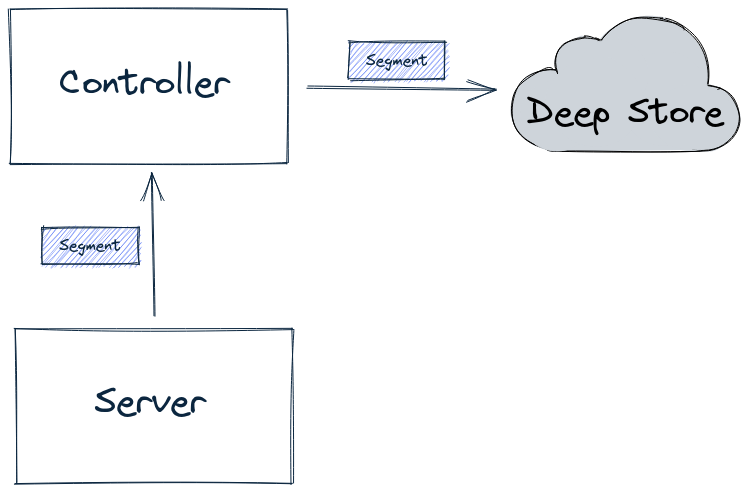

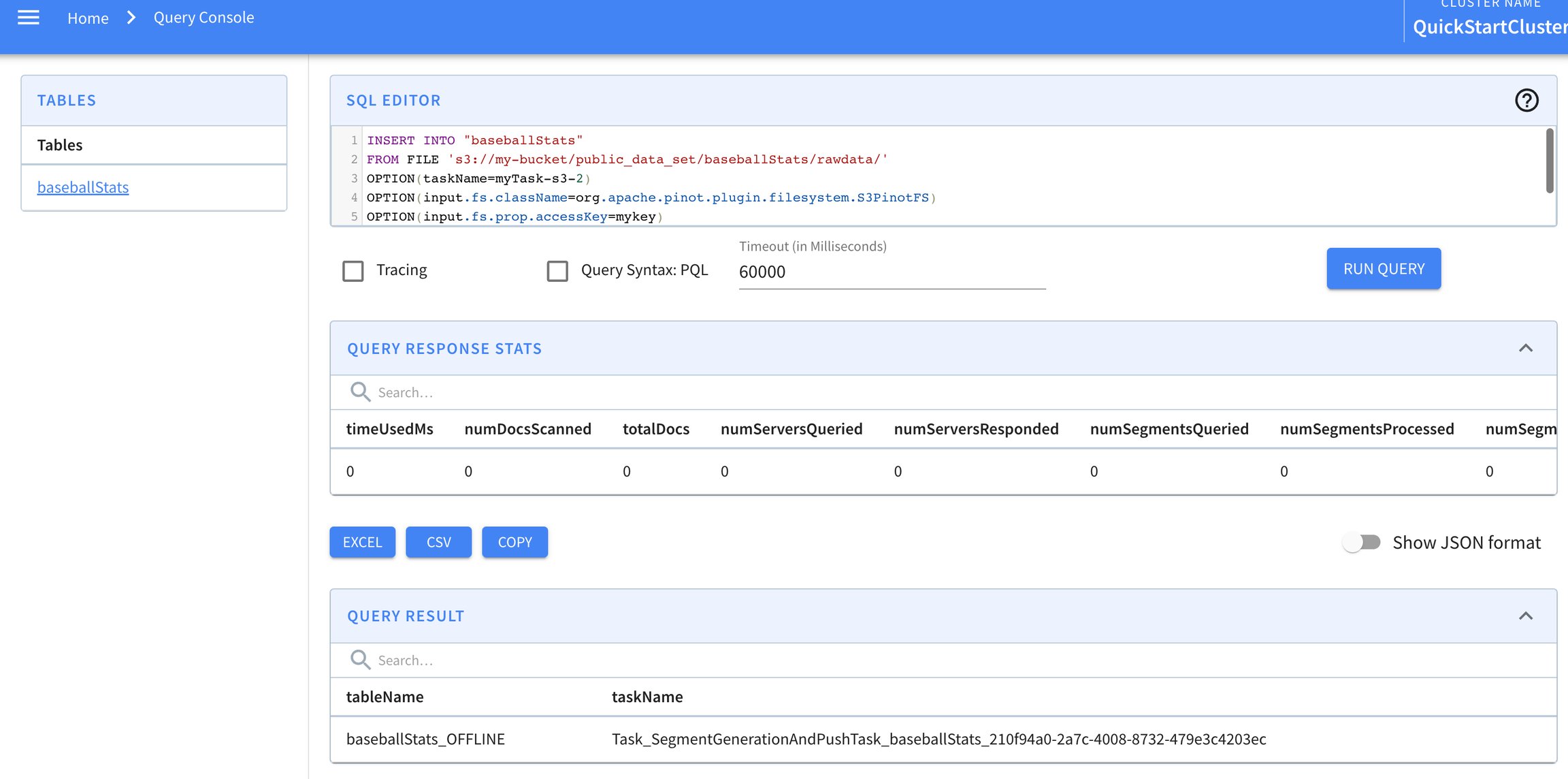
Add --jars options that contain the s3/hdfs paths to all the required plugin and pinot-all jar
Point classPath to spark working directory. Generally, just specifying the jar names without any paths works. Same should be done for main jar as well as the spec YAML file
For Spark 3.x, replace pinot-batch-ingestion-spark-2.4 with pinot-batch-ingestion-spark-3.2 in all places in the commands.
Also, ensure the classpath in ingestion spec is changed from org.apache.pinot.plugin.ingestion.batch.spark.
to
org.apache.pinot.plugin.ingestion.batch.spark3.
docker pull apachepinot/pinot:latestdocker pull apachepinot/pinot:0.12.0docker run \
-p 9000:9000 \
apachepinot/pinot:0.12.0 QuickStart \
-type batchdocker network create -d bridge pinot-demodocker run \
--network=pinot-demo \
--name pinot-zookeeper \
--restart always \
-p 2181:2181 \
-d zookeeper:3.5.6docker run --rm -ti \
--network=pinot-demo \
--name pinot-controller \
-p 9000:9000 \
-e JAVA_OPTS="-Dplugins.dir=/opt/pinot/plugins -Xms1G -Xmx4G -XX:+UseG1GC -XX:MaxGCPauseMillis=200 -Xloggc:gc-pinot-controller.log" \
-d ${PINOT_IMAGE} StartController \
-zkAddress pinot-zookeeper:2181docker run --rm -ti \
--network=pinot-demo \
--name pinot-broker \
-p 8099:8099 \
-e JAVA_OPTS="-Dplugins.dir=/opt/pinot/plugins -Xms4G -Xmx4G -XX:+UseG1GC -XX:MaxGCPauseMillis=200 -Xloggc:gc-pinot-broker.log" \
-d ${PINOT_IMAGE} StartBroker \
-zkAddress pinot-zookeeper:2181docker run --rm -ti \
--network=pinot-demo \
--name pinot-server \
-p 8098:8098 \
-e JAVA_OPTS="-Dplugins.dir=/opt/pinot/plugins -Xms4G -Xmx16G -XX:+UseG1GC -XX:MaxGCPauseMillis=200 -Xloggc:gc-pinot-server.log" \
-d ${PINOT_IMAGE} StartServer \
-zkAddress pinot-zookeeper:2181docker run --rm -ti \
--network pinot-demo --name=kafka \
-e KAFKA_ZOOKEEPER_CONNECT=pinot-zookeeper:2181/kafka \
-e KAFKA_BROKER_ID=0 \
-e KAFKA_ADVERTISED_HOST_NAME=kafka \
-p 9092:9092 \
-d bitnami/kafka:latestdocker container ls -aCONTAINER ID IMAGE COMMAND CREATED STATUS PORTS NAMES
9ec20e4463fa bitnami/kafka:latest "start-kafka.sh" 43 minutes ago Up 43 minutes kafka
0775f5d8d6bf apachepinot/pinot:latest "./bin/pinot-admin.s…" 44 minutes ago Up 44 minutes 8096-8099/tcp, 9000/tcp pinot-server
64c6392b2e04 apachepinot/pinot:latest "./bin/pinot-admin.s…" 44 minutes ago Up 44 minutes 8096-8099/tcp, 9000/tcp pinot-broker
b6d0f2bd26a3 apachepinot/pinot:latest "./bin/pinot-admin.s…" 45 minutes ago Up 45 minutes 8096-8099/tcp, 0.0.0.0:9000->9000/tcp pinot-controller
570416fc530e zookeeper:3.5.6 "/docker-entrypoint.…" 45 minutes ago Up 45 minutes 2888/tcp, 3888/tcp, 0.0.0.0:2181->2181/tcp, 8080/tcp pinot-zookeeperversion: '3.7'
services:
pinot-zookeeper:
image: zookeeper:3.5.6
container_name: pinot-zookeeper
ports:
- "2181:2181"
environment:
ZOOKEEPER_CLIENT_PORT: 2181
ZOOKEEPER_TICK_TIME: 2000
pinot-controller:
image: apachepinot/pinot:0.12.0
command: "StartController -zkAddress pinot-zookeeper:2181"
container_name: pinot-controller
restart: unless-stopped
ports:
- "9000:9000"
environment:
JAVA_OPTS: "-Dplugins.dir=/opt/pinot/plugins -Xms1G -Xmx4G -XX:+UseG1GC -XX:MaxGCPauseMillis=200 -Xloggc:gc-pinot-controller.log"
depends_on:
- pinot-zookeeper
pinot-broker:
image: apachepinot/pinot:0.12.0
command: "StartBroker -zkAddress pinot-zookeeper:2181"
restart: unless-stopped
container_name: "pinot-broker"
ports:
- "8099:8099"
environment:
JAVA_OPTS: "-Dplugins.dir=/opt/pinot/plugins -Xms4G -Xmx4G -XX:+UseG1GC -XX:MaxGCPauseMillis=200 -Xloggc:gc-pinot-broker.log"
depends_on:
- pinot-controller
pinot-server:
image: apachepinot/pinot:0.12.0
command: "StartServer -zkAddress pinot-zookeeper:2181"
restart: unless-stopped
container_name: "pinot-server"
ports:
- "8098:8098"
environment:
JAVA_OPTS: "-Dplugins.dir=/opt/pinot/plugins -Xms4G -Xmx16G -XX:+UseG1GC -XX:MaxGCPauseMillis=200 -Xloggc:gc-pinot-server.log"
depends_on:
- pinot-brokerdocker-compose --project-name pinot-demo updocker container ls CONTAINER ID IMAGE COMMAND CREATED STATUS PORTS NAMES
ba5cb0868350 apachepinot/pinot:0.9.3 "./bin/pinot-admin.s…" About a minute ago Up About a minute 8096-8099/tcp, 9000/tcp pinot-server
698f160852f9 apachepinot/pinot:0.9.3 "./bin/pinot-admin.s…" About a minute ago Up About a minute 8096-8098/tcp, 9000/tcp, 0.0.0.0:8099->8099/tcp, :::8099->8099/tcp pinot-broker
b1ba8cf60d69 apachepinot/pinot:0.9.3 "./bin/pinot-admin.s…" About a minute ago Up About a minute 8096-8099/tcp, 0.0.0.0:9000->9000/tcp, :::9000->9000/tcp pinot-controller
54e7e114cd53 zookeeper:3.5.6 "/docker-entrypoint.…" About a minute ago Up About a minute 2888/tcp, 3888/tcp, 0.0.0.0:2181->2181/tcp, :::2181->2181/tcp, 8080/tcp pinot-zookeeper//default to limit 10
SELECT *
FROM myTable
SELECT *
FROM myTable
LIMIT 100SELECT "date", "timestamp"
FROM myTable SELECT COUNT(*), MAX(foo), SUM(bar)
FROM myTableSELECT MIN(foo), MAX(foo), SUM(foo), AVG(foo), bar, baz
FROM myTable
GROUP BY bar, baz
LIMIT 50SELECT MIN(foo), MAX(foo), SUM(foo), AVG(foo), bar, baz
FROM myTable
GROUP BY bar, baz
ORDER BY bar, MAX(foo) DESC
LIMIT 50SELECT COUNT(*)
FROM myTable
WHERE foo = 'foo'
AND bar BETWEEN 1 AND 20
OR (baz < 42 AND quux IN ('hello', 'goodbye') AND quuux NOT IN (42, 69))SELECT COUNT(*)
FROM myTable
WHERE foo IS NOT NULL
AND foo = 'foo'
AND bar BETWEEN 1 AND 20
OR (baz < 42 AND quux IN ('hello', 'goodbye') AND quuux NOT IN (42, 69))SELECT *
FROM myTable
WHERE quux < 5
LIMIT 50SELECT foo, bar
FROM myTable
WHERE baz > 20
ORDER BY bar DESC
LIMIT 100SELECT foo, bar
FROM myTable
WHERE baz > 20
ORDER BY bar DESC
LIMIT 50, 100SELECT COUNT(*)
FROM myTable
WHERE REGEXP_LIKE(airlineName, '^U.*')
GROUP BY airlineName LIMIT 10SELECT
CASE
WHEN price > 30 THEN 3
WHEN price > 20 THEN 2
WHEN price > 10 THEN 1
ELSE 0
END AS price_category
FROM myTableSELECT
SUM(
CASE
WHEN price > 30 THEN 30
WHEN price > 20 THEN 20
WHEN price > 10 THEN 10
ELSE 0
END) AS total_cost
FROM myTableSELECT COUNT(*)
FROM myTable
GROUP BY DATETIMECONVERT(timeColumnName, '1:MILLISECONDS:EPOCH', '1:HOURS:EPOCH', '1:HOURS')SELECT *
FROM myTable
WHERE UID = 'c8b3bce0b378fc5ce8067fc271a34892'# executionFrameworkSpec: Defines ingestion jobs to be running.
executionFrameworkSpec:
# name: execution framework name
name: 'spark'
# segmentGenerationJobRunnerClassName: class name implements org.apache.pinot.spi.ingestion.batch.runner.IngestionJobRunner interface.
segmentGenerationJobRunnerClassName: 'org.apache.pinot.plugin.ingestion.batch.spark.SparkSegmentGenerationJobRunner'
# segmentTarPushJobRunnerClassName: class name implements org.apache.pinot.spi.ingestion.batch.runner.IngestionJobRunner interface.
segmentTarPushJobRunnerClassName: 'org.apache.pinot.plugin.ingestion.batch.spark.SparkSegmentTarPushJobRunner'
# segmentUriPushJobRunnerClassName: class name implements org.apache.pinot.spi.ingestion.batch.runner.IngestionJobRunner interface.
segmentUriPushJobRunnerClassName: 'org.apache.pinot.plugin.ingestion.batch.spark.SparkSegmentUriPushJobRunner'
#segmentMetadataPushJobRunnerClassName: class name implements org.apache.pinot.spi.ingestion.batch.runner.IngestionJobRunner interface
segmentMetadataPushJobRunnerClassName: 'org.apache.pinot.plugin.ingestion.batch.spark.SparkSegmentMetadataPushJobRunner'
# extraConfigs: extra configs for execution framework.
extraConfigs:
# stagingDir is used in distributed filesystem to host all the segments then move this directory entirely to output directory.
stagingDir: your/local/dir/stagingspark.driver.extraClassPath =>
pinot-batch-ingestion-spark-${PINOT_VERSION}-shaded.jar:pinot-all-${PINOT_VERSION}-jar-with-dependencies.jarspark.driver.extraJavaOptions =>
-Dplugins.dir=${PINOT_DISTRIBUTION_DIR}/pluginsexport PINOT_VERSION=0.10.0
export PINOT_DISTRIBUTION_DIR=/path/to/apache-pinot-${PINOT_VERSION}-bin
spark-submit //
--class org.apache.pinot.tools.admin.command.LaunchDataIngestionJobCommand //
--master local --deploy-mode client //
--conf "spark.driver.extraJavaOptions=-Dplugins.dir=${PINOT_DISTRIBUTION_DIR}/plugins" //
--conf "spark.driver.extraClassPath=${PINOT_DISTRIBUTION_DIR}/plugins-external/pinot-batch-ingestion/pinot-batch-ingestion-spark-2.4/pinot-batch-ingestion-spark-2.4-${PINOT_VERSION}-shaded.jar:${PINOT_DISTRIBUTION_DIR}/lib/pinot-all-${PINOT_VERSION}-jar-with-dependencies.jar" //
-conf "spark.executor.extraClassPath=${PINOT_DISTRIBUTION_DIR}/plugins-external/pinot-batch-ingestion/pinot-batch-ingestion-spark-2.4/pinot-batch-ingestion-spark-2.4-${PINOT_VERSION}-shaded.jar:${PINOT_DISTRIBUTION_DIR}/lib/pinot-all-${PINOT_VERSION}-jar-with-dependencies.jar" //
local://${PINOT_DISTRIBUTION_DIR}/lib/pinot-all-${PINOT_VERSION}-jar-with-dependencies.jar -jobSpecFile /path/to/spark_job_spec.yamlspark-submit //
--class org.apache.pinot.tools.admin.command.LaunchDataIngestionJobCommand //
--master yarn --deploy-mode cluster //
--conf "spark.driver.extraJavaOptions=-Dplugins.dir=${PINOT_DISTRIBUTION_DIR}/plugins" //
--conf "spark.driver.extraClassPath=pinot-batch-ingestion-spark-2.4/pinot-batch-ingestion-spark-2.4-${PINOT_VERSION}-shaded.jar:pinot-all-${PINOT_VERSION}-jar-with-dependencies.jar" //
--conf "spark.executor.extraClassPath=pinot-batch-ingestion-spark-2.4/pinot-batch-ingestion-spark-2.4-${PINOT_VERSION}-shaded.jar:pinot-all-${PINOT_VERSION}-jar-with-dependencies.jar" //
--jars "${PINOT_DISTRIBUTION_DIR}/plugins-external/pinot-batch-ingestion/pinot-batch-ingestion-spark-2.4/pinot-batch-ingestion-spark-2.4-${PINOT_VERSION}-shaded.jar,${PINOT_DISTRIBUTION_DIR}/lib/pinot-all-${PINOT_VERSION}-jar-with-dependencies.jar"
--files s3://path/to/spark_job_spec.yaml
local://pinot-all-${PINOT_VERSION}-jar-with-dependencies.jar -jobSpecFile spark_job_spec.yamlMULTIPOINT (0 0, 1 2)
MULTILINESTRING ((0 0, 1 1, 1 2), (2 3, 3 2, 5 4))
MULTIPOLYGON (((0 0, 4 0, 4 4, 0 4, 0 0), (1 1, 2 1, 2 2, 1 2, 1 1)), ((-1 -1, -1 -2, -2 -2, -2 -1, -1 -1)))
GEOMETRYCOLLECTION(POINT(2 0),POLYGON((0 0, 1 0, 1 1, 0 1, 0 0)))
ST_GeogFromWKB(bytes wkb) → Geography Creates a geography instance from a Well-Known Binary geometry representation (WKB)
ST_GeogFromText(String wkt) → Geography Returns a specified geography value from Well-Known Text representation or extended (WKT).
ST_PolygonST_MultiPolygon{
"dataType": "BYTES",
"name": "location_st_point",
"transformFunction": "toSphericalGeography(stPoint(lon,lat))"
}{
"fieldConfigList": [
{
"name": "location_st_point",
"encodingType":"RAW",
"indexTypes":["H3"],
"properties": {
"resolutions": "5"
}
}
],
"tableIndexConfig": {
"loadMode": "MMAP",
"noDictionaryColumns": [
"location_st_point"
]
},
}SELECT address, ST_DISTANCE(location_st_point, ST_Point(-122, 37, 1))
FROM starbucksStores
WHERE ST_DISTANCE(location_st_point, ST_Point(-122, 37, 1)) < 5000
limit 1000export JAVA_OPTS="-Xms4G -Xmx8G -XX:+UseG1GC -XX:MaxGCPauseMillis=200 -Xloggc:gc-pinot-controller.log"export JAVA_OPTS="-Xms4G -Xmx8G"cd buildUse the built-in complex-type handling rules in the ingestion configuration.
On this page, we'll show how to handle these complex-type structures with each of these two approaches. We will process some example data, consisting of the field group from the Meetup events Quickstart example.
This object has two child fields and the child group is a nested array with elements of object type.
Apache Pinot provides a powerful JSON index to accelerate the value lookup and filtering for the column. To convert an object group with complex type to JSON, add the following to your table configuration.
The config transformConfigs transforms the object group to a JSON string group_json, which then creates the JSON indexing with configuration jsonIndexColumns. To read the full spec, see json_meetupRsvp_realtime_table_config.json.
Also, note that group is a reserved keyword in SQL and therefore needs to be quoted in transformFunction.
The schema will look like this:
For the full specification, see json_meetupRsvp_schema.json.
With this, you can start to query the nested fields under group. For more details about the supported JSON function, see guide).
Though JSON indexing is a handy way to process the complex types, there are some limitations:
It’s not performant to group by or order by a JSON field, because JSON_EXTRACT_SCALAR is needed to extract the values in the GROUP BY and ORDER BY clauses, which invokes the function evaluation.
It does not work with Pinot's multi-column functions such as DISTINCTCOUNTMV.
Alternatively, from Pinot 0.8, you can use the complex-type handling in ingestion configurations to flatten and unnest the complex structure and convert them into primitive types. Then you can reduce the complex-type data into a flattened Pinot table, and query it via SQL. With the built-in processing rules, you do not need to write ETL jobs in another compute framework such as Flink or Spark.
To process this complex type, you can add the configuration complexTypeConfig to the ingestionConfig. For example:
With the complexTypeConfig , all the map objects will be flattened to direct fields automatically. And with unnestFields , a record with the nested collection will unnest into multiple records. For instance, the example at the beginning will transform into two rows with this configuration example.
Note that:
The nested field group_id under group is flattened to group.group_id. The default value of the delimiter is . You can choose another delimiter by specifying the configuration delimiter under complexTypeConfig. This flattening rule also applies to maps in the collections to be unnested.
The nested array group_topics under group is unnested into the top-level, and converts the output to a collection of two rows. Note the handling of the nested field within group_topics, and the eventual top-level field of group.group_topics.urlkey. All the collections to unnest shall be included in the configuration fieldsToUnnest.
Collections not specified in fieldsToUnnestwill be serialized into JSON string, except for the array of primitive values, which will be ingested as a multi-value column by default. The behavior is defined by the collectionNotUnnestedToJson config, which takes the following values:
NON_PRIMITIVE- Converts the array to a multi-value column. (default)
You can then query the table with primitive values using the following SQL query:
When there are complex structures, it can be challenging and tedious to figure out the Pinot schema manually. To help with schema inference, Pinot provides utility tools to take the Avro schema or JSON data as input and output the inferred Pinot schema.
To infer the Pinot schema from Avro schema, you can use a command like this:
Note you can input configurations like fieldsToUnnest similar to the ones in complexTypeConfig. And this will simulate the complex-type handling rules on the Avro schema and output the Pinot schema in the file specified in outputDir.
Similarly, you can use the command like the following to infer the Pinot schema from a file of JSON objects.
You can check out an example of this run in this PR.
{
"ingestionConfig":{
"transformConfigs": [
{
"columnName": "group_json",
"transformFunction": "jsonFormat(\"group\")"
}
],
},
...
"tableIndexConfig": {
"loadMode": "MMAP",
"noDictionaryColumns": [
"group_json"
],
"jsonIndexColumns": [
"group_json"
]
},
}{
{
"name": "group_json",
"dataType": "JSON",
}
...
}{
"ingestionConfig": {
"complexTypeConfig": {
"delimiter": '.',
"fieldsToUnnest": ["group.group_topics"],
"collectionNotUnnestedToJson": "NON_PRIMITIVE"
}
}
}SELECT "group.group_topics.urlkey",
"group.group_topics.topic_name",
"group.group_id"
FROM meetupRsvp
LIMIT 10bin/pinot-admin.sh AvroSchemaToPinotSchema \
-timeColumnName fields.hoursSinceEpoch \
-avroSchemaFile /tmp/test.avsc \
-pinotSchemaName myTable \
-outputDir /tmp/test \
-fieldsToUnnest entriesbin/pinot-admin.sh JsonToPinotSchema \
-timeColumnName hoursSinceEpoch \
-jsonFile /tmp/test.json \
-pinotSchemaName myTable \
-outputDir /tmp/test \
-fieldsToUnnest payload.commitsThis page has a collection of frequently asked questions about ingestion with answers from the community.
While Apache Pinot can work with segments of various sizes, for optimal use of Pinot, you want to get your segments sized in the 100MB to 500MB (un-tarred/uncompressed) range. Having too many (thousands or more) tiny segments for a single table creates overhead in terms of the metadata storage in Zookeeper as well as in the Pinot servers' heap. At the same time, having too few really large (GBs) segments reduces parallelism of query execution, as on the server side, the thread parallelism of query execution is at segment level.
Yes. Each table can be independently configured to consume from any given Kafka topic, regardless of whether there are other tables that are also consuming from the same Kafka topic.
Pinot automatically detects new partitions in Kafka topics. It checks for new partitions whenever RealtimeSegmentValidationManager periodic job runs and starts consumers for new partitions.
You can configure the interval for this job using thecontroller.realtime.segment.validation.frequencyPeriod property in the controller configuration.
Pinot supports multi-column partitioning for offline tables. Map multiple columns under Pinot assigns the input data to each partition according to the partition configuration individually for each column.
The following example partitions the segment based on two columns, memberID and caseNumber. Note that each partition column is handled separately, so in this case the segment is partitioned on memberID (partition ID 1) and also partiitoned on caseNumber (partition ID 2).
For multi-column partitioning to work, you must also set routing.segementPrunerTypes as follows:
Set up partitioner in the Kafka producer:
The partitioning logic in the stream should match the partitioning config in Pinot. Kafka uses murmur2, and the equivalent in Pinot is the Murmur function.
Set the partitioning configuration as below using same column used in Kafka:
and also set:
To learn how partition works, see .
For JSON, you can use a hex encoded string to ingest BYTES.
See the function which can store a top level json field as a STRING in Pinot.
Then you can use these during query time, to extract fields from the json string.
To use explicit code points, you must double-quote (not single-quote) the string, and escape the code point via "\uHHHH", where HHHH is the four digit hex code for the character. See for more details.
By default, Pinot limits the length of a String column to 512 bytes. If you want to overwrite this value, you can set the maxLength attribute in the schema as follows:
Events are available to queries as soon as they are ingested. This is because events are instantly indexed in memory upon ingestion.
The ingestion of events into the real-time table is not transactional, so replicas of the open segment are not immediately consistent. Pinot trades consistency for availability upon network partitioning (CAP theorem) to provide ultra-low ingestion latencies at high throughput.
However, when the open segment is closed and its in-memory indexes are flushed to persistent storage, all its replicas are guaranteed to be consistent, with the .
This typically happens if:
The consumer is lagging a lot.
The consumer was down (server down, cluster down), and the stream moved on, resulting in offset not found when consumer comes back up.
In case of Kafka, to recover, set property "auto.offset.reset":"earliest" in the streamConfigs section and reset the CONSUMING segment. See for more details about the configuration.
You can also also use the "Resume Consumption" endpoint with "resumeFrom" parameter set to "smallest" (or "largest" if you want). See for more details.
Inverted indexes are set in the tableConfig's tableIndexConfig -> invertedIndexColumns list. For more info on table configuration, see . For an example showing how to configure an inverted index, see .
Applying inverted indexes to a table configuration will generate an inverted index for all new segments. To apply the inverted indexes to all existing segments, see
Add the columns you wish to index to the tableIndexConfig-> invertedIndexColumns list. To update the table configuration use the Pinot Swagger API: .
Invoke the reload API: .
Once you've done that, you can check whether the index has been applied by querying the segment metadata API at . Don't forget to include the names of the column on which you have applied the index.
The output from this API should look something like the following:
Not all indexes can be retrospectively applied to existing segments.
If you want to add or change the or adjust you will need to manually re-load any existing segments.
Star-tree indexes are configured in the table config under the tableIndexConfig -> starTreeIndexConfigs (list) and enableDefaultStarTree (boolean). See here for more about how to configure star-tree indexes:
The new segments will have star-tree indexes generated after applying the star-tree index configurations to the table configuration. Currently, Pinot does not support adding star-tree indexes to the existing segments.
Pinot does not require ordering of event time stamps. Out of order events are still consumed and indexed into the "currently consuming" segment. In a pathological case, if you have a 2 day old event come in "now", it will still be stored in the segment that is open for consumption "now". There is no strict time-based partitioning for segments, but star-indexes and hybrid tables will handle this as appropriate.
See the for more details about how hybrid tables handle this. Specifically, the time-boundary is computed as max(OfflineTIme) - 1 unit of granularity. Pinot does store the min-max time for each segment and uses it for pruning segments, so segments with multiple time intervals may not be perfectly pruned.
When generating star-indexes, the time column will be part of the star-tree so the tree can still be efficiently queried for segments with multiple time intervals.
This lets you have an old event up come in without building complex offline pipelines that perfectly partition your events by event timestamps. With this offset, even if your offline data pipeline produces segments with a maximum timestamp, Pinot will not use the offline dataset for that last chunk of segments. The expectation is if you process offline the next time-range of data, your data pipeline will include any late events.
It might seem odd that segments are not strictly time-partitioned, unlike similar systems such as Apache Druid. This allows real-time ingestion to consume out-of-order events. Even though segments are not strictly time-partitioned, Pinot will still index, prune, and query segments intelligently by time intervals for the performance of hybrid tables and time-filtered data.
When generating offline segments, the segments generated such that segments only contain one time interval and are well partitioned by the time column.
Discover the segment component in Apache Pinot for efficient data storage and querying within Pinot clusters, enabling optimized data processing and analysis.
Pinot has the concept of a table, which is a logical abstraction to refer to a collection of related data. Pinot has a distributed architecture and scales horizontally. Pinot expects the size of a table to grow infinitely over time. In order to achieve this, the entire data needs to be distributed across multiple nodes.
Pinot achieves this by breaking the data into smaller chunks known as segments (similar to shards/partitions in relational databases). Segments can be seen as time-based partitions.
A segment is a horizontal shard representing a chunk of table data with some number of rows. The segment stores data for all columns of the table. Each segment packs the data in a columnar fashion, along with the dictionaries and indices for the columns. The segment is laid out in a columnar format so that it can be directly mapped into memory for serving queries.
Columns can be single or multi-valued and the following types are supported: STRING, BOOLEAN, INT, LONG, FLOAT, DOUBLE, TIMESTAMP or BYTES. Only single-valued BIG_DECIMAL data type is supported.
Columns may be declared to be metric or dimension (or specifically as a time dimension) in the schema. Columns can have default null values. For example, the default null value of a integer column can be 0. The default value for bytes columns must be hex-encoded before it's added to the schema.
Pinot uses dictionary encoding to store values as a dictionary ID. Columns may be configured to be “no-dictionary” column in which case raw values are stored. Dictionary IDs are encoded using minimum number of bits for efficient storage (e.g. a column with a cardinality of 3 will use only 2 bits for each dictionary ID).
A forward index is built for each column and compressed for efficient memory use. In addition, you can optionally configure inverted indices for any set of columns. Inverted indices take up more storage, but improve query performance. Specialized indexes like Star-Tree index are also supported. For more details, see .
Once the table is configured, we can load some data. Loading data involves generating pinot segments from raw data and pushing them to the pinot cluster. Data can be loaded in batch mode or streaming mode. For more details, see the page.
Below are instructions to generate and push segments to Pinot via standalone scripts. For a production setup, you should use frameworks such as Hadoop or Spark. For more details on setting up data ingestion jobs, see
To generate a segment, we need to first create a job spec YAML file. This file contains all the information regarding data format, input data location, and pinot cluster coordinates. Note that this assumes that the controller is RUNNING to fetch the table config and schema. If not, you will have to configure the spec to point at their location. For full configurations, see .
To create and push the segment in one go, use the following:
Sample Console Output
Alternately, you can separately create and then push, by changing the jobType to SegmentCreation or SegmenTarPush.
The Ingestion job spec supports templating with Groovy Syntax.
This is convenient if you want to generate one ingestion job template file and schedule it on a daily basis with extra parameters updated daily.
e.g. you could set inputDirURI with parameters to indicate the date, so that the ingestion job only processes the data for a particular date. Below is an example that templates the date for input and output directories.
You can pass in arguments containing values for ${year}, ${month}, ${day} when kicking off the ingestion job: -values $param=value1 $param2=value2...
This ingestion job only generates segments for date 2014-01-03
Prerequisites
Below is an example of how to publish sample data to your stream. As soon as data is available to the real-time stream, it starts getting consumed by the real-time servers.
Run below command to stream JSON data into Kafka topic: flights-realtime
Run below command to stream JSON data into Kafka topic: flights-realtime
This guide shows you how to ingest a stream of records from an Apache Pulsar topic into a Pinot table.
Pinot supports consuming data from via the pinot-pulsar plugin. You need to enable this plugin so that Pulsar specific libraries are present in the classpath.
Enable the Pulsar plugin with the following config at the time of Pinot setup: -Dplugins.include=pinot-pulsar
Here is a sample Pulsar stream config. You can use the streamConfigs section from this sample and make changes for your corresponding table.
You can change the following Pulsar specifc configurations for your tables
This section describes quick start commands that launch all Pinot components in a single process.
Pinot ships with QuickStart commands that launch Pinot components in a single process and import pre-built datasets. These quick start examples are a good place if you're just getting started with Pinot. The examples begin with the example, after the following notes:
Prerequisites
You must have either or . The examples are available in each option and work the same. The decision of which to choose depends on your installation preference and how you generally like to work. If you don't know which to choose, using Docker will make your cleanup easier after you are done with the examples.
NOTE This works well if some of your fields are nested json, but most of your fields are top level json keys. If all of your fields are within a nested JSON key, you will have to store the entire payload as 1 column, which is not ideal.
max(OfflineTime) to determine the time-boundary, and instead using an offset?"tableIndexConfig": {
..
"segmentPartitionConfig": {
"columnPartitionMap": {
"memberId": {
"functionName": "Modulo",
"numPartitions": 3
},
"caseNumber": {
"functionName": "Murmur",
"numPartitions": 12
}
}
}"routing": {
"segmentPrunerTypes": ["partition"]
}"tableIndexConfig": {
..
"segmentPartitionConfig": {
"columnPartitionMap": {
"column_foo": {
"functionName": "Murmur",
"numPartitions": 12 // same as number of kafka partitions
}
}
}"routing": {
"segmentPrunerTypes": ["partition"]
} {
"dataType": "STRING",
"maxLength": 1000,
"name": "textDim1"
},{
"<segment-name>": {
"segmentName": "<segment-name>",
"indexes": {
"<columnName>": {
"bloom-filter": "NO",
"dictionary": "YES",
"forward-index": "YES",
"inverted-index": "YES",
"null-value-vector-reader": "NO",
"range-index": "NO",
"json-index": "NO"
}
}
}
}executionFrameworkSpec:
name: 'standalone'
segmentGenerationJobRunnerClassName: 'org.apache.pinot.plugin.ingestion.batch.standalone.SegmentGenerationJobRunner'
segmentTarPushJobRunnerClassName: 'org.apache.pinot.plugin.ingestion.batch.standalone.SegmentTarPushJobRunner'
segmentUriPushJobRunnerClassName: 'org.apache.pinot.plugin.ingestion.batch.standalone.SegmentUriPushJobRunner'
jobType: SegmentCreationAndTarPush
inputDirURI: 'examples/batch/baseballStats/rawdata'
includeFileNamePattern: 'glob:**/*.csv'
excludeFileNamePattern: 'glob:**/*.tmp'
outputDirURI: 'examples/batch/baseballStats/segments'
overwriteOutput: true
pinotFSSpecs:
- scheme: file
className: org.apache.pinot.spi.filesystem.LocalPinotFS
recordReaderSpec:
dataFormat: 'csv'
className: 'org.apache.pinot.plugin.inputformat.csv.CSVRecordReader'
configClassName: 'org.apache.pinot.plugin.inputformat.csv.CSVRecordReaderConfig'
configs:
tableSpec:
tableName: 'baseballStats'
schemaURI: 'http://localhost:9000/tables/baseballStats/schema'
tableConfigURI: 'http://localhost:9000/tables/baseballStats'
segmentNameGeneratorSpec:
pinotClusterSpecs:
- controllerURI: 'http://localhost:9000'
pushJobSpec:
pushParallelism: 2
pushAttempts: 2
pushRetryIntervalMillis: 1000docker run \
--network=pinot-demo \
--name pinot-data-ingestion-job \
${PINOT_IMAGE} LaunchDataIngestionJob \
-jobSpecFile examples/docker/ingestion-job-specs/airlineStats.yamlSegmentGenerationJobSpec:
!!org.apache.pinot.spi.ingestion.batch.spec.SegmentGenerationJobSpec
excludeFileNamePattern: null
executionFrameworkSpec: {extraConfigs: null, name: standalone, segmentGenerationJobRunnerClassName: org.apache.pinot.plugin.ingestion.batch.standalone.SegmentGenerationJobRunner,
segmentTarPushJobRunnerClassName: org.apache.pinot.plugin.ingestion.batch.standalone.SegmentTarPushJobRunner,
segmentUriPushJobRunnerClassName: org.apache.pinot.plugin.ingestion.batch.standalone.SegmentUriPushJobRunner}
includeFileNamePattern: glob:**/*.avro
inputDirURI: examples/batch/airlineStats/rawdata
jobType: SegmentCreationAndTarPush
outputDirURI: examples/batch/airlineStats/segments
overwriteOutput: true
pinotClusterSpecs:
- {controllerURI: 'http://pinot-controller:9000'}
pinotFSSpecs:
- {className: org.apache.pinot.spi.filesystem.LocalPinotFS, configs: null, scheme: file}
pushJobSpec: {pushAttempts: 2, pushParallelism: 1, pushRetryIntervalMillis: 1000,
segmentUriPrefix: null, segmentUriSuffix: null}
recordReaderSpec: {className: org.apache.pinot.plugin.inputformat.avro.AvroRecordReader,
configClassName: null, configs: null, dataFormat: avro}
segmentNameGeneratorSpec: null
tableSpec: {schemaURI: 'http://pinot-controller:9000/tables/airlineStats/schema',
tableConfigURI: 'http://pinot-controller:9000/tables/airlineStats', tableName: airlineStats}
Trying to create instance for class org.apache.pinot.plugin.ingestion.batch.standalone.SegmentGenerationJobRunner
Initializing PinotFS for scheme file, classname org.apache.pinot.spi.filesystem.LocalPinotFS
Finished building StatsCollector!
Collected stats for 403 documents
Created dictionary for INT column: FlightNum with cardinality: 386, range: 14 to 7389
Using fixed bytes value dictionary for column: Origin, size: 294
Created dictionary for STRING column: Origin with cardinality: 98, max length in bytes: 3, range: ABQ to VPS
Created dictionary for INT column: Quarter with cardinality: 1, range: 1 to 1
Created dictionary for INT column: LateAircraftDelay with cardinality: 50, range: -2147483648 to 303
......
......
Pushing segment: airlineStats_OFFLINE_16085_16085_29 to location: http://pinot-controller:9000 for table airlineStats
Sending request: http://pinot-controller:9000/v2/segments?tableName=airlineStats to controller: a413b0013806, version: Unknown
Response for pushing table airlineStats segment airlineStats_OFFLINE_16085_16085_29 to location http://pinot-controller:9000 - 200: {"status":"Successfully uploaded segment: airlineStats_OFFLINE_16085_16085_29 of table: airlineStats"}
Pushing segment: airlineStats_OFFLINE_16084_16084_30 to location: http://pinot-controller:9000 for table airlineStats
Sending request: http://pinot-controller:9000/v2/segments?tableName=airlineStats to controller: a413b0013806, version: Unknown
Response for pushing table airlineStats segment airlineStats_OFFLINE_16084_16084_30 to location http://pinot-controller:9000 - 200: {"status":"Successfully uploaded segment: airlineStats_OFFLINE_16084_16084_30 of table: airlineStats"}bin/pinot-admin.sh LaunchDataIngestionJob \
-jobSpecFile examples/batch/airlineStats/ingestionJobSpec.yamlinputDirURI: 'examples/batch/airlineStats/rawdata/${year}/${month}/${day}'
outputDirURI: 'examples/batch/airlineStats/segments/${year}/${month}/${day}'docker run \
--network=pinot-demo \
--name pinot-data-ingestion-job \
${PINOT_IMAGE} LaunchDataIngestionJob \
-jobSpecFile examples/docker/ingestion-job-specs/airlineStats.yaml
-values year=2014 month=01 day=03docker run \
--network pinot-demo \
--name=loading-airlineStats-data-to-kafka \
${PINOT_IMAGE} StreamAvroIntoKafka \
-avroFile examples/stream/airlineStats/sample_data/airlineStats_data.avro \
-kafkaTopic flights-realtime -kafkaBrokerList kafka:9092 -zkAddress pinot-zookeeper:2181/kafkabin/pinot-admin.sh StreamAvroIntoKafka \
-avroFile examples/stream/airlineStats/sample_data/airlineStats_data.avro \
-kafkaTopic flights-realtime -kafkaBrokerList localhost:19092 -zkAddress localhost:2191/kafkaALL- Converts the array of primitive values to JSON string.NONE- Does not do any conversion.
streamType
This should be set to "pulsar"
stream.pulsar.topic.name
Your pulsar topic name
stream.pulsar.bootstrap.servers
Comma-separated broker list for Apache Pulsar
The Pinot-Pulsar connector supports authentication using the security tokens. You can generate the token by following the official Pulsar documentaton. Once generated, you can add the following property to streamConfigs to add auth token for each request
The Pinot-pulsar connector also supports TLS for encrypted connections. You can follow the official pulsar documentation to enable TLS on your pulsar cluster. Once done, you can enable TLS in pulsar connector by providing the trust certificate file location generated in the previous step.
Also, make sure to change the brokers url from pulsar://localhost:6650 to pulsar+ssl://localhost:6650 so that secure connections are used.
For other table and stream configurations, you can headover to Table configuration Reference
Pinot currently relies on Pulsar client version 2.7.2. Make sure the Pulsar broker is compatible with the this client version.
Pinot's Pulsar connector supports automatically extracting record headers and metadata into the Pinot table columns. Pulsar supports a large amount of per-record metadata. Please reference the official Pulsar documentation for the meaning of the metadata fields.
The following table shows the mapping for record header/metadata to Pinot table column names:
key : String
__key : String
In order to enable the metadata extraction in a Pulsar table, set the stream config metadata.populate to true. The fields eventTime, publishTime, brokerPublishTime, and key are populated by default. If you would like to extract additional fields from the Pulsar Message, populate the metadataFields config with a comma separated list of fields to populate. The fields are referenced by the field name in the Pulsar Message. For example, setting:
Will make the __metadata$messageId, __metadata$messageBytes, __metadata$eventTime, and __metadata$topicName, fields available for mapping to columns in the Pinot schema.
In addition to this, if you want to use any of these columns in your table, you have to list them explicitly in your table's schema.
For example, if you want to add only the offset and key as dimension columns in your Pinot table, it can listed in the schema as follows:
Once the schema is updated, these columns are similar to any other pinot column. You can apply ingestion transforms and / or define indexes on them.
{
"tableName": "pulsarTable",
"tableType": "REALTIME",
"segmentsConfig": {
"timeColumnName": "timestamp",
"replicasPerPartition": "1"
},
"tenants": {},
"tableIndexConfig": {
"loadMode": "MMAP",
"streamConfigs": {
"streamType": "pulsar",
"stream.pulsar.topic.name": "<your pulsar topic name>",
"stream.pulsar.bootstrap.servers": "pulsar://localhost:6650,pulsar://localhost:6651",
"stream.pulsar.consumer.prop.auto.offset.reset" : "smallest",
"stream.pulsar.consumer.type": "lowlevel",
"stream.pulsar.fetch.timeout.millis": "30000",
"stream.pulsar.decoder.class.name": "org.apache.pinot.plugin.inputformat.json.JSONMessageDecoder",
"stream.pulsar.consumer.factory.class.name": "org.apache.pinot.plugin.stream.pulsar.PulsarConsumerFactory",
"realtime.segment.flush.threshold.rows": "1000000",
"realtime.segment.flush.threshold.time": "6h"
}
},
"metadata": {
"customConfigs": {}
}
}"stream.pulsar.authenticationToken":"your-auth-token""stream.pulsar.tlsTrustCertsFilePath": "/path/to/ca.cert.pem"
"streamConfigs": {
...
"stream.pulsar.metadata.populate": "true",
"stream.pulsar.metadata.fields": "messageId,messageIdBytes,eventTime,topicName",
...
} "dimensionFieldSpecs": [
{
"name": "__key",
"dataType": "STRING"
},
{
"name": "__metadata$messageId",
"dataType": "STRING"
},
...
],Pinot versions in examples
The Docker-based examples on this page use pinot:latest, which instructs Docker to pull and use the most recent release of Apache Pinot. If you prefer to use a specific release instead, you can designate it by replacing latest with the release number, like this: pinot:0.12.1.
The local install-based examples that are run using the launcher scripts will use the Apache Pinot version you installed.
Running examples with Docker on a Mac with an M1 or M2 CPU
Add the -arm64 suffix to the run commands, like this:
docker run \
-p 9000:9000 \
apachepinot/pinot:latest-arm64 QuickStart \
-type batchStopping a running example
To stop a running example, enter Ctrl+C in the same terminal where you ran the docker run command to start the example.
This example demonstrates how to do batch processing with Pinot. The command:
Starts Apache Zookeeper, Pinot Controller, Pinot Broker, and Pinot Server.
Creates the baseballStats table
Launches a standalone data ingestion job that builds one segment for a given CSV data file for the baseballStats table and pushes the segment to the Pinot Controller.
Issues sample queries to Pinot
docker run \
-p 9000:9000 \
apachepinot/pinot:latest QuickStart \
-type batch./bin/pinot-admin.sh QuickStart -type batchThis example demonstrates how to import and query JSON documents in Pinot. The command:
Starts Apache Zookeeper, Pinot Controller, Pinot Broker, and Pinot Server.
Creates the githubEvents table
Launches a standalone data ingestion job that builds one segment for a given JSON data file for the githubEvents table and pushes the segment to the Pinot Controller.
Issues sample queries to Pinot
docker run \
-p 9000:9000 \
apachepinot/pinot:latest QuickStart \
-type batch_json_index./bin/pinot-admin.sh QuickStart -type batch_json_indexThis example demonstrates how to do batch processing in Pinot where the the data items have complex fields that need to be unnested. The command:
Starts Apache Zookeeper, Pinot Controller, Pinot Broker, and Pinot Server.
Creates the githubEvents table
Launches a standalone data ingestion job that builds one segment for a given JSON data file for the githubEvents table and pushes the segment to the Pinot Controller.
Issues sample queries to Pinot
docker run \
-p 9000:9000 \
apachepinot/pinot:latest QuickStart \
-type batch_complex_type./bin/pinot-admin.sh QuickStart -type batch_complex_typeThis example demonstrates how to do stream processing with Pinot. The command:
Starts Apache Kafka, Apache Zookeeper, Pinot Controller, Pinot Broker, and Pinot Server.
Creates meetupRsvp table
Launches a meetup stream
Publishes data to a Kafka topic meetupRSVPEvents that is subscribed to by Pinot.
Issues sample queries to Pinot
docker run \
-p 9000:9000 \
apachepinot/pinot:latest QuickStart \
-type stream./bin/pinot-admin.sh QuickStart -type streamThis example demonstrates how to do stream processing with JSON documents in Pinot. The command:
Starts Apache Kafka, Apache Zookeeper, Pinot Controller, Pinot Broker, and Pinot Server.
Creates meetupRsvp table
Launches a meetup stream
Publishes data to a Kafka topic meetupRSVPEvents that is subscribed to by Pinot
Issues sample queries to Pinot
docker run \
-p 9000:9000 \
apachepinot/pinot:latest QuickStart \
-type stream_json_index./bin/pinot-admin.sh QuickStart -type stream_json_indexThis example demonstrates how to do stream processing in Pinot with RealtimeToOfflineSegmentsTask and MergeRollupTask minion tasks continuously optimizing segments as data gets ingested. The command:
Starts Apache Kafka, Apache Zookeeper, Pinot Controller, Pinot Broker, Pinot Minion, and Pinot Server.
Creates githubEvents table
Launches a GitHub events stream
Publishes data to a Kafka topic githubEvents that is subscribed to by Pinot.
Issues sample queries to Pinot
docker run \
-p 9000:9000 \
apachepinot/pinot:latest QuickStart \
-type realtime_minion./bin/pinot-admin.sh QuickStart -type realtime_minionThis example demonstrates how to do stream processing in Pinot where the stream contains items that have complex fields that need to be unnested. The command:
Starts Apache Kafka, Apache Zookeeper, Pinot Controller, Pinot Broker, Pinot Minion, and Pinot Server.
Creates meetupRsvp table
Launches a meetup stream
Publishes data to a Kafka topic meetupRSVPEvents that is subscribed to by Pinot.
Issues sample queries to Pinot
docker run \
-p 9000:9000 \
apachepinot/pinot:latest QuickStart \
-type stream_complex_type./bin/pinot-admin.sh QuickStart -type stream_complex_typeThis example demonstrates how to do stream processing with upsert with Pinot. The command:
Starts Apache Kafka, Apache Zookeeper, Pinot Controller, Pinot Broker, and Pinot Server.
Creates meetupRsvp table
Launches a meetup stream
Publishes data to a Kafka topic meetupRSVPEvents that is subscribed to by Pinot
Issues sample queries to Pinot
docker run \
-p 9000:9000 \
apachepinot/pinot:latest QuickStart \
-type upsert./bin/pinot-admin.sh QuickStart -type upsertThis example demonstrates how to do stream processing with upsert with JSON documents in Pinot. The command:
Starts Apache Kafka, Apache Zookeeper, Pinot Controller, Pinot Broker, and Pinot Server.
Creates meetupRsvp table
Launches a meetup stream
Publishes data to a Kafka topic meetupRSVPEvents that is subscribed to by Pinot
Issues sample queries to Pinot
docker run \
-p 9000:9000 \
apachepinot/pinot:latest QuickStart \
-type upsert_json_index./bin/pinot-admin.sh QuickStart -type upsert_json_indexThis example demonstrates how to do hybrid stream and batch processing with Pinot. The command:
Starts Apache Kafka, Apache Zookeeper, Pinot Controller, Pinot Broker, and Pinot Server.
Creates airlineStats table
Launches a standalone data ingestion job that builds segments under a given directory of Avro files for the airlineStats table and pushes the segments to the Pinot Controller.
Launches a stream of flights stats
Publishes data to a Kafka topic airlineStatsEvents that is subscribed to by Pinot.
Issues sample queries to Pinot
docker run \
-p 9000:9000 \
apachepinot/pinot:latest QuickStart \
-type hybrid./bin/pinot-admin.sh QuickStart -type hybridThis example demonstrates how to do joins in Pinot using the Lookup UDF. The command:
Starts Apache Zookeeper, Pinot Controller, Pinot Broker, and Pinot Server in the same container.
Creates the baseballStats table
Launches a data ingestion job that builds one segment for a given CSV data file for the baseballStats table and pushes the segment to the Pinot Controller.
Creates the dimBaseballTeams table
Launches a data ingestion job that builds one segment for a given CSV data file for the dimBaseballStats table and pushes the segment to the Pinot Controller.
Issues sample queries to Pinot
docker run \
-p 9000:9000 \
apachepinot/pinot:latest QuickStart \
-type join./bin/pinot-admin.sh QuickStart -type joinmacOS Monterey Users
By default the Airplay receiver server runs on port 7000, which is also the port used by the Pinot Server in the Quick Start. You may see the following error when running these examples:
If you disable the Airplay receiver server and try again, you shouldn't see this error message anymore.
The values for every column are stored in a forward index, of which there are three types:
Dictionary encoded forward index Builds a dictionary mapping 0 indexed ids to each unique value in a column and a forward index that contains the bit-compressed ids.
Sorted forward index Builds a dictionary mapping from each unique value to a pair of start and end document id and a forward index on top of the dictionary encoding.
Builds a forward index of the column's values.
To save segment storage space the forward index can now be while creating new tables.
Each unique value from a column is assigned an id and a dictionary is built that maps the id to the value. The forward index stores bit-compressed ids instead of the values. If you have few unique values, dictionary-encoding can significantly improve space efficiency.
The below diagram shows the dictionary encoding for two columns with integer and string types. ForcolA, dictionary encoding saved a significant amount of space for duplicated values.
On the other hand, colB has no duplicated data. Dictionary encoding will not compress much data in this case where there are a lot of unique values in the column. For the string type, we pick the length of the longest value and use it as the length for the dictionary’s fixed-length value array. The padding overhead can be high if there are a large number of unique values for a column.
When a column is physically sorted, Pinot uses a sorted forward index with run-length encoding on top of the dictionary-encoding. Instead of saving dictionary ids for each document id, Pinot will store a pair of start and end document ids for each value.
(For simplicity, this diagram does not include the dictionary encoding layer.)
The Sorted forward index has the advantages of both good compression and data locality. The Sorted forward index can also be used as an inverted index.
A sorted index can be configured for a table by setting it in the table config:
Real-time data ingestion will sort data by the sortedColumn when generating segments - you don't need to pre-sort the data.
When a segment is committed, Pinot will do a pass over the data in each column and create a sorted index for any other columns that contain sorted data, even if they aren't specified as the sortedColumn.
For offline data ingestion, Pinot will do a pass over the data in each column and create a sorted index for columns that contain sorted data.
This means that if you want a column to have a sorted index, you will need to sort the data by that column before ingesting it into Pinot.
If you are ingesting multiple segments you will need to make sure that data is sorted within each segment - you don't need to sort the data across segments.
You can check the sorted status of a column in a segment by running the following:
Alternatively, for offline tables and for committed segments in real-time tables, you can retrieve the sorted status from the getServerMetadata endpoint. The following example is based on the :
The raw value forward index directly stores values instead of ids.
Without the dictionary, the dictionary lookup step can be skipped for each value fetch. The index can also take advantage of the good locality of the values, thus improving the performance of scanning a large number of values.
The raw value forward index works well for columns that have a large number of unique values where a dictionary does not provide much compression.
As seen in the above diagram, using dictionary encoding will require a lot of random accesses of memory to do those dictionary look-ups. With a raw value forward index, we can scan values sequentially, which can result in improved query performance when applied appropriately.
A raw value forward index can be configured for a table by configuring the , as shown below:
When working out whether a column should use dictionary encoded or raw value encoding, the following comparison table may help:
Traditionally the forward index has been a mandatory index for all columns in the on-disk segment file format.
However, certain columns may only be used as a filter in the WHERE clause for all queries. In such scenarios the forward index is not necessary as essentially other indexes and structures in the segments can provide the required SQL query functionality. Forward index just takes up extra storage space for such scenarios and can ideally be freed up.
Thus, to provide users an option to save storage space, a knob to disable the forward index is now available.
Forward index on one or more columns(s) in your Pinot table can be disabled with the following limitations:
Only supported for immutable (offline) segments.
If the column has a range index then the column must be of single-value type and use range index version 2
MV columns with duplicates within a row will lose the duplicated entries on forward index regeneration. The ordering of data with an MV row may also change on regeneration. A backfill is required in such scenarios (to preserve duplicates or ordering).
Sorted columns will allow the forward index to be disabled, but this operation will be treated as a no-op and the index (which acts as both a forward index and inverted index) will be created.
To disable the forward index for a given column the fieldConfigList can be modified within the , as shown below:
A table reload operation must be performed for the above config to take effect. Enabling / disabling other indexes on the column can be done via the usual options.
The forward index can also be regenerated for a column where it is disabled by removing the property forwardIndexDisabled from the fieldConfigList properties bucket and reloading the segment. The forward index can only be regenerated if the dictionary and inverted index have been enabled for the column. If either have been disabled then the only way to get the forward index back is to regenerate the segments via the offline jobs and re-push / refresh the data.
Examples of queries which will fail after disabling the forward index for an example column, columnA, can be found below:
Forward index disabled columns cannot be present in the SELECT clause even if filters are added on it.
Forward index disabled columns cannot be present in the GROUP BY and ORDER BY clauses. They also cannot be part of the HAVING clause.
A subset of the aggregation functions do work when the forward index is disabled such as MIN, MAX, DISTINCTCOUNT, DISTINCTCOUNTHLL and more. Some of the other aggregation functions will not work such as the below:
Forward index disabled columns cannot be present in the SELECT DISTINCT clause.
To run queries on single-value columns where the filter clause contains operators such as >, <, >=, <= a version 2 range index must be present. Without the range index such queries will fail as shown below:
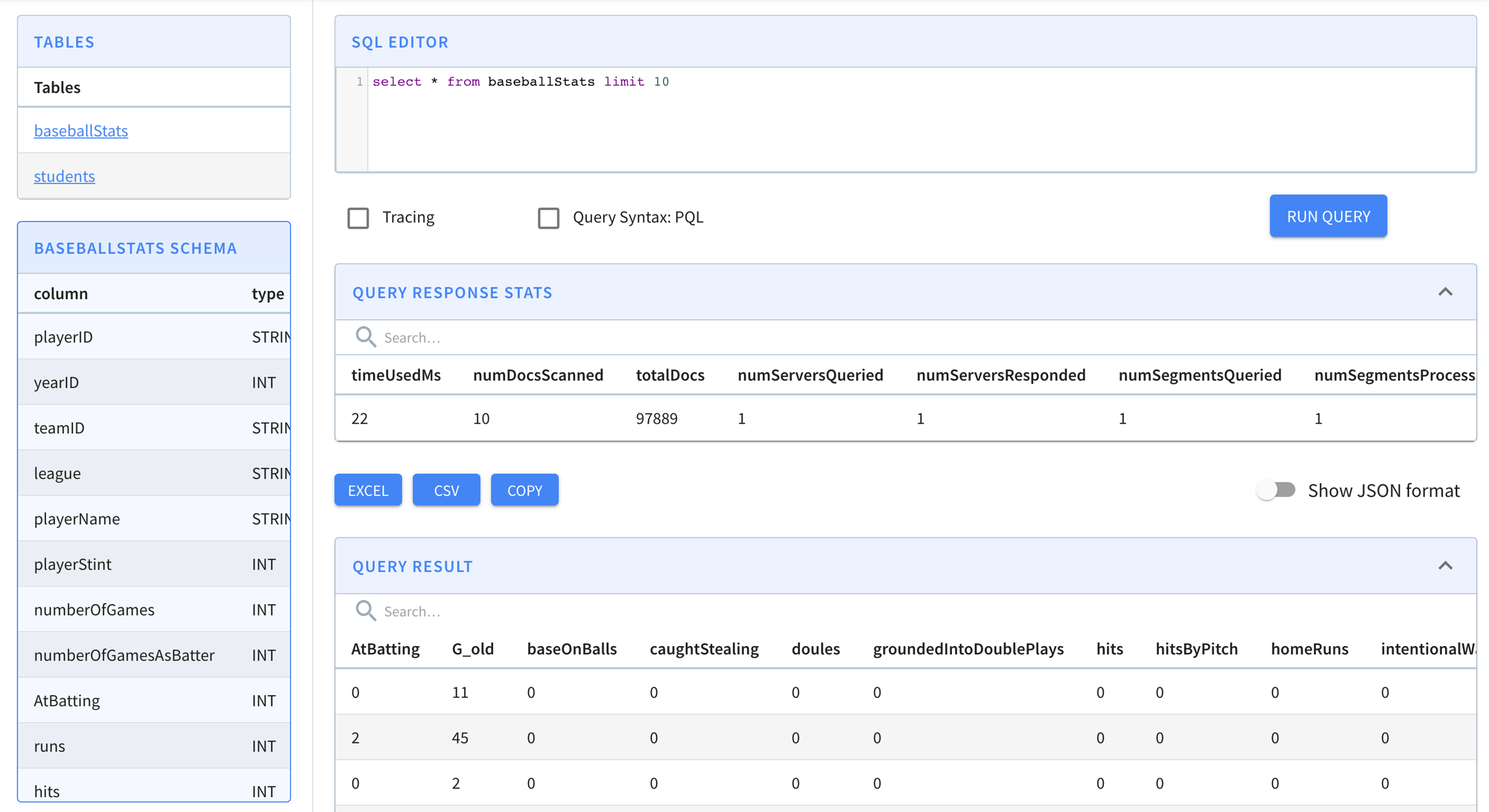
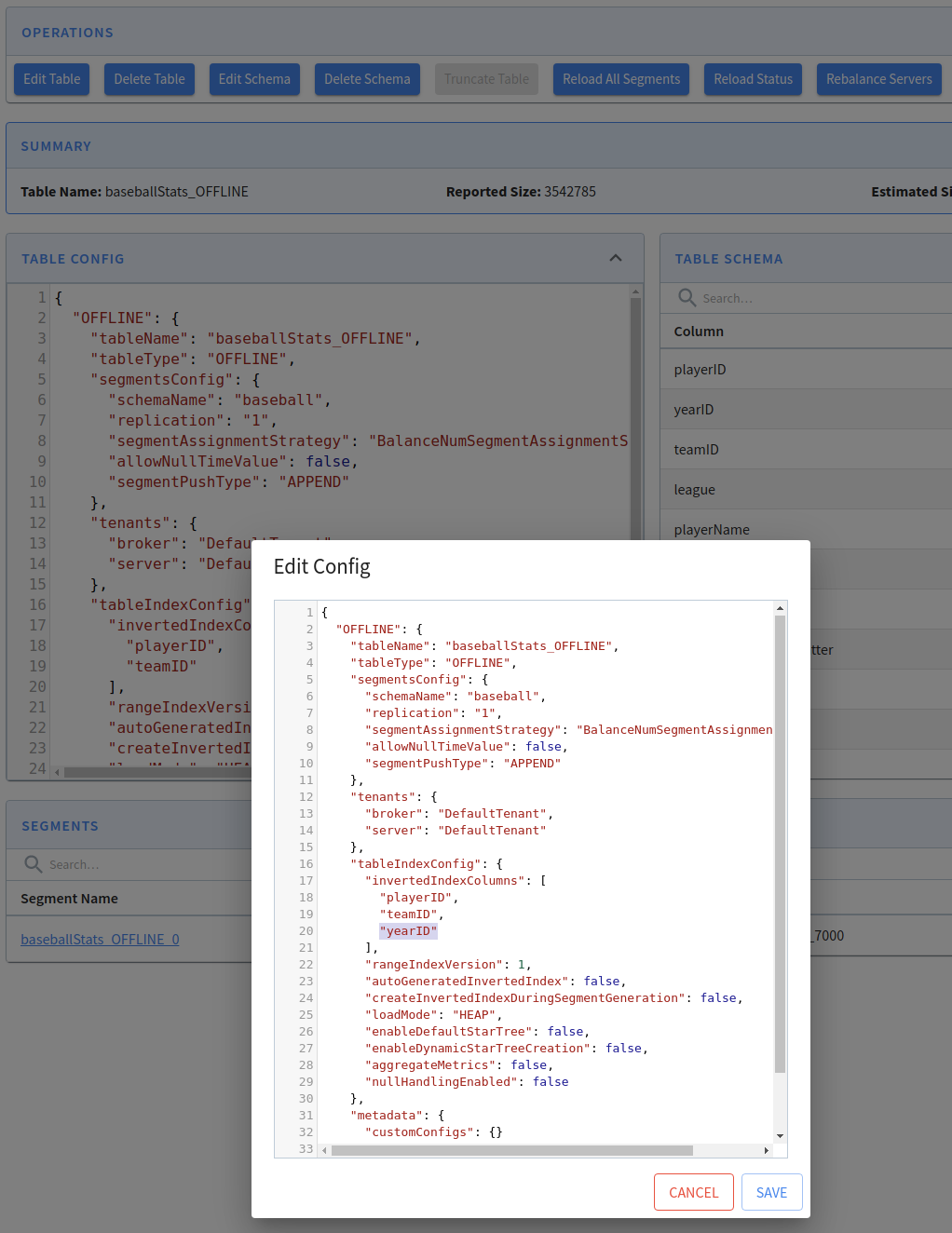
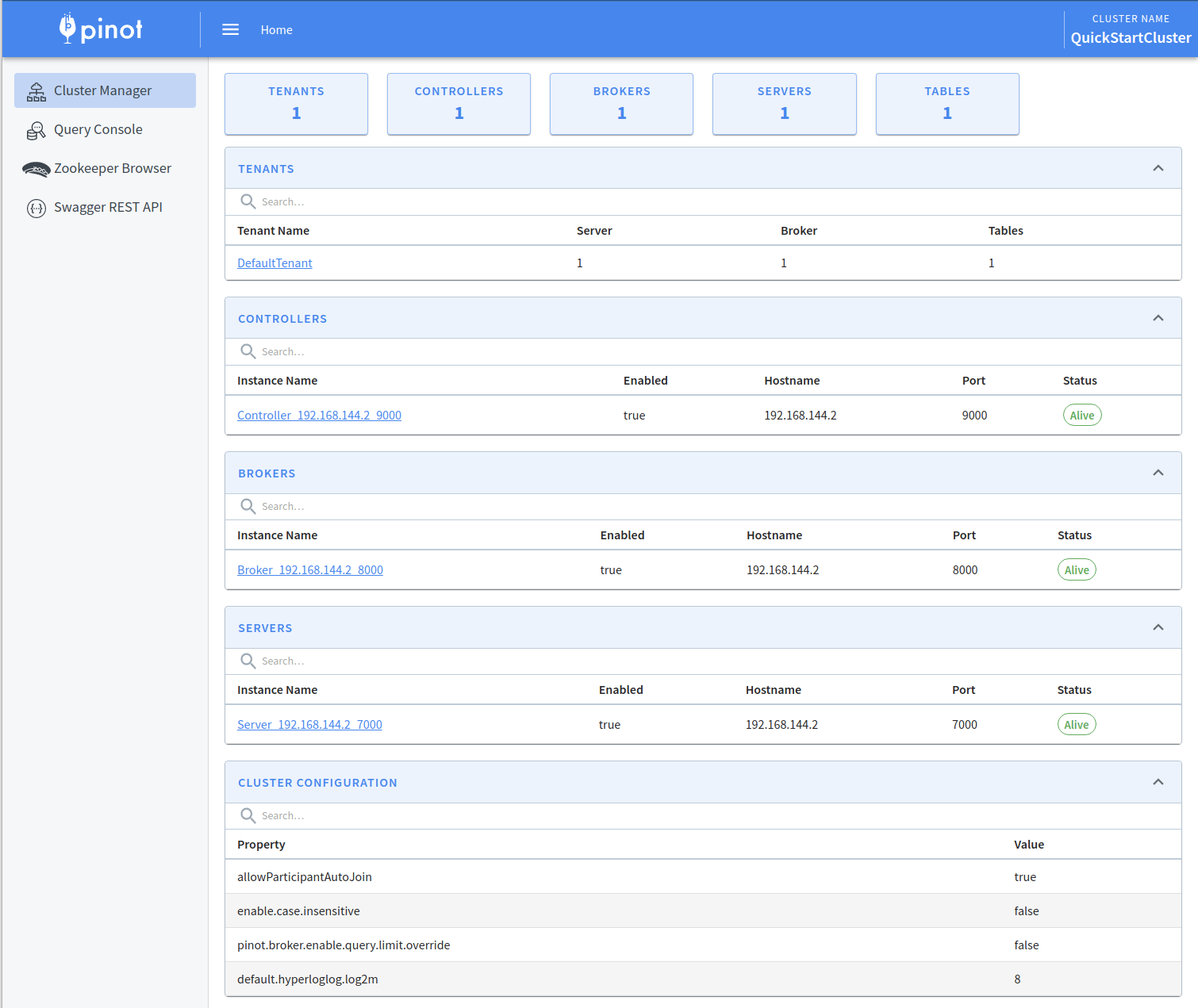
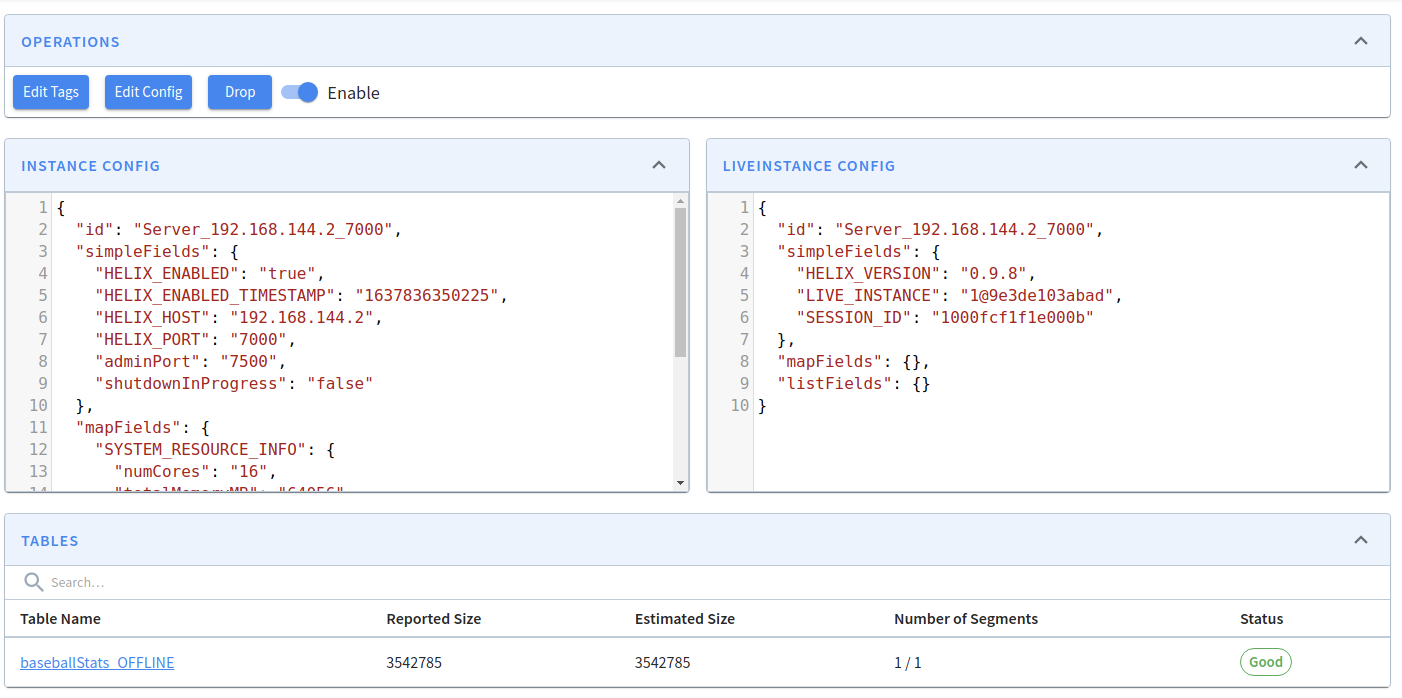
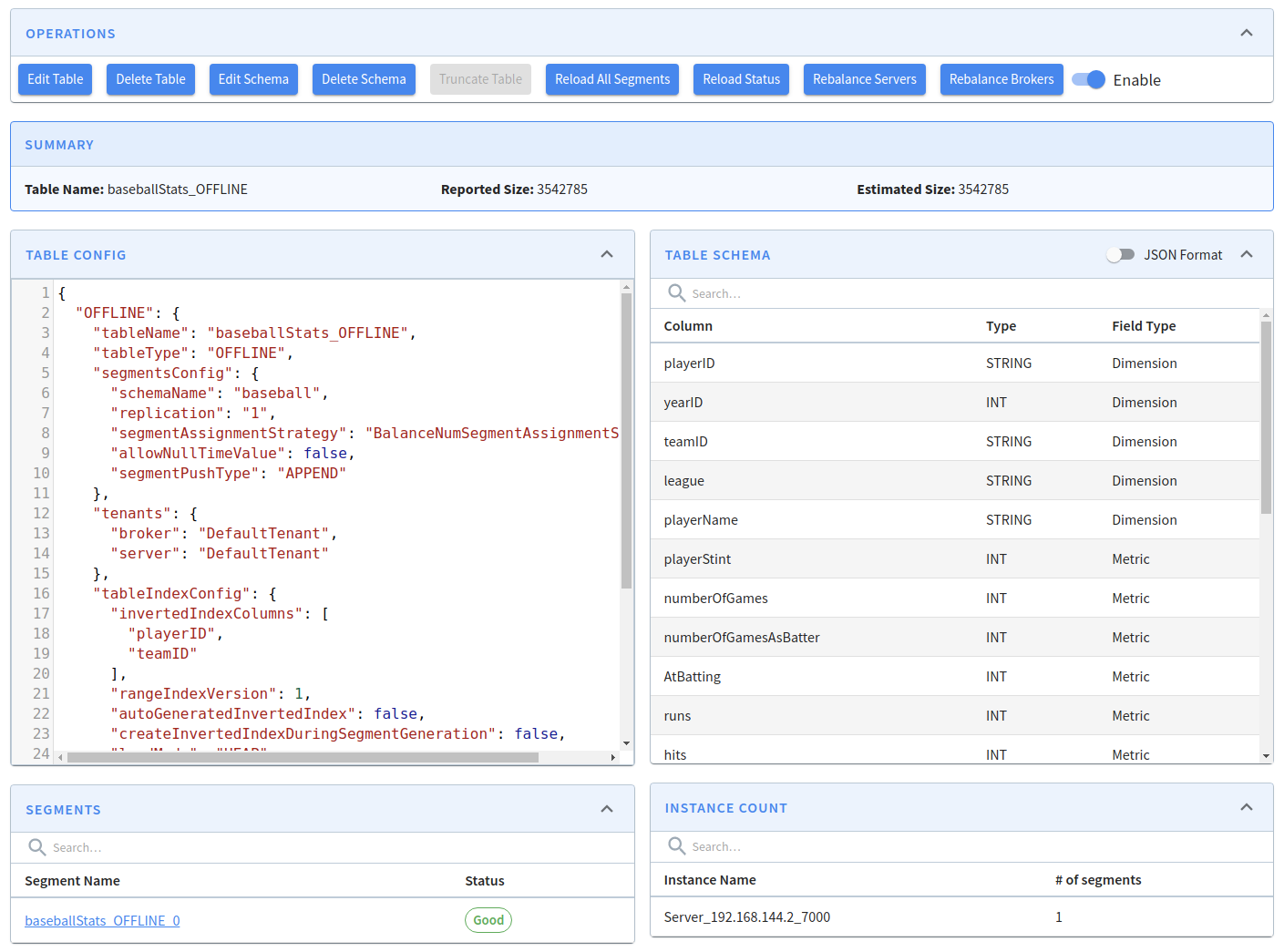
This release introduced some excellent new features, including upsert, tiered storage, pinot-spark-connector, support of having clause, more validations on table config and schema, support of ordinals
This release introduced some excellent new features, including upsert, tiered storage, pinot-spark-connector, support of having clause, more validations on table config and schema, support of ordinals in GROUP BY and ORDER BY clause, array transform functions, adding push job type of segment metadata only mode, and some new APIs like updating instance tags, new health check endpoint. It also contains many key bug fixes. See details below.
The release was cut from the following commit: and the following cherry-picks:
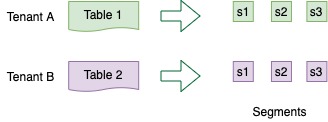
stream.pulsar.metadata.populate
set to true to populate metadata
stream.pulsar.metadata.fields
set to comma separated list of metadata fields
Yes
properties : Map<String, String>
Each header key is listed as a separate column: __header$HeaderKeyName : String
Yes
publishTime : Long
__metadata$publishTime : String
publish time as determined by the producer
Yes
brokerPublishTime: Optional
__metadata$brokerPublishTime : String
publish time as determined by the broker
Yes
eventTime : Long
__metadata$eventTime : String
Yes
messageId : MessageId -> String
__metadata$messageId : String
String representation of the MessagId field. The format is ledgerId:entryId:partitionIndex
messageId : MessageId -> bytes
__metadata$messageBytes : String
Base64 encoded version of the bytes returned from calling MessageId.toByteArray()
producerName : String
__metadata$producerName : String
schemaVersion : byte[]
__metadata$schemaVersion : String
Base64 encoded value
sequenceId : Long
__metadata$sequenceId : String
orderingKey : byte[]
__metadata$orderingKey : String
Base64 encoded value
size : Integer
__metadata$size : String
topicName : String
__metadata$topicName : String
index : String
__metadata$index : String
redeliveryCount : Integer
__metadata$redeliveryCount : String
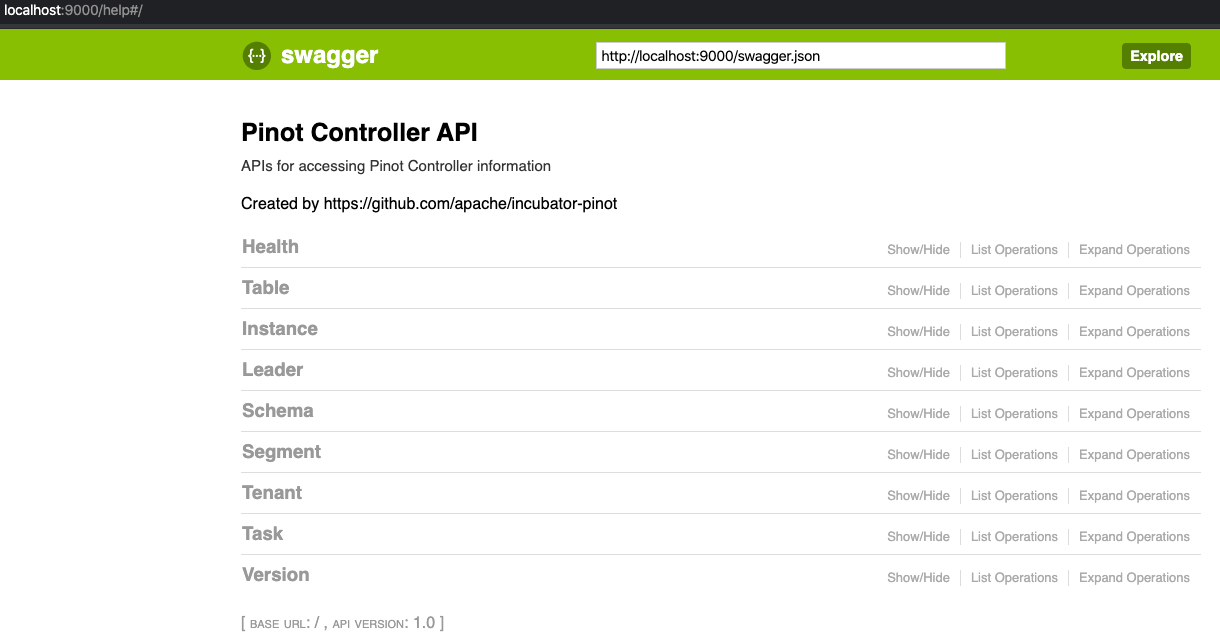
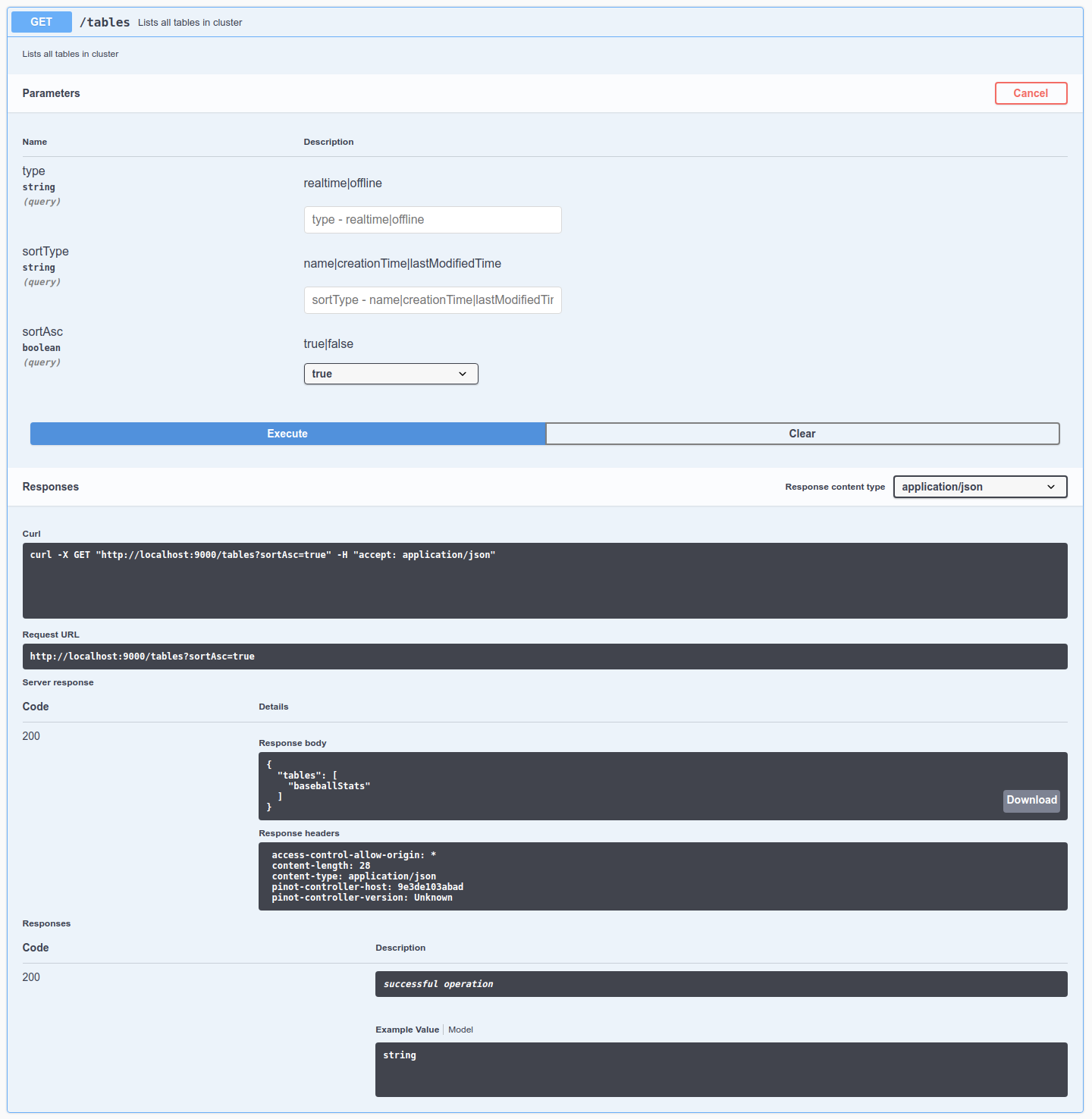
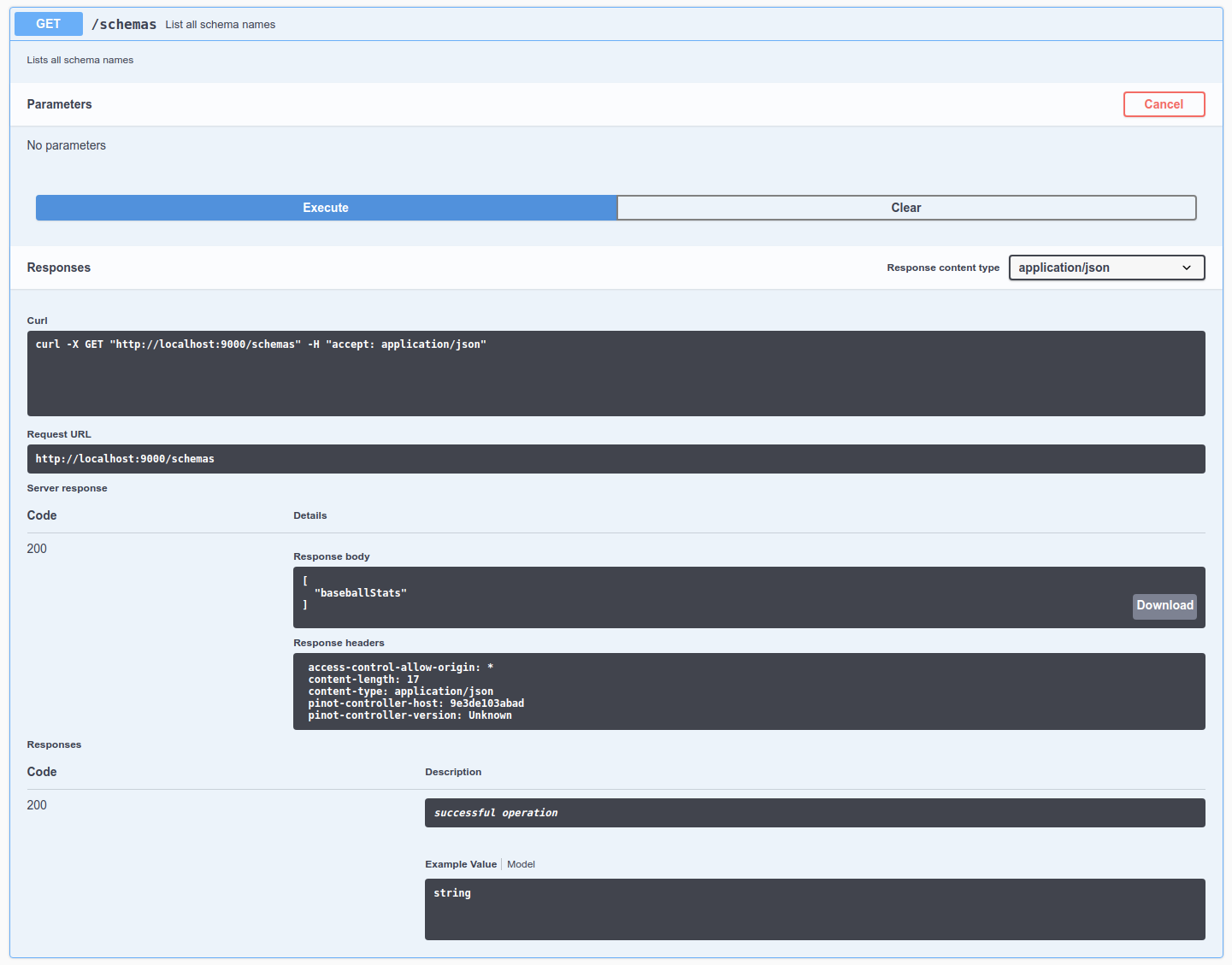
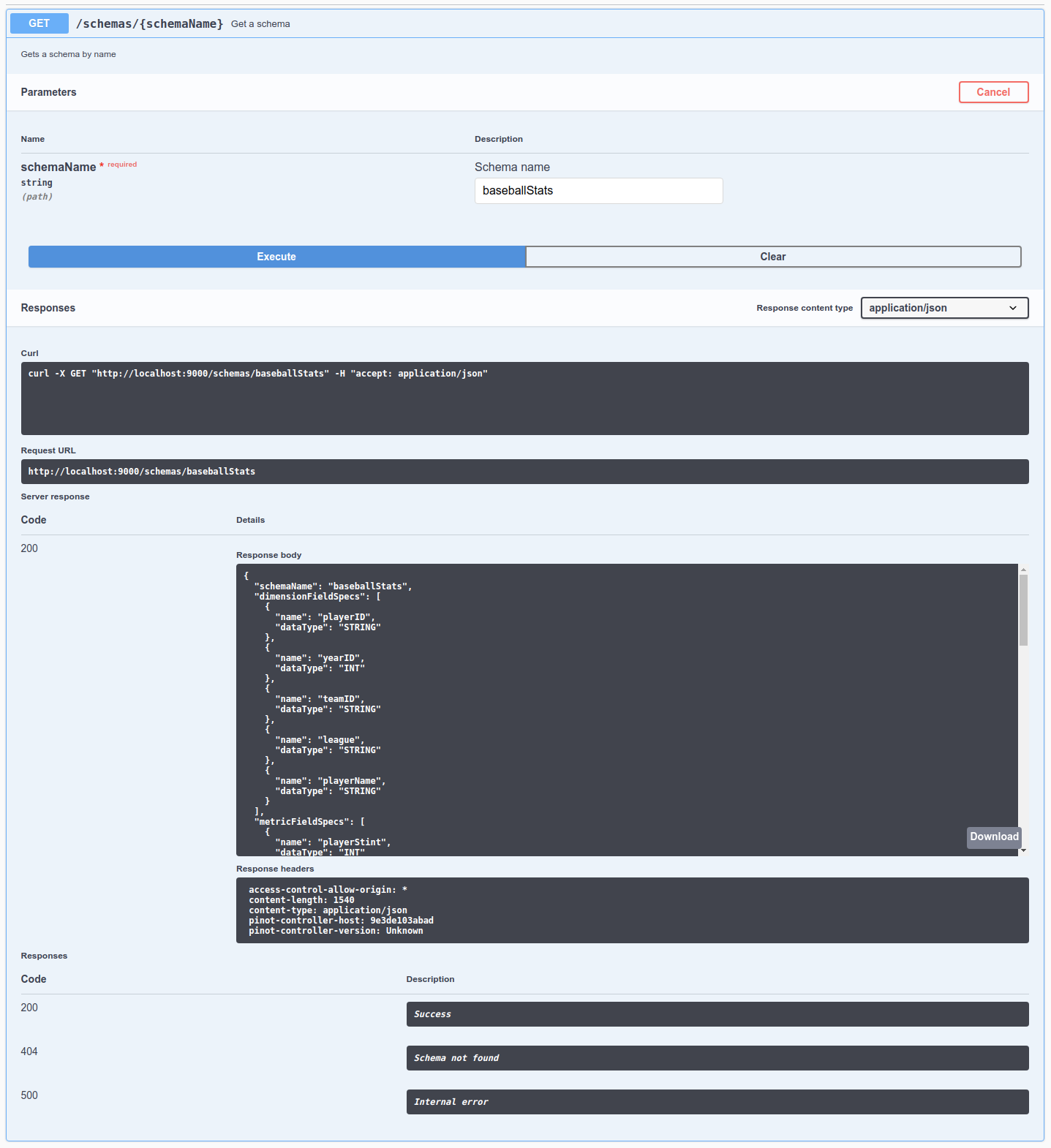
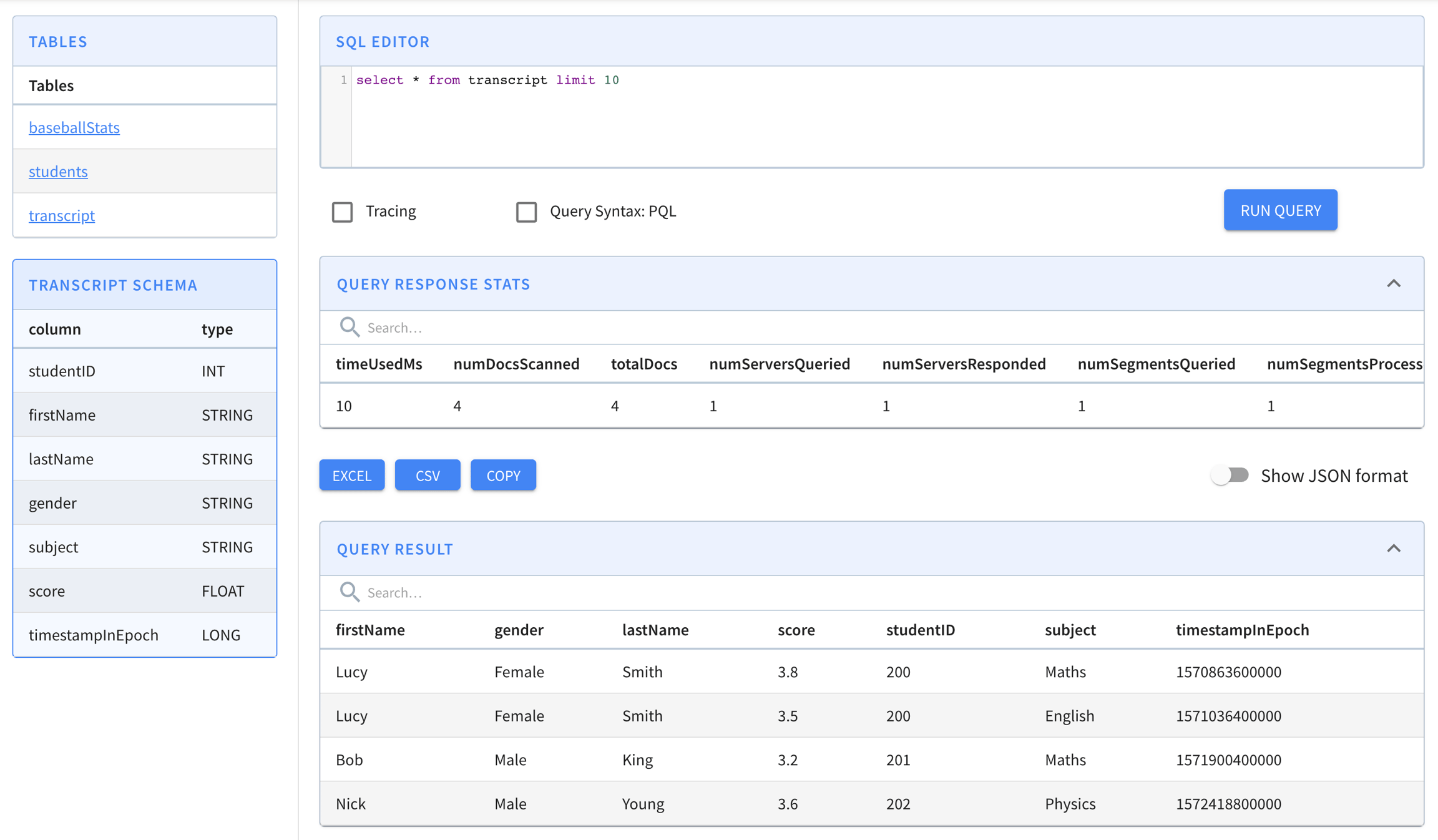
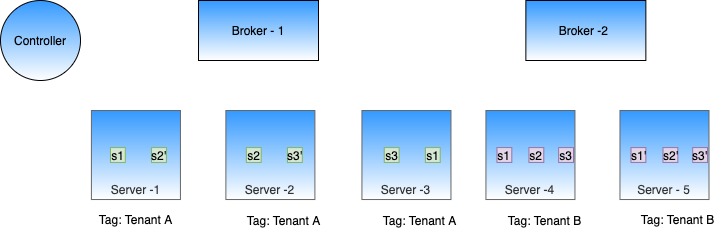
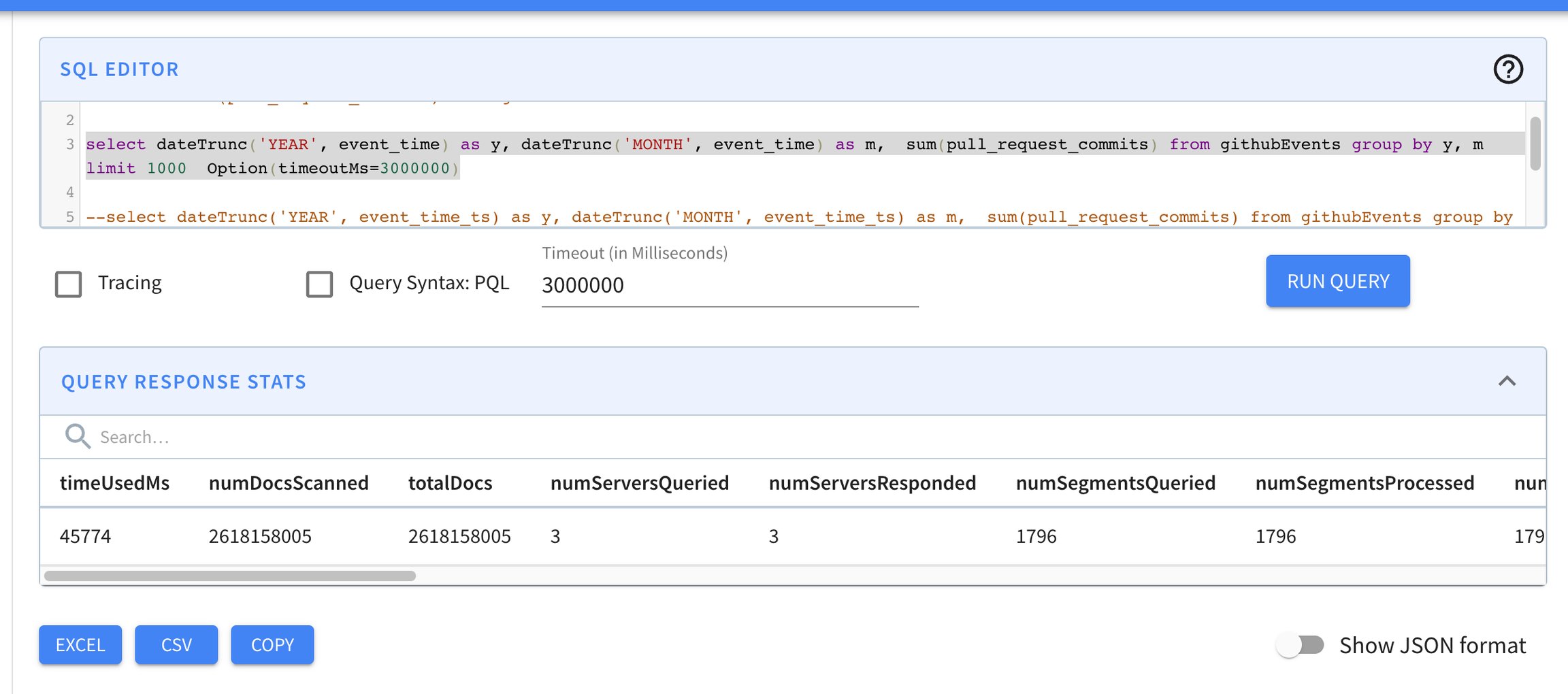
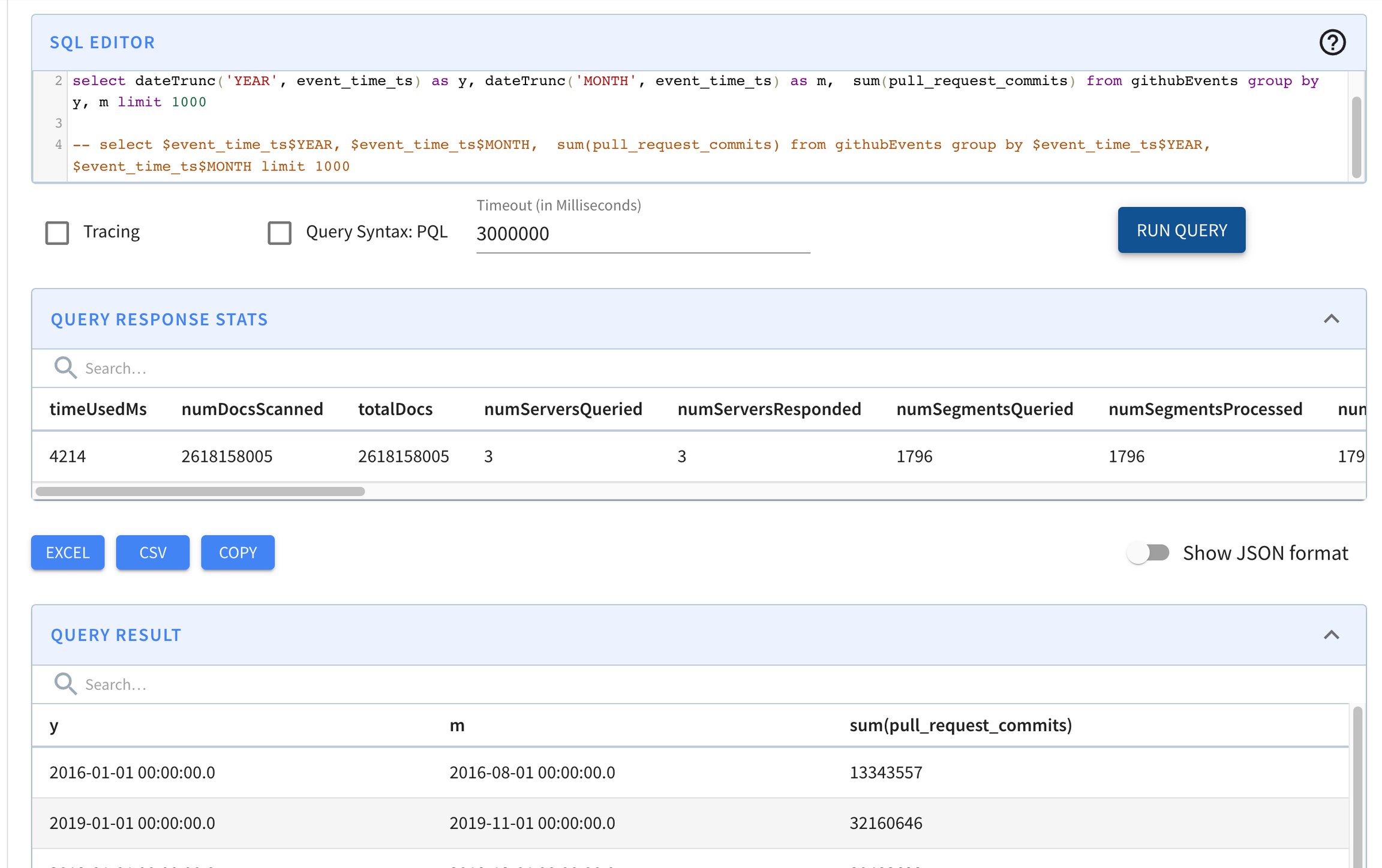
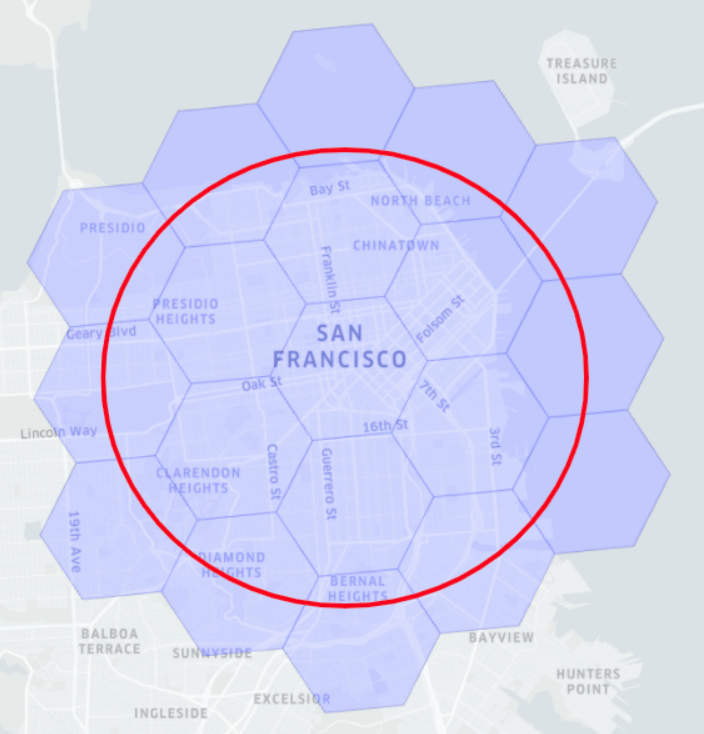

Failed to start a Pinot [SERVER]
java.lang.RuntimeException: java.net.BindException: Address already in use
at org.apache.pinot.core.transport.QueryServer.start(QueryServer.java:103) ~[pinot-all-0.9.0-jar-with-dependencies.jar:0.9.0-cf8b84e8b0d6ab62374048de586ce7da21132906]
at org.apache.pinot.server.starter.ServerInstance.start(ServerInstance.java:158) ~[pinot-all-0.9.0-jar-with-dependencies.jar:0.9.0-cf8b84e8b0d6ab62374048de586ce7da21132906]
at org.apache.helix.manager.zk.ParticipantManager.handleNewSession(ParticipantManager.java:110) ~[pinot-all-0.9.0-jar-with-dependencies.jar:0.9.0-cf8b84e8b0d6ab62374048de586ce7da2113Eliminates additional dereferencing, so good when all docs of interest are contiguous
For Strings, adds padding to make all values equal length in the dictionary
Chunk de-compression overhead with docs selected don't have spatial locality
{
"tableIndexConfig": {
"sortedColumn": [
"column_name"
],
...
}
}$ grep memberId <segment_name>/v3/metadata.properties | grep isSorted
column.memberId.isSorted = truecurl -X GET \
"http://localhost:9000/segments/baseballStats/metadata?columns=playerID&columns=teamID" \
-H "accept: application/json" 2>/dev/null | \
jq -c '.[] | . as $parent |
.columns[] |
[$parent .segmentName, .columnName, .sorted]'["baseballStats_OFFLINE_0","teamID",false]
["baseballStats_OFFLINE_0","playerID",false]{
"tableIndexConfig": {
"noDictionaryColumns": [
"column_name",
...
],
...
}
}Provides compression when low to medium cardinality.
Eliminates padding overhead
Allows for indexing (esp inv index).
No inv index (only JSON/Text/FST index)
"fieldConfigList":[
{
"name":"columnA",
"encodingType":"DICTIONARY",
"indexTypes":["INVERTED"],
"properties": {
"forwardIndexDisabled": "true"
}
}
]SELECT columnA
FROM myTable
WHERE columnA = 10SELECT *
FROM myTableSELECT SUM(columnB)
FROM myTable
GROUP BY columnASELECT SUM(columnB), columnA
FROM myTable
GROUP BY columnA
ORDER BY columnASELECT MIN(columnA)
FROM myTable
GROUP BY columnB
HAVING MIN(columnA) > 100
ORDER BY columnBSELECT SUM(columnA), AVG(columnA)
FROM myTableSELECT MAX(ADD(columnA, columnB))
FROM myTableSELECT DISTINCT columnA
FROM myTableSELECT columnB
FROM myTable
WHERE columnA > 1000Warning:
For multi-value (MV) columns the following invariants cannot be maintained after regenerating the forward index for a forward index disabled column:
Ordering guarantees of the MV values within a row
If entries within an MV row are duplicated, the duplicates will be lost. Regenerate the segments via your offline jobs and re-push / refresh the data to get back the original MV data with duplicates.
We will work on removing the second invariant in the future.
Adds one level of dereferencing, so can increase disk seeks
Pre-generate aggregation functions in QueryContext (#5805)
Adding controller healthcheck endpoint: /health (#5846)
Add pinot-spark-connector (#5787)
Support multi-value non-dictionary group by (#5851)
Support type conversion for all scalar functions (#5849)
Add additional datetime functionality (#5438)
Support post-aggregation in ORDER-BY (#5856)
Support post-aggregation in SELECT (#5867)
Add RANGE FilterKind to support merging ranges for SQL (#5898)
Add HAVING support (#58895889)
Support for exact distinct count for non int data types (#5872)
Add max qps bucket count (#5922)
Add Range Indexing support for raw values (#5853)
Add IdSet and IdSetAggregationFunction (#5926)
[Deepstore by-pass]Add a Deepstore bypass integration test with minor bug fixes. (#5857)
Add Hadoop counters for detecting schema mismatch (#5873)
Add RawThetaSketchAggregationFunction (#5970)
Instance API to directly updateTags (#5902)
Add streaming query handler (#5717)
Add InIdSetTransformFunction (#5973)
Add ingestion descriptor in the header (#5995)
Zookeeper put api (#5949)
Feature/#5390 segment indexing reload status api (#5718)
Segment processing framework (#5934)
Support streaming query in QueryExecutor (#6027)
Add list of allowed tables for emitting table level metrics (#6037)
Add FilterOptimizer which supports optimizing both PQL and SQL query filter (#6056)
Adding push job type of segment metadata only mode (#5967)
Adding array transform functions: array_average, array_max, array_min, array_sum (#6084)
Allow modifying/removing existing star-trees during segment reload (#6100)
Implement off-heap bloom filter reader (#6118)
Support for multi-threaded Group By reducer for SQL. (#6044)
Add OnHeapGuavaBloomFilterReader (#6147)
Support using ordinals in GROUP BY and ORDER BY clause (#6152)
Merge common APIs for Dictionary (#6176)
Add table level lock for segment upload ([#6165])
Added recursive functions validation check for group by (#6186)
Add StrictReplicaGroupInstanceSelector (#6208)
Add IN_SUBQUERY support (#6022)
Add IN_PARTITIONED_SUBQUERY support (#6043)
Pinot Components have to be deployed in the following order:
(PinotServiceManager -> Bootstrap services in role ServiceRole.CONTROLLER -> All remaining bootstrap services in parallel)
Starts Broker and Server in parallel when using ServiceManager ()
New settings introduced and old ones deprecated:
Make real-time threshold property names less ambiguous ()
This aggregation function is still in beta version. This PR involves change on the format of data sent from server to broker, so it works only when both broker and server are upgraded to the new version:
Enhance DistinctCountThetaSketchAggregationFunction ()
Improve performance of DistinctCountThetaSketch by eliminating empty sketches and unions. (#5798)
Enhance VarByteChunkSVForwardIndexReader to directly read from data buffer for uncompressed data (#5816)
Fixing backward-compatible issue of schema fetch call (#5885)
Fix race condition in MetricsHelper ()
Fixing the race condition that segment finished before ControllerLeaderLocator created. ()
Fix CSV and JSON converter on BYTES column ()
Fixing the issue that transform UDFs are parsed as function name 'OTHER', not the real function names ()
Incorporating embedded exception while trying to fetch stream offset ()
Use query timeout for planning phase ()
Add null check while fetching the schema ()
Validate timeColumnName when adding/updating schema/tableConfig ()
Handle the partitioning mismatch between table config and stream ()
Fix built-in virtual columns for immutable segment ()
Refresh the routing when real-time segment is committed ()
Add support for Decimal with Precision Sum aggregation ()
Fixing the calls to Helix to throw exception if zk connection is broken ()
Allow modifying/removing existing star-trees during segment reload ()
Add max length support in schema builder ()
Enhance star-tree to skip matching-all predicate on non-star-tree dimension ()
Step-by-step guide for pushing your own data into the Pinot cluster
This example assumes you have set up your cluster using Pinot in Docker.
Let's gather our data files and put them in pinot-quick-start/rawdata.
mkdir -p /tmp/pinot-quick-start/rawdataSupported file formats are CSV, JSON, AVRO, PARQUET, THRIFT, ORC. If you don't have sample data, you can use this sample CSV.
studentID,firstName,lastName,gender,subject,score,timestampInEpoch
200,Lucy,Smith,Female,Maths,3.8,1570863600000
200,Lucy,Smith,Female,English,3.5,1571036400000
201,Bob,King,Male,Maths,3.2,1571900400000
202,Nick,Young,Male,Physics,3.6,1572418800000Schema is used to define the columns and data types of the Pinot table. A detailed overview of the schema can be found in Schema.
Columns are categorized into 3 types:
In our example transcript-schema, the studentID,firstName,lastName,gender,subject columns are the dimensions, the score column is the metric and timestampInEpoch is the time column.
Once you have identified the dimensions, metrics and time columns, create a schema for your data, using the following reference.
A table configuration is used to define the configuration related to the Pinot table. A detailed overview of the table can be found in .
Here's the table configuration for the sample CSV file. You can use this as a reference to build your own table configuration. Edit the tableName and schemaName.
Review the directory structure so far.
Upload the table configuration using the following command.
Use the that is running on your Pinot instance to review the table configuration and schema and make sure it was successfully uploaded. This link uses localhost as an example.
A Pinot table's data is stored as Pinot segments. A detailed overview of segments can be found in .
To generate a segment, we need to first create a job specification (JobSpec) yaml file. A JobSpec yaml file contains all the information regarding data format, input data location, and pinot cluster coordinates. Copy the following job specification file to begin. If you're using your own data, be sure to 1) replace transcript with your table name and 2) set the correct recordReaderSpec.
Use the following command to generate a segment and upload it.
Here is some sample output.
Confirm that your segment made it into the table using the .
If everything worked, find your table in the to run queries against it.
To see how JSON data can be queried, assume that we have the following table:
Table myTable:
id INTEGER
jsoncolumn JSON
Table data:
101,{"name":{"first":"daffy"\,"last":"duck"}\,"score":101\,"data":["a"\,"b"\,"c"\,"d"]}
102,{"name":{"first":"donald"\,"last":"duck"}\,"score":102\,"data":["a"\,"b"\,"e"\,"f"]}
103,{"name":{"first":"mickey"\,"last":"mouse"}\,"score":103\,"data":["a"\,"b"\,"g"\,"h"]}
104,{"name":{"first":"minnie"\,"last":"mouse"}\,"score":104\,"data":["a"\,"b"\,"i"\,"j"]}
105,{"name":{"first":"goofy"\,"last":"dwag"}\,"score":104\,"data":["a"\,"b"\,"i"\,"j"]}
106,{"person":{"name":"daffy duck"\,"companies":[{"name":"n1"\,"title":"t1"}\,{"name":"n2"\,"title":"t2"}]}}
107,{"person":{"name":"scrooge mcduck"\,"companies":[{"name":"n1"\,"title":"t1"}\,{"name":"n2"\,"title":"t2"}]}}We also assume that "jsoncolumn" has a Json Index on it. Note that the last two rows in the table have different structure than the rest of the rows. In keeping with JSON specification, a JSON column can contain any valid JSON data and doesn't need to adhere to a predefined schema. To pull out the entire JSON document for each row, we can run the query below:
SELECT id, jsoncolumn
FROM myTableTo drill down and pull out specific keys within the JSON column, we simply append the JsonPath expression of those keys to the end of the column name.
Note that the third column (value) is null for rows with id 106 and 107. This is because these rows have JSON documents that don't have a key with JsonPath $.data[1]. We can filter out these rows.
Certain last names (duck and mouse for example) repeat in the data above. We can get a count of each last name by running a GROUP BY query on a JsonPath expression.
Also there is numerical information (jsconcolumn.$.id) embeded within the JSON document. We can extract those numerical values from JSON data into SQL and sum them up using the query below.
Note that the JSON_MATCH function utilizes JsonIndex and can only be used if a JsonIndex is already present on the JSON column. As shown in the examples above, the second argument of JSON_MATCH operator takes a predicate. This predicate is evaluated against the JsonIndex and supports =, !=, IS NULL, or IS NOT NULL operators. Relational operators, such as >, <, >=
JSON_MATCH function also provides the ability to use wildcard * JsonPath expressions even though it doesn't support full JsonPath expressions.
While, JSON_MATCH supports IS NULL and IS NOT NULL operators, these operators should only be applied to leaf-level path elements, i.e the predicate JSON_MATCH(jsoncolumn, '"$.data[*]" IS NOT NULL') is not valid since "$.data[*]" does not address a "leaf" element of the path; however, "$.data[0]" IS NOT NULL') is valid since "$.data[0]" unambigously identifies a leaf element of the path.
JSON_EXTRACT_SCALAR does not utilize JsonIndex and therefore performs slower than JSON_MATCH which utilizes JsonIndex. However, JSON_EXTRACT_SCALAR supports a wider range for of JsonPath expressions and operators. To make the best use of fast index access (JSON_MATCH) along with JsonPath expressions (JSON_EXTRACT_SCALAR) you can combine the use of these two functions in WHERE clause.
The second argument of the JSON_MATCH function is a boolean expression in string form. This section shows how to correctly write the second argument of JSON_MATCH. Let's assume we want to search a JSON array array data for values k and j. This can be done by the following predicate:
To convert this predicate into string form for use in JSON_MATCH, we first turn the left side of the predicate into an identifier by enclosing it in double quotes:
Next, the literals in the predicate also need to be enclosed by '. Any existing ' need to be escaped as well. This gives us:
Finally, we need to create a string out of the entire expression above by enclosing it in ':
Now we have the string representation of the original predicate and this can be used in JSON_MATCH function:
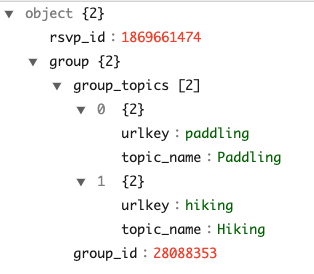
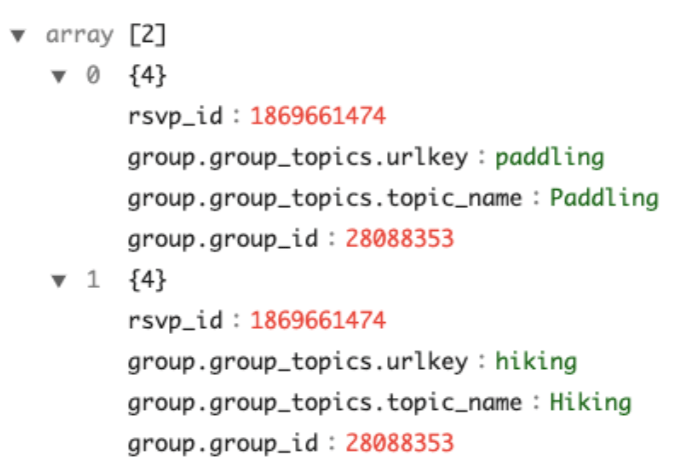
102
duck
donald
b
103
mouse
mickey
b
104
mouse
minnie
b
105
dwag
goofy
b
106
null
null
null
107
null
null
null
102
duck
donald
b
103
mouse
mickey
b
104
mouse
minnie
b
105
dwag
goofy
b
"1"
"203"
<=JSON_MATCHJSON_EXTRACT_SCALAR><>=<="101"
"{"name":{"first":"daffy","last":"duck"},"score":101,"data":["a","b","c","d"]}"
102"
"{"name":{"first":"donald","last":"duck"},"score":102,"data":["a","b","e","f"]}
"103"
"{"name":{"first":"mickey","last":"mouse"},"score":103,"data":["a","b","g","h"]}
"104"
"{"name":{"first":"minnie","last":"mouse"},"score":104,"data":["a","b","i","j"]}"
"105"
"{"name":{"first":"goofy","last":"dwag"},"score":104,"data":["a","b","i","j"]}"
"106"
"{"person":{"name":"daffy duck","companies":[{"name":"n1","title":"t1"},{"name":"n2","title":"t2"}]}}"
"107"
"{"person":{"name":"scrooge mcduck","companies":[{"name":"n1","title":"t1"},{"name":"n2","title":"t2"}]}}"
101
duck
daffy
101
duck
daffy
"mouse"
"2"
"duck"
"2"
"mouse"
"207"
"dwag"
"104"
"mouse"
"207"
"dwag"
"104"
"duck"
"102"
b
b
"dwag"
"duck"
SELECT id,
json_extract_scalar(jsoncolumn, '$.name.last', 'STRING', 'null') last_name,
json_extract_scalar(jsoncolumn, '$.name.first', 'STRING', 'null') first_name
json_extract_scalar(jsoncolumn, '$.data[1]', 'STRING', 'null') value
FROM myTableSELECT id,
json_extract_scalar(jsoncolumn, '$.name.last', 'STRING', 'null') last_name,
json_extract_scalar(jsoncolumn, '$.name.first', 'STRING', 'null') first_name,
json_extract_scalar(jsoncolumn, '$.data[1]', 'STRING', 'null') value
FROM myTable
WHERE JSON_MATCH(jsoncolumn, '"$.data[1]" IS NOT NULL') SELECT json_extract_scalar(jsoncolumn, '$.name.last', 'STRING', 'null') last_name,
count(*)
FROM myTable
WHERE JSON_MATCH(jsoncolumn, '"$.data[1]" IS NOT NULL')
GROUP BY json_extract_scalar(jsoncolumn, '$.name.last', 'STRING', 'null')
ORDER BY 2 DESC SELECT json_extract_scalar(jsoncolumn, '$.name.last', 'STRING', 'null') last_name,
sum(json_extract_scalar(jsoncolumn, '$.id', 'INT', 0)) total
FROM myTable
WHERE JSON_MATCH(jsoncolumn, '"$.name.last" IS NOT NULL')
GROUP BY json_extract_scalar(jsoncolumn, '$.name.last', 'STRING', 'null') SELECT json_extract_scalar(jsoncolumn, '$.name.last', 'STRING', 'null') last_name,
sum(json_extract_scalar(jsoncolumn, '$.id', 'INT', 0)) total
FROM myTable
WHERE JSON_MATCH(jsoncolumn, '"$.name.last" IS NOT NULL') AND json_extract_scalar(jsoncolumn, '$.id', 'INT', 0) > 102
GROUP BY json_extract_scalar(jsoncolumn, '$.name.last', 'STRING', 'null') SELECT json_extract_scalar(jsoncolumn, '$.name.last', 'STRING', 'null') last_name,
json_extract_scalar(jsoncolumn, '$.id', 'INT', 0) total
FROM myTable
WHERE JSON_MATCH(jsoncolumn, '"$.data[*]" = ''f''')
GROUP BY json_extract_scalar(jsoncolumn, '$.name.last', 'STRING', 'null')data[0] IN ('k', 'j')"data[0]" IN ('k', 'j')"data[0]" IN (''k'', ''j'')'"data[0]" IN (''k'', ''j'')' WHERE JSON_MATCH(jsoncolumn, '"data[0]" IN (''k'', ''j'')')Dimensions
Typically used in filters and group by, for slicing and dicing into data
Metrics
Typically used in aggregations, represents the quantitative data
Time
Optional column, represents the timestamp associated with each row
{
"schemaName": "transcript",
"dimensionFieldSpecs": [
{
"name": "studentID",
"dataType": "INT"
},
{
"name": "firstName",
"dataType": "STRING"
},
{
"name": "lastName",
"dataType": "STRING"
},
{
"name": "gender",
"dataType": "STRING"
},
{
"name": "subject",
"dataType": "STRING"
}
],
"metricFieldSpecs": [
{
"name": "score",
"dataType": "FLOAT"
}
],
"dateTimeFieldSpecs": [{
"name": "timestampInEpoch",
"dataType": "LONG",
"format" : "1:MILLISECONDS:EPOCH",
"granularity": "1:MILLISECONDS"
}]
}{
"tableName": "transcript",
"segmentsConfig" : {
"timeColumnName": "timestampInEpoch",
"timeType": "MILLISECONDS",
"replication" : "1",
"schemaName" : "transcript"
},
"tableIndexConfig" : {
"invertedIndexColumns" : [],
"loadMode" : "MMAP"
},
"tenants" : {
"broker":"DefaultTenant",
"server":"DefaultTenant"
},
"tableType":"OFFLINE",
"metadata": {}
}$ ls /tmp/pinot-quick-start
rawdata transcript-schema.json transcript-table-offline.json
$ ls /tmp/pinot-quick-start/rawdata
transcript.csvdocker run --rm -ti \
--network=pinot-demo \
-v /tmp/pinot-quick-start:/tmp/pinot-quick-start \
--name pinot-batch-table-creation \
apachepinot/pinot:latest AddTable \
-schemaFile /tmp/pinot-quick-start/transcript-schema.json \
-tableConfigFile /tmp/pinot-quick-start/transcript-table-offline.json \
-controllerHost manual-pinot-controller \
-controllerPort 9000 -execbin/pinot-admin.sh AddTable \
-tableConfigFile /tmp/pinot-quick-start/transcript-table-offline.json \
-schemaFile /tmp/pinot-quick-start/transcript-schema.json -execexecutionFrameworkSpec:
name: 'standalone'
segmentGenerationJobRunnerClassName: 'org.apache.pinot.plugin.ingestion.batch.standalone.SegmentGenerationJobRunner'
segmentTarPushJobRunnerClassName: 'org.apache.pinot.plugin.ingestion.batch.standalone.SegmentTarPushJobRunner'
segmentUriPushJobRunnerClassName: 'org.apache.pinot.plugin.ingestion.batch.standalone.SegmentUriPushJobRunner'
jobType: SegmentCreationAndTarPush
inputDirURI: '/tmp/pinot-quick-start/rawdata/'
includeFileNamePattern: 'glob:**/*.csv'
outputDirURI: '/tmp/pinot-quick-start/segments/'
overwriteOutput: true
pinotFSSpecs:
- scheme: file
className: org.apache.pinot.spi.filesystem.LocalPinotFS
recordReaderSpec:
dataFormat: 'csv'
className: 'org.apache.pinot.plugin.inputformat.csv.CSVRecordReader'
configClassName: 'org.apache.pinot.plugin.inputformat.csv.CSVRecordReaderConfig'
tableSpec:
tableName: 'transcript'
schemaURI: 'http://manual-pinot-controller:9000/tables/transcript/schema'
tableConfigURI: 'http://manual-pinot-controller:9000/tables/transcript'
pinotClusterSpecs:
- controllerURI: 'http://manual-pinot-controller:9000'executionFrameworkSpec:
name: 'standalone'
segmentGenerationJobRunnerClassName: 'org.apache.pinot.plugin.ingestion.batch.standalone.SegmentGenerationJobRunner'
segmentTarPushJobRunnerClassName: 'org.apache.pinot.plugin.ingestion.batch.standalone.SegmentTarPushJobRunner'
segmentUriPushJobRunnerClassName: 'org.apache.pinot.plugin.ingestion.batch.standalone.SegmentUriPushJobRunner'
jobType: SegmentCreationAndTarPush
inputDirURI: '/tmp/pinot-quick-start/rawdata/'
includeFileNamePattern: 'glob:**/*.csv'
outputDirURI: '/tmp/pinot-quick-start/segments/'
overwriteOutput: true
pushJobSpec:
pushFileNamePattern: 'glob:**/*.tar.gz'
pinotFSSpecs:
- scheme: file
className: org.apache.pinot.spi.filesystem.LocalPinotFS
recordReaderSpec:
dataFormat: 'csv'
className: 'org.apache.pinot.plugin.inputformat.csv.CSVRecordReader'
configClassName: 'org.apache.pinot.plugin.inputformat.csv.CSVRecordReaderConfig'
tableSpec:
tableName: 'transcript'
schemaURI: 'http://localhost:9000/tables/transcript/schema'
tableConfigURI: 'http://localhost:9000/tables/transcript'
pinotClusterSpecs:
- controllerURI: 'http://localhost:9000'docker run --rm -ti \
--network=pinot-demo \
-v /tmp/pinot-quick-start:/tmp/pinot-quick-start \
--name pinot-data-ingestion-job \
apachepinot/pinot:latest LaunchDataIngestionJob \
-jobSpecFile /tmp/pinot-quick-start/docker-job-spec.ymlbin/pinot-admin.sh LaunchDataIngestionJob \
-jobSpecFile /tmp/pinot-quick-start/batch-job-spec.ymlSegmentGenerationJobSpec:
!!org.apache.pinot.spi.ingestion.batch.spec.SegmentGenerationJobSpec
excludeFileNamePattern: null
executionFrameworkSpec: {extraConfigs: null, name: standalone, segmentGenerationJobRunnerClassName: org.apache.pinot.plugin.ingestion.batch.standalone.SegmentGenerationJobRunner,
segmentTarPushJobRunnerClassName: org.apache.pinot.plugin.ingestion.batch.standalone.SegmentTarPushJobRunner,
segmentUriPushJobRunnerClassName: org.apache.pinot.plugin.ingestion.batch.standalone.SegmentUriPushJobRunner}
includeFileNamePattern: glob:**\/*.csv
inputDirURI: /tmp/pinot-quick-start/rawdata/
jobType: SegmentCreationAndTarPush
outputDirURI: /tmp/pinot-quick-start/segments
overwriteOutput: true
pinotClusterSpecs:
- {controllerURI: 'http://localhost:9000'}
pinotFSSpecs:
- {className: org.apache.pinot.spi.filesystem.LocalPinotFS, configs: null, scheme: file}
pushJobSpec: null
recordReaderSpec: {className: org.apache.pinot.plugin.inputformat.csv.CSVRecordReader,
configClassName: org.apache.pinot.plugin.inputformat.csv.CSVRecordReaderConfig,
configs: null, dataFormat: csv}
segmentNameGeneratorSpec: null
tableSpec: {schemaURI: 'http://localhost:9000/tables/transcript/schema', tableConfigURI: 'http://localhost:9000/tables/transcript',
tableName: transcript}
Trying to create instance for class org.apache.pinot.plugin.ingestion.batch.standalone.SegmentGenerationJobRunner
Initializing PinotFS for scheme file, classname org.apache.pinot.spi.filesystem.LocalPinotFS
Finished building StatsCollector!
Collected stats for 4 documents
Using fixed bytes value dictionary for column: studentID, size: 9
Created dictionary for STRING column: studentID with cardinality: 3, max length in bytes: 3, range: 200 to 202
Using fixed bytes value dictionary for column: firstName, size: 12
Created dictionary for STRING column: firstName with cardinality: 3, max length in bytes: 4, range: Bob to Nick
Using fixed bytes value dictionary for column: lastName, size: 15
Created dictionary for STRING column: lastName with cardinality: 3, max length in bytes: 5, range: King to Young
Created dictionary for FLOAT column: score with cardinality: 4, range: 3.2 to 3.8
Using fixed bytes value dictionary for column: gender, size: 12
Created dictionary for STRING column: gender with cardinality: 2, max length in bytes: 6, range: Female to Male
Using fixed bytes value dictionary for column: subject, size: 21
Created dictionary for STRING column: subject with cardinality: 3, max length in bytes: 7, range: English to Physics
Created dictionary for LONG column: timestampInEpoch with cardinality: 4, range: 1570863600000 to 1572418800000
Start building IndexCreator!
Finished records indexing in IndexCreator!
Finished segment seal!
Converting segment: /var/folders/3z/qn6k60qs6ps1bb6s2c26gx040000gn/T/pinot-1583443148720/output/transcript_OFFLINE_1570863600000_1572418800000_0 to v3 format
v3 segment location for segment: transcript_OFFLINE_1570863600000_1572418800000_0 is /var/folders/3z/qn6k60qs6ps1bb6s2c26gx040000gn/T/pinot-1583443148720/output/transcript_OFFLINE_1570863600000_1572418800000_0/v3
Deleting files in v1 segment directory: /var/folders/3z/qn6k60qs6ps1bb6s2c26gx040000gn/T/pinot-1583443148720/output/transcript_OFFLINE_1570863600000_1572418800000_0
Starting building 1 star-trees with configs: [StarTreeV2BuilderConfig[splitOrder=[studentID, firstName],skipStarNodeCreation=[],functionColumnPairs=[org.apache.pinot.core.startree.v2.AggregationFunctionColumnPair@3a48efdc],maxLeafRecords=1]] using OFF_HEAP builder
Starting building star-tree with config: StarTreeV2BuilderConfig[splitOrder=[studentID, firstName],skipStarNodeCreation=[],functionColumnPairs=[org.apache.pinot.core.startree.v2.AggregationFunctionColumnPair@3a48efdc],maxLeafRecords=1]
Generated 3 star-tree records from 4 segment records
Finished constructing star-tree, got 9 tree nodes and 4 records under star-node
Finished creating aggregated documents, got 6 aggregated records
Finished building star-tree in 10ms
Finished building 1 star-trees in 27ms
Computed crc = 3454627653, based on files [/var/folders/3z/qn6k60qs6ps1bb6s2c26gx040000gn/T/pinot-1583443148720/output/transcript_OFFLINE_1570863600000_1572418800000_0/v3/columns.psf, /var/folders/3z/qn6k60qs6ps1bb6s2c26gx040000gn/T/pinot-1583443148720/output/transcript_OFFLINE_1570863600000_1572418800000_0/v3/index_map, /var/folders/3z/qn6k60qs6ps1bb6s2c26gx040000gn/T/pinot-1583443148720/output/transcript_OFFLINE_1570863600000_1572418800000_0/v3/metadata.properties, /var/folders/3z/qn6k60qs6ps1bb6s2c26gx040000gn/T/pinot-1583443148720/output/transcript_OFFLINE_1570863600000_1572418800000_0/v3/star_tree_index, /var/folders/3z/qn6k60qs6ps1bb6s2c26gx040000gn/T/pinot-1583443148720/output/transcript_OFFLINE_1570863600000_1572418800000_0/v3/star_tree_index_map]
Driver, record read time : 0
Driver, stats collector time : 0
Driver, indexing time : 0
Tarring segment from: /var/folders/3z/qn6k60qs6ps1bb6s2c26gx040000gn/T/pinot-1583443148720/output/transcript_OFFLINE_1570863600000_1572418800000_0 to: /var/folders/3z/qn6k60qs6ps1bb6s2c26gx040000gn/T/pinot-1583443148720/output/transcript_OFFLINE_1570863600000_1572418800000_0.tar.gz
Size for segment: transcript_OFFLINE_1570863600000_1572418800000_0, uncompressed: 6.73KB, compressed: 1.89KB
Trying to create instance for class org.apache.pinot.plugin.ingestion.batch.standalone.SegmentTarPushJobRunner
Initializing PinotFS for scheme file, classname org.apache.pinot.spi.filesystem.LocalPinotFS
Start pushing segments: [/tmp/pinot-quick-start/segments/transcript_OFFLINE_1570863600000_1572418800000_0.tar.gz]... to locations: [org.apache.pinot.spi.ingestion.batch.spec.PinotClusterSpec@243c4f91] for table transcript
Pushing segment: transcript_OFFLINE_1570863600000_1572418800000_0 to location: http://localhost:9000 for table transcript
Sending request: http://localhost:9000/v2/segments?tableName=transcript to controller: nehas-mbp.hsd1.ca.comcast.net, version: Unknown
Response for pushing table transcript segment transcript_OFFLINE_1570863600000_1572418800000_0 to location http://localhost:9000 - 200: {"status":"Successfully uploaded segment: transcript_OFFLINE_1570863600000_1572418800000_0 of table: transcript"}Uncover the efficient data processing architecture of Apache Pinot, empowering impactful analytics. Explore its powerful components and design principles for actionable insights.
This page introduces you to the guiding principles behind the design of Apache Pinot. Here you will learn the distributed systems architecture that allows Pinot to scale the performance of queries linearly based on the number of nodes in a cluster. You'll also learn about the two different types of tables used to ingest and query data in offline (batch) or real-time (stream) mode.
Engineers at LinkedIn and Uber designed Pinot to scale query performance based on the number of nodes in a cluster. As you add more nodes, query performance improves based on the expected query volume per second quota. To achieve horizontal scalability to an unbounded number of nodes and data storage, without performance degradation, we used the following principles:
Highly available: Pinot is built to serve low latency analytical queries for customer-facing applications. By design, there is no single point of failure in Pinot. The system continues to serve queries when a node goes down.
Horizontally scalable: Pinot scales by adding new nodes as a workload changes.
Latency vs. storage: Pinot is built to provide low latency even at high-throughput. Features such as segment assignment strategy, routing strategy, star-tree indexing were developed to achieve this.
Immutable data: Pinot assumes that all data stored is immutable. For GDPR compliance, we provide an add-on solution for purging data while maintaining performance guarantees.
Dynamic configuration changes: Operations such as adding new tables, expanding a cluster, ingesting data, modifying indexing config, and re-balancing must not impact query availability or performance.
As described in the , Pinot has multiple distributed system components:, , , and .
Pinot uses for cluster management. Helix is embedded as an agent within the different components and uses for coordination and maintaining the overall cluster state and health.
Helix, a generic cluster management framework to manage partitions and replicas in a distributed system, manages all Pinot and . It's helpful to think of Helix as an event-driven discovery service with push and pull notifications that drives the state of a cluster to an ideal configuration. A finite-state machine maintains a contract of stateful operations that drives the health of the cluster towards its optimal configuration. Helix optimizes query load by updating routing configurations between nodes based on where data is stored in the cluster.
Helix divides nodes into three logical components based on their responsibilities:
Participant: These are the nodes in the cluster that actually host the distributed storage resources.
Spectator: These nodes observe the current state of each participant and route requests accordingly. Routers, for example, need to know the instance on which a partition is hosted and its state to route the request to the appropriate endpoint. Routing is continually updated to optimize cluster performance as storage primitives are added and changed.
Controller: The observes and manages the state of participant nodes. The controller is responsible for coordinating all state transitions in the cluster and ensures that state constraints are satisfied while maintaining cluster stability.
Helix uses Zookeeper to maintain cluster state. Each component in a Pinot cluster takes a Zookeeper address as a startup parameter. The various components distributed in a Pinot cluster watch Zookeeper notifications and issue updates via its embedded Helix-defined agent.
Helix agents use Zookeeper to store and update configurations, as well as for distributed coordination. Zookeeper stores the following information about the cluster:
Knowing the ZNode layout structure in Zookeeper for Helix agents in a cluster is useful for operations and/or troubleshooting cluster state and health.
Pinot's acts as the driver of the cluster's overall state and health. Because of its role as a Helix participant and spectator, which drives the state of other components, it's the first component that is typically started after Zookeeper.
Starting a controller requires two parameters: Zookeeper address and cluster name. The controller will automatically create a cluster via Helix if it does not yet exist.
To configure fault tolerance, start multiple controllers (typically three) and one of them will act as a leader. If the leader crashes or dies, another leader is automatically elected. Leader election is achieved using Apache Helix. Having at-least one controller is required to perform any DDL equivalent operation on the cluster, such as adding a table or a segment.
The controller does not interfere with query execution. Query execution is not impacted even when all controllers nodes are offline. If all controller nodes are offline, the state of the cluster will stay as it was when the last leader went down. When a new leader comes online, a cluster resumes rebalancing activity and can accept new tables or segments.
The controller provides a REST interface to perform CRUD operations on all logical storage resources (servers, brokers, tables, and segments).
See for more information on the web-based admin tool.
The responsibility is to route a given query to an appropriate instance. A broker collects and merges the responses from all servers into a final result, then sends it back to the requesting client. The broker provides HTTP endpoints that accept SQL queries and returns the response in JSON format.
Brokers need three key things to start:
Cluster name
Zookeeper address
Broker instance name
Initially, the broker registers as a Helix Participant and waits for notifications from other Helix agents. The broker handles these notifications for table creation, a new segment being loaded, or a server starting up or going down, in addition to any configuration changes.
Service Discovery/Routing Table
Regardless of the kind of notification, the key responsibility of a broker is to maintain the query routing table. The query routing table is simply a mapping between segments and the servers that a segment resides on. Typically, a segment resides on more than one server. The broker computes multiple routing tables depending on the configured routing strategy for a table. The default strategy is to balance the query load across all available servers.
Query processing
For every query, a cluster's broker performs the following:
Fetches the routes that are computed for a query based on the routing strategy defined in a configuration.
Computes the list of segments to query from on each . To learn more about this, check out .
Scatter-gather: sends the requests to each server and gathers the responses.
Fault tolerance
Broker instances scale horizontally without an upper bound. In a majority of cases, only three brokers are required. If most query results that are returned to a client are less than 1 MB in size per query, you can run a broker and servers inside the same instance container. This lowers the overall footprint of a cluster deployment for use cases that don't need to guarantee a strict SLA on query performance in production.
host and do most of the heavy lifting during query processing. Though the architecture shows that there are two kinds of servers, real-time and offline, a server doesn't really "know" if it's going to be a real-time server or an offline server. The server's responsibility depends on the assignment strategy.
Offline servers
Offline servers typically host segments that are immutable. In this case, segments are created outside of a cluster and uploaded via a shell-based request. Based on the replication factor and the segment assignment strategy, the controller picks one or more servers to host the segment. Helix notifies the servers about the new segments. Servers fetch the segments from deep store and load them. At this point, the cluster's detects that new segments are available and starts including them in query responses.
Real-time servers
Unlike offline servers, real-time nodes ingest data from streaming sources, such as Kafka, and generate the indexed segments in-memory while flushing segments to disk periodically. In-memory segments are also known as consuming segments. Consuming segments get flushed periodically based on completion threshold (calculated with number of rows, time or segment size). At this point, they become completed segments. Completed segments are similar to offline servers' segments. Queries go over the in-memory (consuming) segments and the completed segments.
is an optional component used for purging data from a Pinot cluster. For example, you might need to purge data for GDPR compliance in the UK.
Within Pinot, a logical is modeled as one of two types of physical tables: offline or real-time. Each table type follows a different state model.
Real-time and offline tables provide different configuration options for indexing. For real-time tables, you can also configure the connector properties for the stream data source, like Kafka. The two table types also allow users to use different containers for real-time and offline nodes. For instance, offline servers might use virtual machines with larger storage capacity, whereas real-time servers might need higher system memory or more CPU cores.
The two types of tables also scale differently.
Real-time tables have a smaller retention period and scale query performance based on the ingestion rate.
Offline tables have larger retention and scale performance based on the size of stored data.
When ingesting data from the same source, you can have two tables that ingest the same data that are configured differently for real-time and offline queries. Even though the two tables have the same data, performance will scale differently for queries based on your requirements. In this scenario, real-time and offline tables must share the same .
You can configure real-time an offline tables differently depending on usage requirements. For example, you might choose to enable star-tree indexing for an offline table, while the real-time table with the same schema may not need it.
In batch mode, Pinot ingests data via an , which works in the following way:
An ingestion job transforms a raw data source (such as a CSV file) into .
Once segments are generated for the imported data, the ingestion job stores them into the cluster's segment store (also known as deep store) and notifies the .
The controller processes the notification, resulting in the Helix agent on the controller updating the ideal state configuration in Zookeeper.
At table creation, a controller creates a new entry in Zookeeper for the consuming segment. Helix notices the new segment and notifies the real-time server, which starts consuming data from the streaming source. The broker, which watches for changes, detects the new segments and adds them to the list of segments to query (segment-to-server routing table).
Whenever the segment is complete (full), the real-time server notifies the controller, which checks with all replicas and picks a winner to commit the segment to. The winner commits the segment and uploads it to the cluster's segment store, updating the state of the segment from "consuming" to "online". The controller then prepares a new segment in a "consuming" state.
Queries are received by brokers, which check the request against the segment-to-server routing table and scatter the request between real-time and offline servers.
The two tables process the request by filtering and aggregating the queried data, which is then returned back to the broker. Finally, the broker gathers together all of the pieces of the query response and responds back to the client with the result.
This page has a collection of frequently asked questions about operations with answers from the community.
Typically, Apache Pinot components try to use as much off-heap (MMAP/DirectMemory) wherever possible. For example, Pinot servers load segments in memory-mapped files in MMAP mode (recommended), or direct memory in HEAP mode. Heap memory is used mostly for query execution and storing some metadata. We have seen production deployments with high throughput and low-latency work well with just 16 GB of heap for Pinot servers and brokers. The Pinot controller may also cache some metadata (table configurations etc) in heap, so if there are just a few tables in the Pinot cluster, a few GB of heap should suffice.
Pinot relies on deep-storage for storing a backup copy of segments (offline as well as real-time). It relies on Zookeeper to store metadata (table configurations, schema, cluster state, and so on). It does not explicitly provide tools to take backups or restore these data, but relies on the deep-storage (ADLS/S3/GCP/etc), and ZK to persist these data/metadata.
Changing a column name or data type is considered backward incompatible change. While Pinot does support schema evolution for backward compatible changes, it does not support backward incompatible changes like changing name/data-type of a column.
You can change the number of replicas by updating the table configuration's segmentsConfig section. Make sure you have at least as many servers as the replication.
For offline tables, update replication:
For real-time tables, update :
After changing the replication, run a .
Note that if you are using replica groups, it's expected these configurations equal numReplicaGroups. If they do not match, Pinot will use numReplicaGroups.
By default there is no retention set for a table in Apache Pinot. You may however, set retention by setting the following properties in the section inside table configs:
retentionTimeUnit
retentionTimeValue
Updating the retention value in the table config should be good enough, there is no need to rebalance the table or reload its segments.
See .
Likely explanation: num partitions * num replicas < num servers.
In real-time tables, segments of the same partition always remain on the same node. This sticky assignment is needed for replica groups and is critical if using upserts. For instance, if you have 3 partitions, 1 replica, and 4 nodes, only ¾ nodes will be used, and all of p0 segments will be on 1 node, p1 on 1 node, and p2 on 1 node. One server will be unused, and will remain unused through rebalances.
There’s nothing we can do about CONSUMING segments, they will continue to use only 3 nodes if you have 3 partitions. But we can rebalance such that completed segments use all nodes. If you want to force the completed segments of the table to use the new server use this config:
The number of segments generated depends on the number of input files. If you provide only 1 input file, you will get 1 segment. If you break up the input file into multiple files, you will get as many segments as the input files.
This typically happens when the server is unable to load the segment. Possible causes: out-of-memory, no disk space, unable to download segment from deep-store, and similar other errors. Check server logs for more information.
Use the segment reset controller REST API to reset the segment:
Refer to .
Reset: Gets a segment in ERROR state back to ONLINE or CONSUMING state. Behind the scenes, the Pinot controller takes the segment to the OFFLINE state, waits for External View to stabilize, and then moves it back to ONLINE or CONSUMING state, thus effectively resetting segments or consumers in error states.
In addition, RESET brings the segment OFFLINE temporarily; while REFRESH and RELOAD swap the segment on server atomically without bringing down the segment or affecting ongoing queries.
Set this property in your controller.conf file:
Now your brokers and servers should join the cluster as broker_untagged and server_untagged. You can then directly use the POST /tenants API to create the desired tenants, as in the following:
There are two task configurations, but they are set as part of cluster configurations, like in the following example. One controls the task's overall timeout (1hr by default) and one sets how many tasks to run on a single minion worker (1 by default). The <taskType> is the task to tune, such as MergeRollupTask or RealtimeToOfflineSegmentsTask etc.
See .
Yes, replica groups work for real-time. There's 2 parts to enabling replica groups:
Replica groups segment assignment.
Replica group query routing.
Replica group segment assignment
Replica group segment assignment is achieved in real-time, if number of servers is a multiple of number of replicas. The partitions get uniformly sprayed across the servers, creating replica groups. For example, consider we have 6 partitions, 2 replicas, and 4 servers.
As you can see, the set (S0, S2) contains r1 of every partition, and (s1, S3) contains r2 of every partition. The query will only be routed to one of the sets, and not span every server. If you are are adding/removing servers from an existing table setup, you have to run for segment assignment changes to take effect.
Replica group query routing
Once replica group segment assignment is in effect, the query routing can take advantage of it. For replica group based query routing, set the following in the table config's section, and then restart brokers
When using , user may want to have different encoding and indexing types for a column in different tiers to balance query latency and cost saving more flexibly. For example, segments in the hot tier can use dict-encoding, bloom filter and all kinds of relevant index types for very fast query execution. But for segments in the cold tier, where cost saving matters more than low query latency, one may want to use raw values and bloom filters only.
The following two examples show how to overwrite encoding type and index configs for tiers. Similar changes are also demonstrated in the .
Overwriting single-column index configs using fieldConfigList. All top level fields in can be overwritten, and fields not overwritten are kept intact.
Overwriting star-tree index configurations using tableIndexConfig. The StarTreeIndexConfigs is overwritten as a whole. In fact, all top level fields defined in can be overwritten, so single-column index configs defined in tableIndexConfig can also be overwritten but it's less clear than using fieldConfigList.
.
Wait for the pause status to change to success.
Update the credential in the table config.
Resume the consumption.
This section contains a collection of guides that will show you how to import data from a Pinot-supported input format.
Pinot offers support for various popular input formats during ingestion. By changing the input format, you can reduce the time spent doing serialization-deserialization and speed up the ingestion.
To change the input format, adjust the recordReaderSpec config in the ingestion job specification.
recordReaderSpec:
dataFormat: 'csv'
className: 'org.apache.pinot.plugin.inputformat.csv.CSVRecordReader'
configClassName: 'org.apache.pinot.plugin.inputformat.csv.CSVRecordReaderConfig'
configs:
key1 : 'value1'
key2 : 'value2'The configuration consists of the following keys:
dataFormat: Name of the data format to consume.
className: Name of the class that implements the RecordReader interface. This class is used for parsing the data.
configClassName: Name of the class that implements the RecordReaderConfig interface. This class is used the parse the values mentioned in configs
configs: Key-value pair for format-specific configurations. This field is optional.
Pinot supports multiple input formats out of the box. Specify the corresponding readers and the associated custom configurations to switch between formats.
CSV Record Reader supports the following configs:
fileFormat: default, rfc4180, excel, tdf, mysql
header
The Avro record reader converts the data in file to a GenericRecord. A Java class or .avro file is not required. By default, the Avro record reader only supports primitive types. To enable support for rest of the Avro data types, set enableLogicalTypes to true .
We use the following conversion table to translate between Avro and Pinot data types. The conversions are done using the offical Avro methods present in org.apache.avro.Conversions.
Since 0.11.0 release, the Parquet record reader determines whether to use ParquetAvroRecordReader or ParquetNativeRecordReader to read records. The reader looks for the parquet.avro.schema or avro.schema key in the parquet file footer, and if present, uses the Avro reader.
You can change the record reader manually in case of a misconfiguration.
For ParquetAvroRecordReader , you can refer to the for the type conversions.
ORC record reader supports the following data types -
The reader requires a descriptor file to deserialize the data present in the files. You can generate the descriptor file (.desc) from the .proto file using the command -
0.3.0 release of Apache Pinot introduces the concept of plugins that makes it easy to extend and integrate with other systems.
The reason behind the architectural change from the previous release (0.2.0) and this release (0.3.0), is the possibility of extending Apache Pinot. The 0.2.0 release was not flexible enough to support new storage types nor new stream types. Basically, inserting a new functionality required to change too much code. Thus, the Pinot team went through an extensive refactoring and improvement of the source code.
For instance, the picture below shows the module dependencies of the 0.2.X or previous releases. If we wanted to support a new storage type, we would have had to change several modules. Pretty bad, huh?
In order to conquer this challenge, below major changes are made:
Refactored common interfaces to pinot-spi module
Concluded four types of modules:
Pinot input format: How to read records from various data/file formats: e.g. Avro/CSV/JSON/ORC/Parquet/Thrift
Built shaded jars for each individual plugin
Added support to dynamically load pinot plugins at server startup time
Now the architecture supports a plug-and-play fashion, where new tools can be supported with little and simple extensions, without affecting big chunks of code. Integrations with new streaming services and data formats can be developed in a much more simple and convenient way.
SQL Support
Added Calcite SQL compiler
Added SQL response format (, )
Fixed the bug of releasing the segment when there are still threads working on it. ()
Fixed the bug of uneven task distribution for threads ()
Fixed encryption for .tar.gz segment file upload ()
We are in the process of supporting text search query functionalities.
We are in the process of supporting null value (), currently limited query feature is supported
Added Presence Vector to represent null value ()
It’s a disruptive upgrade from version 0.1.0 to this because of the protocol changes between Pinot Broker and Pinot Server. Ensure that you upgrade to release 0.2.0 first, then upgrade to this version.
If you build your own startable or war without using scripts generated in Pinot-distribution module. For Java 8, an environment variable “plugins.dir” is required for Pinot to find out where to load all the Pinot plugin jars. For Java 11, plugins directory is required to be explicitly set into classpath. See pinot-admin.sh as an example.
As always, we recommend that you upgrade controllers first, and then brokers and lastly the servers in order to have zero downtime in production clusters.
This release introduced several awesome new features, including JSON index, lookup-based join support, geospatial support, TLS support for pinot connections, and various performance optimizations.
This release introduced several awesome new features, including JSON index, lookup-based join support, geospatial support, TLS support for pinot connections, and various performance optimizations and improvements.
It also adds several new APIs to better manage the segments and upload data to the offline table. It also contains many key bug fixes. See details below.
The release was cut from the following commit: 78152cd
and the following cherry-picks:
Add a server metric: queriesDisabled to check if queries disabled or not. ()
Optimization on GroupKey to save the overhead of ser/de the group keys () ()
Support validation for jsonExtractKey and jsonExtractScalar
Pinot controller metrics prefix is fixed to add a missing dot (). This is a backward-incompatible change that JMX query on controller metrics must be updated
Legacy group key delimiter (\t) was removed to be backward-compatible with release 0.5.0 ()
Upgrade zookeeper version to 3.5.8 to fix ZOOKEEPER-2184: Zookeeper Client should re-resolve hosts when connection attempts fail. ()
Fix the SIGSEGV for large index ()
Handle creation of segments with 0 rows so segment creation does not fail if data source has 0 rows. ()
Fix QueryRunner tool for multiple runs ()
This page describes configuring the JSON index for Apache Pinot.
The JSON index can be applied to JSON string columns to accelerate value lookups and filtering for the column.
Use the JSON string can be used to represent array, map, and nested fields without forcing a fixed schema. While JSON strings are flexible, filtering on JSON string columns is expensive, so consider the use case.
Suppose we have some JSON records similar to the following sample record stored in the person column:
Without an index, to look up the key and filter records based on the value, Pinot must scan and reconstruct the JSON object from the JSON string for every record, look up the key and then compare the value.
For example, in order to find all persons whose name is "adam", the query will look like:
The JSON index is designed to accelerate the filtering on JSON string columns without scanning and reconstructing all the JSON objects.
Batch ingestion of data into Apache Pinot.
With batch ingestion you create a table using data already present in a file system such as S3. This is particularly useful when you want to use Pinot to query across large data with minimal latency or to test out new features using a simple data file.
To ingest data from a filesystem, perform the following steps, which are described in more detail in this page:
Create schema configuration
Create table configuration
This guide shows you how to ingest a stream of records from an Apache Kafka topic into a Pinot table.
In this page, you'll learn how to import data into Pinot using Apache Kafka for real-time stream ingestion. Pinot has out-of-the-box real-time ingestion support for Kafka.
Let's set up a demo Kafka cluster locally, and create a sample topic transcript-topic
Start Kafka
Create a Kafka topic
Start Kafka
Start Kafka cluster on port 9092
Explore the table component in Apache Pinot, a fundamental building block for organizing and managing data in Pinot clusters, enabling effective data processing and analysis.
A table is a logical abstraction that represents a collection of related data. It is composed of columns and rows (known as documents in Pinot). The columns, data types, and other metadata related to the table are defined using a .
Pinot breaks a table into multiple and stores these segments in a deep-store such as Hadoop Distributed File System (HDFS) as well as Pinot servers.
In the Pinot cluster, a table is modeled as a and each segment of a table is modeled as a .
Pinot supports the following types of tables:
Real Time Provisioning Helper tool improvement to take data characteristics as input instead of an actual segment (#6546)
Add the isolation level config isolation.level to Kafka consumer (2.0) to ingest transactionally committed messages only (#6580)
Enhance StarTreeIndexViewer to support multiple trees (#6569)
Improves ADLSGen2PinotFS with service principal based auth, auto create container on initial run. It's backwards compatible with key based auth. (#6531)
Add metrics for minion tasks status (#6549)
Use minion data directory as tmp directory for SegmentGenerationAndPushTask to ensure directory is always cleaned up (#6560)
Add optional HTTP basic auth to pinot broker, which enables user- and table-level authentication of incoming queries. (#6552)
Add Access Control for REST endpoints of Controller (#6507)
Add date_trunc to scalar functions to support date_trunc during ingestion (#6538)
Allow tar gz with > 8gb size (#6533)
Add cron scheduler metrics reporting (#6502)
Support generating derived column during segment load, so that derived columns can be added on-the-fly (#6494)
Support chained transform functions (#6495)
Add scalar function JsonPathArray to extract arrays from json (#6490)
Add a guard against multiple consuming segments for same partition (#6483)
Remove the usage of deprecated range delimiter (#6475)
Handle scheduler calls with proper response when it's disabled. (#6474)
Simplify SegmentGenerationAndPushTask handling getting schema and table config (#6469)
Add a cluster config to config number of concurrent tasks per instance for minion task: SegmentGenerationAndPushTaskGenerator (#6468)
Replace BrokerRequestOptimizer with QueryOptimizer to also optimize the PinotQuery (#6423)
Add additional string scalar functions (#6458)
Add additional scalar functions for array type (#6446)
Add CRON scheduler for Pinot tasks (#6451)
Set default Data Type while setting type in Add Schema UI dialog (#6452)
Add ImportData sub command in pinot admin (#6396)
Make minion tasks pluggable via reflection (#6395)
Add compatibility test for segment operations upload and delete (#6382)
Add segment reset API that disables and then enables the segment (#6336)
Add Pinot minion segment generation and push task. (#6340)
Add a version option to pinot admin to show all the component versions (#6380)
Add FST index using lucene lib to speedup REGEXP_LIKE operator on text (#6120)
Add APIs for uploading data to an offline table. (#6354)
Allow the use of environment variables in stream configs (#6373)
Enhance task schedule api for single type/table support (#6352)
Add broker time range based pruner for routing. Query operators supported: RANGE, =, <, <=, >, >=, AND, OR(#6259)
Add json path functions to extract values from json object (#6347)
Create a pluggable interface for Table config tuner (#6255)
Add a Controller endpoint to return table creation time (#6331)
Add tooltips, ability to enable-disable table state to the UI (#6327)
Add Pinot Minion client (#6339)
Add more efficient use of RoaringBitmap in OnHeapBitmapInvertedIndexCreator and OffHeapBitmapInvertedIndexCreator (#6320)
Add decimal percentile support. (#6323)
Add API to get status of consumption of a table (#6322)
Add support to add offline and real-time tables, individually able to add schema and schema listing in UI (#6296)
Improve performance for distinct queries (#6285)
Allow adding custom configs during the segment creation phase (#6299)
Use sorted index based filtering only for dictionary encoded column (#6288)
Enhance forward index reader for better performance (#6262)
Support for text index without raw (#6284)
Add api for cluster manager to get table state (#6211)
Perf optimization for SQL GROUP BY ORDER BY (#6225)
Add support using environment variables in the format of ${VAR_NAME:DEFAULT_VALUE} in Pinot table configs. (#6271)
Add TLS-support for client-pinot and pinot-internode connections (#6418) Upgrades to a TLS-enabled cluster can be performed safely and without downtime. To achieve a live-upgrade, go through the following steps:
First, configure alternate ingress ports for https/netty-tls on brokers, controllers, and servers. Restart the components with a rolling strategy to avoid cluster downtime.
Second, verify manually that https access to controllers and brokers is live. Then, configure all components to prefer TLS-enabled connections (while still allowing unsecured access). Restart the individual components.
Third, disable insecure connections via configuration. You may also have to set controller.vip.protocol and controller.vip.port and update the configuration files of any ingestion jobs. Restart components a final time and verify that insecure ingress via http is not available anymore.
PQL endpoint on Broker is deprecated (#6607)
Apache Pinot has adopted SQL syntax and semantics. Legacy PQL (Pinot Query Language) is deprecated and no longer supported. Use SQL syntax to query Pinot on broker endpoint /query/sql and controller endpoint /sql
Fix a bug of miscounting the top nodes in StarTreeIndexViewer (#6569)
Fix the raw bytes column in real-time segment (#6574)
Fixes a bug to allow using JSON_MATCH predicate in SQL queries (#6535)
Fix the overflow issue when loading the large dictionary into the buffer (#6476)
Fix empty data table for distinct query (#6363)
Fix the default map return value in DictionaryBasedGroupKeyGenerator (#6712)
Fix log message in ControllerPeriodicTask (#6709)
Fix license headers and plugin checks
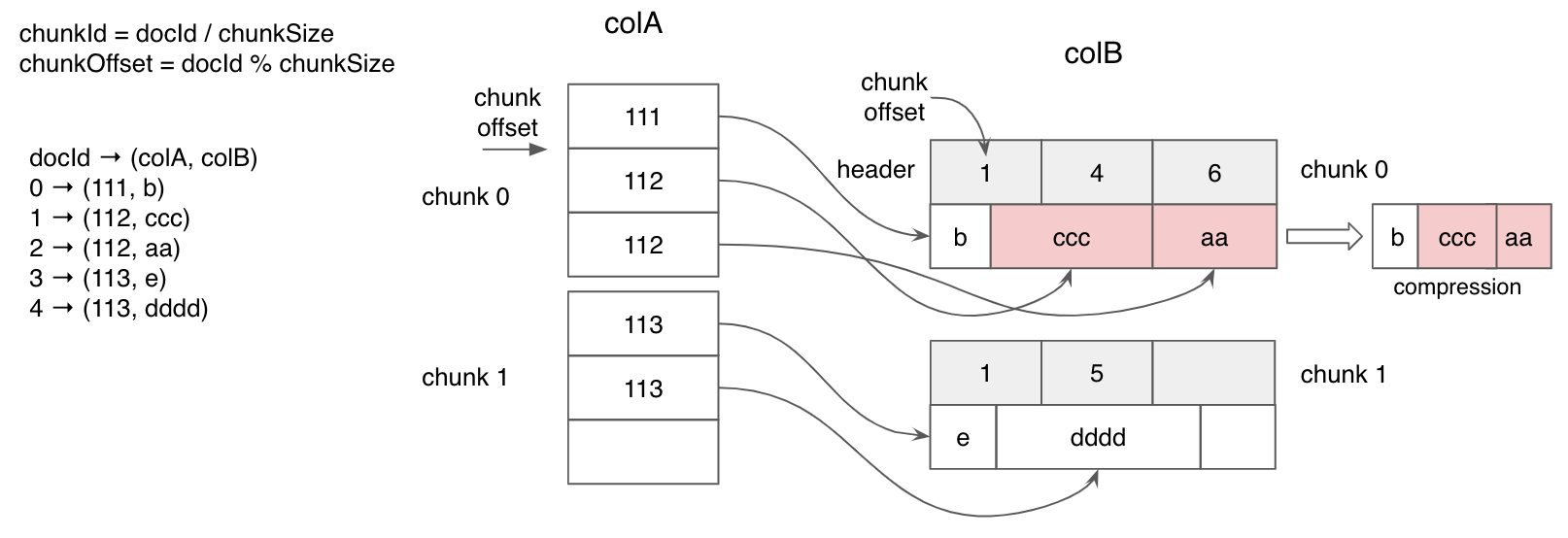
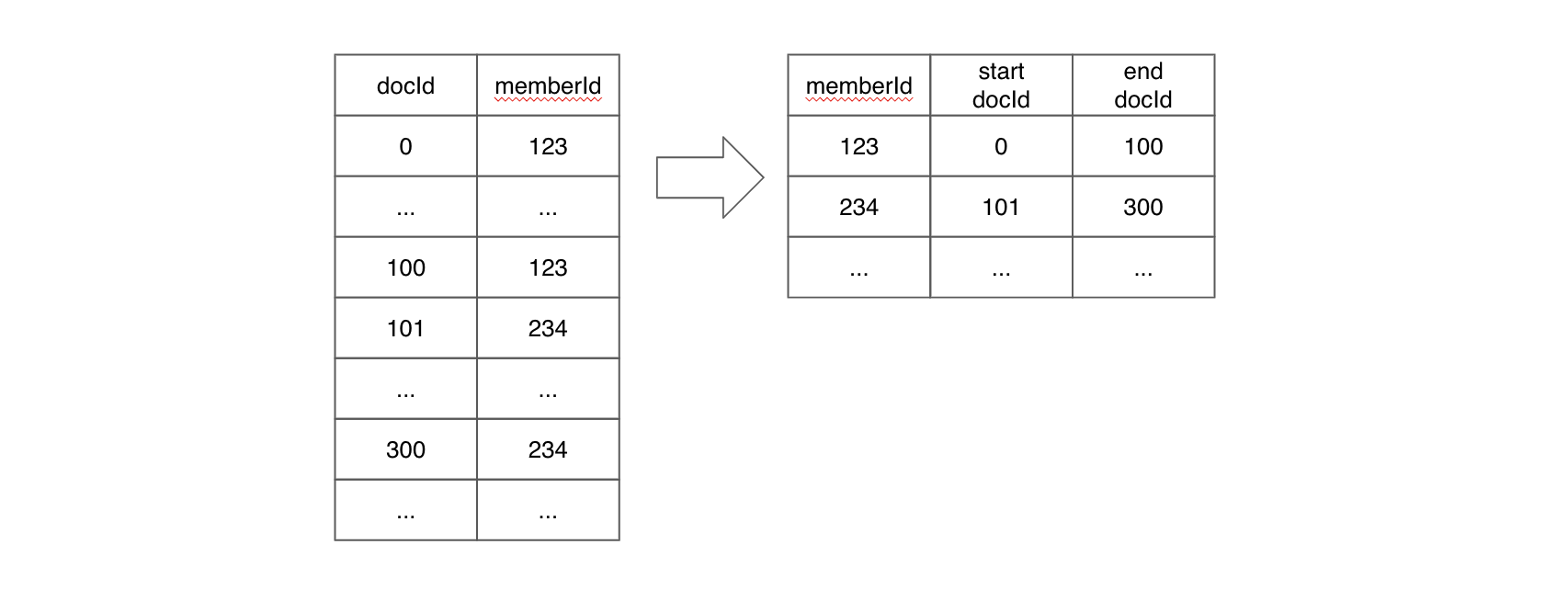
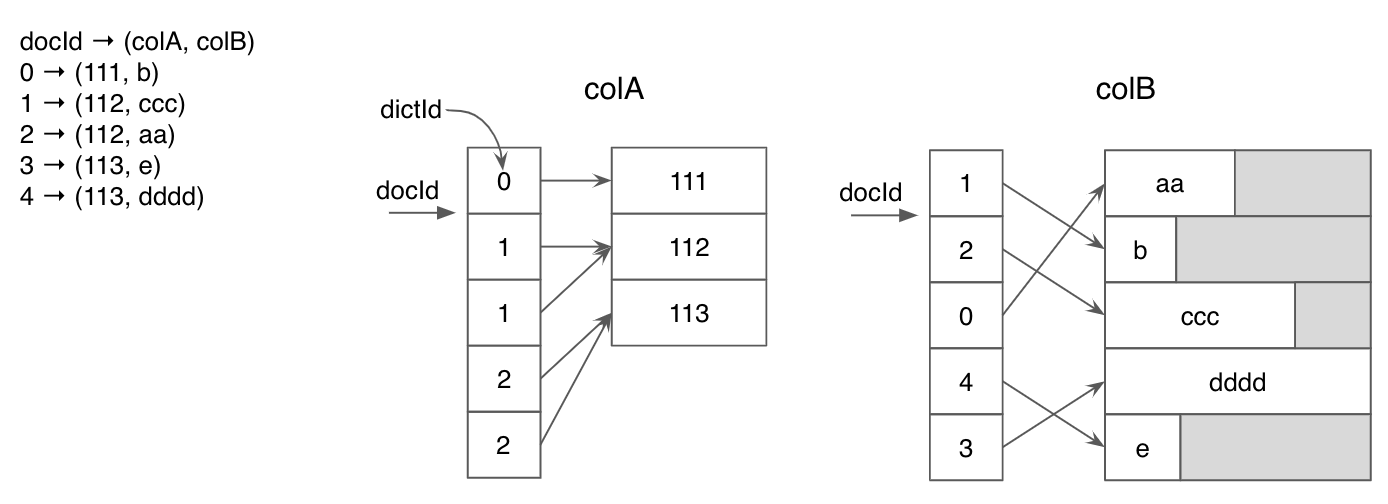
Refresh: Replaces the segment with a new one, with the same name but often different data. Under the hood, the Pinot controller sets new segment metadata in Zookeeper, and notifies brokers and servers to check their local states about this segment and update accordingly. Servers also download the new segment to replace the old one, when both have different checksums. There is no separate rest API for refreshing, and it is done as part of the SegmentUpload API.
Reload: Loads the segment again, often to generate a new index as updated in the table configuration. Underlying, the Pinot server gets the new table configuration from Zookeeper, and uses it to guide the segment reloading. In fact, the last step of REFRESH as explained above is to load the segment into memory to serve queries. There is a dedicated rest API for reloading. By default, it doesn't download segments, but the option is provided to force the server to download the segment to replace the local one cleanly.
S3
p3
S0
S1
p4
S2
S3
p5
S0
S1
p6
S2
S3
p1
S0
S1
p2
S2
columnNamesdelimiter: The character seperating the columns.
multiValueDelimiter: The character separating multiple values in a single column. This can be used to split a column into a list.
skipHeader: Skip header record in the file. Boolean.
ignoreEmptyLines: Ignore empty lines (instead of filling them with default values). Boolean.
ignoreSurroundingSpaces: ignore spaces around column names and values. Boolean
quoteCharacter: Single character used for quotes in CSV files.
recordSeparator: Character used to separate records in the input file. Default is or \r depending on the platform.
nullStringValue: String value that represents null in CSV files. Default is empty string.
skipUnParseableLines : Skip lines that cannot be parsed. Note that this would result in data loss. Boolean.
LONG
LONG
FLOAT
FLOAT
DOUBLE
DOUBLE
BOOLEAN
BOOLEAN
STRING
STRING
ENUM
STRING
BYTES
BYTES
FIXED
BYTES
MAP
JSON
ARRAY
JSON
RECORD
JSON
UNION
JSON
DECIMAL
BYTES
UUID
STRING
DATE
STRING
yyyy-MM-dd format
TIME_MILLIS
STRING
HH:mm:ss.SSS format
TIME_MICROS
STRING
HH:mm:ss.SSSSSS format
TIMESTAMP_MILLIS
TIMESTAMP
TIMESTAMP_MICROS
TIMESTAMP
INT32
INT
FLOAT
FLOAT
DOUBLE
DOUBLE
BINARY
BYTES
FIXED-LEN-BYTE-ARRAY
BYTES
DECIMAL
DOUBLE
ENUM
STRING
UTF8
STRING
REPEATED
MULTIVALUE/MAP (represented as MV
if parquet original type is LIST, then it is converted to MULTIVALUE column otherwise a MAP column.
INT
Integer
LONG
Integer
FLOAT
Float
DOUBLE
Double
STRING
String
VARCHAR
String
CHAR
String
LIST
Object[]
MAP
Map<Object, Object>
DATE
Long
TIMESTAMP
Long
BINARY
byte[]
BYTE
Integer
INT
INT
INT96
LONG
ParquetINT96 type converts nanoseconds
to Pinot INT64 type of milliseconds
INT64
LONG
BOOLEAN
String
SHORT
For the support of DECIMAL and other parquet native data types, always use ParquetNativeRecordReader.
Integer
Upload schema and table configs
Upload data
Batch ingestion currently supports the following mechanisms to upload the data:
Here's an example using standalone local processing.
First, create a table using the following CSV data.
In our data, the only column on which aggregations can be performed is score. Secondly, timestampInEpoch is the only timestamp column. So, on our schema, we keep score as metric and timestampInEpoch as timestamp column.
Here, we have also defined two extra fields: format and granularity. The format specifies the formatting of our timestamp column in the data source. Currently, it's in milliseconds, so we've specified 1:MILLISECONDS:EPOCH.
We define a table transcript and map the schema created in the previous step to the table. For batch data, we keep the tableType as OFFLINE.
Now that we have both the configs, upload them and create a table by running the following command:
Check out the table config and schema in the \[Rest API] to make sure it was successfully uploaded.
We now have an empty table in Pinot. Next, upload the CSV file to this empty table.
A table is composed of multiple segments. The segments can be created in the following three ways:
Minion based ingestion\
Upload API\
Ingestion jobs
Refer to SegmentGenerationAndPushTask
There are 2 controller APIs that can be used for a quick ingestion test using a small file.
This API creates a segment using the given file and pushes it to Pinot. All steps happen on the controller.
Example usage:
To upload a JSON file data.json to a table called foo_OFFLINE, use below command
Note that query params need to be URLEncoded. For example, {"inputFormat":"json"} in the command below needs to be converted to %7B%22inputFormat%22%3A%22json%22%7D.
The batchConfigMapStr can be used to pass in additional properties needed for decoding the file. For example, in case of csv, you may need to provide the delimiter
This API creates a segment using file at the given URI and pushes it to Pinot. Properties to access the FS need to be provided in the batchConfigMap. All steps happen on the controller. Example usage:
Segments can be created and uploaded using tasks known as DataIngestionJobs. A job also needs a config of its own. We call this config the JobSpec.
For our CSV file and table, the JobSpec should look like this:
For more detail, refer to Ingestion job spec.
Now that we have the job spec for our table transcript, we can trigger the job using the following command:
Once the job successfully finishes, head over to the \[query console] and start playing with the data.
There are 3 ways to upload a Pinot segment:
Segment tar push
Segment URI push
Segment metadata push
This is the original and default push mechanism.
Tar push requires the segment to be stored locally or can be opened as an InputStream on PinotFS. So we can stream the entire segment tar file to the controller.
The push job will:
Upload the entire segment tar file to the Pinot controller.
Pinot controller will:
Save the segment into the controller segment directory(Local or any PinotFS).
Extract segment metadata.
Add the segment to the table.
This push mechanism requires the segment tar file stored on a deep store with a globally accessible segment tar URI.
URI push is light-weight on the client-side, and the controller side requires equivalent work as the tar push.
The push job will:
POST this segment tar URI to the Pinot controller.
Pinot controller will:
Download segment from the URI and save it to controller segment directory (local or any PinotFS).
Extract segment metadata.
Add the segment to the table.
This push mechanism also requires the segment tar file stored on a deep store with a globally accessible segment tar URI.
Metadata push is light-weight on the controller side, there is no deep store download involves from the controller side.
The push job will:
Download the segment based on URI.
Extract metadata.
Upload metadata to the Pinot Controller.
Pinot Controller will:
Add the segment to the table based on the metadata.
4. Segment Metadata Push with copyToDeepStore
This extends the original Segment Metadata Push for cases, where the segments are pushed to a location not used as deep store. The ingestion job can still do metadata push but ask Pinot Controller to copy the segments into deep store. Those use cases usually happen when the ingestion jobs don't have direct access to deep store but still want to use metadata push for its efficiency, thus using a staging location to keep the segments temporarily.
NOTE: the staging location and deep store have to use same storage scheme, like both on s3. This is because the copy is done via PinotFS.copyDir interface that assumes so; but also because this does copy at storage system side, so segments don't need to go through Pinot Controller at all.
To make this work, grant Pinot controllers access to the staging location. For example on AWS, this may require adding an access policy like this example for the controller EC2 instances:
Then use metadata push to add one extra config like this one:
Pinot supports atomic update on segment level, which means that when data consisting of multiple segments are pushed to a table, as segments are replaced one at a time, queries to the broker during this upload phase may produce inconsistent results due to interleaving of old and new data.
See Consistent Push and Rollback for how to enable this feature.
When Pinot segment files are created in external systems (Hadoop/spark/etc), there are several ways to push those data to the Pinot controller and server:
Push segment to shared NFS and let pinot pull segment files from the location of that NFS. See Segment URI Push.
Push segment to a Web server and let pinot pull segment files from the Web server with HTTP/HTTPS link. See Segment URI Push.
Push segment to PinotFS(HDFS/S3/GCS/ADLS) and let pinot pull segment files from PinotFS URI. See Segment URI Push and Segment Metadata Push.
Push segment to other systems and implement your own segment fetcher to pull data from those systems.
The first three options are supported out of the box within the Pinot package. As long your remote jobs send Pinot controller with the corresponding URI to the files, it will pick up the file and allocate it to proper Pinot servers and brokers. To enable Pinot support for PinotFS, you'll need to provide PinotFS configuration and proper Hadoop dependencies.
By default, Pinot does not come with a storage layer, so all the data sent, won't be stored in case of a system crash. In order to persistently store the generated segments, you will need to change controller and server configs to add deep storage. Checkout File systems for all the info and related configs.
Since pinot is written in Java, you can set the following basic Java configurations to tune the segment runner job -
Log4j2 file location with -Dlog4j2.configurationFile
Plugin directory location with -Dplugins.dir=/opt/pinot/plugins
JVM props, like -Xmx8g -Xms4G
If you are using the docker, you can set the following under JAVA_OPTS variable.
You can set -D mapreduce.map.memory.mb=8192 to set the mapper memory size when submitting the Hadoop job.
You can add config spark.executor.memory to tune the memory usage for segment creation when submitting the Spark job.
When these APIs are invoked, the controller has to download the file and build the segment locally.
Hence, these APIs are NOT meant for production environments and for large input files.
{
"tableName": "pinotTable",
"tableType": "OFFLINE",
"segmentsConfig": {
"replication": "3",
...
}
..{
"tableName": "pinotTable",
"tableType": "REALTIME",
"segmentsConfig": {
"replicasPerPartition": "3",
...
}
.."instanceAssignmentConfigMap": {
"COMPLETED": {
"tagPoolConfig": {
"tag": "DefaultTenant_OFFLINE"
},
"replicaGroupPartitionConfig": {
}
}
},curl -X POST "{host}/segments/{tableNameWithType}/{segmentName}/reset"cluster.tenant.isolation.enable=falsecurl -X POST "http://localhost:9000/tenants"
-H "accept: application/json"
-H "Content-Type: application/json"
-d "{\"tenantRole\":\"BROKER\",\"tenantName\":\"foo\",\"numberOfInstances\":1}"Using "POST /cluster/configs API" on CLUSTER tab in Swagger, with this payload:
{
"<taskType>.timeoutMs": "600000",
"<taskType>.numConcurrentTasksPerInstance": "4"
}{
"tableName": "pinotTable",
"tableType": "REALTIME",
"routing": {
"instanceSelectorType": "replicaGroup"
}
..
}{
...
"fieldConfigList": [
{
"name": "ArrTimeBlk",
"encodingType": "DICTIONARY",
"indexes": {
"inverted": {
"enabled": "true"
}
},
"tierOverwrites": {
"hotTier": {
"encodingType": "DICTIONARY",
"indexes": { // change index types for this tier
"bloom": {
"enabled": "true"
}
}
},
"coldTier": {
"encodingType": "RAW", // change encoding type for this tier
"indexes": { } // remove all indexes
}
}
}
], "tableIndexConfig": {
"starTreeIndexConfigs": [
{
"dimensionsSplitOrder": [
"AirlineID",
"Origin",
"Dest"
],
"skipStarNodeCreationForDimensions": [],
"functionColumnPairs": [
"COUNT__*",
"MAX__ArrDelay"
],
"maxLeafRecords": 10
}
],
...
"tierOverwrites": {
"hotTier": {
"starTreeIndexConfigs": [ // create different STrTree index on this tier
{
"dimensionsSplitOrder": [
"Carrier",
"CancellationCode",
"Origin",
"Dest"
],
"skipStarNodeCreationForDimensions": [],
"functionColumnPairs": [
"MAX__CarrierDelay",
"AVG__CarrierDelay"
],
"maxLeafRecords": 10
}
]
},
"coldTier": {
"starTreeIndexConfigs": [] // removes ST index for this tier
}
}
},
...dataFormat: 'csv'
className: 'org.apache.pinot.plugin.inputformat.csv.CSVRecordReader'
configClassName: 'org.apache.pinot.plugin.inputformat.csv.CSVRecordReaderConfig'
configs:
fileFormat: 'default' #should be one of default, rfc4180, excel, tdf, mysql
header: 'columnName separated by delimiter'
delimiter: ','
multiValueDelimiter: '-'dataFormat: 'avro'
className: 'org.apache.pinot.plugin.inputformat.avro.AvroRecordReader'
configs:
enableLogicalTypes: truedataFormat: 'json'
className: 'org.apache.pinot.plugin.inputformat.json.JSONRecordReader'dataFormat: 'thrift'
className: 'org.apache.pinot.plugin.inputformat.thrift.ThriftRecordReader'
configs:
thriftClass: 'ParserClassName'dataFormat: 'parquet'
className: 'org.apache.pinot.plugin.inputformat.parquet.ParquetRecordReader'dataFormat: 'parquet'
className: 'org.apache.pinot.plugin.inputformat.parquet.ParquetNativeRecordReader'dataFormat: 'orc'
className: 'org.apache.pinot.plugin.inputformat.orc.ORCRecordReader'dataFormat: 'proto'
className: 'org.apache.pinot.plugin.inputformat.protobuf.ProtoBufRecordReader'
configs:
descriptorFile: 'file:///path/to/sample.desc'protoc --include_imports --descriptor_set_out=/absolute/path/to/output.desc /absolute/path/to/input.protostudentID,firstName,lastName,gender,subject,score,timestampInEpoch
200,Lucy,Smith,Female,Maths,3.8,1570863600000
200,Lucy,Smith,Female,English,3.5,1571036400000
201,Bob,King,Male,Maths,3.2,1571900400000
202,Nick,Young,Male,Physics,3.6,1572418800000{
"schemaName": "transcript",
"dimensionFieldSpecs": [
{
"name": "studentID",
"dataType": "INT"
},
{
"name": "firstName",
"dataType": "STRING"
},
{
"name": "lastName",
"dataType": "STRING"
},
{
"name": "gender",
"dataType": "STRING"
},
{
"name": "subject",
"dataType": "STRING"
}
],
"metricFieldSpecs": [
{
"name": "score",
"dataType": "FLOAT"
}
],
"dateTimeFieldSpecs": [{
"name": "timestampInEpoch",
"dataType": "LONG",
"format" : "1:MILLISECONDS:EPOCH",
"granularity": "1:MILLISECONDS"
}]
}{
"tableName": "transcript",
"tableType": "OFFLINE",
"segmentsConfig": {
"replication": 1,
"timeColumnName": "timestampInEpoch",
"timeType": "MILLISECONDS",
"retentionTimeUnit": "DAYS",
"retentionTimeValue": 365
},
"tenants": {
"broker":"DefaultTenant",
"server":"DefaultTenant"
},
"tableIndexConfig": {
"loadMode": "MMAP"
},
"ingestionConfig": {
"batchIngestionConfig": {
"segmentIngestionType": "APPEND",
"segmentIngestionFrequency": "DAILY"
},
"continueOnError": true,
"rowTimeValueCheck": true,
"segmentTimeValueCheck": false
},
"metadata": {}
}bin/pinot-admin.sh AddTable \\
-tableConfigFile /path/to/table-config.json \\
-schemaFile /path/to/table-schema.json -execcurl -X POST -F file=@data.json \
-H "Content-Type: multipart/form-data" \
"http://localhost:9000/ingestFromFile?tableNameWithType=foo_OFFLINE&
batchConfigMapStr={"inputFormat":"json"}"curl -X POST -F file=@data.csv \
-H "Content-Type: multipart/form-data" \
"http://localhost:9000/ingestFromFile?tableNameWithType=foo_OFFLINE&
batchConfigMapStr={
"inputFormat":"csv",
"recordReader.prop.delimiter":"|"
}"curl -X POST "http://localhost:9000/ingestFromURI?tableNameWithType=foo_OFFLINE
&batchConfigMapStr={
"inputFormat":"json",
"input.fs.className":"org.apache.pinot.plugin.filesystem.S3PinotFS",
"input.fs.prop.region":"us-central",
"input.fs.prop.accessKey":"foo",
"input.fs.prop.secretKey":"bar"
}
&sourceURIStr=s3://test.bucket/path/to/json/data/data.json"executionFrameworkSpec:
name: 'standalone'
segmentGenerationJobRunnerClassName: 'org.apache.pinot.plugin.ingestion.batch.standalone.SegmentGenerationJobRunner'
segmentTarPushJobRunnerClassName: 'org.apache.pinot.plugin.ingestion.batch.standalone.SegmentTarPushJobRunner'
segmentUriPushJobRunnerClassName: 'org.apache.pinot.plugin.ingestion.batch.standalone.SegmentUriPushJobRunner'
segmentMetadataPushJobRunnerClassName: 'org.apache.pinot.plugin.ingestion.batch.standalone.SegmentMetadataPushJobRunner'
# Recommended to set jobType to SegmentCreationAndMetadataPush for production environment where Pinot Deep Store is configured
jobType: SegmentCreationAndTarPush
inputDirURI: '/tmp/pinot-quick-start/rawdata/'
includeFileNamePattern: 'glob:**/*.csv'
outputDirURI: '/tmp/pinot-quick-start/segments/'
overwriteOutput: true
pinotFSSpecs:
- scheme: file
className: org.apache.pinot.spi.filesystem.LocalPinotFS
recordReaderSpec:
dataFormat: 'csv'
className: 'org.apache.pinot.plugin.inputformat.csv.CSVRecordReader'
configClassName: 'org.apache.pinot.plugin.inputformat.csv.CSVRecordReaderConfig'
tableSpec:
tableName: 'transcript'
pinotClusterSpecs:
- controllerURI: 'http://localhost:9000'
pushJobSpec:
pushAttempts: 2
pushRetryIntervalMillis: 1000bin/pinot-admin.sh LaunchDataIngestionJob \\
-jobSpecFile /tmp/pinot-quick-start/batch-job-spec.yaml{
"Version": "2012-10-17",
"Statement": [
{
"Effect": "Allow",
"Action": "s3:ListAllMyBuckets",
"Resource": "*"
},
{
"Effect": "Allow",
"Action": "s3:*",
"Resource": [
"arn:aws:s3:::metadata-push-staging",
"arn:aws:s3:::metadata-push-staging/*"
]
}
]
}...
jobType: SegmentCreationAndMetadataPush
...
outputDirURI: 's3://metadata-push-staging/stagingDir/'
...
pushJobSpec:
copyToDeepStoreForMetadataPush: true
...Embeds the Helix agent that drives the overall state of the cluster
Server
Modeled as a Helix Participant and hosts
Broker
Modeled as a Helix Spectator that observes the cluster for changes in the state of segments and servers. In order to support multi-tenancy, brokers are also modeled as Helix Participants.
Minion
Modeled as a Helix Participant
List of tables
Table configurations
Table schema information
List of segments within a table
Segment
Exact server location(s) of a segment (routing table)
State of each segment (online/offline/error/consuming)
Metadata about each segment
Sends the query result to the client.
In response to the notification from the controller, the offline server downloads the newly created segments directly from the cluster's segment store.
The cluster's broker, which watches for state changes in Helix, detects the new segments and adds them to the list of segments to query (segment-to-server routing table).
Segment
Modeled as a Helix Partition. Each segment can have multiple copies referred to as replicas.
Table
Modeled as a Helix Resource. Multiple segments are grouped into a table. All segments belonging to a Pinot Table have the same schema.
Controller
Controller that is assigned as the current leader
Servers/Brokers
List of servers/brokers and their configuration
Health status
//This is an example ZNode config for EXTERNAL VIEW in Helix
{
"id" : "baseballStats_OFFLINE",
"simpleFields" : {
...
},
"mapFields" : {
"baseballStats_OFFLINE_0" : {
"Server_10.1.10.82_7000" : "ONLINE"
}
},
...
}// Query: select count(*) from baseballStats limit 10
// RESPONSE
// ========
{
"resultTable": {
"dataSchema": {
"columnDataTypes": ["LONG"],
"columnNames": ["count(*)"]
},
"rows": [
[97889]
]
},
"exceptions": [],
"numServersQueried": 1,
"numServersResponded": 1,
"numSegmentsQueried": 1,
"numSegmentsProcessed": 1,
"numSegmentsMatched": 1,
"numConsumingSegmentsQueried": 0,
"numDocsScanned": 97889,
"numEntriesScannedInFilter": 0,
"numEntriesScannedPostFilter": 0,
"numGroupsLimitReached": false,
"totalDocs": 97889,
"timeUsedMs": 5,
"segmentStatistics": [],
"traceInfo": {},
"minConsumingFreshnessTimeMs": 0
}Controller
Tables
Pinot filesystem: How to operate files on various filesystems: e.g. Azure Data Lake/Google Cloud Storage/S3/HDFS
Pinot stream ingestion: How to ingest data stream from various upstream systems, e.g. Kafka/Kinesis/Eventhub
Pinot batch ingestion: How to run Pinot batch ingestion jobs in various frameworks, like Standalone, Hadoop, Spark.
Query console defaults to use SQL syntax (#4994)
Added SQL query endpoint: /query/sql (#4964)
Support arithmetic operators (#5018)
Support non-literal expressions for right-side operand in predicate comparison(#5070)
Added support for DISTINCT (#4535)
Added support default value for BYTES column (#4583)
JDK 11 Support
Added support to tune size vs accuracy for approximation aggregation functions: DistinctCountHLL, PercentileEst, PercentileTDigest (#4666)
Added Data Anonymizer Tool (#4747)
Deprecated pinot-hadoop and pinot-spark modules, replace with pinot-batch-ingestion-hadoop and pinot-batch-ingestion-spark
Support STRING and BYTES for no dictionary columns in real-time consuming segments (#4791)
Make pinot-distribution to build a pinot-all jar and assemble it (#4977)
Added support for PQL case insensitive (#4983)
Added experimental support for Text Search (#4993)
Upgraded Helix to version 0.9.4, task management now works as expected (#5020)
Added date_trunc transformation function. (#4740)
Support schema evolution for consuming segment. (#4954)
APIs Additions/Changes
Pinot Admin Command
Added -queryType option in PinotAdmin PostQuery subcommand (#4726)
Added -schemaFile as option in AddTable command ()
Added OperateClusterConfig sub command in PinotAdmin ()
Pinot Controller Rest APIs
Get Table leader controller resource ()
Support HTTP POST/PUT to upload JSON encoded schema ()
Configurations Additions/Changes
Config: controller.host is now optional in Pinot Controller
Added instance config: queriesDisabled to disable query sending to a running server (#4767)
Added broker config: pinot.broker.enable.query.limit.override configurable max query response size ()
Removed deprecated server configs ()
pinot.server.starter.enableSegmentsLoadingCheck
pinot.server.starter.timeoutInSeconds
Decouple server instance id with hostname/port config. ()
Add FieldConfig to encapsulate encoding, indexing info for a field.()
Fixed controller rest API to download segment from non local FS. (#4808)
Fixed the bug of not releasing segment lock if segment recovery throws exception (#4882)
Fixed the issue of server not registering state model factory before connecting the Helix manager (#4929)
Fixed the exception in server instance when Helix starts a new ZK session (#4976)
Fixed ThreadLocal DocIdSet issue in ExpressionFilterOperator (#5114)
Fixed the bug in default value provider classes (#5137)
Fixed the bug when no segment exists in RealtimeSegmentSelector (#5138)
Kafka 0.9 is no longer included in the release distribution.
Pull request #4806 introduces a backward incompatible API change for segments management.
Removed segment toggle APIs
Removed list all segments in cluster APIs
Deprecated below APIs:
GET /tables/{tableName}/segments
GET /tables/{tableName}/segments/metadata
GET /tables/{tableName}/segments/crc
Pull request #5054 deprecated below task related APIs:
GET:
/tasks/taskqueues: List all task queues
/tasks/taskqueuestate/{taskType} -> /tasks/{taskType}/state
/tasks/tasks/{taskType} -> /tasks/{taskType}/tasks
/tasks/taskstates/{taskType} -> /tasks/{taskType}/taskstates
/tasks/taskstate/{taskName} -> /tasks/task/{taskName}/taskstate
/tasks/taskconfig/{taskName} -> /tasks/task/{taskName}/taskconfig
PUT:
/tasks/scheduletasks -> POST /tasks/schedule
/tasks/cleanuptasks/{taskType}
DELETE:
/tasks/taskqueue/{taskType} -> /tasks/{taskType}
Deprecated modules pinot-hadoop and pinot-spark and replaced with pinot-batch-ingestion-hadoop and pinot-batch-ingestion-spark.
Introduced new Pinot batch ingestion jobs and yaml based job specs to define segment generation jobs and segment push jobs.
You may see exceptions like below in pinot-brokers during cluster upgrade, but it's safe to ignore them.
2020/03/09 23:37:19.879 ERROR [HelixTaskExecutor] [CallbackProcessor@b808af5-pinot] [pinot-broker] [] Message cannot be processed: 78816abe-5288-4f08-88c0-f8aa596114fe, {CREATE_TIMESTAMP=1583797034542, MSG_ID=78816abe-5288-4f08-88c0-f8aa596114fe, MSG_STATE=unprocessable, MSG_SUBTYPE=REFRESH_SEGMENT, MSG_TYPE=USER_DEFINE_MSG, PARTITION_NAME=fooBar_OFFLINE, RESOURCE_NAME=brokerResource, RETRY_COUNT=0, SRC_CLUSTER=pinot, SRC_INSTANCE_TYPE=PARTICIPANT, SRC_NAME=Controller_hostname.domain,com_9000, TGT_NAME=Broker_hostname,domain.com_6998, TGT_SESSION_ID=f6e19a457b80db5, TIMEOUT=-1, segmentName=fooBar_559, tableName=fooBar_OFFLINE}{}{}
java.lang.UnsupportedOperationException: Unsupported user defined message sub type: REFRESH_SEGMENT
at org.apache.pinot.broker.broker.helix.TimeboundaryRefreshMessageHandlerFactory.createHandler(TimeboundaryRefreshMessageHandlerFactory.java:68) ~[pinot-broker-0.2.1172.jar:0.3.0-SNAPSHOT-c9d88e47e02d799dc334d7dd1446a38d9ce161a3]
at org.apache.helix.messaging.handling.HelixTaskExecutor.createMessageHandler(HelixTaskExecutor.java:1096) ~[helix-core-0.9.1.509.jar:0.9.1.509]
at org.apache.helix.messaging.handling.HelixTaskExecutor.onMessage(HelixTaskExecutor.java:866) [helix-core-0.9.1.509.jar:0.9.1.509]
maxLevels
Max levels to flatten the json object (array is also counted as one level)
int
With the following JSON document:
Using the default setting, we will flatten the document into the following records:
With maxLevels set to 1:
With maxLevels set to 2:
With excludeArray set to true:
With disableCrossArrayUnnest set to true:
With includePaths set to ["$.name", "$.addresses[*].country"]:
With excludePaths set to ["$.age", "$.addresses[*].number"]:
With excludeFields set to ["age", "street"]:
Note that the JSON index can only be applied to STRING/JSON columns whose values are JSON strings.
The JSON index can be used via the JSON_MATCH predicate: JSON_MATCH(<column>, '<filterExpression>'). For example, to find every entry with the name "adam":
Note that the quotes within the filter expression need to be escaped.
Find all persons whose name is "adam":
Find all persons who have an address (one of the addresses) with number 112:
Find all persons whose name is "adam" and also have an address (one of the addresses) with number 112:
Find all persons whose first address has number 112:
Find all persons who have a phone field within the JSON:
Find all persons whose first address does not contain floor field within the JSON:
The JSON context is maintained for object elements within an array, meaning the filter won't cross-match different objects in the array.
To find all persons who live on "main st" in "ca":
This query won't match "adam" because none of his addresses matches both the street and the country.
If JSON context is not desired, use multiple separate JSON_MATCH predicates. For example, to find all persons who have addresses on "main st" and have addresses in "ca" (matches need not have the same address):
This query will match "adam" because one of his addresses matches the street and another one matches the country.
The array index is maintained as a separate entry within the element, so in order to query different elements within an array, multiple JSON_MATCH predicates are required. For example, to find all persons who have first address on "main st" and second address on "second st":
See examples above.
To find the records with array element "item1" in "arrayCol":
To find the records with second array element "item2" in "arrayCol":
To find the records with value 123 in "valueCol":
To find the records with null in "nullableCol":
The key (left-hand side) of the filter expression must be the leaf level of the JSON object, for example, "$.addresses[*]"='main st' won't work.
{
"name": "adam",
"age": 30,
"country": "us",
"addresses":
[
{
"number" : 112,
"street" : "main st",
"country" : "us"
},
{
"number" : 2,
"street" : "second st",
"country" : "us"
},
{
"number" : 3,
"street" : "third st",
"country" : "ca"
}
]
}SELECT *
FROM mytable
WHERE JSON_EXTRACT_SCALAR(person, '$.name', 'STRING') = 'adam'{
"tableIndexConfig": {
"jsonIndexConfigs": {
"person": {
"maxLevels": 2,
"excludeArray": false,
"disableCrossArrayUnnest": true,
"includePaths": null,
"excludePaths": null,
"excludeFields": null
},
...
},
...
}
}{
"name": "adam",
"age": 20,
"addresses": [
{
"country": "us",
"street": "main st",
"number": 1
},
{
"country": "ca",
"street": "second st",
"number": 2
}
],
"skills": [
"english",
"programming"
]
}{
"name": "adam",
"age": 20,
"addresses[0].country": "us",
"addresses[0].street": "main st",
"addresses[0].number": 1,
"skills[0]": "english"
},
{
"name": "adam",
"age": 20,
"addresses[0].country": "us",
"addresses[0].street": "main st",
"addresses[0].number": 1,
"skills[1]": "programming"
},
{
"name": "adam",
"age": 20,
"addresses[1].country": "ca",
"addresses[1].street": "second st",
"addresses[1].number": 2,
"skills[0]": "english"
},
{
"name": "adam",
"age": 20,
"addresses[1].country": "ca",
"addresses[1].street": "second st",
"addresses[1].number": 2,
"skills[1]": "programming"
}{
"name": "adam",
"age": 20
}{
"name": "adam",
"age": 20,
"skills[0]": "english"
},
{
"name": "adam",
"age": 20,
"skills[1]": "programming"
}{
"name": "adam",
"age": 20
}{
"name": "adam",
"age": 20,
"addresses[0].country": "us",
"addresses[0].street": "main st",
"addresses[0].number": 1
},
{
"name": "adam",
"age": 20,
"addresses[0].country": "us",
"addresses[0].street": "main st",
"addresses[0].number": 1
},
{
"name": "adam",
"age": 20,
"skills[0]": "english"
},
{
"name": "adam",
"age": 20,
"skills[1]": "programming"
}{
"name": "adam",
"addresses[0].country": "us"
},
{
"name": "adam",
"addresses[1].country": "ca"
}{
"name": "adam",
"addresses[0].country": "us",
"addresses[0].street": "main st",
"skills[0]": "english"
},
{
"name": "adam",
"addresses[0].country": "us",
"addresses[0].street": "main st",
"skills[1]": "programming"
},
{
"name": "adam",
"addresses[1].country": "ca",
"addresses[1].street": "second st",
"skills[0]": "english"
},
{
"name": "adam",
"addresses[1].country": "ca",
"addresses[1].street": "second st",
"skills[1]": "programming"
}{
"name": "adam",
"addresses[0].country": "us",
"addresses[0].number": 1,
"skills[0]": "english"
},
{
"name": "adam",
"addresses[0].country": "us",
"addresses[0].number": 1,
"skills[1]": "programming"
},
{
"name": "adam",
"addresses[1].country": "ca",
"addresses[1].number": 2,
"skills[0]": "english"
},
{
"name": "adam",
"addresses[1].country": "ca",
"addresses[1].number": 2,
"skills[1]": "programming"
}{
"tableIndexConfig": {
"jsonIndexColumns": [
"person",
...
],
...
}
}SELECT ...
FROM mytable
WHERE JSON_MATCH(person, '"$.name"=''adam''')SELECT ...
FROM mytable
WHERE JSON_MATCH(person, '"$.name"=''adam''')SELECT ...
FROM mytable
WHERE JSON_MATCH(person, '"$.addresses[*].number"=112')SELECT ...
FROM mytable
WHERE JSON_MATCH(person, '"$.name"=''adam'' AND "$.addresses[*].number"=112')SELECT ...
FROM mytable
WHERE JSON_MATCH(person, '"$.addresses[0].number"=112')SELECT ...
FROM mytable
WHERE JSON_MATCH(person, '"$.phone" IS NOT NULL')SELECT ...
FROM mytable
WHERE JSON_MATCH(person, '"$.addresses[0].floor" IS NULL')SELECT ...
FROM mytable
WHERE JSON_MATCH(person, '"$.addresses[*].street"=''main st'' AND "$.addresses[*].country"=''ca''')SELECT ...
FROM mytable
WHERE JSON_MATCH(person, '"$.addresses[*].street"=''main st''') AND JSON_MATCH(person, '"$.addresses[*].country"=''ca''')SELECT ...
FROM mytable
WHERE JSON_MATCH(person, '"$.addresses[0].street"=''main st''') AND JSON_MATCH(person, '"$.addresses[1].street"=''second st''')["item1", "item2", "item3"]SELECT ...
FROM mytable
WHERE JSON_MATCH(arrayCol, '"$[*]"=''item1''')SELECT ...
FROM mytable
WHERE JSON_MATCH(arrayCol, '"$[1]"=''item2''')123
1.23
"Hello World"SELECT ...
FROM mytable
WHERE JSON_MATCH(valueCol, '"$"=123')nullSELECT ...
FROM mytable
WHERE JSON_MATCH(nullableCol, '"$" IS NULL')Create a Kafka topic
Download the latest Kafka. Create a topic.
We will publish the data in the same format as mentioned in the Stream ingestion docs. So you can use the same schema mentioned under Create Schema Configuration.
The real-time table configuration for the transcript table described in the schema from the previous step.
For Kafka, we use streamType as kafka . See for available decoder class options. You can also write your own decoder by extending the StreamMessageDecoder interface and putting the jar file in plugins directory.
The lowLevel consumer reads data per partition whereas the highLevel consumer utilises Kafka high level consumer to read data from the whole stream. It doesn't have the control over which partition to read at a particular momemt.
For Kafka versions below 2.X, use org.apache.pinot.plugin.stream.kafka09.KafkaConsumerFactory
For Kafka version 2.X and above, use
org.apache.pinot.plugin.stream.kafka20.KafkaConsumerFactory
You can set the offset to -
smallest to start consumer from the earliest offset
largest to start consumer from the latest offset
timestamp in format yyyy-MM-dd'T'HH:mm:ss.SSSZ to start the consumer from the offset after the timestamp.
datetime duration or period to start the consumer from the offset after the period eg., '2d'.
The resulting configuration should look as follows -
Now that we have our table and schema configurations, let's upload them to the Pinot cluster. As soon as the real-time table is created, it will begin ingesting available records from the Kafka topic.
docker run \
--network=pinot-demo \
-v /tmp/pinot-quick-start:/tmp/pinot-quick-start \
--name pinot-streaming-table-creation \
apachepinot/pinot:latest AddTable \
-schemaFile /tmp/pinot-quick-start/transcript-schema.json \
-tableConfigFile /tmp/pinot-quick-start/transcript-table-realtime.json \
-controllerHost pinot-quickstart \
-controllerPort 9000 \
-execbin/pinot-admin.sh AddTable \
-schemaFile /tmp/pinot-quick-start/transcript-schema.json \
-tableConfigFile /tmp/pinot-quick-start/transcript-table-realtime.json \
-execWe will publish data in the following format to Kafka. Let us save the data in a file named as transcript.json.
Push sample JSON into the transcript-topic Kafka topic, using the Kafka console producer. This will add 12 records to the topic described in the transcript.json file.
Checkin Kafka docker container
Publish messages to the target topic
As soon as data flows into the stream, the Pinot table will consume it and it will be ready for querying. Head over to the Query Console to checkout the real-time data.
Pinot supports 2 major generations of Kafka library - kafka-0.9 and kafka-2.x for both high and low level consumers.
Update table config for both high level and low level consumer: Update config: stream.kafka.consumer.factory.class.name from org.apache.pinot.core.realtime.impl.kafka.KafkaConsumerFactory to org.apache.pinot.core.realtime.impl.kafka2.KafkaConsumerFactory.
If using Stream(High) level consumer, also add config stream.kafka.hlc.bootstrap.server into tableIndexConfig.streamConfigs. This config should be the URI of Kafka broker lists, e.g. localhost:9092.
This connector is also suitable for Kafka lib version higher than 2.0.0. In Kafka 2.0 connector pom.xml, change the kafka.lib.version from 2.0.0 to 2.1.1 will make this Connector working with Kafka 2.1.1.
Here is an example config which uses SSL based authentication to talk with kafka and schema-registry. Notice there are two sets of SSL options, ones starting with ssl. are for kafka consumer and ones with stream.kafka.decoder.prop.schema.registry. are for SchemaRegistryClient used by KafkaConfluentSchemaRegistryAvroMessageDecoder.
The connector with Kafka library 2.0+ supports Kafka transactions. The transaction support is controlled by config kafka.isolation.level in Kafka stream config, which can be read_committed or read_uncommitted (default). Setting it to read_committed will ingest transactionally committed messages in Kafka stream only.
For example,
Note that the default value of this config read_uncommitted to read all messages. Also, this config supports low-level consumer only.
Here is an example config which uses SASL_SSL based authentication to talk with kafka and schema-registry. Notice there are two sets of SSL options, some for kafka consumer and ones with stream.kafka.decoder.prop.schema.registry. are for SchemaRegistryClient used by KafkaConfluentSchemaRegistryAvroMessageDecoder.
Pinot's Kafka connector supports automatically extracting record headers and metadata into the Pinot table columns. The following table shows the mapping for record header/metadata to Pinot table column names:
Record key: any type <K>
__key : String
For simplicity of design, we assume that the record key is always a UTF-8 encoded String
Record Headers: Map<String, String>
In order to enable the metadata extraction in a Kafka table, you can set the stream config metadata.populate to true.
In addition to this, if you want to use any of these columns in your table, you have to list them explicitly in your table's schema.
For example, if you want to add only the offset and key as dimension columns in your Pinot table, it can listed in the schema as follows:
Once the schema is updated, these columns are similar to any other pinot column. You can apply ingestion transforms and / or define indexes on them.
There is a standalone utility to generate the schema from an Avro file. See [infer the pinot schema from the avro schema and JSON data](https://docs.pinot.apache.org/basics/data-import/complex-type#infer-the-pinot-schema-from-the-avro-schema-and-json-data) for details.
To avoid errors like The Avro schema must be provided, designate the location of the schema in your streamConfigs section. For example, if your current section contains the following:
Then add this key: "stream.kafka.decoder.prop.schema"followed by a value that denotes the location of your schema.
docker run \
--network pinot-demo --name=kafka \
-e KAFKA_ZOOKEEPER_CONNECT=pinot-zookeeper:2181/kafka \
-e KAFKA_BROKER_ID=0 \
-e KAFKA_ADVERTISED_HOST_NAME=kafka \
-p 2181:2181 \
-d wurstmeister/kafka:latestdocker exec \
-t kafka \
/opt/kafka/bin/kafka-topics.sh \
--zookeeper pinot-zookeeper:2181/kafka \
--partitions=1 --replication-factor=1 \
--create --topic transcript-topic {
"tableName": "transcript",
"tableType": "REALTIME",
"segmentsConfig": {
"timeColumnName": "timestamp",
"timeType": "MILLISECONDS",
"schemaName": "transcript",
"replicasPerPartition": "1"
},
"tenants": {},
"tableIndexConfig": {
"loadMode": "MMAP",
"streamConfigs": {
"streamType": "kafka",
"stream.kafka.consumer.type": "lowlevel",
"stream.kafka.topic.name": "transcript-topic",
"stream.kafka.decoder.class.name": "org.apache.pinot.plugin.stream.kafka.KafkaJSONMessageDecoder",
"stream.kafka.consumer.factory.class.name": "org.apache.pinot.plugin.stream.kafka20.KafkaConsumerFactory",
"stream.kafka.broker.list": "kafka:9092",
"realtime.segment.flush.threshold.time": "3600000",
"realtime.segment.flush.threshold.rows": "50000",
"stream.kafka.consumer.prop.auto.offset.reset": "smallest"
}
},
"metadata": {
"customConfigs": {}
}
}{"studentID":205,"firstName":"Natalie","lastName":"Jones","gender":"Female","subject":"Maths","score":3.8,"timestamp":1571900400000}
{"studentID":205,"firstName":"Natalie","lastName":"Jones","gender":"Female","subject":"History","score":3.5,"timestamp":1571900400000}
{"studentID":207,"firstName":"Bob","lastName":"Lewis","gender":"Male","subject":"Maths","score":3.2,"timestamp":1571900400000}
{"studentID":207,"firstName":"Bob","lastName":"Lewis","gender":"Male","subject":"Chemistry","score":3.6,"timestamp":1572418800000}
{"studentID":209,"firstName":"Jane","lastName":"Doe","gender":"Female","subject":"Geography","score":3.8,"timestamp":1572505200000}
{"studentID":209,"firstName":"Jane","lastName":"Doe","gender":"Female","subject":"English","score":3.5,"timestamp":1572505200000}
{"studentID":209,"firstName":"Jane","lastName":"Doe","gender":"Female","subject":"Maths","score":3.2,"timestamp":1572678000000}
{"studentID":209,"firstName":"Jane","lastName":"Doe","gender":"Female","subject":"Physics","score":3.6,"timestamp":1572678000000}
{"studentID":211,"firstName":"John","lastName":"Doe","gender":"Male","subject":"Maths","score":3.8,"timestamp":1572678000000}
{"studentID":211,"firstName":"John","lastName":"Doe","gender":"Male","subject":"English","score":3.5,"timestamp":1572678000000}
{"studentID":211,"firstName":"John","lastName":"Doe","gender":"Male","subject":"History","score":3.2,"timestamp":1572854400000}
{"studentID":212,"firstName":"Nick","lastName":"Young","gender":"Male","subject":"History","score":3.6,"timestamp":1572854400000}docker exec -ti kafka bashbin/kafka-console-producer.sh \
--broker-list localhost:9092 \
--topic transcript-topic < transcript.jsonSELECT * FROM transcript {
"tableName": "transcript",
"tableType": "REALTIME",
"segmentsConfig": {
"timeColumnName": "timestamp",
"timeType": "MILLISECONDS",
"schemaName": "transcript",
"replicasPerPartition": "1"
},
"tenants": {},
"tableIndexConfig": {
"loadMode": "MMAP",
"streamConfigs": {
"streamType": "kafka",
"stream.kafka.consumer.type": "LowLevel",
"stream.kafka.topic.name": "transcript-topic",
"stream.kafka.decoder.class.name": "org.apache.pinot.plugin.inputformat.avro.confluent.KafkaConfluentSchemaRegistryAvroMessageDecoder",
"stream.kafka.consumer.factory.class.name": "org.apache.pinot.plugin.stream.kafka20.KafkaConsumerFactory",
"stream.kafka.zk.broker.url": "pinot-zookeeper:2191/kafka",
"stream.kafka.broker.list": "localhost:9092",
"schema.registry.url": "",
"security.protocol": "SSL",
"ssl.truststore.location": "",
"ssl.keystore.location": "",
"ssl.truststore.password": "",
"ssl.keystore.password": "",
"ssl.key.password": "",
"stream.kafka.decoder.prop.schema.registry.rest.url": "",
"stream.kafka.decoder.prop.schema.registry.ssl.truststore.location": "",
"stream.kafka.decoder.prop.schema.registry.ssl.keystore.location": "",
"stream.kafka.decoder.prop.schema.registry.ssl.truststore.password": "",
"stream.kafka.decoder.prop.schema.registry.ssl.keystore.password": "",
"stream.kafka.decoder.prop.schema.registry.ssl.keystore.type": "",
"stream.kafka.decoder.prop.schema.registry.ssl.truststore.type": "",
"stream.kafka.decoder.prop.schema.registry.ssl.key.password": "",
"stream.kafka.decoder.prop.schema.registry.ssl.protocol": ""
}
},
"metadata": {
"customConfigs": {}
}
} {
"tableName": "transcript",
"tableType": "REALTIME",
"segmentsConfig": {
"timeColumnName": "timestamp",
"timeType": "MILLISECONDS",
"schemaName": "transcript",
"replicasPerPartition": "1"
},
"tenants": {},
"tableIndexConfig": {
"loadMode": "MMAP",
"streamConfigs": {
"streamType": "kafka",
"stream.kafka.consumer.type": "LowLevel",
"stream.kafka.topic.name": "transcript-topic",
"stream.kafka.decoder.class.name": "org.apache.pinot.plugin.inputformat.avro.confluent.KafkaConfluentSchemaRegistryAvroMessageDecoder",
"stream.kafka.consumer.factory.class.name": "org.apache.pinot.plugin.stream.kafka20.KafkaConsumerFactory",
"stream.kafka.zk.broker.url": "pinot-zookeeper:2191/kafka",
"stream.kafka.broker.list": "kafka:9092",
"stream.kafka.isolation.level": "read_committed"
}
},
"metadata": {
"customConfigs": {}
}
}"streamConfigs": {
"streamType": "kafka",
"stream.kafka.consumer.type": "lowlevel",
"stream.kafka.topic.name": "mytopic",
"stream.kafka.consumer.prop.auto.offset.reset": "largest",
"stream.kafka.consumer.factory.class.name": "org.apache.pinot.plugin.stream.kafka20.KafkaConsumerFactory",
"stream.kafka.broker.list": "kafka:9092",
"stream.kafka.schema.registry.url": "https://xxx",
"stream.kafka.decoder.class.name": "org.apache.pinot.plugin.inputformat.avro.confluent.KafkaConfluentSchemaRegistryAvroMessageDecoder",
"stream.kafka.decoder.prop.schema.registry.rest.url": "https://xxx",
"stream.kafka.decoder.prop.basic.auth.credentials.source": "USER_INFO",
"stream.kafka.decoder.prop.schema.registry.basic.auth.user.info": "schema_registry_username:schema_registry_password",
"sasl.mechanism": "PLAIN" ,
"security.protocol": "SASL_SSL" ,
"sasl.jaas.config":"org.apache.kafka.common.security.scram.ScramLoginModule required username=\"kafkausername\" password=\"kafkapassword\";",
"realtime.segment.flush.threshold.rows": "0",
"realtime.segment.flush.threshold.time": "24h",
"realtime.segment.flush.autotune.initialRows": "3000000",
"realtime.segment.flush.threshold.segment.size": "500M"
}, "dimensionFieldSpecs": [
{
"name": "__key",
"dataType": "STRING"
},
{
"name": "__metadata$offset",
"dataType": "STRING"
},
...
],...
"streamConfigs": {
"streamType": "kafka",
"stream.kafka.consumer.type": "lowlevel",
"stream.kafka.topic.name": "",
"stream.kafka.decoder.class.name": "org.apache.pinot.plugin.inputformat.avro.SimpleAvroMessageDecoder",
"stream.kafka.consumer.factory.class.name": "org.apache.pinot.plugin.stream.kafka20.KafkaConsumerFactory",
"stream.kafka.broker.list": "",
"stream.kafka.consumer.prop.auto.offset.reset": "largest"
...
}bin/pinot-admin.sh StartKafka -zkAddress=localhost:2181/kafka -port 9092bin/kafka-topics.sh --create --bootstrap-server kafka:9092 --replication-factor 1 --partitions 1 --topic transcript-topicOffline
Offline tables ingest pre-built Pinot segments from external data stores and are generally used for batch ingestion.
Real-time
Real-time tables ingest data from streams (such as Kafka) and build segments from the consumed data.
Hybrid
Hybrid Pinot tables have both real-time as well as offline tables under the hood. By default, all tables in Pinot are hybrid.
Table configuration is used to define the table properties, such as name, type, indexing, routing, and retention. It is written in JSON format and is stored in Zookeeper, along with the table schema.
Use the following properties to make your tables faster or leaner:
Segment
Indexing
Tenants
A table is comprised of small chunks of data known as segments. Learn more about how Pinot creates and manages segments here.
For offline tables, segments are built outside of Pinot and uploaded using a distributed executor such as Spark or Hadoop. For details, see Batch Ingestion.
For real-time tables, segments are built in a specific interval inside Pinot. You can tune the following for the real-time segments.
The Pinot real-time consumer ingests the data, creates the segment, and then flushes the in-memory segment to disk. Pinot allows you to configure when to flush the segment in the following ways:
Number of consumed rows: After consuming the specified number of rows from the stream, Pinot will persist the segment to disk.
Number of desired rows per segment: Pinot learns and then estimates the number of rows that need to be consumed. The learning phase starts by setting the number of rows to 100,000 (this value can be changed) and adjusts it to reach the appropriate segment size. Because Pinot corrects the estimate as it goes along, the segment size might go significantly over the correct size during the learning phase. You should set this value to optimize the performance of queries.
Max time duration to wait: Pinot consumers wait for the configured time duration after which segments are persisted to the disk.
Replicas A segment can have multiple replicas to provide higher availability. You can configure the number of replicas for a table segment using the CLI.
Completion Mode By default, if the in-memory segment in the non-winner server is equivalent to the committed segment, then the non-winner server builds and replaces the segment. If the available segment is not equivalent to the committed segment, the server just downloads the committed segment from the controller.
However, in certain scenarios, the segment build can get very memory-intensive. In these cases, you might want to enforce the non-committer servers to just download the segment from the controller instead of building it again. You can do this by setting completionMode: "DOWNLOAD" in the table configuration.
For details, see Completion Config.
Download Scheme
A Pinot server might fail to download segments from the deep store, such as HDFS, after its completion. However, you can configure servers to download these segments from peer servers instead of the deep store. Currently, only HTTP and HTTPS download schemes are supported. More methods, such as gRPC/Thrift, are planned be added in the future.
For more details about peer segment download during real-time ingestion, refer to this design doc on bypass deep store for segment completion.
You can create multiple indices on a table to increase the performance of the queries. The following types of indices are supported:
Dictionary-encoded forward index with bit compression
Raw value forward index
Sorted forward index with run-length encoding
Bitmap inverted index
Sorted inverted index
For more details on each indexing mechanism and corresponding configurations, see Indexing.
Set up on columns to make queries faster. You can also keep segments in off-heap instead of on-heap memory for faster queries.
Aggregate the real-time stream data as it is consumed to reduce segment sizes. We add the metric column values of all rows that have the same values for all dimension and time columns and create a single row in the segment. This feature is only available on REALTIME tables.
The only supported aggregation is SUM. The columns to pre-aggregate need to satisfy the following requirements:
All metrics should be listed in noDictionaryColumns.
No multi-value dimensions
All dimension columns are treated to have a dictionary, even if they appear as noDictionaryColumns in the config.
The following table config snippet shows an example of enabling pre-aggregation during real-time ingestion:
Each table is associated with a tenant. A segment resides on the server, which has the same tenant as itself. For details, see Tenant.
Optionally, override if a table should move to a server with different tenant based on segment status. The example below adds a tagOverrideConfig under the tenants section for real-time tables to override tags for consuming and completed segments.
In the above example, the consuming segments will still be assigned to serverTenantName_REALTIME hosts, but once they are completed, the segments will be moved to serverTeantnName_OFFLINE.
You can specify the full name of any tag in this section. For example, you could decide that completed segments for this table should be in Pinot servers tagged as allTables_COMPLETED). To learn more about, see the Moving Completed Segments section.
A hybrid table is a table composed of two tables, one offline and one real-time, that share the same name. In a hybrid table, offline segments can be pushed periodically. The retention on the offline table can be set to a high value because segments are coming in on a periodic basis, whereas the retention on the real-time part can be small.
Once an offline segment is pushed to cover a recent time period, the brokers automatically switch to using the offline table for segments for that time period and use the real-time table only for data not available in the offline table.
To learn how time boundaries work for hybrid tables, see Broker.
A typical use case for hybrid tables is pushing deduplicated, cleaned-up data into an offline table every day while consuming real-time data as it arrives. Data can remain in offline tables for as long as a few years, while the real-time data would be cleaned every few days.
Create a table config for your data, or see examples for all possible batch/streaming tables.
Prerequisites
docker run \
--network=pinot-demo \
--name pinot-batch-table-creation \
${PINOT_IMAGE} AddTable \
-schemaFile examples/batch/airlineStats/airlineStats_schema.json \
-tableConfigFile examples/batch/airlineStats/airlineStats_offline_table_config.json \
-controllerHost pinot-controller \
-controllerPort 9000 \
-execSample console output
Executing command: AddTable -tableConfigFile examples/batch/airlineStats/airlineStats_offline_table_config.json -schemaFile examples/batch/airlineStats/airlineStats_schema.json -controllerHost pinot-controller -controllerPort 9000 -exec
Sending request: http://pinot-controller:9000/schemas to controller: a413b0013806, version: Unknown
{"status":"Table airlineStats_OFFLINE succesfully added"}bin/pinot-admin.sh AddTable \
-schemaFile examples/batch/airlineStats/airlineStats_schema.json \
-tableConfigFile examples/batch/airlineStats/airlineStats_offline_table_config.json \
-exec# add schema
curl -F schemaName=@airlineStats_schema.json localhost:9000/schemas
# add table
curl -i -X POST -H 'Content-Type: application/json' \
-d @airlineStats_offline_table_config.json localhost:9000/tablesCheck out the table config in the Rest API to make sure it was successfully uploaded.
Start Kafka
docker run \
--network pinot-demo --name=kafka \
-e KAFKA_ZOOKEEPER_CONNECT=pinot-zookeeper:2181/kafka \
-e KAFKA_BROKER_ID=0 \
-e KAFKA_ADVERTISED_HOST_NAME=kafka \
-d wurstmeister/kafka:latestCreate a Kafka topic
docker exec \
-t kafka \
/opt/kafka/bin/kafka-topics.sh \
--zookeeper pinot-zookeeper:2181/kafka \
--partitions=1 --replication-factor=1 \
--create --topic flights-realtimeCreate a streaming table
docker run \
--network=pinot-demo \
--name pinot-streaming-table-creation \
${PINOT_IMAGE} AddTable \
-schemaFile examples/stream/airlineStats/airlineStats_schema.json \
-tableConfigFile examples/docker/table-configs/airlineStats_realtime_table_config.json \
-controllerHost pinot-controller \
-controllerPort 9000 \
-execSample output
Executing command: AddTable -tableConfigFile examples/docker/table-configs/airlineStats_realtime_table_config.json -schemaFile examples/stream/airlineStats/airlineStats_schema.json -controllerHost pinot-controller -controllerPort 9000 -exec
Sending request: http://pinot-controller:9000/schemas to controller: 8fbe601012f3, version: Unknown
{"status":"Table airlineStats_REALTIME succesfully added"}Start Kafka-Zookeeper
bin/pinot-admin.sh StartZookeeper -zkPort 2191Start Kafka
bin/pinot-admin.sh StartKafka -zkAddress=localhost:2191/kafka -port 19092Create stream table
bin/pinot-admin.sh AddTable \
-schemaFile examples/stream/airlineStats/airlineStats_schema.json \
-tableConfigFile examples/stream/airlineStats/airlineStats_realtime_table_config.json \
-execCheck out the table config in the Rest API to make sure it was successfully uploaded.
To create a hybrid table, you have to create the offline and real-time tables individually. You don't need to create a separate hybrid table.
"tableIndexConfig": {
"noDictionaryColumns": ["metric1", "metric2"],
"aggregateMetrics": true,
...
} "broker": "brokerTenantName",
"server": "serverTenantName",
"tagOverrideConfig" : {
"realtimeConsuming" : "serverTenantName_REALTIME"
"realtimeCompleted" : "serverTenantName_OFFLINE"
}
}"OFFLINE": {
"tableName": "pinotTable",
"tableType": "OFFLINE",
"segmentsConfig": {
...
},
"tableIndexConfig": {
...
},
"tenants": {
"broker": "myBrokerTenant",
"server": "myServerTenant"
},
"metadata": {
...
}
},
"REALTIME": {
"tableName": "pinotTable",
"tableType": "REALTIME",
"segmentsConfig": {
...
},
"tableIndexConfig": {
...
"streamConfigs": {
...
},
},
"tenants": {
"broker": "myBrokerTenant",
"server": "myServerTenant"
},
"metadata": {
...
}
}
}Pinot quick start in Kubernetes
Get started running Pinot in Kubernetes.
This guide assumes that you already have a running Kubernetes cluster.
If you haven't yet set up a Kubernetes cluster, see the links below for instructions:
Install Minikube for local setup
Make sure to run with enough resources: minikube start --vm=true --cpus=4 --memory=8g --disk-size=50g
Make sure that you've downloaded Apache Pinot. The scripts for the setup in this guide can be found in our.
The Pinot repository has pre-packaged Helm charts for Pinot and Presto. The Helm repository index file is .
Note: Specify StorageClass based on your cloud vendor. Don't mount a blob store (such as AzureFile, GoogleCloudStorage, or S3) as the data serving file system. Use only Amazon EBS/GCP Persistent Disk/Azure Disk-style disks.
For AWS: "gp2"
For GCP: "pd-ssd" or "standard"
Ensure the Kafka deployment is ready before executing the scripts in the following steps. Run the following command:
Below is an example output showing the deployment is ready:
Run the scripts below to create two Kafka topics for data ingestion:
The script below does the following:
Ingests 19492 JSON messages to Kafka topic flights-realtime at a speed of 1 msg/sec
Ingests 19492 Avro messages to Kafka topic flights-realtime-avro at a speed of 1 msg/sec
Uploads Pinot schema airlineStats
The script below, located at ./pinot/helm/pinot, performs local port forwarding, and opens the Pinot query console in your default web browser.
Install the SuperSet Helm repository:
Get the Helm values configuration file:
For Superset to install Pinot dependencies, edit /tmp/superset-values.yaml file to add apinotdb pip dependency into bootstrapScript field.
You can also build your own image with this dependency or use the image apachepinot/pinot-superset:latest instead.
Replace the default admin credentials inside the init section with a meaningful user profile and stronger password.
Install Superset using Helm:
Ensure your cluster is up by running:
Run the below command to port forward Superset to your localhost:18088.
Navigate to Superset in your browser with the admin credentials you set in the previous section.
Create a new database connection with the following URI: pinot+http://pinot-broker.pinot-quickstart:8099/query?controller=http://pinot-controller.pinot-quickstart:9000/
Once the database is added, you can add more data sets and explore the dashboard options.
Deploy Trino with the Pinot plugin installed:
See the charts in the Trino Helm chart repository:
In order to connect Trino to Pinot, you'll need to add the Pinot catalog, which requires extra configurations. Run the below command to get all the configurable values.
To add the Pinot catalog, edit the additionalCatalogs section by adding:
After modifying the /tmp/trino-values.yaml file, deploy Trino with:
Once you've deployed Trino, check the deployment status:
Once Trino is deployed, run the below command to get a runnable Trino CLI.
Download the Trino CLI:
Port forward Trino service to your local if it's not already exposed:
Use the Trino console client to connect to the Trino service:
Query Pinot data using the Trino CLI, like in the sample queries below.
First, deploy Presto with default configurations:
To customize your deployment, run the below command to get all the configurable values.
After modifying the /tmp/presto-values.yaml file, deploy Presto:
Once you've deployed the Presto instance, check the deployment status:
Once Presto is deployed, you can run the below command from , or follow the steps below.
Download the Presto CLI:
Port forward presto-coordinator port 8080 to localhost port 18080:
Start the Presto CLI with the Pinot catalog:
Query Pinot data with the Presto CLI, like in the sample queries below.
To delete your Pinot cluster in Kubernetes, run the following command:
This release introduced several new features, including compatibility tests, enhanced complex type and Json support, partial upsert support, and new stream ingestion plugins.
This release introduced several awesome new features, including compatibility tests, enhanced complex type and Json support, partial upsert support, and new stream ingestion plugins (AWS Kinesis, Apache Pulsar). It contains a lot of query enhancements such as new timestamp and boolean type support and flexible numerical column comparison. It also includes many key bug fixes. See details below.
The release was cut from the following commit: fe83e95aa9124ee59787c580846793ff7456eaa5
and the following cherry-picks:
Extract time handling for SegmentProcessorFramework ()
Add Apache Pulsar low level and high level connector ()
Enable parallel builds for compat checker ()
After the 0.8.0 release, we will officially support jdk 11, and can now safely start to use jdk 11 features. Code is still compilable with jdk 8 ()
RealtimeToOfflineSegmentsTask config has some backward incompatible changes ()
— timeColumnTransformFunction is removed (backward-incompatible, but rollup is not supported anyway)
— Deprecate collectorType and replace it with mergeType
Fix race condition in MinionInstancesCleanupTask ()
Fix custom instance id for controller/broker/minion ()
Fix UpsertConfig JSON deserialization. ()
Aggregate functions return a single result for a group of rows.
Aggregate functions return a single result for a group of rows. The following table shows supported aggregate functions in Pinot.
Support Dictionary Based Plan For DISTINCT (#7141)
Provide HTTP client to kinesis builder (#7148)
Add datetime function with 2 arguments (#7116)
Adding ability to check ingestion status for Offline Pinot table (#7070)
Add timestamp datatype support in JDBC (#7117)
Allow updating controller and broker helix hostname (#7064)
Cancel running Kinesis consumer tasks when timeout occurs (#7109)
Added TaskMetricsEmitted periodic controler job (#7091)
Support json path expressions in query. (#6998)
Support data preprocessing for AVRO and ORC formats (#7062)
Add partial upsert config and mergers (#6899)
Add support for range index rule recommendation(#7034) (#7063)
Allow reloading consuming segment by default (#7078)
Add LZ4 Compression Codec (#6804) ([#7035](https://github.com/apache/pinot/pull/7035
))
Make Pinot JDK 11 Compilable (#6424\
Introduce in-Segment Trim for GroupBy OrderBy Query (#6991)
Produce GenericRow file in segment processing mapper (#7013)
Add ago() scalar transform function (#6820)
Add Bloom Filter support for IN predicate(#7005) (#7007)
Add genericRow file reader and writer (#6997)
Normalize LHS and RHS numerical types for >, >=, <, and <= operators. (#6927)
Add Kinesis Stream Ingestion Plugin (#6661)
feature/#6766 JSON and Startree index information in API (#6873)
Support null value fields in generic row ser/de (#6968)
Implement PassThroughTransformOperator to optimize select queries(#6972) (#6973)
Optimize TIME_CONVERT/DATE_TIME_CONVERT predicates (#6957)
Prefetch call to fetch buffers of columns seen in the query (#6967)
Enabling compatibility tests in the script (#6959)
Add collectionToJsonMode to schema inference (#6946)
Add the complex-type support to decoder/reader (#6945)
Adding a new Controller API to retrieve ingestion status for real-time… (#6890)
Add support for Long in Modulo partition function. (#6929)
Enhance PinotSegmentRecordReader to preserve null values (#6922)
add complex-type support to avro-to-pinot schema inference (#6928)
Add correct yaml files for real-time data(#6787) (#6916)
Add complex-type transformation to offline segment creation (#6914)
Add config File support(#6787) (#6901)
Enhance JSON index to support nested array (#6877)
Add debug endpoint for tables. (#6897)
JSON column datatype support. (#6878)
Allow empty string in MV column (#6879)
Add Zstandard compression support with JMH benchmarking(#6804) (#6876)
Normalize LHS and RHS numerical types for = and != operator. (#6811)
Change ConcatCollector implementation to use off-heap (#6847)
[PQL Deprecation] Clean up the old BrokerRequestOptimizer (#6859)
[PQL Deprecation] Do not compile PQL broker request for SQL query (#6855)
Add TIMESTAMP and BOOLEAN data type support (#6719)
Add admin endpoint for Pinot Minon. (#6822)
Remove the usage of PQL compiler (#6808)
Add endpoints in Pinot Controller, Broker and Server to get system and application configs. (#6817)
Support IN predicate in ColumnValue SegmentPruner(#6756) (#6776)
Enable adding new segments to a upsert-enabled real-time table (#6567)
Interface changes for Kinesis connector (#6667)
Pinot Minion SegmentGenerationAndPush task: PinotFS configs inside taskSpec is always temporary and has higher priority than default PinotFS created by the minion server configs (#6744)
DataTable V3 implementation and measure data table serialization cost on server (#6710)
add uploadLLCSegment endpoint in TableResource (#6653)
File-based SegmentWriter implementation (#6718)
Basic Auth for pinot-controller (#6613)
UI integration with Authentication API and added login page (#6686)
Support data ingestion for offline segment in one pass (#6479)
SumPrecision: support all data types and star-tree (#6668)
complete compatibility regression testing (#6650)
Kinesis implementation Part 1: Rename partitionId to partitionGroupId (#6655)
Make Pinot metrics pluggable (#6640)
Recover the segment from controller when LLC table cannot load it (#6647)
Adding a new API for validating specified TableConfig and Schema (#6620)
Introduce a metric for query/response size on broker. (#6590)
Adding a controller periodic task to clean up dead minion instances (#6543)
Adding new validation for Json, TEXT indexing (#6541)
Always return a response from query execution. (#6596)
— Add roundBucketTimePeriod and partitionBucketTimePeriod to config the time bucket for round and partition
Regex path for pluggable MinionEventObserverFactory is changed from org.apache.pinot.*.event.* to org.apache.pinot.*.plugin.minion.tasks.* (#6980)
Moved all pinot built-in minion tasks to the pinot-minion-builtin-tasks module and package them into a shaded jar (#6618)
Reloading consuming segment flag pinot.server.instance.reload.consumingSegment will be true by default (#7078)
Move JSON decoder from pinot-kafka to pinot-json package. (#7021)
Backward incompatible schema change through controller rest API PUT /schemas/{schemaName} will be blocked. (#6737)
Deprecated /tables/validateTableAndSchema in favor of the new configs/validate API and introduced new APIs for /tableConfigs to operate on the real-time table config, offline table config and schema in one shot. (#6840)
Fix the deleted segments directory not exist warning (#7097)
Fixing docker build scripts by providing JDK_VERSION as parameter (#7095)
Misc fixes for json data type (#7057)
Fix handling of date time columns in query recommender(#7018) (#7031)
fixing pinot-hadoop and pinot-spark test (#7030)
Fixing HadoopPinotFS listFiles method to always contain scheme (#7027)
fixed GenericRow compare for different _fieldToValueMap size (#6964)
Fix NPE in NumericalFilterOptimizer due to IS NULL and IS NOT NULL operator. (#7001)
Fix the race condition in real-time text index refresh thread (#6858) (#6990)
Fix deep store directory structure (#6976)
Fix NPE issue when consumed kafka message is null or the record value is null. (#6950)
Mitigate calcite NPE bug. (#6908)
Fix the exception thrown in the case that a specified table name does not exist (#6328) (#6765)
Fix CAST transform function for chained transforms (#6941)
Fixed failing pinot-controller npm build (#6795)
-1 (unlimited)
excludeArray
Whether to exclude array when flattening the object
boolean
false (include array)
disableCrossArrayUnnest
Whether to not unnest multiple arrays (unique combination of all elements)
boolean
false (calculate unique combination of all elements)
includePaths
Only include the given paths, e.g. "$.a.b", "$.a.c[*]" (mutual exclusive with excludePaths). Paths under the included paths will be included, e.g. "$.a.b.c" will be included when "$.a.b" is configured to be included.
Set<String>
null (include all paths)
excludePaths
Exclude the given paths, e.g. "$.a.b", "$.a.c[*]" (mutual exclusive with includePaths). Paths under the excluded paths will also be excluded, e.g. "$.a.b.c" will be excluded when "$.a.b" is configured to be excluded.
Set<String>
null (include all paths)
excludeFields
Exclude the given fields, e.g. "b", "c", even if it is under the included paths.
Set<String>
null (include all fields)
Table rebalance API now requires both table name and type as parameters. (#4824)
Refactored Segments APIs (#4806)
Added segment batch deletion REST API (#4828)
Update schema API to reload table on schema change when applicable (#4838)
Enhance the task related REST APIs (#5054)
Added PinotClusterConfig REST APIs (#5073)
GET /cluster/configs
POST /cluster/configs
DELETE /cluster/configs/{configName}
pinot.server.instance.enable.shutdown.delay
pinot.server.instance.starter.maxShutdownWaitTime
pinot.server.instance.starter.checkIntervalTime
GET /tables/{tableName}/segments/{segmentName}
GET /tables/{tableName}/segments/{segmentName}/metadata
GET /tables/{tableName}/segments/{segmentName}/reload
POST /tables/{tableName}/segments/{segmentName}/reload
GET /tables/{tableName}/segments/reload
POST /tables/{tableName}/segments/reload
/tasks/{taskType}/cleanup/tasks/taskqueue/{taskType}: Toggle a task queue

For Azure: "AzureDisk"
For Docker-Desktop: "hostpath"
1.1.1 Update Helm dependency
helm dependency update1.1.2 Start Pinot with Helm
For Helm v2.12.1:
If your Kubernetes cluster is recently provisioned, ensure Helm is initialized by running:
helm init --service-account tillerThen deploy a new HA Pinot cluster using the following command:
helm install --namespace "pinot-quickstart" --name "pinot" pinotFor Helm v3.0.0:
kubectl create ns pinot-quickstart
helm install -n pinot-quickstart pinot ./pinot1.1.3 Troubleshooting (For helm v2.12.1)
If you see the error below:
Error: could not find tiller.Run the following:
kubectl -n kube-system delete deployment tiller-deploy
kubectl -n kube-system delete service/tiller-deploy
helm init --service-account tillerIf you encounter a permission issue, like the following:
Error: release pinot failed: namespaces "pinot-quickstart" is forbidden: User "system:serviceaccount:kube-system:default" cannot get resource "namespaces" in API group "" in the namespace "pinot-quickstart"
Run the command below:
Creates Pinot table airlineStats to ingest data from JSON encoded Kafka topic flights-realtime
Creates Pinot table airlineStatsAvro to ingest data from Avro encoded Kafka topic flights-realtime-avro
helm repo add pinot https://raw.githubusercontent.com/apache/pinot/master/helm
kubectl create ns pinot-quickstart
helm install pinot pinot/pinot \
-n pinot-quickstart \
--set cluster.name=pinot \
--set server.replicaCount=2kubectl get all -n pinot-quickstarthelm repo add kafka https://charts.bitnami.com/bitnami
helm install -n pinot-quickstart kafka kafka/kafka --set replicas=1,zookeeper.image.tag=latestkubectl get all -n pinot-quickstart | grep kafkapod/kafka-0 1/1 Running 0 2m
pod/kafka-zookeeper-0 1/1 Running 0 10m
pod/kafka-zookeeper-1 1/1 Running 0 9m
pod/kafka-zookeeper-2 1/1 Running 0 8mkubectl -n pinot-quickstart exec kafka-0 -- kafka-topics.sh --bootstrap-server kafka-0:9092 --topic flights-realtime --create --partitions 1 --replication-factor 1
kubectl -n pinot-quickstart exec kafka-0 -- kafka-topics.sh --bootstrap-server kafka-0:9092 --topic flights-realtime-avro --create --partitions 1 --replication-factor 1kubectl apply -f pinot/pinot-realtime-quickstart.yml./query-pinot-data.shhelm repo add superset https://apache.github.io/supersethelm inspect values superset/superset > /tmp/superset-values.yamlkubectl create ns superset
helm upgrade --install --values /tmp/superset-values.yaml superset superset/superset -n supersetkubectl get all -n supersetkubectl port-forward service/superset 18088:8088 -n supersethelm repo add trino https://trinodb.github.io/charts/helm search repo trinohelm inspect values trino/trino > /tmp/trino-values.yamladditionalCatalogs:
pinot: |
connector.name=pinot
pinot.controller-urls=pinot-controller.pinot-quickstart:9000kubectl create ns trino-quickstart
helm install my-trino trino/trino --version 0.2.0 -n trino-quickstart --values /tmp/trino-values.yamlkubectl get pods -n trino-quickstartcurl -L https://repo1.maven.org/maven2/io/trino/trino-cli/363/trino-cli-363-executable.jar -o /tmp/trino && chmod +x /tmp/trinoecho "Visit http://127.0.0.1:18080 to use your application"
kubectl port-forward service/my-trino 18080:8080 -n trino-quickstart/tmp/trino --server localhost:18080 --catalog pinot --schema defaulttrino:default> show catalogs; Catalog
---------
pinot
system
tpcds
tpch
(4 rows)
Query 20211025_010256_00002_mxcvx, FINISHED, 2 nodes
Splits: 36 total, 36 done (100.00%)
0.70 [0 rows, 0B] [0 rows/s, 0B/s]trino:default> show tables; Table
--------------
airlinestats
(1 row)
Query 20211025_010326_00003_mxcvx, FINISHED, 3 nodes
Splits: 36 total, 36 done (100.00%)
0.28 [1 rows, 29B] [3 rows/s, 104B/s]trino:default> DESCRIBE airlinestats; Column | Type | Extra | Comment
----------------------+----------------+-------+---------
flightnum | integer | |
origin | varchar | |
quarter | integer | |
lateaircraftdelay | integer | |
divactualelapsedtime | integer | |
divwheelsons | array(integer) | |
divwheelsoffs | array(integer) | |
......
Query 20211025_010414_00006_mxcvx, FINISHED, 3 nodes
Splits: 36 total, 36 done (100.00%)
0.37 [79 rows, 5.96KB] [212 rows/s, 16KB/s]trino:default> select count(*) as cnt from airlinestats limit 10; cnt
------
9746
(1 row)
Query 20211025_015607_00009_mxcvx, FINISHED, 2 nodes
Splits: 17 total, 17 done (100.00%)
0.24 [1 rows, 9B] [4 rows/s, 38B/s]helm install presto pinot/presto -n pinot-quickstartkubectl apply -f presto-coordinator.yamlhelm inspect values pinot/presto > /tmp/presto-values.yamlhelm install presto pinot/presto -n pinot-quickstart --values /tmp/presto-values.yamlkubectl get pods -n pinot-quickstart./pinot-presto-cli.shcurl -L https://repo1.maven.org/maven2/com/facebook/presto/presto-cli/0.246/presto-cli-0.246-executable.jar -o /tmp/presto-cli && chmod +x /tmp/presto-clikubectl port-forward service/presto-coordinator 18080:8080 -n pinot-quickstart> /dev/null &/tmp/presto-cli --server localhost:18080 --catalog pinot --schema defaultpresto:default> show catalogs; Catalog
---------
pinot
system
(2 rows)
Query 20191112_050827_00003_xkm4g, FINISHED, 1 node
Splits: 19 total, 19 done (100.00%)
0:01 [0 rows, 0B] [0 rows/s, 0B/s]presto:default> show tables; Table
--------------
airlinestats
(1 row)
Query 20191112_050907_00004_xkm4g, FINISHED, 1 node
Splits: 19 total, 19 done (100.00%)
0:01 [1 rows, 29B] [1 rows/s, 41B/s]presto:default> DESCRIBE pinot.dontcare.airlinestats; Column | Type | Extra | Comment
----------------------+---------+-------+---------
flightnum | integer | |
origin | varchar | |
quarter | integer | |
lateaircraftdelay | integer | |
divactualelapsedtime | integer | |
......
Query 20191112_051021_00005_xkm4g, FINISHED, 1 node
Splits: 19 total, 19 done (100.00%)
0:02 [80 rows, 6.06KB] [35 rows/s, 2.66KB/s]presto:default> select count(*) as cnt from pinot.dontcare.airlinestats limit 10; cnt
------
9745
(1 row)
Query 20191112_051114_00006_xkm4g, FINISHED, 1 node
Splits: 17 total, 17 done (100.00%)
0:00 [1 rows, 8B] [2 rows/s, 19B/s]kubectl delete ns pinot-quickstart# checkout pinot
git clone https://github.com/apache/pinot.git
cd pinot/helm/pinotProject a column where the maxima appears in a series of measuring columns.
ARG_MAX(measuring1, measuring2, measuring3, projection)
Will return no result
Returns the count of the records as Long
COUNT(*)
0
Deprecated functions:
FASTHLL
FASTHLL stores serialized HyperLogLog in String format, which performs worse than DISTINCTCOUNTHLL, which supports serialized HyperLogLog in BYTES (byte array) format
FASTHLL(playerName)
The following aggregation functions can be used for multi-value columns
Returns the count of a multi-value column as Long
Returns the minimum value of a numeric multi-value column as Double
Returns the maximum value of a numeric multi-value column as Double
Pinot supports FILTER clause in aggregation queries as follows:
In the query above, COL1 is aggregated only for rows where COL2 > 300 and COL3 > 50 . Similarly, COL2 is aggregated where COL2 < 50 and COL3 > 50.
With NULL Value Support enabled, this allows to filter out the null values while performing aggregation as follows:
In the above query, COL1 is aggregated only for the non-null values. Without NULL value support, we would have to filter using the default null value.
NOTE: TheFILTER clause is currently supported for aggregation-only queries, i.e., GROUP BY
is not supported.
Deprecated functions:
FASTHLLMV (Deprecated)
stores serialized HyperLogLog in String format, which performs worse than DISTINCTCOUNTHLL, which supports serialized HyperLogLog in BYTES (byte array) format
FASTHLLMV(playerNames)
SELECT SUM(COL1) FILTER (WHERE COL2 > 300),
AVG(COL2) FILTER (WHERE COL2 < 50)
FROM MyTable WHERE COL3 > 50SELECT SUM(COL1) FILTER (WHERE COL1 IS NOT NULL)
FROM MyTable WHERE COL3 > 50Each header key is listed as a separate column:
__header$HeaderKeyName : String
For simplicity of design, we directly map the string headers from kafka record to pinot table column
Record metadata - offset : long
__metadata$offset : String
Record metadata - recordTimestamp : long
__metadata$recordTimestamp : String
select count(*)
from myTable


Explore the minion component in Apache Pinot, empowering efficient data movement and segment generation within Pinot clusters.
A minion is a standby component that leverages the to offload computationally intensive tasks from other components.
It can be attached to an existing Pinot cluster and then execute tasks as provided by the controller. Custom tasks can be plugged via annotations into the cluster. Some typical minion tasks are:
Segment creation
Segment purge
Returns the population covariance between of 2 numerical columns as Double
COVAR_POP(col1, col2)
Double.NEGATIVE_INFINITY
Returns the sample covariance between of 2 numerical columns as Double
COVAR_SAMP(col1, col2)
Double.NEGATIVE_INFINITY
Calculate the histogram of a numeric column as Double[]
HISTOGRAM(numberOfGames,0,200,10)
0, 0, ..., 0
Returns the minimum value of a numeric column as Double
MIN(playerScore)
Double.POSITIVE_INFINITY
Returns the maximum value of a numeric column as Double
MAX(playerScore)
Double.NEGATIVE_INFINITY
Returns the sum of the values for a numeric column as Double
SUM(playerScore)
0
Returns the sum of the values for a numeric column with optional precision and scale as BigDecimal
SUMPRECISION(salary), SUMPRECISION(salary, precision, scale)
0.0
Returns the average of the values for a numeric column as Double
AVG(playerScore)
Double.NEGATIVE_INFINITY
Returns the most frequent value of a numeric column as Double. When multiple modes are present it gives the minimum of all the modes. This behavior can be overridden to get the maximum or the average mode.
MODE(playerScore)
MODE(playerScore, 'MIN')
MODE(playerScore, 'MAX')
MODE(playerScore, 'AVG')
Double.NEGATIVE_INFINITY
Returns the max - min value for a numeric column as Double
MINMAXRANGE(playerScore)
Double.NEGATIVE_INFINITY
Returns the Nth percentile of the values for a numeric column as Double. N is a decimal number between 0 and 100 inclusive.
PERCENTILE(playerScore, 50) PERCENTILE(playerScore, 99.9)
Double.NEGATIVE_INFINITY
Returns the Nth percentile of the values for a numeric column using Quantile Digest as Long
PERCENTILEEST(playerScore, 50)
PERCENTILEEST(playerScore, 99.9)
Long.MIN_VALUE
Returns the Nth percentile of the values for a numeric column using T-digest as Double
PERCENTILETDIGEST(playerScore, 50)
PERCENTILETDIGEST(playerScore, 99.9)
Double.NaN
Returns the Nth percentile (using compression factor of CF) of the values for a numeric column using T-digest as Double
PERCENTILETDIGEST(playerScore, 50, 1000)
PERCENTILETDIGEST(playerScore, 99.9, 500)
Double.NaN
PERCENTILESMARTTDIGEST
Returns the Nth percentile of the values for a numeric column as Double. When there are too many values, automatically switch to approximate percentile using TDigest. The switch threshold (100_000 by default) and compression (100 by default) for the TDigest can be configured via the optional second argument.
PERCENTILESMARTTDIGEST(playerScore, 50)
PERCENTILESMARTTDIGEST(playerScore, 99.9, 'threshold=100;compression=50)
Double.NEGATIVE_INFINITY
Returns the count of distinct values of a column as Integer
DISTINCTCOUNT(playerName)
0
Returns the count of distinct values of a column as Integer. This function is accurate for INT column, but approximate for other cases where hash codes are used in distinct counting and there may be hash collisions.
DISTINCTCOUNTBITMAP(playerName)
0
Returns an approximate distinct count using HyperLogLog as Long. It also takes an optional second argument to configure the log2m for the HyperLogLog.
DISTINCTCOUNTHLL(playerName, 12)
0
Returns HyperLogLog response serialized as String. The serialized HLL can be converted back into an HLL and then aggregated with other HLLs. A common use case may be to merge HLL responses from different Pinot tables, or to allow aggregation after client-side batching.
DISTINCTCOUNTRAWHLL(playerName)
0
DISTINCTCOUNTSMARTHLL
Returns the count of distinct values of a column as Integer. When there are too many distinct values, automatically switch to approximate distinct count using HyperLogLog. The switch threshold (100_000 by default) and log2m (12 by default) for the HyperLogLog can be configured via the optional second argument.
DISTINCTCOUNTSMARTHLL(playerName),
DISTINCTCOUNTSMARTHLL(playerName, 'threshold=100;log2m=8')
0
0
0
Returns the count of distinct values of a column as Long when the column is pre-partitioned for each segment, where there is no common value within different segments. This function calculates the exact count of distinct values within the segment, then simply sums up the results from different segments to get the final result.
SEGMENTPARTITIONEDDISTINCTCOUNT(playerName)
0
LASTWITHTIME(dataColumn, timeColumn, 'dataType')
Get the last value of dataColumn where the timeColumn is used to define the time of dataColumn and the dataType specifies the type of dataColumn, which can be BOOLEAN, INT, LONG, FLOAT, DOUBLE, STRING
LASTWITHTIME(playerScore, timestampColumn, 'BOOLEAN')
LASTWITHTIME(playerScore, timestampColumn, 'INT')
LASTWITHTIME(playerScore, timestampColumn, 'LONG')
LASTWITHTIME(playerScore, timestampColumn, 'FLOAT')
LASTWITHTIME(playerScore, timestampColumn, 'DOUBLE')
LASTWITHTIME(playerScore, timestampColumn, 'STRING')
INT: Int.MIN_VALUE LONG: Long.MIN_VALUE FLOAT: Float.NaN DOUBLE: Double.NaN STRING: ""
FIRSTWITHTIME(dataColumn, timeColumn, 'dataType')
Get the first value of dataColumn where the timeColumn is used to define the time of dataColumn and the dataType specifies the type of dataColumn, which can be BOOLEAN, INT, LONG, FLOAT, DOUBLE, STRING
FIRSTWITHTIME(playerScore, timestampColumn, 'BOOLEAN')
FIRSTWITHTIME(playerScore, timestampColumn, 'INT')
FIRSTWITHTIME(playerScore, timestampColumn, 'LONG')
FIRSTWITHTIME(playerScore, timestampColumn, 'FLOAT')
FIRSTWITHTIME(playerScore, timestampColumn, 'DOUBLE')
FIRSTWITHTIME(playerScore, timestampColumn, 'STRING')
INT: Int.MIN_VALUE LONG: Long.MIN_VALUE FLOAT: Float.NaN DOUBLE: Double.NaN STRING: ""
SUMMV
Returns the sum of the values for a numeric multi-value column as Double
AVGMV
Returns the average of the values for a numeric multi-value column as Double
MINMAXRANGEMV
Returns the max - min value for a numeric multi-value column as Double
PERCENTILEMV(column, N)
Returns the Nth percentile of the values for a numeric multi-value column as Double
PERCENTILEESTMV(column, N)
Returns the Nth percentile using Quantile Digest as Long
PERCENTILETDIGESTMV(column, N)
Returns the Nth percentile using T-digest as Double
PERCENTILETDIGESTMV(column, N, CF)
Returns the Nth percentile (using compression factor CF) using T-digest as Double
DISTINCTCOUNTMV
Returns the count of distinct values for a multi-value column as Integer
DISTINCTCOUNTBITMAPMV
Returns the count of distinct values for a multi-value column as Integer. This function is accurate for INT or dictionary encoded column, but approximate for other cases where hash codes are used in distinct counting and there may be hash collision.
DISTINCTCOUNTHLLMV
Returns an approximate distinct count using HyperLogLog as Long
DISTINCTCOUNTRAWHLLMV Returns HyperLogLog response serialized as string. The serialized HLL can be converted back into an HLL and then aggregated with other HLLs. A common use case may be to merge HLL responses from different Pinot tables, or to allow aggregation after client-side batching.
Segment merge
Make sure you've set up Zookeeper. If you're using Docker, make sure to pull the Pinot Docker image. To start a minion:
docker run \
--network=pinot-demo \
--name pinot-minion \
-d ${PINOT_IMAGE} StartMinion \
-zkAddress pinot-zookeeper:2181bin/pinot-admin.sh StartMinion \
-zkAddress localhost:2181PinotTaskGenerator interface defines the APIs for the controller to generate tasks for minions to execute.
Factory for PinotTaskExecutor which defines the APIs for Minion to execute the tasks.
Factory for MinionEventObserver which defines the APIs for task event callbacks on minion.
The PushTask can fetch files from an input folder e.g. from a S3 bucket and converts them into segments. The PushTask converts one file into one segment and keeps file name in segment metadata to avoid duplicate ingestion. Below is an example task config to put in TableConfig to enable this task. The task is scheduled every 10min to keep ingesting remaining files, with 10 parallel task at max and 1 file per task.
NOTE: You may want to simply omit "tableMaxNumTasks" due to this caveat: the task generates one segment per file, and derives segment name based on the time column of the file. If two files happen to have same time range and are ingested by tasks from different schedules, there might be segment name conflict. To overcome this issue for now, you can omit “tableMaxNumTasks” and by default it’s Integer.MAX_VALUE, meaning to schedule as many tasks as possible to ingest all input files in a single batch. Within one batch, a sequence number suffix is used to ensure no segment name conflict. Because the sequence number suffix is scoped within one batch, tasks from different batches might encounter segment name conflict issue said above.
See Pinot managed Offline flows for details.
See Minion merge rollup task for details.
Tasks are enabled on a per-table basis. To enable a certain task type (e.g. myTask) on a table, update the table config to include the task type:
Under each enable task type, custom properties can be configured for the task type.
There are also two task configs to be set as part of cluster configs like below. One controls task's overall timeout (1hr by default) and one for how many tasks to run on a single minion worker (1 by default).
There are 2 ways to enable task scheduling:
Tasks can be scheduled periodically for all task types on all enabled tables. Enable auto task scheduling by configuring the schedule frequency in the controller config with the key controller.task.frequencyPeriod. This takes period strings as values, e.g. 2h, 30m, 1d.
Tasks can also be scheduled based on cron expressions. The cron expression is set in the schedule config for each task type separately. This config in the controller config, controller.task.scheduler.enabled should be set to true to enable cron scheduling.
As shown below, the RealtimeToOfflineSegmentsTask will be scheduled at the first second of every minute (following the syntax defined here).
Tasks can be manually scheduled using the following controller rest APIs:
POST /tasks/schedule
Schedule tasks for all task types on all enabled tables
POST /tasks/schedule?taskType=myTask
Schedule tasks for the given task type on all enabled tables
To plug in a custom task, implement PinotTaskGenerator, PinotTaskExecutorFactory and MinionEventObserverFactory (optional) for the task type (all of them should return the same string for getTaskType()), and annotate them with the following annotations:
PinotTaskGenerator
@TaskGenerator
PinotTaskExecutorFactory
@TaskExecutorFactory
After annotating the classes, put them under the package of name org.apache.pinot.*.plugin.minion.tasks.*, then they will be auto-registered by the controller and minion.
See SimpleMinionClusterIntegrationTest where the TestTask is plugged-in.
In the Pinot UI, there is Minion Task Manager tab under Cluster Manager page. From that minion task manager tab, one can find a lot of task related info for troubleshooting. Those info are mainly collected from the Pinot controller that schedules tasks or Helix that tracks task runtime status. There are also buttons to schedule tasks in an ad hoc way. Below are some brief introductions to some pages under the minion task manager tab.
This one shows which types of Minion Task have been used. Essentially which task types have created their task queues in Helix.
Clicking into a task type, one can see the tables using that task. And a few buttons to stop the task queue, cleaning up ended tasks etc.
Then clicking into any table in this list, one can see how the task is configured for that table. And the task metadata if there is one in ZK. For example, MergeRollupTask tracks a watermark in ZK. If the task is cron scheduled, the current and next schedules are also shown in this page like below.
At the bottom of this page is a list of tasks generated for this table for this specific task type. Like here, one MergeRollup task has been generated and completed.
Clicking into a task from that list, we can see start/end time for it, and the sub tasks generated for that task (as context, one minion task can have multiple sub-tasks to process data in parallel). In this example, it happened to have one sub-task here, and it shows when it starts and stops and which minion worker it's running.
Clicking into this subtask, one can see more details about it like the input task configs and error info if the task failed.
There is a controller job that runs every 5 minutes by default and emits metrics about Minion tasks scheduled in Pinot. The following metrics are emitted for each task type:
NumMinionTasksInProgress: Number of running tasks
NumMinionSubtasksRunning: Number of running sub-tasks
NumMinionSubtasksWaiting: Number of waiting sub-tasks (unassigned to a minion as yet)
NumMinionSubtasksError: Number of error sub-tasks (completed with an error/exception)
PercentMinionSubtasksInQueue: Percent of sub-tasks in waiting or running states
PercentMinionSubtasksInError: Percent of sub-tasks in error
The controller also emits metrics about how tasks are cron scheduled:
cronSchedulerJobScheduled: Number of current cron schedules registered to be triggered regularly according their cron expressions. It's a Gauge.
cronSchedulerJobTrigger: Number of cron scheduled triggered, as a Meter.
cronSchedulerJobSkipped: Number of late cron scheduled skipped, as a Meter.
cronSchedulerJobExecutionTimeMs: Time used to complete task generation, as a Timer.
For each task, the minion will emit these metrics:
TASK_QUEUEING: Task queueing time (task_dequeue_time - task_inqueue_time), assuming the time drift between helix controller and pinot minion is minor, otherwise the value may be negative
TASK_EXECUTION: Task execution time, which is the time spent on executing the task
NUMBER_OF_TASKS: number of tasks in progress on that minion. Whenever a Minion starts a task, increase the Gauge by 1, whenever a Minion completes (either succeeded or failed) a task, decrease it by 1
NUMBER_TASKS_EXECUTED: Number of tasks executed, as a Meter.
NUMBER_TASKS_COMPLETED: Number of tasks completed, as a Meter.
NUMBER_TASKS_CANCELLED: Number of tasks cancelled, as a Meter.
NUMBER_TASKS_FAILED: Number of tasks failed, as a Meter. Different from fatal failure, the task encountered an error which can not be recovered from this run, but it may still succeed by retrying the task.
NUMBER_TASKS_FATAL_FAILED: Number of tasks fatal failed, as a Meter. Different from failure, the task encountered an error, which will not be recoverable even with retrying the task.
Usage: StartMinion
-help : Print this message. (required=false)
-minionHost <String> : Host name for minion. (required=false)
-minionPort <int> : Port number to start the minion at. (required=false)
-zkAddress <http> : HTTP address of Zookeeper. (required=false)
-clusterName <String> : Pinot cluster name. (required=false)
-configFileName <Config File Name> : Minion Starter Config file. (required=false)public interface PinotTaskGenerator {
/**
* Initializes the task generator.
*/
void init(ClusterInfoAccessor clusterInfoAccessor);
/**
* Returns the task type of the generator.
*/
String getTaskType();
/**
* Generates a list of tasks to schedule based on the given table configs.
*/
List<PinotTaskConfig> generateTasks(List<TableConfig> tableConfigs);
/**
* Returns the timeout in milliseconds for each task, 3600000 (1 hour) by default.
*/
default long getTaskTimeoutMs() {
return JobConfig.DEFAULT_TIMEOUT_PER_TASK;
}
/**
* Returns the maximum number of concurrent tasks allowed per instance, 1 by default.
*/
default int getNumConcurrentTasksPerInstance() {
return JobConfig.DEFAULT_NUM_CONCURRENT_TASKS_PER_INSTANCE;
}
/**
* Performs necessary cleanups (e.g. remove metrics) when the controller leadership changes.
*/
default void nonLeaderCleanUp() {
}
}public interface PinotTaskExecutorFactory {
/**
* Initializes the task executor factory.
*/
void init(MinionTaskZkMetadataManager zkMetadataManager);
/**
* Returns the task type of the executor.
*/
String getTaskType();
/**
* Creates a new task executor.
*/
PinotTaskExecutor create();
}public interface PinotTaskExecutor {
/**
* Executes the task based on the given task config and returns the execution result.
*/
Object executeTask(PinotTaskConfig pinotTaskConfig)
throws Exception;
/**
* Tries to cancel the task.
*/
void cancel();
}public interface MinionEventObserverFactory {
/**
* Initializes the task executor factory.
*/
void init(MinionTaskZkMetadataManager zkMetadataManager);
/**
* Returns the task type of the event observer.
*/
String getTaskType();
/**
* Creates a new task event observer.
*/
MinionEventObserver create();
}public interface MinionEventObserver {
/**
* Invoked when a minion task starts.
*
* @param pinotTaskConfig Pinot task config
*/
void notifyTaskStart(PinotTaskConfig pinotTaskConfig);
/**
* Invoked when a minion task succeeds.
*
* @param pinotTaskConfig Pinot task config
* @param executionResult Execution result
*/
void notifyTaskSuccess(PinotTaskConfig pinotTaskConfig, @Nullable Object executionResult);
/**
* Invoked when a minion task gets cancelled.
*
* @param pinotTaskConfig Pinot task config
*/
void notifyTaskCancelled(PinotTaskConfig pinotTaskConfig);
/**
* Invoked when a minion task encounters exception.
*
* @param pinotTaskConfig Pinot task config
* @param exception Exception encountered during execution
*/
void notifyTaskError(PinotTaskConfig pinotTaskConfig, Exception exception);
} "ingestionConfig": {
"batchIngestionConfig": {
"segmentIngestionType": "APPEND",
"segmentIngestionFrequency": "DAILY",
"batchConfigMaps": [
{
"input.fs.className": "org.apache.pinot.plugin.filesystem.S3PinotFS",
"input.fs.prop.region": "us-west-2",
"input.fs.prop.secretKey": "....",
"input.fs.prop.accessKey": "....",
"inputDirURI": "s3://my.s3.bucket/batch/airlineStats/rawdata/",
"includeFileNamePattern": "glob:**/*.avro",
"excludeFileNamePattern": "glob:**/*.tmp",
"inputFormat": "avro"
}
]
}
},
"task": {
"taskTypeConfigsMap": {
"SegmentGenerationAndPushTask": {
"schedule": "0 */10 * * * ?",
"tableMaxNumTasks": "10"
}
}
}{
...
"task": {
"taskTypeConfigsMap": {
"myTask": {
"myProperty1": "value1",
"myProperty2": "value2"
}
}
}
}Using "POST /cluster/configs" API on CLUSTER tab in Swagger, with this payload
{
"RealtimeToOfflineSegmentsTask.timeoutMs": "600000",
"RealtimeToOfflineSegmentsTask.numConcurrentTasksPerInstance": "4"
} "task": {
"taskTypeConfigsMap": {
"RealtimeToOfflineSegmentsTask": {
"bucketTimePeriod": "1h",
"bufferTimePeriod": "1h",
"schedule": "0 * * * * ?"
}
}
},kubectl apply -f helm-rbac.yaml
This page talks about support for text search in Pinot.
Pinot supports super-fast query processing through its indexes on non-BLOB like columns. Queries with exact match filters are run efficiently through a combination of dictionary encoding, inverted index, and sorted index.
This is useful for a query like the following, which looks for exact matches on two columns of type STRING and INT respectively:
SELECT COUNT(*)
FROM Foo
WHERE STRING_COL = 'ABCDCD'
AND INT_COL > 2000For arbitrary text data that falls into the BLOB/CLOB territory, we need more than exact matches. This often involves using regex, phrase, fuzzy queries on BLOB like data. Text indexes can efficiently perform arbitrary search on STRING columns where each column value is a large BLOB of text using the TEXT\_MATCH function, like this:
SELECT COUNT(*)
FROM Foo
WHERE TEXT_MATCH (<column_name>, '<search_expression>')where <column_name> is the column text index is created on and <search_expression> conforms to one of the following:
Pinot supports text search with the following requirements:
The column type should be STRING.
The column should be single-valued.
Using a text index in coexistence with other Pinot indexes is not supported.
Text search should ideally be used on STRING columns where doing standard filter operations (EQUALITY, RANGE, BETWEEN) doesn't fit the bill because each column value is a reasonably large blob of text.
Consider the following snippet from an Apache access log. Each line in the log consists of arbitrary data (IP addresses, URLs, timestamps, symbols etc) and represents a column value. Data like this is a good candidate for doing text search.
Let's say the following snippet of data is stored in the ACCESS\_LOG\_COL column in a Pinot table.
Here are some examples of search queries on this data:
Count the number of GET requests.
Count the number of POST requests that have administrator in the URL (administrator/index)
Count the number of POST requests that have a particular URL and handled by Firefox browser
Let's consider another example using text from job candidate resumes. Each line in this file represents skill-data from resumes of different candidates.
This data is stored in the SKILLS\_COL column in a Pinot table. Each line in the input text represents a column value.
Here are some examples of search queries on this data:
Count the number of candidates that have "machine learning" and "gpu processing": This is a phrase search (more on this further in the document) where we are looking for exact match of phrases "machine learning" and "gpu processing", not necessarily in the same order in the original data.
Count the number of candidates that have "distributed systems" and either 'Java' or 'C++': This is a combination of searching for exact phrase "distributed systems" along with other terms.
Next, consider a snippet from a log file containing SQL queries handled by a database. Each line (query) in the file represents a column value in the QUERY\_LOG\_COL column in a Pinot table.
Here are some examples of search queries on this data:
Count the number of queries that have GROUP BY
Count the number of queries that have the SELECT count... pattern
Count the number of queries that use BETWEEN filter on timestamp column along with GROUP BY
Read on for concrete examples on each kind of query and step-by-step guides covering how to write text search queries in Pinot.
Enable a text index on a column in the by adding a new section with the name "fieldConfigList".
Each column that has a text index should also be specified as noDictionaryColumns in tableIndexConfig:
You can configure text indexes in the following scenarios:
Adding a new table with text index enabled on one or more columns.
Adding a new column with text index enabled to an existing table.
Enabling a text index on an existing column.
Once the text index is enabled on one or more columns through a , segment generation code will automatically create the text index (per column).
Text index is supported for both offline and real-time segments.
The original text document (denoted by a value in the column that has text index enabled) is parsed, tokenized and individual "indexable" terms are extracted. These terms are inserted into the index.
Pinot's text index is built on top of Lucene. Lucene's standard english text tokenizer generally works well for most classes of text. To build a custom text parser and tokenizer to suit particular user requirements, this can be made configurable for the user to specify on a per-column text-index basis.
There is a default set of "stop words" built in Pinot's text index. This is a set of high frequency words in English that are excluded for search efficiency and index size, including:
Any occurrence of these words will be ignored by the tokenizer during index creation and search.
In some cases, users might want to customize the set. A good example would be when IT (Information Technology) appears in the text that collides with "it", or some context-specific words that are not informative in the search. To do this, one can config the words in fieldConfig to include/exclude from the default stop words:
The words should be comma separated and in lowercase. Words appearing in both lists will be excluded as expected.
The TEXT\_MATCH function enables using text search in SQL/PQL.
TEXT_MATCH(text_column_name, search_expression)
text_column_name - name of the column to do text search on.
search_expression - search query
You can use TEXT_MATCH function as part of queries in the WHERE clause, like this:
You can also use the TEXT\_MATCH filter clause with other filter operators. For example:
You can combine multiple TEXT\_MATCH filter clauses:
TEXT\_MATCH can be used in WHERE clause of all kinds of queries supported by Pinot.
Selection query which projects one or more columns
User can also include the text column name in select list
Aggregation query
The search expression (the second argument to TEXT\_MATCH function) is the query string that Pinot will use to perform text search on the column's text index.
This query is used to seek out an exact match of a given phrase, where terms in the user-specified phrase appear in the same order in the original text document.
The following example reuses the earlier example of resume text data containing 14 documents to walk through queries. In this sentence, "document" means the column value. The data is stored in the SKILLS\_COL column and we have created a text index on this column.
This example queries the SKILL\_COL column to look for documents where each matching document MUST contain phrase "Distributed systems":
The search expression is '\"Distributed systems\"'
The search expression is always specified within single quotes '<your expression>'
Since we are doing a phrase search, the phrase should be specified within double quotes inside the single quotes and the double quotes should be escaped
'\"<your phrase>\"'
The above query will match the following documents:
But it won't match the following document:
This is because the phrase query looks for the phrase occurring in the original document "as is". The terms as specified by the user in phrase should be in the exact same order in the original document for the document to be considered as a match.
NOTE: Matching is always done in a case-insensitive manner.
The next example queries the SKILL\_COL column to look for documents where each matching document MUST contain phrase "query processing":
The above query will match the following documents:
Term queries are used to search for individual terms.
This example will query the SKILL\_COL column to look for documents where each matching document MUST contain the term 'Java'.
As mentioned earlier, the search expression is always within single quotes. However, since this is a term query, we don't have to use double quotes within single quotes.
The Boolean operators AND and OR are supported and we can use them to build a composite query. Boolean operators can be used to combine phrase and term queries in any arbitrary manner
This example queries the SKILL\_COL column to look for documents where each matching document MUST contain the phrases "distributed systems" and "tensor flow". This combines two phrases using the AND Boolean operator.
The above query will match the following documents:
This example queries the SKILL\_COL column to look for documents where each document MUST contain the phrase "machine learning" and the terms 'gpu' and 'python'. This combines a phrase and two terms using Boolean operators.
The above query will match the following documents:
When using Boolean operators to combine term(s) and phrase(s) or both, note that:
The matching document can contain the terms and phrases in any order.
The matching document may not have the terms adjacent to each other (if this is needed, use appropriate phrase query).
Use of the OR operator is implicit. In other words, if phrase(s) and term(s) are not combined using AND operator in the search expression, the OR operator is used by default:
This example queries the SKILL\_COL column to look for documents where each document MUST contain ANY one of:
phrase "distributed systems" OR
term 'java' OR
term 'C++'.
Grouping using parentheses is supported:
This example queries the SKILL\_COL column to look for documents where each document MUST contain
phrase "distributed systems" AND
at least one of the terms Java or C++
Here the terms Java and C++ are grouped without any operator, which implies the use of OR. The root operator AND is used to combine this with phrase "distributed systems"
Prefix queries can be done in the context of a single term. We can't use prefix matches for phrases.
This example queries the SKILL\_COL column to look for documents where each document MUST contain text like stream, streaming, streams etc
The above query will match the following documents:
Phrase and term queries work on the fundamental logic of looking up the terms in the text index. The original text document (a value in the column with text index enabled) is parsed, tokenized, and individual "indexable" terms are extracted. These terms are inserted into the index.
Based on the nature of the original text and how the text is segmented into tokens, it is possible that some terms don't get indexed individually. In such cases, it is better to use regular expression queries on the text index.
Consider a server log as an example where we want to look for exceptions. A regex query is suitable here as it is unlikely that 'exception' is present as an individual indexed token.
Syntax of a regex query is slightly different from queries mentioned earlier. The regular expression is written between a pair of forward slashes (/).
The above query will match any text document containing "exception".
Combining phrase and term queries using Boolean operators and grouping lets you build a complex text search query expression.
The key thing to remember is that phrases should be used when the order of terms in the document is important and when separating the phrase into individual terms doesn't make sense from end user's perspective.
An example would be phrase "machine learning".
However, if we are searching for documents matching Java and C++ terms, using phrase query "Java C++" will actually result in in partial results (could be empty too) since now we are relying the on the user specifying these skills in the exact same order (adjacent to each other) in the resume text.
Term query using Boolean AND operator is more appropriate for such cases
To improve Lucene index creation time, some configs have been provided. Field Config properties luceneUseCompoundFile and luceneMaxBufferSizeMB can provide faster index writing at but may increase file descriptors and/or memory pressure.
Upsert support in Apache Pinot.
Pinot provides native support of upsert during real-time ingestion. There are scenarios where records need modifications, such as correcting a ride fare or updating a delivery status.
Partial upsert is convenient as you only need to specify the columns where values change, and you ignore the rest.
To enable upsert on a Pinot table, make some configuration changes in the table configurations and on the input stream.
To update a record, you need a primary key to uniquely identify the record. To define a primary key, add the field primaryKeyColumns to the schema definition. For example, the schema definition of UpsertMeetupRSVP in the quick start example has this definition.
{
"primaryKeyColumns": ["event_id"]
}Note this field expects a list of columns, as the primary key can be a composite.
When two records of the same primary key are ingested, the record with the greater comparison value (timeColumn by default) is used. When records have the same primary key and event time, then the order is not determined. In most cases, the later ingested record will be used, but this may not be true in cases where the table has a column to sort by.
To enable upsert, make the following configurations in the table configurations.
Full upsert
The upsert mode defaults to NONE for real-time tables. To enable the full upsert, set the mode to FULL for the full update. FULL upsert means that a new record will replace the older record completely if they have same primary key. Example config:
Partial upserts
Partial upsert lets you choose to update only specific columns and ignore the rest.
To enable the partial upsert, set the mode to PARTIAL and specify partialUpsertStrategies for partial upsert columns. Since release-0.10.0, OVERWRITE is used as the default strategy for columns without a specified strategy. defaultPartialUpsertStrategy is also introduced to change the default strategy for all columns. For example:
Pinot supports the following partial upsert strategies:
By default, Pinot uses the value in the time column (timeColumn in tableConfig) to determine the latest record. That means, for two records with the same primary key, the record with the larger value of the time column is picked as the latest update. However, there are cases when users need to use another column to determine the order. In such case, you can use option comparisonColumn to override the column used for comparison. For example,
For partial upsert table, the out-of-order events won't be consumed and indexed. For example, for two records with the same primary key, if the record with the smaller value of the comparison column came later than the other record, it will be skipped.
In some cases, especially where partial upsert might be employed, there may be multiple producers of data each writing to a mutually exclusive set of columns, sharing only the primary key. In such a case, it may be helpful to use one comparison column per producer group so that each group can manage its own specific versioning semantics without the need to coordinate versioning across other producer groups.
Documents written to Pinot are expected to have exactly 1 non-null value out of the set of comparisonColumns; if more than 1 of the columns contains a value, the document will be rejected. When new documents are written, whichever comparison column is non-null will be compared against only that same comparison column seen in prior documents with the same primary key. Consider the following examples, where the documents are assumed to arrive in the order specified in the array.
The following would occur:
orderReceived: 1
Result: persisted
Reason: first doc seen for primary key "aa"
orderReceived: 2
Result: persisted (replacing orderReceived: 1)
Reason: comparison column (secondsSinceEpoch) larger than that previously seen
orderReceived: 3
Result: rejected
Reason: comparison column (secondsSinceEpoch) smaller than that previously seen
orderReceived: 4
Result: persisted (replacing orderReceived: 2)
Reason: comparison column (otherComparisonColumn) larger than previously seen (never seen previously), despite the value being smaller than that seen for secondsSinceEpoch
orderReceived: 5
Result: rejected
Reason: comparison column (otherComparisonColumn) smaller than that previously seen
orderReceived: 6
Result: persist (replacing orderReceived: 4)
Reason: comparison column (otherComparisonColumn) larger than that previously seen
Upsert Pinot table can support soft-deletes of primary keys. This requires the incoming record to contain a dedicated boolean single-field column that serves as a delete marker for a primary key. Once the real-time engine encounters a record with delete column set to true , the primary key will no longer be part of the queryable set of documents. This means the primary key will not be visible in the queries, unless explicitly requested via query option skipUpsert=true.
Note that the delete column has to be a single-value boolean column.
A deleted primary key can be revived by ingesting a record with the same primary, but with higher comparison column value(s).
Note that when reviving a primary key in a partial upsert table, the revived record will be treated as the source of truth for all columns. This means any previous updates to the columns will be ignored and overwritten with the new record's values.
The upsert Pinot table can use only the low-level consumer for the input streams. As a result, it uses the for the segments. Moreover, upsert poses the additional requirement that all segments of the same partition must be served from the same server to ensure the data consistency across the segments. Accordingly, it requires to use strictReplicaGroup as the routing strategy. To use that, configure instanceSelectorType in Routing as the following:
Upsert snapshot support is also added in release-0.12.0. To enable the snapshot, set the enableSnapshot to true. For example:
Upsert maintains metadata in memory containing which docIds are valid in a particular segment (ValidDocIndexes). This metadata gets lost during server restarts and needs to be recreated again. ValidDocIndexes can not be recovered easily after out-of-TTL primary keys get removed. Enabling snapshots addresses this problem by adding functions to store and recover validDocIds snapshot for Immutable Segments
The snapshots are taken on every segment commit to ensure that they are consistent with the persisted data in case of abrupt shutdown. We recommend that you enable this feature so as to speed up server boot times during restarts.
Upsert preload support is also added in master. To enable the preload, set the enablePreload to true. For example:
For preload to improve your restart times, enableSnapshot: true should also we set in the table config.
Under the hood, it uses the snapshots to quickly insert the data instead of performing a whole upsert comparison flow for all the primary keys. The flow is triggered before server is marked as ready to load segments without snapshots (hence the name preload).
The feature also requires you to specify pinot.server.instance.max.segment.preload.threads: N in the server config where N should be replaced with the number of threads that should be used for preload.
This feature is still in beta.
There are some limitations for the upsert Pinot tables.
The high-level consumer is not allowed for the input stream ingestion, which means stream.[consumerName].consumer.type must always be lowLevel.
The star-tree index cannot be used for indexing, as the star-tree index performs pre-aggregation during the ingestion.
Unlike append-only tables, out-of-order events (with comparison value in incoming record less than the latest available value) won't be consumed and indexed by Pinot partial upsert table, these late events will be skipped.
Unlike other real-time tables, Upsert table takes up more memory resources as it needs to bookkeep the record locations in memory. As a result, it's important to plan the capacity beforehand, and monitor the resource usage. Here are some recommended practices of using Upsert table.
The number of partitions in input streams determines the partition numbers of the Pinot table. The more partitions you have in input topic/stream, more Pinot servers you can distribute the Pinot table to and therefore more you can scale the table horizontally. Do note that you can't increase the partitions in future for upsert enabled tables so you need to start with good enough partitions (atleast 2-3X the number of pinot servers)
Upsert table maintains an in-memory map from the primary key to the record location. So it's recommended to use a simple primary key type and avoid composite primary keys to save the memory cost. In addition, consider the hashFunction config in the Upsert config, which can be MD5 or MURMUR3, to store the 128-bit hashcode of the primary key instead. This is useful when your primary key takes more space. But keep in mind, this hash may introduce collisions, though the chance is very low.
Set up a dashboard over the metric pinot.server.upsertPrimaryKeysCount.tableName to watch the number of primary keys in a table partition. It's useful for tracking its growth which is proportional to the memory usage growth. **** The total memory usage by upsert is roughly (primaryKeysCount * (sizeOfKeyInBytes + 24))
It's useful to plan the capacity beforehand to ensure you will not run into resource constraints later. A simple way is to measure the rate of the primary keys in the input stream per partition and extrapolate the data to a specific time period (based on table retention) to approximate the memory usage. A heap dump is also useful to check the memory usage so far on an upsert table instance.
Putting these together, you can find the table configurations of the quick start example as the following:
To illustrate how the full upsert works, the Pinot binary comes with a quick start example. Use the following command to creates a real-time upsert table meetupRSVP.
You can also run partial upsert demo with the following command
As soon as data flows into the stream, the Pinot table will consume it and it will be ready for querying. Head over to the Query Console to checkout the real-time data.
For partial upsert you can see only the value from configured column changed based on specified partial upsert strategy.
An example for partial upsert is shown below, each of the event_id kept being unique during ingestion, meanwhile the value of rsvp_count incremented.
To see the difference from the non-upsert table, you can use a query option skipUpsert to skip the upsert effect in the query result.
Can I change primary key columns in existing upsert table?
Yes, you can add or delete columns to primary keys as long as input stream is partitioned on one of the primary key columns. However, you need to restart all Pinot servers so that it can rebuild the primary key to record location map with the new columns.
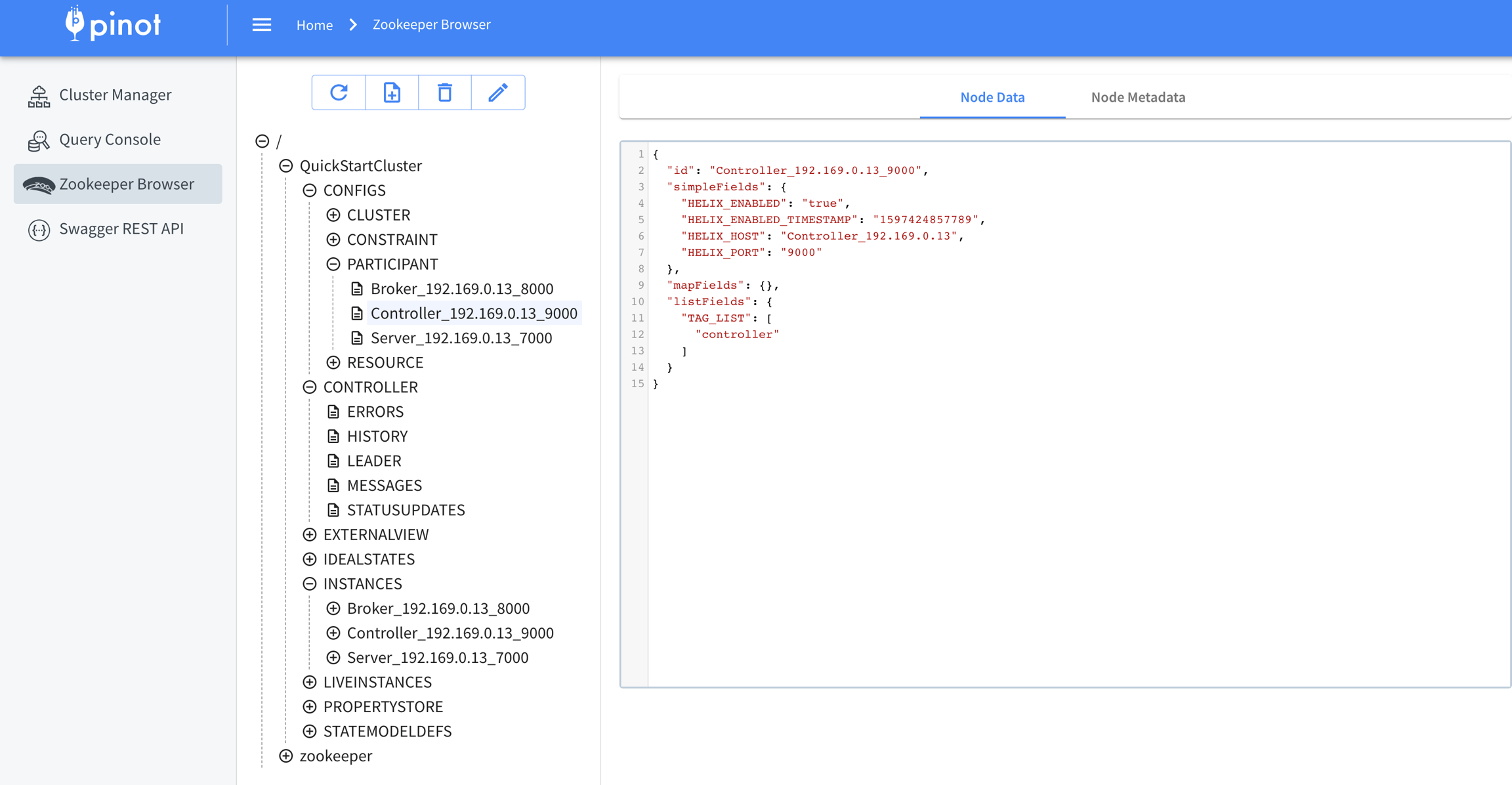
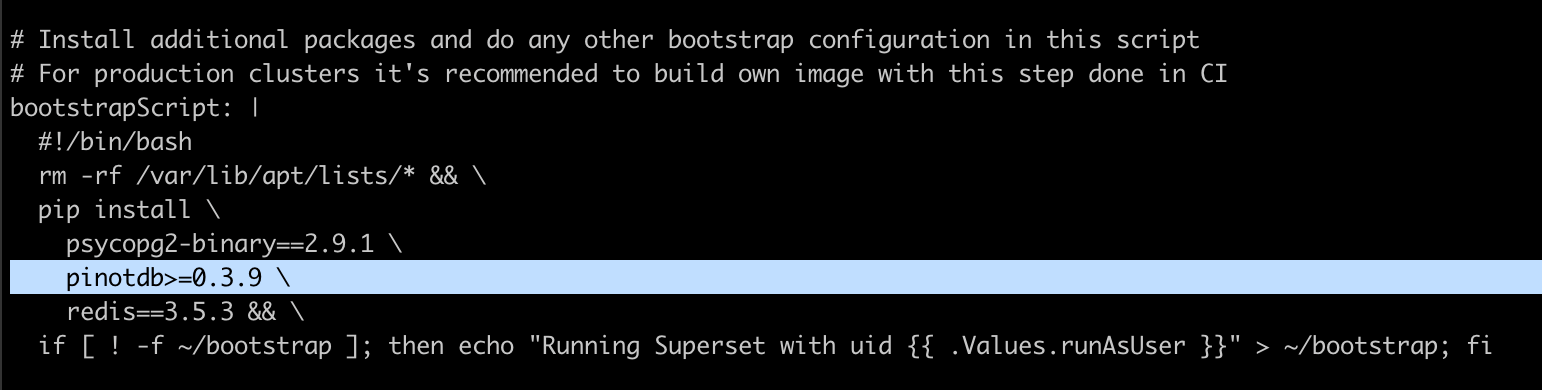
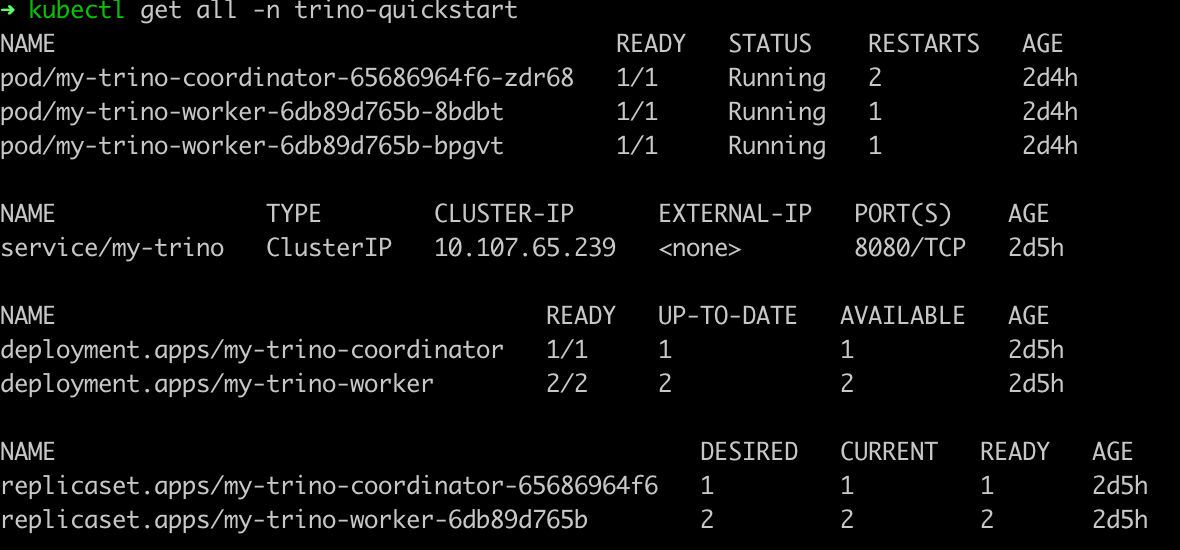
TEXT_MATCH (<column_name>, 'Java AND c++')
Prefix Query
TEXT_MATCH (<column_name>, 'stream*')
Regex Query
TEXT_MATCH (<column_name>, '/Exception.*/')
Search Expression Type
Example
Phrase query
TEXT_MATCH (<column_name>, '"distributed system"')
Term Query
TEXT_MATCH (<column_name>, 'Java')
Boolean Query
109.169.248.247 - - [12/Dec/2015:18:25:11 +0100] "GET /administrator/ HTTP/1.1" 200 4263 "-" "Mozilla/5.0 (Windows NT 6.0; rv:34.0) Gecko/20100101 Firefox/34.0" "-
109.169.248.247 - - [12/Dec/2015:18:25:11 +0100] "POST /administrator/index.php HTTP/1.1" 200 4494 "http://almhuette-raith.at/administrator/" "Mozilla/5.0 (Windows NT 6.0; rv:34.0) Gecko/20100101 Firefox/34.0" "-"
46.72.177.4 - - [12/Dec/2015:18:31:08 +0100] "GET /administrator/ HTTP/1.1" 200 4263 "-" "Mozilla/5.0 (Windows NT 6.0; rv:34.0) Gecko/20100101 Firefox/34.0" "-"
46.72.177.4 - - [12/Dec/2015:18:31:08 +0100] "POST /administrator/index.php HTTP/1.1" 200 4494 "http://almhuette-raith.at/administrator/" "Mozilla/5.0 (Windows NT 6.0; rv:34.0) Gecko/20100101 Firefox/34.0" "-"
83.167.113.100 - - [12/Dec/2015:18:31:25 +0100] "GET /administrator/ HTTP/1.1" 200 4263 "-" "Mozilla/5.0 (Windows NT 6.0; rv:34.0) Gecko/20100101 Firefox/34.0" "-"
83.167.113.100 - - [12/Dec/2015:18:31:25 +0100] "POST /administrator/index.php HTTP/1.1" 200 4494 "http://almhuette-raith.at/administrator/" "Mozilla/5.0 (Windows NT 6.0; rv:34.0) Gecko/20100101 Firefox/34.0" "-"
95.29.198.15 - - [12/Dec/2015:18:32:10 +0100] "GET /administrator/ HTTP/1.1" 200 4263 "-" "Mozilla/5.0 (Windows NT 6.0; rv:34.0) Gecko/20100101 Firefox/34.0" "-"
95.29.198.15 - - [12/Dec/2015:18:32:11 +0100] "POST /administrator/index.php HTTP/1.1" 200 4494 "http://almhuette-raith.at/administrator/" "Mozilla/5.0 (Windows NT 6.0; rv:34.0) Gecko/20100101 Firefox/34.0" "-"
109.184.11.34 - - [12/Dec/2015:18:32:56 +0100] "GET /administrator/ HTTP/1.1" 200 4263 "-" "Mozilla/5.0 (Windows NT 6.0; rv:34.0) Gecko/20100101 Firefox/34.0" "-"
109.184.11.34 - - [12/Dec/2015:18:32:56 +0100] "POST /administrator/index.php HTTP/1.1" 200 4494 "http://almhuette-raith.at/administrator/" "Mozilla/5.0 (Windows NT 6.0; rv:34.0) Gecko/20100101 Firefox/34.0" "-"
91.227.29.79 - - [12/Dec/2015:18:33:51 +0100] "GET /administrator/ HTTP/1.1" 200 4263 "-" "Mozilla/5.0 (Windows NT 6.0; rv:34.0) Gecko/20100101 Firefox/34.0" "-"SELECT COUNT(*)
FROM MyTable
WHERE TEXT_MATCH(ACCESS_LOG_COL, 'GET')SELECT COUNT(*)
FROM MyTable
WHERE TEXT_MATCH(ACCESS_LOG_COL, 'post AND administrator AND index')SELECT COUNT(*)
FROM MyTable
WHERE TEXT_MATCH(ACCESS_LOG_COL, 'post AND administrator AND index AND firefox')Distributed systems, Java, C++, Go, distributed query engines for analytics and data warehouses, Machine learning, spark, Kubernetes, transaction processing
Java, Python, C++, Machine learning, building and deploying large scale production systems, concurrency, multi-threading, CPU processing
C++, Python, Tensor flow, database kernel, storage, indexing and transaction processing, building large scale systems, Machine learning
Amazon EC2, AWS, hadoop, big data, spark, building high performance scalable systems, building and deploying large scale production systems, concurrency, multi-threading, Java, C++, CPU processing
Distributed systems, database development, columnar query engine, database kernel, storage, indexing and transaction processing, building large scale systems
Distributed systems, Java, realtime streaming systems, Machine learning, spark, Kubernetes, distributed storage, concurrency, multi-threading
CUDA, GPU, Python, Machine learning, database kernel, storage, indexing and transaction processing, building large scale systems
Distributed systems, Java, database engine, cluster management, docker image building and distribution
Kubernetes, cluster management, operating systems, concurrency, multi-threading, apache airflow, Apache Spark,
Apache spark, Java, C++, query processing, transaction processing, distributed storage, concurrency, multi-threading, apache airflow
Big data stream processing, Apache Flink, Apache Beam, database kernel, distributed query engines for analytics and data warehouses
CUDA, GPU processing, Tensor flow, Pandas, Python, Jupyter notebook, spark, Machine learning, building high performance scalable systems
Distributed systems, Apache Kafka, publish-subscribe, building and deploying large scale production systems, concurrency, multi-threading, C++, CPU processing, Java
Realtime stream processing, publish subscribe, columnar processing for data warehouses, concurrency, Java, multi-threading, C++,SELECT SKILLS_COL
FROM MyTable
WHERE TEXT_MATCH(SKILLS_COL, '"Machine learning" AND "gpu processing"')SELECT SKILLS_COL
FROM MyTable
WHERE TEXT_MATCH(SKILLS_COL, '"distributed systems" AND (Java C++)')SELECT count(dimensionCol2) FROM FOO WHERE dimensionCol1 = 18616904 AND timestamp BETWEEN 1560988800000 AND 1568764800000 GROUP BY dimensionCol3 TOP 2500
SELECT count(dimensionCol2) FROM FOO WHERE dimensionCol1 = 18616904 AND timestamp BETWEEN 1560988800000 AND 1568764800000 GROUP BY dimensionCol3 TOP 2500
SELECT count(dimensionCol2) FROM FOO WHERE dimensionCol1 = 18616904 AND timestamp BETWEEN 1545436800000 AND 1553212800000 GROUP BY dimensionCol3 TOP 2500
SELECT count(dimensionCol2) FROM FOO WHERE dimensionCol1 = 18616904 AND timestamp BETWEEN 1537228800000 AND 1537660800000 GROUP BY dimensionCol3 TOP 2500
SELECT dimensionCol2, dimensionCol4, timestamp, dimensionCol5, dimensionCol6 FROM FOO WHERE dimensionCol1 = 18616904 AND timestamp BETWEEN 1561366800000 AND 1561370399999 AND dimensionCol3 = 2019062409 LIMIT 10000
SELECT dimensionCol2, dimensionCol4, timestamp, dimensionCol5, dimensionCol6 FROM FOO WHERE dimensionCol1 = 18616904 AND timestamp BETWEEN 1563807600000 AND 1563811199999 AND dimensionCol3 = 2019072215 LIMIT 10000
SELECT dimensionCol2, dimensionCol4, timestamp, dimensionCol5, dimensionCol6 FROM FOO WHERE dimensionCol1 = 18616904 AND timestamp BETWEEN 1563811200000 AND 1563814799999 AND dimensionCol3 = 2019072216 LIMIT 10000
SELECT dimensionCol2, dimensionCol4, timestamp, dimensionCol5, dimensionCol6 FROM FOO WHERE dimensionCol1 = 18616904 AND timestamp BETWEEN 1566327600000 AND 1566329400000 AND dimensionCol3 = 2019082019 LIMIT 10000
SELECT count(dimensionCol2) FROM FOO WHERE dimensionCol1 = 18616904 AND timestamp BETWEEN 1560834000000 AND 1560837599999 AND dimensionCol3 = 2019061805 LIMIT 0
SELECT count(dimensionCol2) FROM FOO WHERE dimensionCol1 = 18616904 AND timestamp BETWEEN 1560870000000 AND 1560871800000 AND dimensionCol3 = 2019061815 LIMIT 0
SELECT count(dimensionCol2) FROM FOO WHERE dimensionCol1 = 18616904 AND timestamp BETWEEN 1560871800001 AND 1560873599999 AND dimensionCol3 = 2019061815 LIMIT 0
SELECT count(dimensionCol2) FROM FOO WHERE dimensionCol1 = 18616904 AND timestamp BETWEEN 1560873600000 AND 1560877199999 AND dimensionCol3 = 2019061816 LIMIT 0SELECT COUNT(*)
FROM MyTable
WHERE TEXT_MATCH(QUERY_LOG_COL, '"group by"')SELECT COUNT(*)
FROM MyTable
WHERE TEXT_MATCH(QUERY_LOG_COL, '"select count"')SELECT COUNT(*)
FROM MyTable
WHERE TEXT_MATCH(QUERY_LOG_COL, '"timestamp between" AND "group by"')"fieldConfigList":[
{
"name":"text_col_1",
"encodingType":"RAW",
"indexTypes":["TEXT"]
},
{
"name":"text_col_2",
"encodingType":"RAW",
"indexTypes":["TEXT"]
}
]"tableIndexConfig": {
"noDictionaryColumns": [
"text_col_1",
"text_col_2"
]}"a", "an", "and", "are", "as", "at", "be", "but", "by", "for", "if", "in", "into", "is", "it",
"no", "not", "of", "on", "or", "such", "that", "the", "their", "then", "than", "there", "these",
"they", "this", "to", "was", "will", "with", "those""fieldConfigList":[
{
"name":"text_col_1",
"encodingType":"RAW",
"indexType":"TEXT",
"properties": {
"stopWordInclude": "incl1, incl2, incl3",
"stopWordExclude": "it"
}
}
]SELECT COUNT(*) FROM Foo WHERE TEXT_MATCH(...)
SELECT * FROM Foo WHERE TEXT_MATCH(...)SELECT COUNT(*) FROM Foo WHERE TEXT_MATCH(...) AND some_other_column_1 > 20000
SELECT COUNT(*) FROM Foo WHERE TEXT_MATCH(...) AND some_other_column_1 > 20000 AND some_other_column_2 < 100000SELECT COUNT(*) FROM Foo WHERE TEXT_MATCH(text_col_1, ....) AND TEXT_MATCH(text_col_2, ...)Java, C++, worked on open source projects, coursera machine learning
Machine learning, Tensor flow, Java, Stanford university,
Distributed systems, Java, C++, Go, distributed query engines for analytics and data warehouses, Machine learning, spark, Kubernetes, transaction processing
Java, Python, C++, Machine learning, building and deploying large scale production systems, concurrency, multi-threading, CPU processing
C++, Python, Tensor flow, database kernel, storage, indexing and transaction processing, building large scale systems, Machine learning
Amazon EC2, AWS, hadoop, big data, spark, building high performance scalable systems, building and deploying large scale production systems, concurrency, multi-threading, Java, C++, CPU processing
Distributed systems, database development, columnar query engine, database kernel, storage, indexing and transaction processing, building large scale systems
Distributed systems, Java, realtime streaming systems, Machine learning, spark, Kubernetes, distributed storage, concurrency, multi-threading
CUDA, GPU, Python, Machine learning, database kernel, storage, indexing and transaction processing, building large scale systems
Distributed systems, Java, database engine, cluster management, docker image building and distribution
Kubernetes, cluster management, operating systems, concurrency, multi-threading, apache airflow, Apache Spark,
Apache spark, Java, C++, query processing, transaction processing, distributed storage, concurrency, multi-threading, apache airflow
Big data stream processing, Apache Flink, Apache Beam, database kernel, distributed query engines for analytics and data warehouses
CUDA, GPU processing, Tensor flow, Pandas, Python, Jupyter notebook, spark, Machine learning, building high performance scalable systems
Distributed systems, Apache Kafka, publish-subscribe, building and deploying large scale production systems, concurrency, multi-threading, C++, CPU processing, Java
Realtime stream processing, publish subscribe, columnar processing for data warehouses, concurrency, Java, multi-threading, C++,
C++, Java, Python, realtime streaming systems, Machine learning, spark, Kubernetes, transaction processing, distributed storage, concurrency, multi-threading, apache airflow
Databases, columnar query processing, Apache Arrow, distributed systems, Machine learning, cluster management, docker image building and distribution
Database engine, OLAP systems, OLTP transaction processing at large scale, concurrency, multi-threading, GO, building large scale systemsSELECT SKILLS_COL
FROM MyTable
WHERE TEXT_MATCH(SKILLS_COL, '"Distributed systems"')Distributed systems, Java, C++, Go, distributed query engines for analytics and data warehouses, Machine learning, spark, Kubernetes, transaction processing
Distributed systems, database development, columnar query engine, database kernel, storage, indexing and transaction processing, building large scale systems
Distributed systems, Java, realtime streaming systems, Machine learning, spark, Kubernetes, distributed storage, concurrency, multi-threading
Distributed systems, Java, database engine, cluster management, docker image building and distribution
Distributed systems, Apache Kafka, publish-subscribe, building and deploying large scale production systems, concurrency, multi-threading, C++, CPU processing, Java
Databases, columnar query processing, Apache Arrow, distributed systems, Machine learning, cluster management, docker image building and distributionDistributed data processing, systems design experienceSELECT SKILLS_COL
FROM MyTable
WHERE TEXT_MATCH(SKILLS_COL, '"query processing"')Apache spark, Java, C++, query processing, transaction processing, distributed storage, concurrency, multi-threading, apache airflow
Databases, columnar query processing, Apache Arrow, distributed systems, Machine learning, cluster management, docker image building and distribution"SELECT SKILLS_COL
FROM MyTable
WHERE TEXT_MATCH(SKILLS_COL, 'Java')SELECT SKILLS_COL
FROM MyTable
WHERE TEXT_MATCH(SKILLS_COL, '"Machine learning" AND "Tensor Flow"')Machine learning, Tensor flow, Java, Stanford university,
C++, Python, Tensor flow, database kernel, storage, indexing and transaction processing, building large scale systems, Machine learning
CUDA, GPU processing, Tensor flow, Pandas, Python, Jupyter notebook, spark, Machine learning, building high performance scalable systemsSELECT SKILLS_COL
FROM MyTable
WHERE TEXT_MATCH(SKILLS_COL, '"Machine learning" AND gpu AND python')CUDA, GPU, Python, Machine learning, database kernel, storage, indexing and transaction processing, building large scale systems
CUDA, GPU processing, Tensor flow, Pandas, Python, Jupyter notebook, spark, Machine learning, building high performance scalable systemsSELECT SKILLS_COL
FROM MyTable
WHERE TEXT_MATCH(SKILLS_COL, '"distributed systems" Java C++')SELECT SKILLS_COL
FROM MyTable
WHERE TEXT_MATCH(SKILLS_COL, '"distributed systems" AND (Java C++)')SELECT SKILLS_COL
FROM MyTable
WHERE TEXT_MATCH(SKILLS_COL, 'stream*')Distributed systems, Java, realtime streaming systems, Machine learning, spark, Kubernetes, distributed storage, concurrency, multi-threading
Big data stream processing, Apache Flink, Apache Beam, database kernel, distributed query engines for analytics and data warehouses
Realtime stream processing, publish subscribe, columnar processing for data warehouses, concurrency, Java, multi-threading, C++,
C++, Java, Python, realtime streaming systems, Machine learning, spark, Kubernetes, transaction processing, distributed storage, concurrency, multi-threading, apache airflowSELECT SKILLS_COL
FROM MyTable
WHERE text_match(SKILLS_COL, '/.*Exception/')TEXT_MATCH(column, '"machine learning"')TEXT_MATCH(column, '"Java C++"')TEXT_MATCH(column, 'Java AND C++')APPEND
Add the new item to the Pinot unordered set
UNION
Add the new item to the Pinot unordered set if not exists
IGNORE
Ignore the new value, keep the existing value (v0.10.0+)
MAX
Keep the maximum value betwen the existing value and new value (v0.12.0+)
MIN
Keep the minimum value betwen the existing value and new value (v0.12.0+)
{
"upsertConfig": {
"mode": "FULL"
}
}{
"upsertConfig": {
"mode": "PARTIAL",
"partialUpsertStrategies":{
"rsvp_count": "INCREMENT",
"group_name": "IGNORE",
"venue_name": "OVERWRITE"
}
}
}{
"upsertConfig": {
"mode": "PARTIAL",
"defaultPartialUpsertStrategy": "OVERWRITE",
"partialUpsertStrategies":{
"rsvp_count": "INCREMENT",
"group_name": "IGNORE"
}
}
}OVERWRITE
Overwrite the column of the last record
INCREMENT
Add the new value to the existing values
{
"upsertConfig": {
"mode": "FULL",
"comparisonColumn": "anotherTimeColumn",
"hashFunction": "NONE"
}
}{
"upsertConfig": {
"mode": "PARTIAL",
"defaultPartialUpsertStrategy": "OVERWRITE",
"partialUpsertStrategies":{},
"comparisonColumns": ["secondsSinceEpoch", "otherComparisonColumn"],
"hashFunction": "NONE"
}
}[
{
"event_id": "aa",
"orderReceived": 1,
"description" : "first",
"secondsSinceEpoch": 1567205394
},
{
"event_id": "aa",
"orderReceived": 2,
"description" : "update",
"secondsSinceEpoch": 1567205397
},
{
"event_id": "aa",
"orderReceived": 3,
"description" : "update",
"secondsSinceEpoch": 1567205396
},
{
"event_id": "aa",
"orderReceived": 4,
"description" : "first arrival, other column",
"otherComparisonColumn": 1567205395
},
{
"event_id": "aa",
"orderReceived": 5,
"description" : "late arrival, other column",
"otherComparisonColumn": 1567205392
},
{
"event_id": "aa",
"orderReceived": 6,
"description" : "update, other column",
"otherComparisonColumn": 1567205398
}
]{
"upsertConfig": {
...
"deleteRecordColumn": <column_name>
}
}// In the Schema
{
...
{
"name": "<delete_column_name>",
"dataType": "BOOLEAN"
},
...
}{
"routing": {
"instanceSelectorType": "strictReplicaGroup"
}
}{
"upsertConfig": {
"mode": "FULL",
"hashFunction": "NONE",
"enableSnapshot": true
}
}{
"upsertConfig": {
"mode": "FULL",
"hashFunction": "NONE",
"enablePreload": true
}
}{
"tableName": "meetupRsvp",
"tableType": "REALTIME",
"segmentsConfig": {
"timeColumnName": "mtime",
"timeType": "MILLISECONDS",
"retentionTimeUnit": "DAYS",
"retentionTimeValue": "1",
"segmentPushType": "APPEND",
"segmentAssignmentStrategy": "BalanceNumSegmentAssignmentStrategy",
"schemaName": "meetupRsvp",
"replicasPerPartition": "1"
},
"tenants": {},
"tableIndexConfig": {
"loadMode": "MMAP",
"streamConfigs": {
"streamType": "kafka",
"stream.kafka.consumer.type": "lowLevel",
"stream.kafka.topic.name": "meetupRSVPEvents",
"stream.kafka.decoder.class.name": "org.apache.pinot.plugin.stream.kafka.KafkaJSONMessageDecoder",
"stream.kafka.hlc.zk.connect.string": "localhost:2191/kafka",
"stream.kafka.consumer.factory.class.name": "org.apache.pinot.plugin.stream.kafka20.KafkaConsumerFactory",
"stream.kafka.zk.broker.url": "localhost:2191/kafka",
"stream.kafka.broker.list": "localhost:19092",
"realtime.segment.flush.threshold.rows": 30
}
},
"metadata": {
"customConfigs": {}
},
"routing": {
"instanceSelectorType": "strictReplicaGroup"
},
"upsertConfig": {
"mode": "FULL"
}
}# stop previous quick start cluster, if any
bin/quick-start-upsert-streaming.sh# stop previous quick start cluster, if any
bin/quick-start-partial-upsert-streaming.shPartition the input stream by the primary key
An important requirement for the Pinot upsert table is to partition the input stream by the primary key. For Kafka messages, this means the producer shall set the key in the send API. If the original stream is not partitioned, then a streaming processing job (such as with Flink) is needed to shuffle and repartition the input stream into a partitioned one for Pinot's ingestion.
POST /tasks/schedule?tableName=myTable_OFFLINE
Schedule tasks for all task types on the given table
POST /tasks/schedule?taskType=myTask&tableName=myTable_OFFLINE
Schedule tasks for the given task type on the given table
MinionEventObserverFactory
@EventObserverFactory
This guide shows you how to ingest a stream of records into a Pinot table.
Apache Pinot lets users consume data from streams and push it directly into the database. This process is called stream ingestion. Stream ingestion makes it possible to query data within seconds of publication.
Stream ingestion provides support for checkpoints for preventing data loss.
To set up Stream ingestion, perform the following steps, which are described in more detail in this page:
Create schema configuration
Create table configuration
Create ingestion configuration
Upload table and schema spec
Here's an example where we assume the data to be ingested is in the following format:
The schema defines the fields along with their data types. The schema also defines whether fields serve as dimensions , metrics, or timestamp. For more details on schema configuration, see .
For our sample data, the schema configuration looks like this:
The next step is to create a table where all the ingested data will flow and can be queried. For details about each table component, see the reference.
The ingestion configuration (ingestionConfig) specifies how to ingest streaming data into Pinot. First, include a subsection for streamConfigMaps. Next, decide whether to skip table errors with _continueOnError and whether to validate time values with rowTimeValueCheck and _segmentTimeValueCheck. See details about these ingestionConfig configuration options the streamConfigMaps and Additional ingestion configs tables below:
For our sample data and schema, the table config will look like this:
Now that we have our table and schema configurations, let's upload them to the Pinot cluster. As soon as the configs are uploaded, Pinot will start ingesting available records from the topic.
There are some scenarios where the message rate in the input stream can come in bursts which can lead to long GC pauses on the Pinot servers or affect the ingestion rate of other real-time tables on the same server. If this happens to you, throttle the consumption rate during stream ingestion to better manage overall performance.
Stream consumption throttling can be tuned using the stream config topic.consumption.rate.limit which indicates the upper bound on the message rate for the entire topic.
Here is the sample configuration on how to configure the consumption throttling:
Some things to keep in mind while tuning this config are:
Since this configuration applied to the entire topic, internally, this rate is divided by the number of partitions in the topic and applied to each partition's consumer.
In case of multi-tenant deployment (where you have more than 1 table in the same server instance), you need to make sure that the rate limit on one table doesn't step on/starve the rate limiting of another table. So, when there is more than 1 table on the same server (which is most likely to happen), you may need to re-tune the throttling threshold for all the streaming tables.
Once throttling is enabled for a table, you can verify by searching for a log that looks similar to:
In addition, you can monitor the consumption rate utilization with the metric COSUMPTION_QUOTA_UTILIZATION.
Note that any configuration change for topic.consumption.rate.limit in the stream config will NOT take effect immediately. The new configuration will be picked up from the next consuming segment. In order to enforce the new configuration, you need to trigger forceCommit APIs. Refer to for more details.
You can also write an ingestion plugin if the platform you are using is not supported out of the box. For a walkthrough, see .
There are some scenarios in which you may want to pause the real-time ingestion while your table is available for queries. For example, if there is a problem with the stream ingestion and, while you are troubleshooting the issue, you still want the queries to be executed on the already ingested data. For these scenarios, you can first issue a Pause request to a Controller host. After troubleshooting with the stream is done, you can issue another request to Controller to resume the consumption.
When a Pause request is issued, the controller instructs the real-time servers hosting your table to commit their consuming segments immediately. However, the commit process may take some time to complete. Note that Pause and Resume requests are async. An OK response means that instructions for pausing or resuming has been successfully sent to the real-time server. If you want to know if the consumption has actually stopped or resumed, issue a pause status request.
It's worth noting that consuming segments on real-time servers are stored in volatile memory, and their resources are allocated when the consuming segments are first created. These resources cannot be altered if consumption parameters are changed midway through consumption. It may take hours before these changes take effect. Furthermore, if the parameters are changed in an incompatible way (for example, changing the underlying stream with a completely new set of offsets, or changing the stream endpoint from which to consume messages), it will result in the table getting into an error state.
The pause and resume feature is helpful in these instances. When a pause request is issued by the operator, consuming segments are committed without starting new mutable segments. Instead, new mutable segments are started only when the resume request is issued. This mechanism provides the operators as well as developers with more flexibility. It also enables Pinot to be more resilient to the operational and functional constraints imposed by underlying streams.
There is another feature called Force Commit which utilizes the primitives of the pause and resume feature. When the operator issues a force commit request, the current mutable segments will be committed and new ones started right away. Operators can now use this feature for all compatible table config parameter changes to take effect immediately.
(v 0.12.0+) Once submitted, the forceCommit API returns a jobId that can be used to get the current progress of the forceCommit operation. A sample response and status API call:
For incompatible parameter changes, an option is added to the resume request to handle the case of a completely new set of offsets. Operators can now follow a three-step process: First, issue a pause request. Second, change the consumption parameters. Finally, issue the resume request with the appropriate option. These steps will preserve the old data and allow the new data to be consumed immediately. All through the operation, queries will continue to be served.
If a Pinot table is configured to consume using a (partition-based) stream type, then it is possible that the partitions of the table change over time. In Kafka, for example, the number of partitions may increase. In Kinesis, the number of partitions may increase or decrease -- some partitions could be merged to create a new one, or existing partitions split to create new ones.
Pinot runs a periodic task called RealtimeSegmentValidationManager that monitors such changes and starts consumption on new partitions (or stops consumptions from old ones) as necessary. Since this is a that is run on the controller, it may take some time for Pinot to recognize new partitions and start consuming from them. This may delay the data in new partitions appearing in the results that pinot returns.
If you want to recognize the new partitions sooner, then the periodic task so as to recognize such data immediately.
Often, it is important to understand the rate of ingestion of data into your real-time table. This is commonly done by looking at the consumption lag of the consumer. The lag itself can be observed in many dimensions. Pinot supports observing consumption lag along the offset dimension and time dimension, whenever applicable (as it depends on the specifics of the connector).
The ingestion status of a connector can be observed by querying either the /consumingSegmentsInfo API or the table's /debug API, as shown below:
A sample response from a Kafka-based real-time table is shown below. The ingestion status is displayed for each of the CONSUMING segments in the table.
Real-time ingestion includes 3 stages of message processing: Decode, Transform, and Index.
In each of these stages, a failure can happen which may or may not result in an ingestion failure. The following metrics are available to investigate ingestion issues:
Decode stage -> an error here is recorded as INVALID_REALTIME_ROWS_DROPPED
Transform stage -> possible errors here are:
When a message gets dropped due to the transform, it is recorded as REALTIME_ROWS_FILTERED
There is yet another metric called ROWS_WITH_ERROR which is the sum of all error counts in the 3 stages above.
Furthermore, the metric REALTIME_CONSUMPTION_EXCEPTIONS gets incremented whenever there is a transient/permanent stream exception seen during consumption.
These metrics can be used to understand why ingestion failed for a particular table partition before diving into the server logs.
stream.[streamType].consumer.type
Whether to use per partition low-level consumer or high-level stream consumer
- lowLevel: Consume data from each partition with offset management. - highLevel: Consume data without control over the partitions.
stream.[streamType].topic.name
Topic or data source to ingest data from
String
stream.[streamType].broker.list
List of brokers
stream.[streamType].decoder.class.name
Name of class to parse the data. The class should implement the org.apache.pinot.spi.stream.StreamMessageDecoder interface.
String. Available options: - org.apache.pinot.plugin.inputformat.json.JSONMessageDecoder - org.apache.pinot.plugin.inputformat.avro.KafkaAvroMessageDecoder - org.apache.pinot.plugin.inputformat.avro.SimpleAvroMessageDecoder - org.apache.pinot.plugin.inputformat.avro.confluent.KafkaConfluentSchemaRegistryAvroMessageDecoder - org.apache.pinot.plugin.inputformat.csv.CSVMessageDecoder - org.apache.pinot.plugin.inputformat.protobuf.ProtoBufMessageDecoder
stream.[streamType].consumer.factory.class.name
Name of factory class to provide the appropriate implementation of low-level and high-level consumer, as well as the metadata
String. Available options: - org.apache.pinot.plugin.stream.kafka09.KafkaConsumerFactory - org.apache.pinot.plugin.stream.kafka20.KafkaConsumerFactory - org.apache.pinot.plugin.stream.kinesis.KinesisConsumerFactory - org.apache.pinot.plugin.stream.pulsar.PulsarConsumerFactory
stream.[streamType].consumer.prop.auto.offset.reset
Determines the offset from which to start the ingestion
- smallest - largest - timestamp in milliseconds
stream.[streamType].decoder.prop.format
Specifies the data format to ingest via a stream. The value of this property should match the format of the data in the stream.
- JSON
realtime.segment.flush.threshold.time
Maximum elapsed time after which a consuming segment persist. Note that this time should be smaller than the Kafka retention period configured for the corresponding topic.
String, such 1d or 4h30m. Default is 6h (six hours).
realtime.segment.flush.threshold.rows
The maximum number of rows to consume before persisting the consuming segment. If this value is set to 0, the configuration looks to realtime.segment.flush.threshold.segment.size below.
Default is 5,000,000
realtime.segment.flush.threshold.segment.size
Desired size of the completed segments. This value is used when realtime.segment.flush.threshold.rows is set to 0.
String, such as 150M or 1.1G., etc. Default is 200M (200 megabytes). You can also specify additional configurations for the consumer directly into streamConfigMaps. For example, for Kafka streams, add any of the configs described in to pass them directly to the Kafka consumer.
Set to true to validate the time range of the segment falls between 1971 and 2071. This option ensures data segments stored in the system are correct and consistent
(Whenever applicable) Defines how far behind the current record's offset / pointer is from upstream latest record. This is calculated as the difference between the latestUpstreamOffset and currentOffset for the partition when the lag computation request is made.
recordsAvailabilityLagMap
(Whenever applicable) Defines how soon after record ingestion was the record consumed by Pinot. This is calculated as the difference between the time the record was consumed and the time at which the record was ingested upstream.
When the transform pipeline sets the $INCOMPLETE_RECORD_KEY$ key in the message, it is recorded as INCOMPLETE_REALTIME_ROWS_CONSUMED , only when continueOnError configuration is enabled. If the continueOnError is not enabled, the ingestion fails.
Index stage -> When there is failure at this stage, the ingestion typically stops and marks the partition as ERROR.
{"studentID":205,"firstName":"Natalie","lastName":"Jones","gender":"Female","subject":"Maths","score":3.8,"timestamp":1571900400000}
{"studentID":205,"firstName":"Natalie","lastName":"Jones","gender":"Female","subject":"History","score":3.5,"timestamp":1571900400000}
{"studentID":207,"firstName":"Bob","lastName":"Lewis","gender":"Male","subject":"Maths","score":3.2,"timestamp":1571900400000}
{"studentID":207,"firstName":"Bob","lastName":"Lewis","gender":"Male","subject":"Chemistry","score":3.6,"timestamp":1572418800000}
{"studentID":209,"firstName":"Jane","lastName":"Doe","gender":"Female","subject":"Geography","score":3.8,"timestamp":1572505200000}
{"studentID":209,"firstName":"Jane","lastName":"Doe","gender":"Female","subject":"English","score":3.5,"timestamp":1572505200000}
{"studentID":209,"firstName":"Jane","lastName":"Doe","gender":"Female","subject":"Maths","score":3.2,"timestamp":1572678000000}
{"studentID":209,"firstName":"Jane","lastName":"Doe","gender":"Female","subject":"Physics","score":3.6,"timestamp":1572678000000}
{"studentID":211,"firstName":"John","lastName":"Doe","gender":"Male","subject":"Maths","score":3.8,"timestamp":1572678000000}
{"studentID":211,"firstName":"John","lastName":"Doe","gender":"Male","subject":"English","score":3.5,"timestamp":1572678000000}
{"studentID":211,"firstName":"John","lastName":"Doe","gender":"Male","subject":"History","score":3.2,"timestamp":1572854400000}
{"studentID":212,"firstName":"Nick","lastName":"Young","gender":"Male","subject":"History","score":3.6,"timestamp":1572854400000}{
"schemaName": "transcript",
"dimensionFieldSpecs": [
{
"name": "studentID",
"dataType": "INT"
},
{
"name": "firstName",
"dataType": "STRING"
},
{
"name": "lastName",
"dataType": "STRING"
},
{
"name": "gender",
"dataType": "STRING"
},
{
"name": "subject",
"dataType": "STRING"
}
],
"metricFieldSpecs": [
{
"name": "score",
"dataType": "FLOAT"
}
],
"dateTimeFieldSpecs": [{
"name": "timestamp",
"dataType": "LONG",
"format" : "1:MILLISECONDS:EPOCH",
"granularity": "1:MILLISECONDS"
}]
}Config key
Description
Supported values
streamType
The streaming platform to ingest data from
kafka
_continueOnError
Set to true to skip any row indexing error and move on to the next row. Otherwise, an error evaluating a transform or filter function may block ingestion (real-time or offline), and result in data loss or corruption. Consider your use case to determine if it's preferable to set this option to false, and fail the ingestion if an error occurs to maintain data integrity.
rowTimeValueCheck
Set to true to validate the time column values ingested during segment upload. Validates each row of data in a segment matches the specified time format, and falls within a valid time range (1971-2071). If the value doesn't meet both criteria, Pinot replaces the value with null. This option ensures that the time values are strictly increasing and that there are no duplicates or gaps in the data.
{
"tableName": "transcript",
"tableType": "REALTIME",
"segmentsConfig": {
"timeColumnName": "timestamp",
"timeType": "MILLISECONDS",
"schemaName": "transcript",
"replicasPerPartition": "1"
},
"tenants": {},
"tableIndexConfig": {
"loadMode": "MMAP",
},
"metadata": {
"customConfigs": {}
},
"ingestionConfig": {
"streamIngestionConfig": {
"streamConfigMaps": [
{
"realtime.segment.flush.threshold.rows": "0",
"stream.kafka.decoder.prop.format": "JSON",
"key.serializer": "org.apache.kafka.common.serialization.ByteArraySerializer",
"stream.kafka.decoder.class.name": "org.apache.pinot.plugin.stream.kafka.KafkaJSONMessageDecoder",
"streamType": "kafka",
"value.serializer": "org.apache.kafka.common.serialization.ByteArraySerializer",
"stream.kafka.consumer.type": "LOWLEVEL",
"realtime.segment.flush.threshold.segment.rows": "50000",
"stream.kafka.broker.list": "localhost:9876",
"realtime.segment.flush.threshold.time": "3600000",
"stream.kafka.consumer.factory.class.name": "org.apache.pinot.plugin.stream.kafka20.KafkaConsumerFactory",
"stream.kafka.consumer.prop.auto.offset.reset": "smallest",
"stream.kafka.topic.name": "transcript-topic"
}
]
},
"transformConfigs": [],
"continueOnError": true,
"rowTimeValueCheck": true,
"segmentTimeValueCheck": false
},
"isDimTable": false
}
}docker run \
--network=pinot-demo \
-v /tmp/pinot-quick-start:/tmp/pinot-quick-start \
--name pinot-streaming-table-creation \
apachepinot/pinot:latest AddTable \
-schemaFile /tmp/pinot-quick-start/transcript-schema.json \
-tableConfigFile /tmp/pinot-quick-start/transcript-table-realtime.json \
-controllerHost pinot-quickstart \
-controllerPort 9000 \
-execbin/pinot-admin.sh AddTable \
-schemaFile /path/to/transcript-schema.json \
-tableConfigFile /path/to/transcript-table-realtime.json \
-exec{
"tableName": "transcript",
"tableType": "REALTIME",
...
"ingestionConfig": {
"streamIngestionConfig":,
"streamConfigMaps": {
"streamType": "kafka",
"stream.kafka.consumer.type": "lowlevel",
"stream.kafka.topic.name": "transcript-topic",
...
"topic.consumption.rate.limit": 1000
}
},
...A consumption rate limiter is set up for topic <topic_name> in table <tableName> with rate limit: <rate_limit> (topic rate limit: <topic_rate_limit>, partition count: <partition_count>)$ curl -X POST {controllerHost}/tables/{tableName}/forceCommit$ curl -X POST {controllerHost}/tables/{tableName}/pauseConsumption
$ curl -X POST {controllerHost}/tables/{tableName}/resumeConsumption$ curl -X POST {controllerHost}/tables/{tableName}/pauseStatus$ curl -X POST {controllerHost}/tables/{tableName}/forceCommit$ curl -X POST {controllerHost}/tables/{tableName}/forceCommit
{
"forceCommitJobId": "6757284f-b75b-45ce-91d8-a277bdbc06ae",
"forceCommitStatus": "SUCCESS",
"jobMetaZKWriteStatus": "SUCCESS"
}
$ curl -X GET {controllerHost}/tables/forceCommitStatus/6757284f-b75b-45ce-91d8-a277bdbc06ae
{
"jobId": "6757284f-b75b-45ce-91d8-a277bdbc06ae",
"segmentsForceCommitted": "[\"airlineStats__0__0__20230119T0700Z\",\"airlineStats__1__0__20230119T0700Z\",\"airlineStats__2__0__20230119T0700Z\"]",
"submissionTimeMs": "1674111682977",
"numberOfSegmentsYetToBeCommitted": 0,
"jobType": "FORCE_COMMIT",
"segmentsYetToBeCommitted": [],
"tableName": "airlineStats_REALTIME"
}$ curl -X POST {controllerHost}/tables/{tableName}/resumeConsumption?resumeFrom=smallest
$ curl -X POST {controllerHost}/tables/{tableName}/resumeConsumption?resumeFrom=largest# GET /tables/{tableName}/consumingSegmentsInfo
curl -X GET "http://<controller_url:controller_admin_port>/tables/meetupRsvp/consumingSegmentsInfo" -H "accept: application/json"
# GET /debug/tables/{tableName}
curl -X GET "http://localhost:9000/debug/tables/meetupRsvp?type=REALTIME&verbosity=1" -H "accept: application/json"{
"_segmentToConsumingInfoMap": {
"meetupRsvp__0__0__20221019T0639Z": [
{
"serverName": "Server_192.168.0.103_7000",
"consumerState": "CONSUMING",
"lastConsumedTimestamp": 1666161593904,
"partitionToOffsetMap": { // <<-- Deprecated. See currentOffsetsMap for same info
"0": "6"
},
"partitionOffsetInfo": {
"currentOffsetsMap": {
"0": "6" // <-- Current consumer position
},
"latestUpstreamOffsetMap": {
"0": "6" // <-- Upstream latest position
},
"recordsLagMap": {
"0": "0" // <-- Lag, in terms of #records behind latest
},
"recordsAvailabilityLagMap": {
"0": "2" // <-- Lag, in terms of time
}
}
}
],currentOffsetsMap
Current consuming offset position per partition
latestUpstreamOffsetMap
(Wherever applicable) Latest offset found in the upstream topic partition
_segmentTimeValueCheck
recordsLagMap
This page describes the indexing techniques available in Apache Pinot.
In this page you will learn what a star-tree index is and gain a conceptual understanding of how one works.
Unlike other index techniques which work on a single column, the star-tree index is built on multiple columns and utilizes pre-aggregated results to significantly reduce the number of values to be processed, resulting in improved query performance.
One of the biggest challenges in real-time OLAP systems is achieving and maintaining tight SLAs on latency and throughput on large data sets. Existing techniques such as sorted index or inverted index help improve query latencies, but speed-ups are still limited by the number of documents that need to be processed to compute results. On the other hand, pre-aggregating the results ensures a constant upper bound on query latencies, but can lead to storage space explosion.
Use the star-tree index to utilize pre-aggregated documents to achieve both low query latencies and efficient use of storage space for aggregation and group-by queries.
Consider the following data set, which is used here as an example to discuss these indexes:
In this approach, data is sorted on a primary key, which is likely to appear as filter in most queries in the query set.
This reduces the time to search the documents for a given primary key value from linear scan O(n) to binary search O(logn), and also keeps good locality for the documents selected.
While this is a significant improvement over linear scan, there are still a few issues with this approach:
While sorting on one column does not require additional space, sorting on additional columns requires additional storage space to re-index the records for the various sort orders.
While search time is reduced from O(n) to O(logn), overall latency is still a function of the total number of documents that need to be processed to answer a query.
In this approach, for each value of a given column, we maintain a list of document id’s where this value appears.
Below are the inverted indexes for columns ‘Browser’ and ‘Locale’ for our example data set:
For example, if we want to get all the documents where ‘Browser’ is ‘Firefox’, we can look up the inverted index for ‘Browser’ and identify that it appears in documents [1, 5, 6].
Using an inverted index, we can reduce the search time to constant time O(1). The query latency, however, is still a function of the selectivity of the query: it increases with the number of documents that need to be processed to answer the query.
In this technique, we pre-compute the answer for a given query set upfront.
In the example below, we have pre-aggregated the total impressions for each country:
With this approach, answering queries about total impressions for a country is a value lookup, because we have eliminated the need to process a large number of documents. However, to be able to answer queries that have multiple predicates means we would need to pre-aggregate for various combinations of different dimensions, which leads to an exponential increase in storage space.
On one end of the spectrum we have indexing techniques that improve search times with a limited increase in space, but don't guarantee a hard upper bound on query latencies. On the other end of the spectrum, we have pre-aggregation techniques that offer a hard upper bound on query latencies, but suffer from exponential explosion of storage space
The star-tree data structure offers a configurable trade-off between space and time and lets us achieve a hard upper bound for query latencies for a given use case. The following sections cover the star-tree data structure, and explain how Pinot uses this structure to achieve low latencies with high throughput.
Tree structure
The star-tree index stores data in a structure that consists of the following properties:
Root node (Orange): Single root node, from which the rest of the tree can be traversed.
Leaf node (Blue): A leaf node can containing at most T records, where T is configurable.
Non-leaf node (Green): Nodes with more than T records are further split into children nodes.
Node properties
The properties stored in each node are as follows:
Dimension: The dimension that the node is split on
Start/End Document Id: The range of documents this node points to
Aggregated Document Id: One single document that is the aggregation result of all documents pointed by this node
The star-tree index is generated in the following steps:
The data is first projected as per the dimensionsSplitOrder. Only the dimensions from the split order are reserved, others are dropped. For each unique combination of reserved dimensions, metrics are aggregated per configuration. The aggregated documents are written to a file and served as the initial star-tree documents (separate from the original documents).
Sort the star-tree documents based on the dimensionsSplitOrder. It is primary-sorted on the first dimension in this list, and then secondary sorted on the rest of the dimensions based on their order in the list. Each node in the tree points to a range in the sorted documents.
The tree structure can be created recursively (starting at root node) as follows:
Aggregation is configured as a pair of aggregation functions and the column to apply the aggregation.
All types of aggregation function that have a bounded-sized intermediate result are supported.
Supported functions
COUNT
MIN
MAX
SUM
Unsupported functions
DISTINCT_COUNT
Intermediate result Set is unbounded.
SEGMENT_PARTITIONED_DISTINCT_COUNT:
Functions to be supported
DISTINCT_COUNT_THETA_SKETCH
ST_UNION
Multiple index generation configurations can be provided to generate multiple star-trees. Each configuration should contain the following properties:
dimensionsSplitOrder: An ordered list of dimension names can be specified to configure the split order. Only the dimensions in this list are reserved in the aggregated documents. The nodes will be split based on the order of this list. For example, split at level i is performed on the values of dimension at index i in the list.
The star-tree dimension does not have to be a dimension column in the table, it can also be time column, date-time column, or metric column if necessary.
The star-tree dimension column should be dictionary encoded in order to generate the star-tree index.
A default star-tree index can be added to a segment by using the boolean config enableDefaultStarTree under the tableIndexConfig.
A default star-tree will have the following configuration:
All dictionary-encoded single-value dimensions with cardinality smaller or equal to a threshold (10000) will be included in the dimensionsSplitOrder, sorted by their cardinality in descending order.
All dictionary-encoded Time/DateTime columns will be appended to the _dimensionsSplitOrder _following the dimensions, sorted by their cardinality in descending order. Here we assume that time columns will be included in most queries as the range filter column and/or the group by column, so for better performance, we always include them as the last elements in the dimensionsSplitOrder.
Include COUNT(*) and SUM for all numeric metrics in the functionColumnPairs.
For our example data set, in order to solve the following query efficiently:
We may config the star-tree index as follows:
The star-tree and documents should be something like below:
The values in the parentheses are the aggregated sum of Impressions for all the documents under the node.
Star-tree documents
For query execution, the idea is to first check metadata to determine whether the query can be solved with the star-tree documents, then traverse the Star-Tree to identify documents that satisfy all the predicates. After applying any remaining predicates that were missed while traversing the star-tree to the identified documents, apply aggregation/group-by on the qualified documents.
The algorithm to traverse the tree can be described as follows:
Start from root node.
For each level, what child node(s) to select depends on whether there are any predicates/group-by on the split dimension for the level in the query.
If there is no predicate or group-by on the split dimension, select the Star-Node if exists, or all child nodes to traverse further.
This release introduces a new features: Segment Merge and Rollup to simplify users day to day operational work. A new metrics plugin is added to support dropwizard. As usual, new functionalities and many UI/ Performance improvements.
The release was cut from the following commit: and the following cherry-picks: ,
LinkedIn operates a large multi-tenant cluster that serves a business metrics dashboard, and noticed that their tables consisted of millions of small segments. This was leading to slow operations in Helix/Zookeeper, long running queries due to having too many tasks to process, as well as using more space because of a lack of compression.
To solve this problem they added the Segment Merge task, which compresses segments based on timestamps and rolls up/aggregates older data. The task can be run on a schedule or triggered manually via the Pinot REST API.
At the moment this feature is only available for offline tables, but will be added for real-time tables in a future release.
Major Changes:
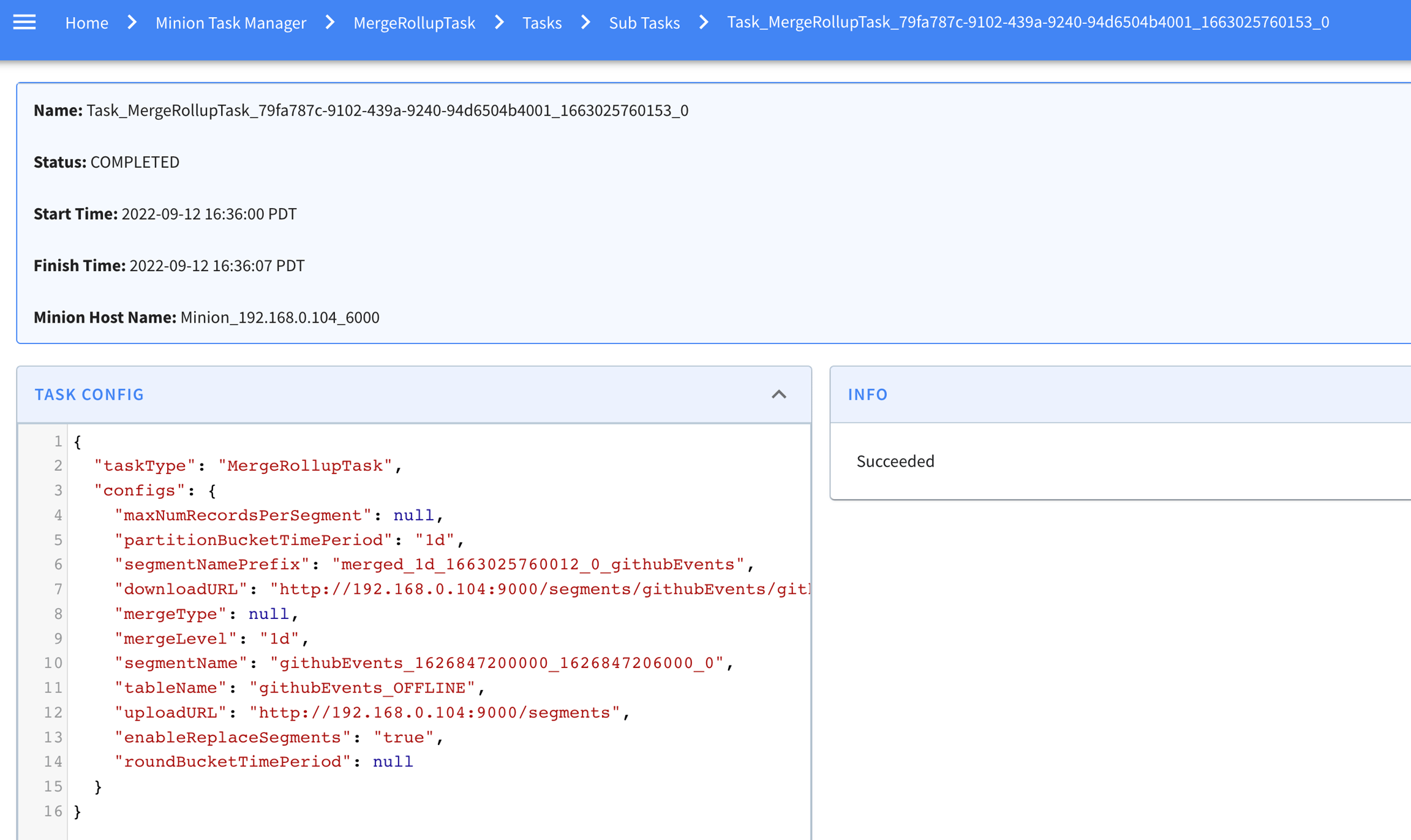
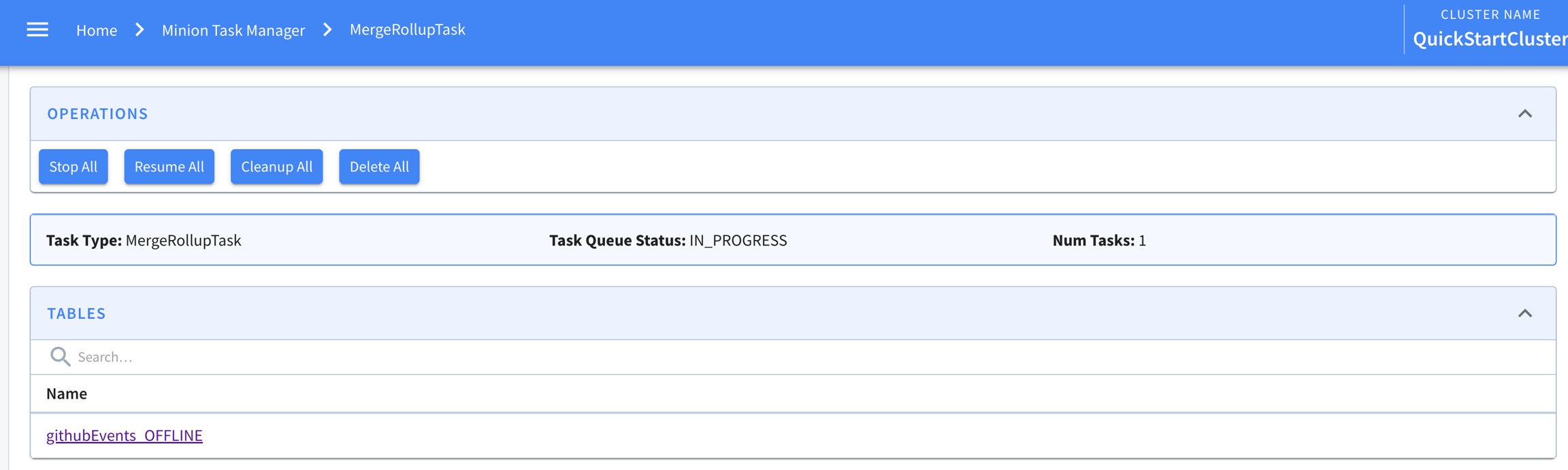
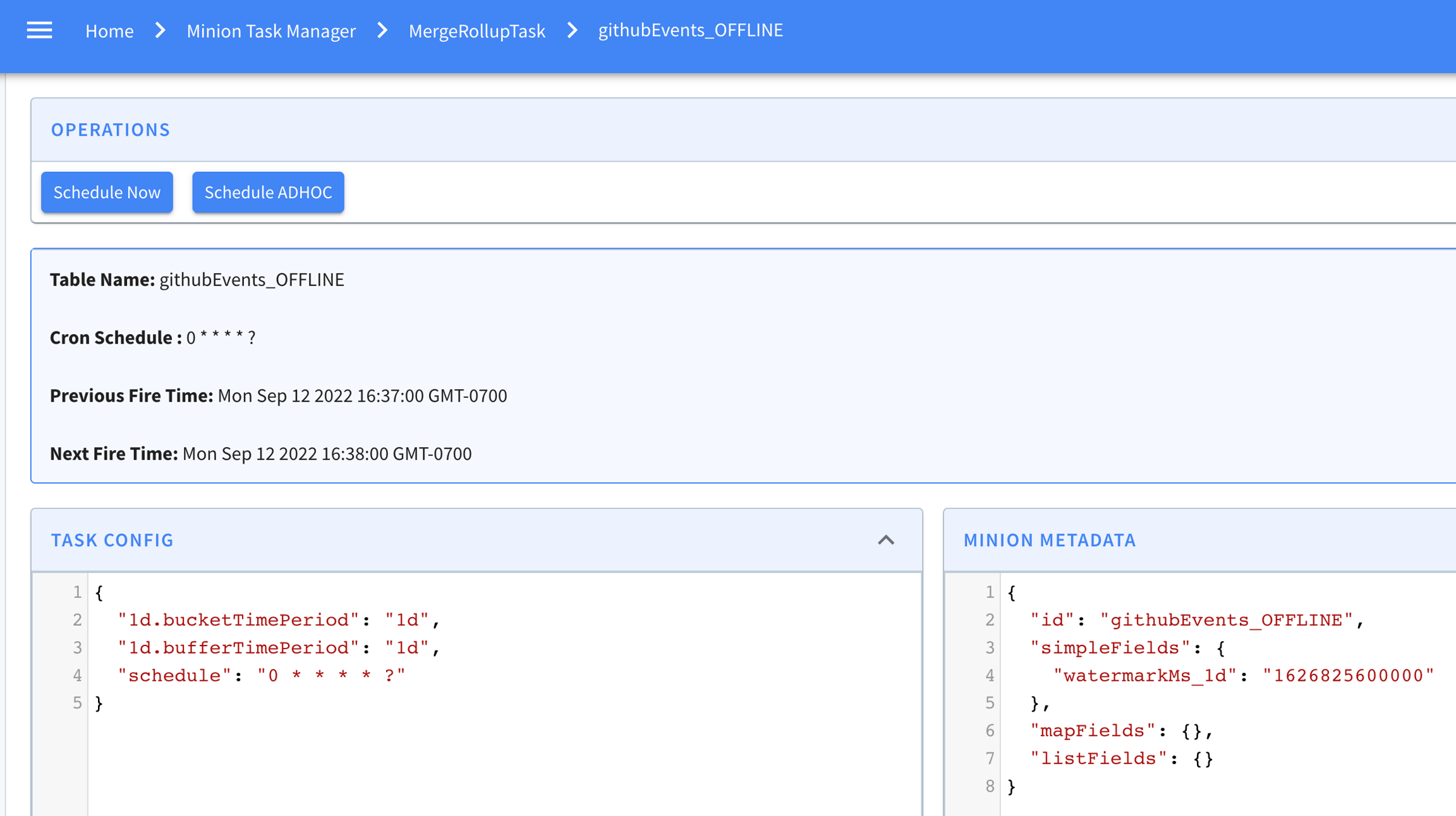

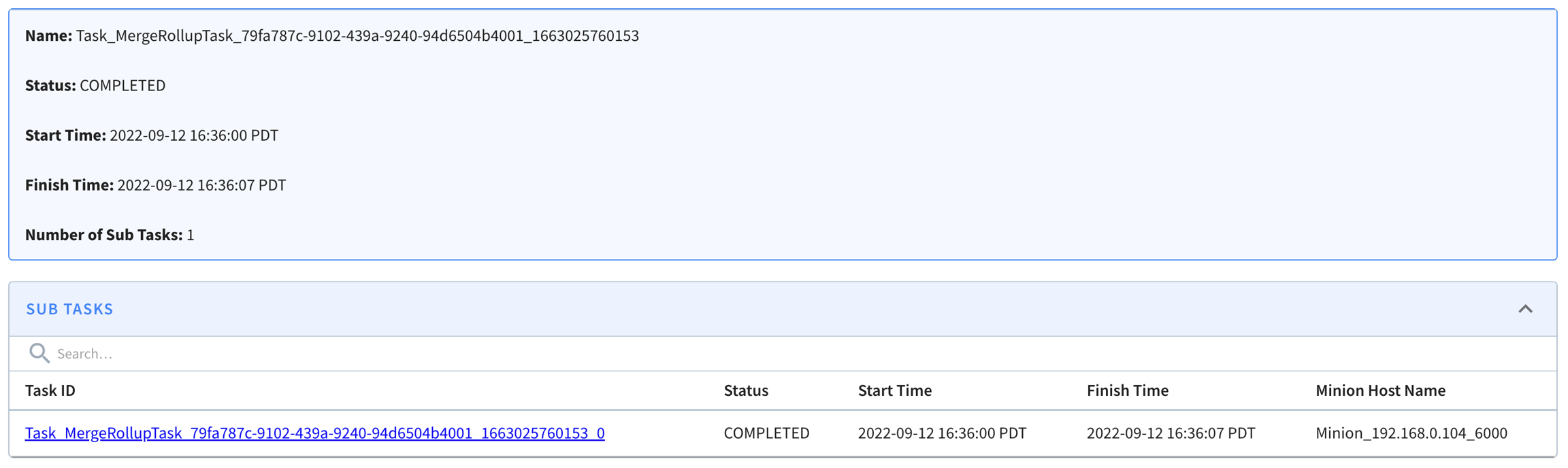

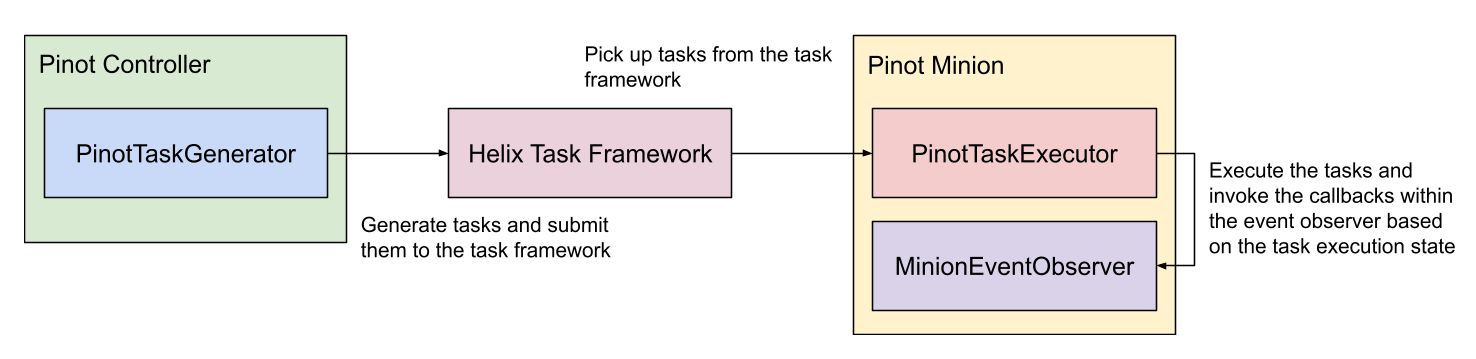
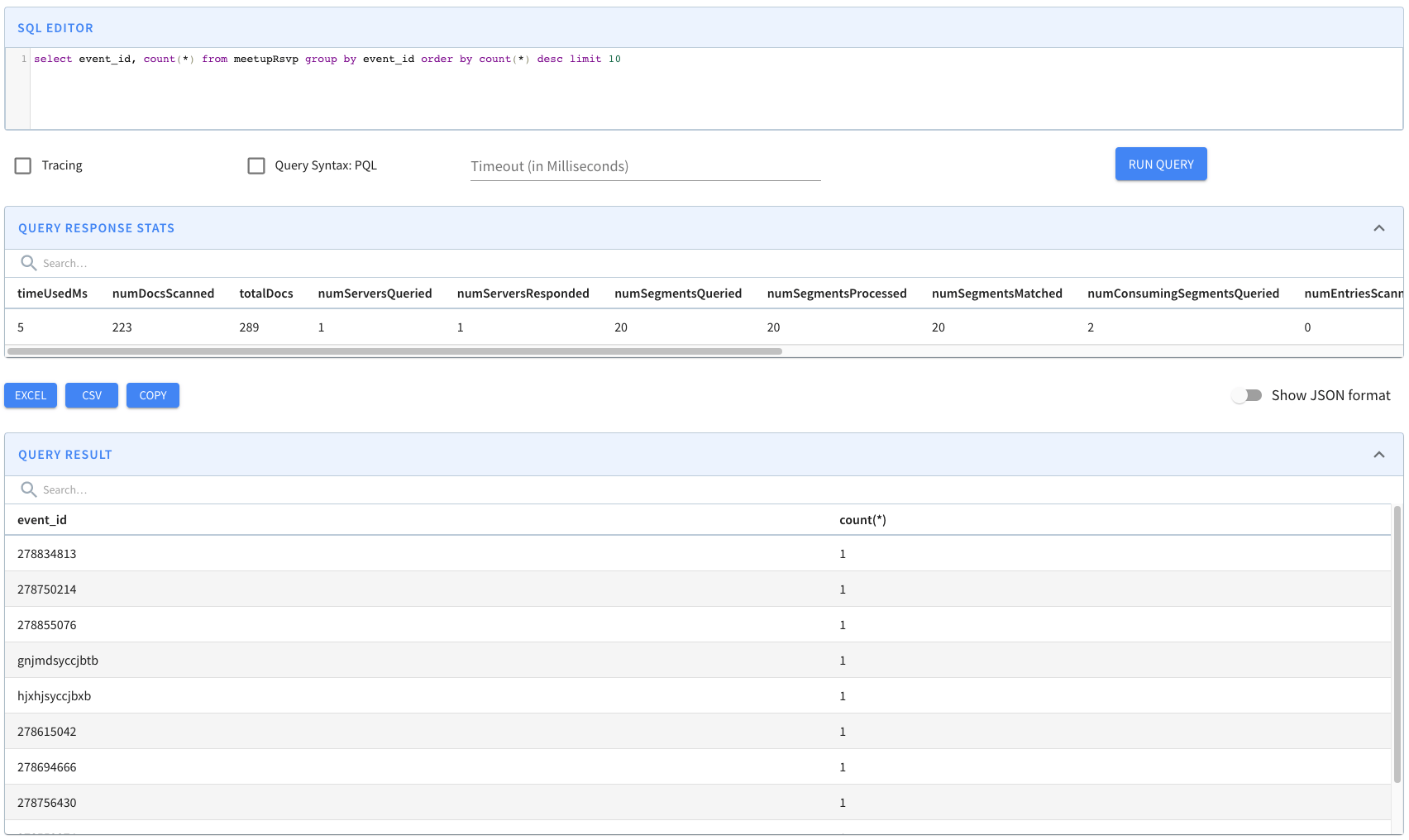
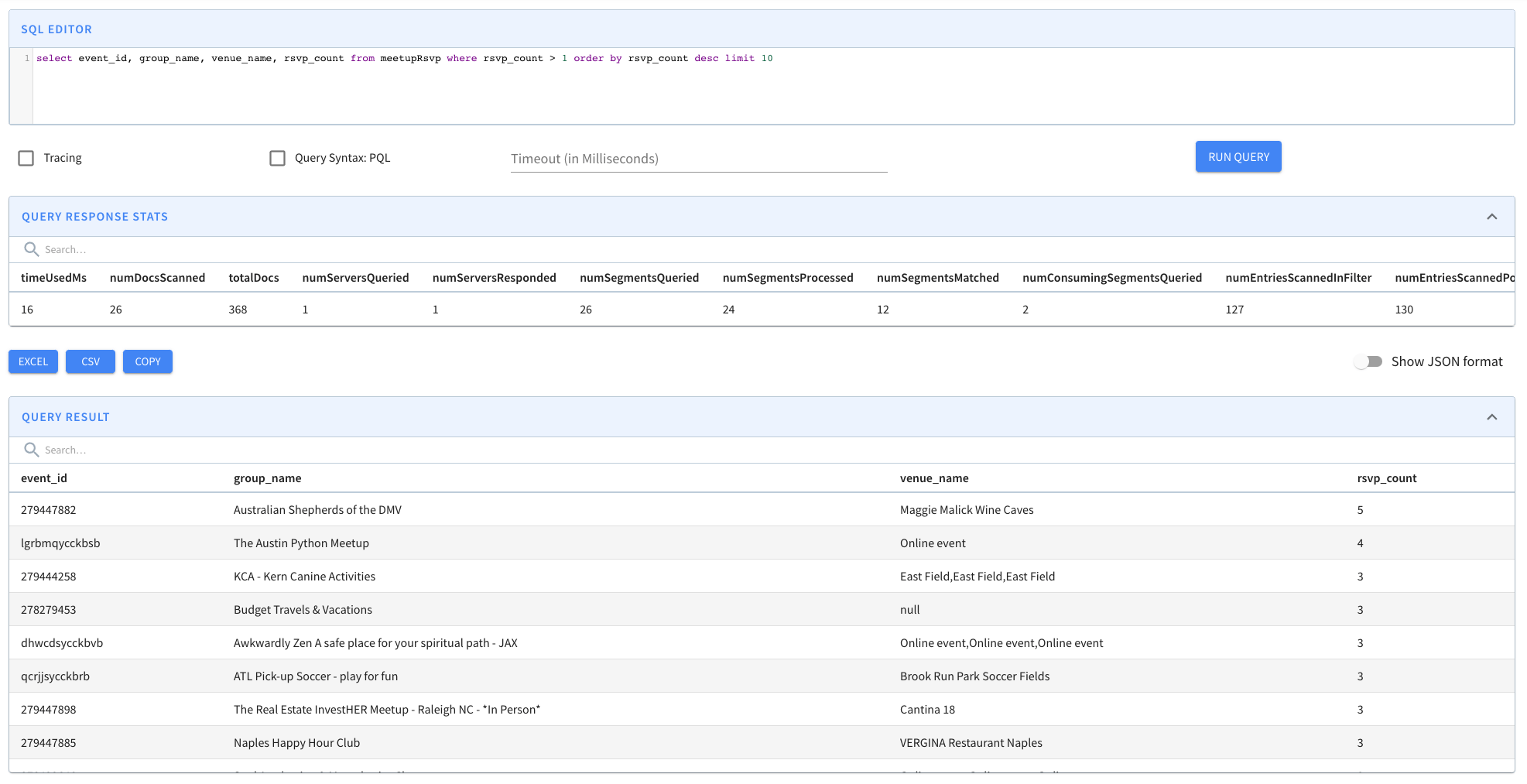
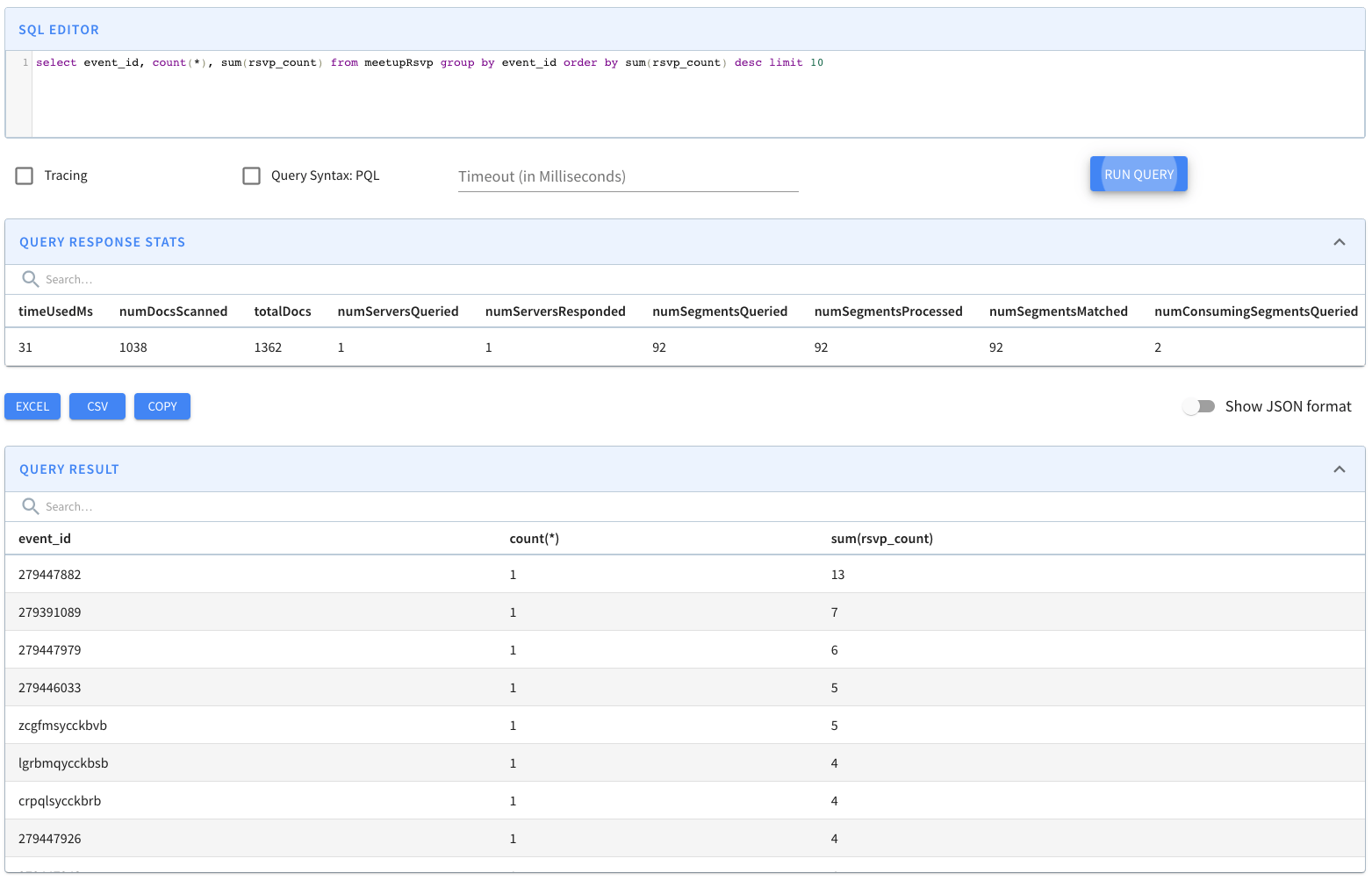
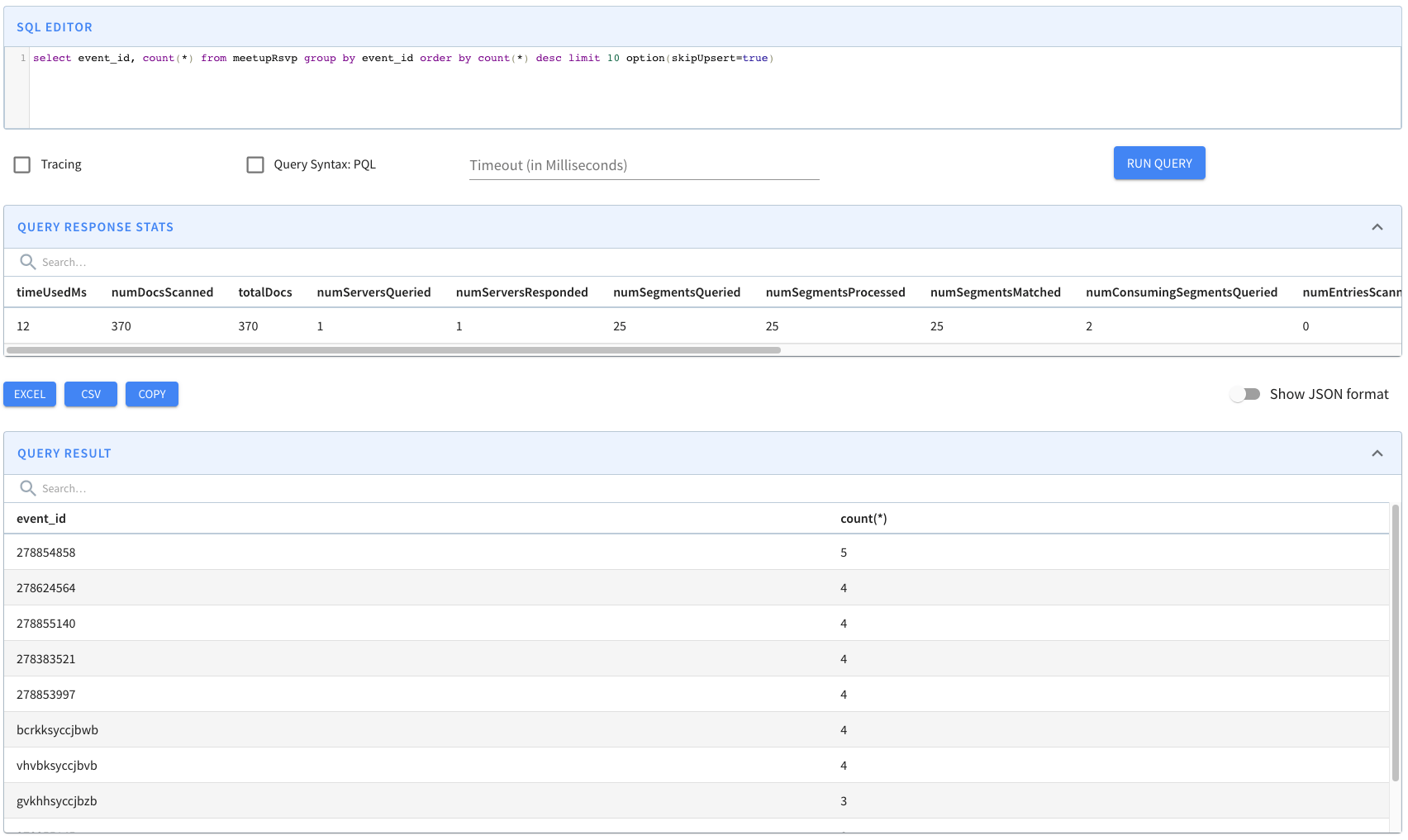
Firefox
fr
200
MX
Safari
es
300
MX
Safari
en
100
USA
Chrome
en
600
USA
Firefox
es
200
USA
Firefox
en
400
2,3
1
1200
Star node (Yellow): Non-leaf nodes can also have a special child node called the star node. This node contains the pre-aggregated records after removing the dimension on which the data was split for this level.
Dimensions split order ([D1, D2]): Nodes at a given level in the tree are split into children nodes on all values of a particular dimension. The dimensions split order is an ordered list of dimensions that is used to determine the dimension to split on for a given level in the tree.
If a node has more than T records, it is split into multiple children nodes, one for each value of the dimension in the split order corresponding to current level in the tree.
A star node can be created (per configuration) for the current node, by dropping the dimension being split on, and aggregating the metrics for rows containing dimensions with identical values. These aggregated documents are appended to the end of the star-tree documents.
If there is only one value for the current dimension, a star node won’t be created because the documents under the star node are identical to the single node.
The above step is repeated recursively until there are no more nodes to split.
Multiple star-trees can be generated based on different configurations (dimensionsSplitOrder, aggregations, T)
AVG
MIN_MAX_RANGE
DISTINCT_COUNT_HLL
PERCENTILE_EST
PERCENTILE_TDIGEST
DISTINCT_COUNT_BITMAP
NOTE: The intermediate result RoaringBitmap is not bounded-sized, use carefully on high cardinality columns.
PERCENTILE
Intermediate result List is unbounded.
All columns in the filter and group-by clause of a query should be included in this list in order to use the star-tree index.
skipStarNodeCreationForDimensions (Optional, default empty): A list of dimension names for which to not create the Star-Node.
functionColumnPairs: A list of aggregation function and column pairs (split by double underscore “__”). E.g. SUM__Impressions (SUM of column Impressions) or COUNT__*.
The column within the function-column pair can be either dictionary encoded or raw.
All aggregations of a query should be included in this list in order to use the star-tree index.
maxLeafRecords (Optional, default 10000): The threshold T to determine whether to further split each node.
Use default maxLeafRecords (10000).
en
400
CA
Firefox
fr
200
MX
Safari
en
100
MX
Safari
es
300
USA
Chrome
en
600
USA
Firefox
en
400
USA
Firefox
es
200
CA
*
en
400
CA
*
fr
200
CA
*
*
600
MX
Safari
*
400
USA
Firefox
*
600
USA
*
en
1000
USA
*
es
200
USA
*
*
1200
*
Chrome
en
1000
*
Firefox
en
400
*
Firefox
es
200
*
Firefox
fr
200
*
Firefox
*
800
*
Safari
en
100
*
Safari
es
300
*
Safari
*
400
*
*
en
1500
*
*
es
500
*
*
fr
200
*
*
*
2200
If there is no predicate, but there is a group-by on the split dimension, select all child nodes except Star-Node.
Recursively repeat the previous step until all leaf nodes are reached, or all predicates are satisfied.
Collect all the documents pointed by the selected nodes.
If all predicates and group-by's are satisfied, pick the single aggregated document from each selected node.
Otherwise, collect all the documents in the document range from each selected node.note
CA
Chrome
en
400
Firefox
1,5,6
Chrome
0,4
en
0,3,4,6
es
2,5
CA
600
MX
400
SELECT SUM(Impressions)
FROM myTable
WHERE Country = 'USA'
AND Browser = 'Chrome'
GROUP BY Locale"tableIndexConfig": {
"starTreeIndexConfigs": [{
"dimensionsSplitOrder": [
"Country",
"Browser",
"Locale"
],
"skipStarNodeCreationForDimensions": [
],
"functionColumnPairs": [
"SUM__Impressions"
],
"maxLeafRecords": 10000
}],
...
}CA
There is a known bug which can mistakenly apply a star-tree index to queries with the OR operator on top of nested AND or NOT operators in the filter that cannot be solved with star-tree, and cause wrong results. E.g. SELECT COUNT(*) FROM myTable WHERE (A = 1 AND B = 2) OR A = 2. This bug affects release 0.9.0, 0.9.1, 0.9.2, 0.9.3, 0.10.0.
CA
Safari
fr
USA
Chrome
Integrate enhanced SegmentProcessorFramework into MergeRollupTaskExecutor (#7180)
Merge/Rollup task scheduler for offline tables. (#7178)
Fix MergeRollupTask uploading segments not updating their metadata (#7289)
MergeRollupTask integration tests (#7283)
Add mergeRollupTask delay metrics (#7368)
MergeRollupTaskGenerator enhancement: enable parallel buckets scheduling (#7481)
Use maxEndTimeMs for merge/roll-up delay metrics. (#7617)
This release also sees improvements to Pinot’s query console UI.
There have also been improvements and additions to Pinot’s SQL implementation.
This release contains many performance improvement, you may sense it for you day to day queries. Thanks to all the great contributions listed below:
Reduce the disk usage for segment conversion task (#7193)
Simplify association between Java Class and PinotDataType for faster mapping (#7402)
Avoid creating stateless ParseContextImpl once per jsonpath evaluation, avoid varargs allocation (#7412)
Replace MINUS with STRCMP ()
Bit-sliced range index for int, long, float, double, dictionarized SV columns ()
Use MethodHandle to access vectorized unsigned comparison on JDK9+ ()
Add option to limit thread usage per query ()
Improved range queries ()
Faster bitmap scans ()
Optimize EmptySegmentPruner to skip pruning when there is no empty segments ()
Map bitmaps through a bounded window to avoid excessive disk pressure ()
Allow RLE compression of bitmaps for smaller file sizes ()
Support raw index properties for columns with JSON and RANGE indexes ()
Enhance BloomFilter rule to include IN predicate() ()
Introduce LZ4_WITH_LENGTH chunk compression type ()
Enhance ColumnValueSegmentPruner and support bloom filter prefetch ()
Apply the optimization on dictIds within the segment to DistinctCountHLL aggregation func ()
During segment pruning, release the bloom filter after each segment is processed ()
Fix JSONPath cache inefficient issue ()
Optimize getUnpaddedString with SWAR padding search ()
Lighter weight LiteralTransformFunction, avoid excessive array fills ()
Inline binary comparison ops to prevent function call overhead ()
Memoize literals in query context in order to deduplicate them ()
Human Readable Controller Configs (#7173)
Add the support of geoToH3 function (#7182)
Add dropwizard metrics plugin ()
Introduce OR Predicate Execution On Star Tree Index ()
Allow to extract values from array of objects with jsonPathArray ()
Add Realtime table metadata and indexes API. ()
Support array with mixing data types ()
Support force download segment in reload API ()
Show uncompressed znRecord from zk api ()
Add debug endpoint to get minion task status. ()
Validate CSV Header For Configured Delimiter ()
Add auth tokens and user/password support to ingestion job command ()
Add option to store the hash of the upsert primary key ()
Add null support for time column ()
Add mode aggregation function ()
Support disable swagger in Pinot servers ()
Delete metadata properly on table deletion ()
Add basic Obfuscator Support ()
Add AWS sts dependency to enable auth using web identity token. ()()
Mask credentials in debug endpoint /appconfigs ()
Fix /sql query endpoint now compatible with auth ()
Fix case sensitive issue in BasicAuthPrincipal permission check ()
Fix auth token injection in SegmentGenerationAndPushTaskExecutor ()
Add segmentNameGeneratorType config to IndexingConfig ()
Support trigger PeriodicTask manually ()
Add endpoint to check minion task status for a single task. ()
Showing partial status of segment and counting CONSUMING state as good segment status ()
Add "num rows in segments" and "num segments queried per host" to the output of Realtime Provisioning Rule ()
Check schema backward-compatibility when updating schema through addSchema with override ()
Optimize IndexedTable ()
Support indices remove in V3 segment format ()
Optimize TableResizer ()
Introduce resultSize in IndexedTable ()
Offset based real-time consumption status checker ()
Add causes to stack trace return ()
Create controller resource packages config key ()
Enhance TableCache to support schema name different from table name ()
Add validation for realtimeToOffline task ()
Unify CombineOperator multi-threading logic ()
Support no downtime rebalance for table with 1 replica in TableRebalancer ()
Introduce MinionConf, move END_REPLACE_SEGMENTS_TIMEOUT_MS to minion config instead of task config. ()
Adjust tuner api ()
Adding config for metrics library ()
Add geo type conversion scalar functions ()
Add BOOLEAN_ARRAY and TIMESTAMP_ARRAY types ()
Add MV raw forward index and MV BYTES data type ()
Enhance TableRebalancer to offload the segments from most loaded instances first ()
Improve get tenant API to differentiate offline and real-time tenants ()
Refactor query rewriter to interfaces and implementations to allow customization ()
In ServiceStartable, apply global cluster config in ZK to instance config ()
Make dimension tables creation bypass tenant validation ()
Allow Metadata and Dictionary Based Plans for No Op Filters ()
Reject query with identifiers not in schema ()
Round Robin IP addresses when retry uploading/downloading segments ()
Support multi-value derived column in offline table reload ()
Support segmentNamePostfix in segment name ()
Add select segments API ()
Controller getTableInstance() call now returns the list of live brokers of a table. ()
Allow MV Field Support For Raw Columns in Text Indices ()
Allow override distinctCount to segmentPartitionedDistinctCount ()
Add a quick start with both UPSERT and JSON index ()
Add revertSegmentReplacement API ()
Smooth segment reloading with non blocking semantic ()
Clear the reused record in PartitionUpsertMetadataManager ()
Replace args4j with picocli ()
Handle datetime column consistently ()()
Allow to carry headers with query requests () ()
Allow adding JSON data type for dimension column types ()
Separate SegmentDirectoryLoader and tierBackend concepts ()
Implement size balanced V4 raw chunk format ()
Add presto-pinot-driver lib ()
Fix null pointer exception for non-existed metric columns in schema for JDBC driver (#7175)
Fix the config key for TASK_MANAGER_FREQUENCY_PERIOD (#7198)
Fixed pinot java client to add zkClient close (#7196)
Ignore query json parse errors ()
Fix shutdown hook for PinotServiceManager () ()
Make STRING to BOOLEAN data type change as backward compatible schema change ()
Replace gcp hardcoded values with generic annotations ()
Fix segment conversion executor for in-place conversion ()
Fix reporting consuming rate when the Kafka partition level consumer isn't stopped ()
Fix the issue with concurrent modification for segment lineage ()
Fix TableNotFound error message in PinotHelixResourceManager ()
Fix upload LLC segment endpoint truncated download URL ()
Fix task scheduling on table update ()
Fix metric method for ONLINE_MINION_INSTANCES metric ()
Fix JsonToPinotSchema behavior to be consistent with AvroSchemaToPinotSchema ()
Fix currentOffset volatility in consuming segment()
Fix misleading error msg for missing URI ()
Fix the correctness of getColumnIndices method ()
Fix SegmentZKMetadta time handling ()
Fix retention for cleaning up segment lineage ()
Fix segment generator to not return illegal filenames ()
Fix missing LLC segments in segment store by adding controller periodic task to upload them ()
Fix parsing error messages returned to FileUploadDownloadClient ()
Fix manifest scan which drives /version endpoint ()
Fix missing rate limiter if brokerResourceEV becomes null due to ZK connection ()
Fix race conditions between segment merge/roll-up and purge (or convertToRawIndex) tasks: ()
Fix pql double quote checker exception ()
Fix minion metrics exporter config ()
Fix segment unable to retry issue by catching timeout exception during segment replace ()
Add Exception to Broker Response When Not All Segments Are Available (Partial Response) ()
Fix segment generation commands ()
Return non zero from main with exception ()
Fix parquet plugin shading error ()
Fix the lowest partition id is not 0 for LLC ()
Fix star-tree index map when column name contains '.' ()
Fix cluster manager URLs encoding issue()
Fix fieldConfig nullable validation ()
Fix verifyHostname issue in FileUploadDownloadClient ()
Fix TableCache schema to include the built-in virtual columns ()
Fix DISTINCT with AS function ()
Fix SDF pattern in DataPreprocessingHelper ()
Fix fields missing issue in the source in ParquetNativeRecordReader ()
Steps for setting up a Pinot cluster and a real-time table which consumes from the GitHub events stream.
In this recipe you will set up an Apache Pinot cluster and a real-time table which consumes data flowing from a GitHub events stream. The stream is based on GitHub pull requests and uses Kafka.
In this recipe you will perform the following steps:
Set up a Pinot cluster, to do which you will:
a. Start zookeeper.
b. Start the controller.
c. Start the broker.
d. Start the server.
Set up a Kafka cluster.
Create a Kafka topic, which will be called pullRequestMergedEvents.
Create a real-time table called pullRequestMergedEvents and a schema.
Start a task which reads from the and publishes events about merged pull requests to the topic.
Query the real-time data.
Pull the Docker image
Get the latest Docker image.
Set up the Pinot cluster
Follow the instructions in to set up a Pinot cluster with the components:
Zookeeper
Controller
If you already have a Kubernetes cluster with Pinot and Kafka (see ), first create the topic, then set up the table and streaming using
Browse to the to view the data.
You can use SuperSet to visualize this data. Some of the interesting insights we captures were
Repositories by number of commits in the Apache organization
To integrate with SuperSet you can check out the page.
Broker
Server
Kafka
Create a Kafka topic
Create a Kafka topic called pullRequestMergedEvents for the demo.
Add a Pinot table and schema
The schema is present at examples/stream/githubEvents/pullRequestMergedEvents_schema.json and is also pasted below
The table config is present at examples/stream/githubEvents/docker/pullRequestMergedEvents_realtime_table_config.json and is also pasted below.
Add the table and schema using the following command:
Publish events
Start streaming GitHub events into the Kafka topic:
The short method of setting things up is to use the following command. Make sure to stop any previously running Pinot services.
Get Pinot
Follow the instructions in Build from source to get the latest Pinot code
Set up the Pinot cluster
Follow the instructions in Advanced Pinot Setup to set up the Pinot cluster with the components:
Zookeeper
Controller
Broker
Server
Kafka
Create a Kafka topic
Download .
Create a Kafka topic called pullRequestMergedEvents for the demo.
Add a Pinot table and schema
Schema can be found at /examples/stream/githubevents/ in the release, and is also pasted below:
The table config can be found at /examples/stream/githubevents/ in the release, and is also pasted below.
Add the table and schema using the command:
Publish events
Start streaming GitHub events into the Kafka topic
For a single command to setup all the above steps
$ cd kubernetes/helm
$ kubectl apply -f pinot-github-realtime-events.ymlexport PINOT_VERSION=latest
export PINOT_IMAGE=apachepinot/pinot:${PINOT_VERSION}
docker pull ${PINOT_IMAGE}{
"schemaName": "pullRequestMergedEvents",
"dimensionFieldSpecs": [
{
"name": "title",
"dataType": "STRING",
"defaultNullValue": ""
},
{
"name": "labels",
"dataType": "STRING",
"singleValueField": false,
"defaultNullValue": ""
},
{
"name": "userId",
"dataType": "STRING",
"defaultNullValue": ""
},
{
"name": "userType",
"dataType": "STRING",
"defaultNullValue": ""
},
{
"name": "authorAssociation",
"dataType": "STRING",
"defaultNullValue": ""
},
{
"name": "mergedBy",
"dataType": "STRING",
"defaultNullValue": ""
},
{
"name": "assignees",
"dataType": "STRING",
"singleValueField": false,
"defaultNullValue": ""
},
{
"name": "authors",
"dataType": "STRING",
"singleValueField": false,
"defaultNullValue": ""
},
{
"name": "committers",
"dataType": "STRING",
"singleValueField": false,
"defaultNullValue": ""
},
{
"name": "requestedReviewers",
"dataType": "STRING",
"singleValueField": false,
"defaultNullValue": ""
},
{
"name": "requestedTeams",
"dataType": "STRING",
"singleValueField": false,
"defaultNullValue": ""
},
{
"name": "reviewers",
"dataType": "STRING",
"singleValueField": false,
"defaultNullValue": ""
},
{
"name": "commenters",
"dataType": "STRING",
"singleValueField": false,
"defaultNullValue": ""
},
{
"name": "repo",
"dataType": "STRING",
"defaultNullValue": ""
},
{
"name": "organization",
"dataType": "STRING",
"defaultNullValue": ""
}
],
"metricFieldSpecs": [
{
"name": "count",
"dataType": "LONG",
"defaultNullValue": 1
},
{
"name": "numComments",
"dataType": "LONG"
},
{
"name": "numReviewComments",
"dataType": "LONG"
},
{
"name": "numCommits",
"dataType": "LONG"
},
{
"name": "numLinesAdded",
"dataType": "LONG"
},
{
"name": "numLinesDeleted",
"dataType": "LONG"
},
{
"name": "numFilesChanged",
"dataType": "LONG"
},
{
"name": "numAuthors",
"dataType": "LONG"
},
{
"name": "numCommitters",
"dataType": "LONG"
},
{
"name": "numReviewers",
"dataType": "LONG"
},
{
"name": "numCommenters",
"dataType": "LONG"
},
{
"name": "createdTimeMillis",
"dataType": "LONG"
},
{
"name": "elapsedTimeMillis",
"dataType": "LONG"
}
],
"dateTimeFieldSpecs": [
{
"name": "mergedTimeMillis",
"dataType": "TIMESTAMP",
"format": "1:MILLISECONDS:TIMESTAMP",
"granularity": "1:MILLISECONDS"
}
]
}{
"tableName": "pullRequestMergedEvents",
"tableType": "REALTIME",
"segmentsConfig": {
"timeColumnName": "mergedTimeMillis",
"timeType": "MILLISECONDS",
"retentionTimeUnit": "DAYS",
"retentionTimeValue": "60",
"schemaName": "pullRequestMergedEvents",
"replication": "1",
"replicasPerPartition": "1"
},
"tenants": {},
"tableIndexConfig": {
"loadMode": "MMAP",
"invertedIndexColumns": [
"organization",
"repo"
],
"streamConfigs": {
"streamType": "kafka",
"stream.kafka.consumer.type": "simple",
"stream.kafka.topic.name": "pullRequestMergedEvents",
"stream.kafka.decoder.class.name": "org.apache.pinot.plugin.stream.kafka.KafkaJSONMessageDecoder",
"stream.kafka.consumer.factory.class.name": "org.apache.pinot.plugin.stream.kafka20.KafkaConsumerFactory",
"stream.kafka.zk.broker.url": "pinot-zookeeper:2181/kafka",
"stream.kafka.broker.list": "kafka:9092",
"realtime.segment.flush.threshold.time": "12h",
"realtime.segment.flush.threshold.rows": "100000",
"stream.kafka.consumer.prop.auto.offset.reset": "smallest"
}
},
"metadata": {
"customConfigs": {}
}
}$ docker run \
--network=pinot-demo \
--name pinot-streaming-table-creation \
${PINOT_IMAGE} AddTable \
-schemaFile examples/stream/githubEvents/pullRequestMergedEvents_schema.json \
-tableConfigFile examples/stream/githubEvents/docker/pullRequestMergedEvents_realtime_table_config.json \
-controllerHost pinot-controller \
-controllerPort 9000 \
-exec
Executing command: AddTable -tableConfigFile examples/stream/githubEvents/docker/pullRequestMergedEvents_realtime_table_config.json -schemaFile examples/stream/githubEvents/pullRequestMergedEvents_schema.json -controllerHost pinot-controller -controllerPort 9000 -exec
Sending request: http://pinot-controller:9000/schemas to controller: 20c241022a96, version: Unknown
{"status":"Table pullRequestMergedEvents_REALTIME succesfully added"}$ docker run --rm -ti \
--network=pinot-demo \
--name pinot-github-events-into-kafka \
-d ${PINOT_IMAGE} StreamGitHubEvents \
-schemaFile examples/stream/githubEvents/pullRequestMergedEvents_schema.json \
-topic pullRequestMergedEvents \
-personalAccessToken <your_github_personal_access_token> \
-kafkaBrokerList kafka:9092$ docker run --rm -ti \
--network=pinot-demo \
--name pinot-github-events-quick-start \
${PINOT_IMAGE} GitHubEventsQuickStart \
-personalAccessToken <your_github_personal_access_token> docker exec \
-t kafka
Apache Pinot 0.11.0 has introduced many new features to extend the query abilities, e.g. the Multi-Stage query engine enables Pinot to do distributed joins, more sql syntax(DML support), query functions and indexes(Text index, Timestamp index) supported for new use cases. And as always, more integrations with other systems(E.g. Spark3, Flink).
The new multi-stage query engine (a.k.a V2 query engine) is designed to support more complex SQL semantics such as JOIN, OVER window, MATCH_RECOGNIZE and eventually, make Pinot support closer to full ANSI SQL semantics. More to read:
Pinot operators can pause real-time consumption of events while queries are being executed, and then resume consumption when ready to do so again.\
More to read:
The gapfilling functions allow users to interpolate data and perform powerful aggregations and data processing over time series data. More to read:
$ bin/kafka-topics.sh \
--create \
--bootstrap-server localhost:19092 \
--replication-factor 1 \
--partitions 1 \
--topic pullRequestMergedEvents{
"schemaName": "pullRequestMergedEvents",
"dimensionFieldSpecs": [
{
"name": "title",
"dataType": "STRING",
"defaultNullValue": ""
},
{
"name": "labels",
"dataType": "STRING",
"singleValueField": false,
"defaultNullValue": ""
},
{
"name": "userId",
"dataType": "STRING",
"defaultNullValue": ""
},
{
"name": "userType",
"dataType": "STRING",
"defaultNullValue": ""
},
{
"name": "authorAssociation",
"dataType": "STRING",
"defaultNullValue": ""
},
{
"name": "mergedBy",
"dataType": "STRING",
"defaultNullValue": ""
},
{
"name": "assignees",
"dataType": "STRING",
"singleValueField": false,
"defaultNullValue": ""
},
{
"name": "authors",
"dataType": "STRING",
"singleValueField": false,
"defaultNullValue": ""
},
{
"name": "committers",
"dataType": "STRING",
"singleValueField": false,
"defaultNullValue": ""
},
{
"name": "requestedReviewers",
"dataType": "STRING",
"singleValueField": false,
"defaultNullValue": ""
},
{
"name": "requestedTeams",
"dataType": "STRING",
"singleValueField": false,
"defaultNullValue": ""
},
{
"name": "reviewers",
"dataType": "STRING",
"singleValueField": false,
"defaultNullValue": ""
},
{
"name": "commenters",
"dataType": "STRING",
"singleValueField": false,
"defaultNullValue": ""
},
{
"name": "repo",
"dataType": "STRING",
"defaultNullValue": ""
},
{
"name": "organization",
"dataType": "STRING",
"defaultNullValue": ""
}
],
"metricFieldSpecs": [
{
"name": "count",
"dataType": "LONG",
"defaultNullValue": 1
},
{
"name": "numComments",
"dataType": "LONG"
},
{
"name": "numReviewComments",
"dataType": "LONG"
},
{
"name": "numCommits",
"dataType": "LONG"
},
{
"name": "numLinesAdded",
"dataType": "LONG"
},
{
"name": "numLinesDeleted",
"dataType": "LONG"
},
{
"name": "numFilesChanged",
"dataType": "LONG"
},
{
"name": "numAuthors",
"dataType": "LONG"
},
{
"name": "numCommitters",
"dataType": "LONG"
},
{
"name": "numReviewers",
"dataType": "LONG"
},
{
"name": "numCommenters",
"dataType": "LONG"
},
{
"name": "createdTimeMillis",
"dataType": "LONG"
},
{
"name": "elapsedTimeMillis",
"dataType": "LONG"
}
],
"timeFieldSpec": {
"incomingGranularitySpec": {
"timeType": "MILLISECONDS",
"timeFormat": "EPOCH",
"dataType": "LONG",
"name": "mergedTimeMillis"
}
}
}{
"tableName": "pullRequestMergedEvents",
"tableType": "REALTIME",
"segmentsConfig": {
"timeColumnName": "mergedTimeMillis",
"timeType": "MILLISECONDS",
"retentionTimeUnit": "DAYS",
"retentionTimeValue": "60",
"schemaName": "pullRequestMergedEvents",
"replication": "1",
"replicasPerPartition": "1"
},
"tenants": {},
"tableIndexConfig": {
"loadMode": "MMAP",
"invertedIndexColumns": [
"organization",
"repo"
],
"streamConfigs": {
"streamType": "kafka",
"stream.kafka.consumer.type": "simple",
"stream.kafka.topic.name": "pullRequestMergedEvents",
"stream.kafka.decoder.class.name": "org.apache.pinot.plugin.stream.kafka.KafkaJSONMessageDecoder",
"stream.kafka.consumer.factory.class.name": "org.apache.pinot.plugin.stream.kafka20.KafkaConsumerFactory",
"stream.kafka.zk.broker.url": "localhost:2191/kafka",
"stream.kafka.broker.list": "localhost:19092",
"realtime.segment.flush.threshold.time": "12h",
"realtime.segment.flush.threshold.rows": "100000",
"stream.kafka.consumer.prop.auto.offset.reset": "smallest"
}
},
"metadata": {
"customConfigs": {}
}
}
$ bin/pinot-admin.sh AddTable \
-tableConfigFile $PATH_TO_CONFIGS/examples/stream/githubEvents/pullRequestMergedEvents_realtime_table_config.json \
-schemaFile $PATH_TO_CONFIGS/examples/stream/githubEvents/pullRequestMergedEvents_schema.json \
-exec$ bin/pinot-admin.sh StreamGitHubEvents \
-topic pullRequestMergedEvents \
-personalAccessToken <your_github_personal_access_token> \
-kafkaBrokerList localhost:19092 \
-schemaFile $PATH_TO_CONFIGS/examples/stream/githubEvents/pullRequestMergedEvents_schema.json$ bin/pinot-admin.sh GitHubEventsQuickStart \
-personalAccessToken <your_github_personal_access_token>Similar to the Spark Pinot connector, this allows Flink users to dump data from the Flink application to Pinot.
This feature allows better fine-grained control on pinot queries.
This allows users to have better query performance on the timestamp column for lower granularity. See: https://docs.pinot.apache.org/basics/indexing/timestamp-index
Wanna search text in real time? The new text indexing engine in Pinot supports the following capabilities:
New operator: LIKE
New operator: CONTAINS
Native text index, built from the ground up, focusing on Pinot’s time series use cases and utilizing existing Pinot indices and structures(inverted index, bitmap storage).
Real Time Text Index
Now you can use INSERT INTO [database.]table FROM FILE dataDirURI OPTION ( k=v ) [, OPTION (k=v)]* to load data into Pinot from a file using Minion. See: https://docs.pinot.apache.org/basics/data-import/from-query-console
This feature supports enabling deduplication for real-time tables, via a top-level table config. At a high level, primaryKey (as defined in the table schema) hashes are stored into in-memory data structures, and each incoming row is validated against it. Duplicate rows are dropped.
The expectation while using this feature is for the stream to be partitioned by the primary key, strictReplicaGroup routing to be enabled, and the configured stream consumer type to be low level. These requirements are therefore mandated via table config API's input validations.
Add support for functions arrayConcatLong, arrayConcatFloat, arrayConcatDouble (#9131)
Add support for regexpReplace scalar function (#9123)
Add support for Base64 Encode/Decode Scalar Functions (#9114)
Optimize like to regexp conversion to do not include unnecessary ^._ and ._$ ()
Support DISTINCT on multiple MV columns ()
Support DISTINCT on single MV column ()
Add histogram aggregation function ()
Optimize dateTimeConvert scalar function to only parse the format once ()
Support conjugates for scalar functions, add more scalar functions ()
add FIRSTWITHTIME aggregate function support ()
Add PercentileSmartTDigestAggregationFunction ()
Simplify the parameters for DistinctCountSmartHLLAggregationFunction ()
add scalar function for cast so it can be calculated at compile time ()
Scalable Gapfill Implementation for Avg/Count/Sum ()
Add commonly used math, string and date scalar functions in Pinot ()
Datetime transform functions ()
Scalar function for url encoding and decoding ()
Add support for IS NULL and NOT IS NULL in transform functions ()
Support st_contains using H3 index ()
add query cancel APIs on controller backed by those on brokers (#9276)
Add an option to search input files recursively in ingestion job. The default is set to true to be backward compatible. (#9265)
Adding endpoint to download local log files for each component (#9259)
Add metrics to track controller segment download and upload requests in progress ()
add a freshness based consumption status checker ()
Force commit consuming segments ()
Adding kafka offset support for period and timestamp ()
Make upsert metadata manager pluggable ()
Adding logger utils and allow change logger level at runtime ()
Proper null handling in equality, inequality and membership operators for all SV column data types ()
support to show running queries and cancel query by id ()
Enhance upsert metadata handling ()
Proper null handling in Aggregation functions for SV data types ()
Add support for IAM role based credentials in Kinesis Plugin ()
Task genrator debug api ()
Add Segment Lineage List API ()
[colocated-join] Adds Support for instancePartitionsMap in Table Config ()
Support pause/resume consumption of real-time tables ()
Minion tab in Pinot UI ()
Add Protocol Buffer Stream Decoder ()
Update minion task metadata ZNode path ()
add /tasks/{taskType}/{tableNameWithType}/debug API ()
Defined a new broker metric for total query processing time ()
Proper null handling in SELECT, ORDER BY, DISTINCT, and GROUP BY ()
fixing REGEX OPTION parser ()
Enable key value byte stitching in PulsarMessageBatch ()
Add property to skip adding hadoop jars to package ()
Support DISTINCT on multiple MV columns ()
Implement Mutable FST Index ()
Support DISTINCT on single MV column ()
Add controller API for reload segment task status ()
Spark Connector, support for TIMESTAMP and BOOLEAN fields ()
Allow moveToFinalLocation in METADATA push based on config () ()
allow up to 4GB per bitmap index ()
Deprecate debug options and always use query options ()
Streamed segment download & untar with rate limiter to control disk usage ()
Improve the Explain Plan accuracy ()
allow to set https as the default scheme ()
Add histogram aggregation function ()
Allow table name with dots by a PinotConfiguration switch ()
Disable Groovy function by default ()
Deduplication ()
Add pluggable client auth provider ()
Adding pinot file system command ()
Allow broker to automatically rewrite expensive function to its approximate counterpart ()
allow to take data outside the time window by negating the window filter ()
Support BigDecimal raw value forward index; Support BigDecimal in many transforms and operators ()
Ingestion Aggregation Feature ()
Enable uploading segments to real-time tables ()
Package kafka 0.9 shaded jar to pinot-distribution ()
Simplify the parameters for DistinctCountSmartHLLAggregationFunction ()
Add PercentileSmartTDigestAggregationFunction ()
Add support for Spark 3.x ()
Adding DML definition and parse SQL InsertFile ()
endpoints to get and delete minion task metadata ()
Add query option to use more replica groups ()
Only discover public methods annotated with @ScalarFunction ()
Support single-valued BigDecimal in schema, type conversion, SQL statements and minimum set of transforms. ()
Add connection based FailureDetector ()
Add endpoints for some finer control on minion tasks ()
Add adhoc minion task creation endpoint ()
Rewrite PinotQuery based on expression hints at instance/segment level ()
Allow disabling dict generation for High cardinality columns ()
add segment size metric on segment push ()
Implement Native Text Operator ()
Change default memory allocation for consuming segments from on-heap to off-heap ()
New Pinot storage metrics for compressed tar.gz and table size w/o replicas ()
add a experiment API for upsert heap memory estimation ()
Timestamp type index ()
Upgrade Helix to 1.0.4 in Pinot ()
Allow overriding expression in query through query config ()
Always handle null time values ()
Add prefixesToRename config for renaming fields upon ingestion ()
Added multi column partitioning for offline table ()
Automatically update broker resource on broker changes ()
Pinot has resolved all the high-level vulnerabilities issues:
Add a new workflow to check vulnerabilities using trivy (#9044)
Disable Groovy function by default (#8711)
Upgrade netty due to security vulnerability (#8328)
Upgrade protobuf as the current version has security vulnerability ()
Upgrade to hadoop 2.10.1 due to cves ()
Upgrade Helix to 1.0.4 ()
Upgrade thrift to 0.15.0 ()
Upgrade jetty due to security issue ()
Upgrade netty ()
Upgrade snappy version ()
Nested arrays and map not handled correctly for complex types (#9235)
Fix empty data block not returning schema (#9222)
Allow mvn build with development webpack; fix instances default value (#9179)
Fix the race condition of reflection scanning classes ()
Fix ingress manifest for controller and broker ()
Fix jvm processors count ()
Fix grpc query server not setting max inbound msg size ()
Fix upsert replace ()
Fix the race condition for partial upsert record read ()
Fix log msg, as it missed one param value ()
Fix authentication issue when auth annotation is not required ()
Fix segment pruning that can break server subquery ()
Fix the NPE for ADLSGen2PinotFS ()
Fix cross merge ()
Fix LaunchDataIngestionJobCommand auth header ()
Fix catalog skipping ()
Fix adding util for getting URL from InstanceConfig ()
Fix string length in MutableColumnStatistics ()
Fix instance details page loading table for tenant ()
Fix thread safety issue with java client ()
Fix allSegmentLoaded check ()
Fix bug in segmentDetails table name parsing; style the new indexes table ()
Fix pulsar close bug ()
Fix REGEX OPTION parser ()
Avoid reporting negative values for server latency. ()
Fix getConfigOverrides in MinionQuickstart ()
Fix segment generation error handling ()
Fix multi stage engine serde ()
Fix server discovery ()
Fix Upsert config validation to check for metrics aggregation ()
Fix multi value column index creation ()
Fix grpc port assignment in multiple server quickstart ()
Spark Connector GRPC reader fix for reading real-time tables ()
Fix auth provider for minion ()
Fix metadata push mode in IngestionUtils ()
Misc fixes on segment validation for uploaded real-time segments ()
Fix a typo in ServerInstance.startQueryServer() ()
Fix the issue of server opening up query server prematurely ()
Fix regression where case order was reversed, add regression test ()
Fix dimension table load when server restart or reload table ()
Fix when there're two index filter operator h3 inclusion index throw exception ()
Fix the race condition of reading time boundary info ()
Fix pruning in expressions by max/min/bloom ()
Fix GcsPinotFs listFiles by using bucket directly ()
Fix column data type store for data table ()
Fix the potential NPE for timestamp index rewrite ()
Fix on timeout string format in KinesisDataProducer ()
Fix bug in segment rebalance with replica group segment assignment ()
Fix the upsert metadata bug when adding segment with same comparison value ()
Fix the deadlock in ClusterChangeMediator ()
Fix BigDecimal ser/de on negative scale ()
Fix table creation bug for invalid real-time consumer props ()
Fix the bug of missing dot to extract sub props from ingestion job filesytem spec and minion segmentNameGeneratorSpec ()
Fix to query inconsistencies under heavy upsert load (resolves ) ()
Fix ChildTraceId when using multiple child threads, make them unique ()
Fix the group-by reduce handling when query times out ()
Fix a typo in BaseBrokerRequestHandler ()
Fix TIMESTAMP data type usage during segment creation ()
Fix async-profiler install ()
Fix ingestion transform config bugs. ()
Fix upsert inconsistency by snapshotting the validDocIds before reading the numDocs ()
Fix bug when importing files with the same name in different directories ()
Fix the missing NOT handling ()
Fix setting of metrics compression type in RealtimeSegmentConverter ()
Fix segment status checker to skip push in-progress segments ()
Fix datetime truncate for multi-day ()
Fix redirections for routes with access-token ()
Fix CSV files surrounding space issue ()
Fix suppressed exceptions in GrpcBrokerRequestHandler()
select * FROM foo where text_col LIKE 'a%'select * from foo where text_col CONTAINS 'bar'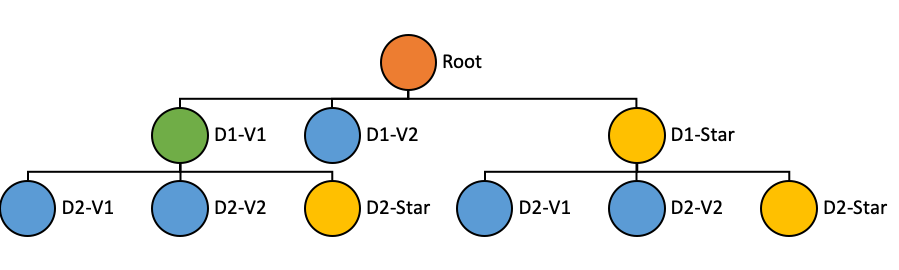
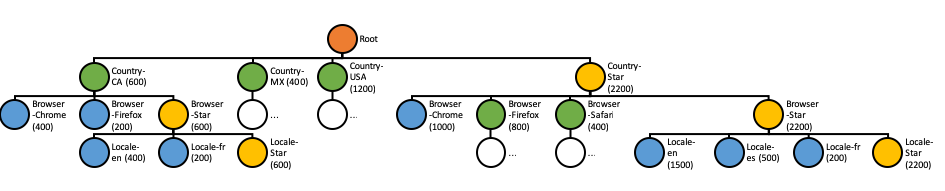
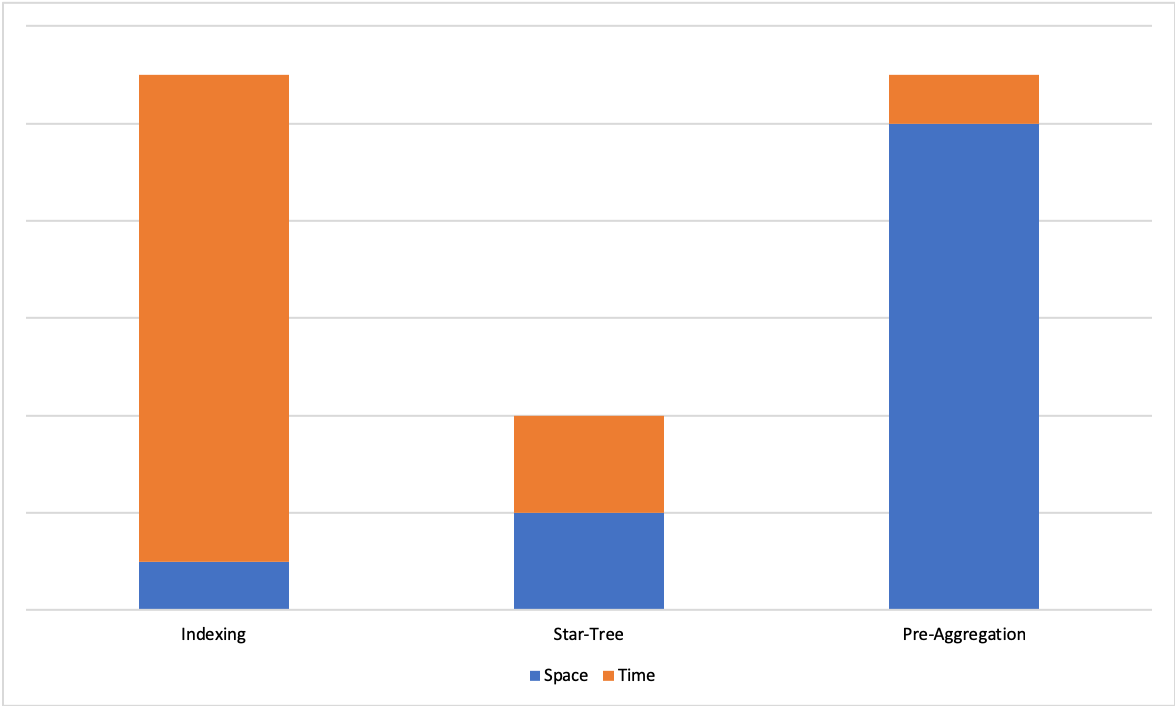
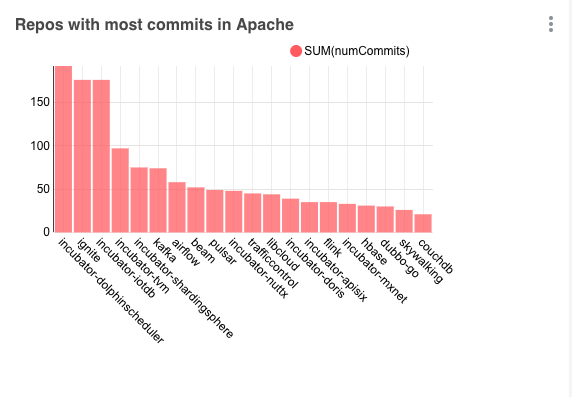
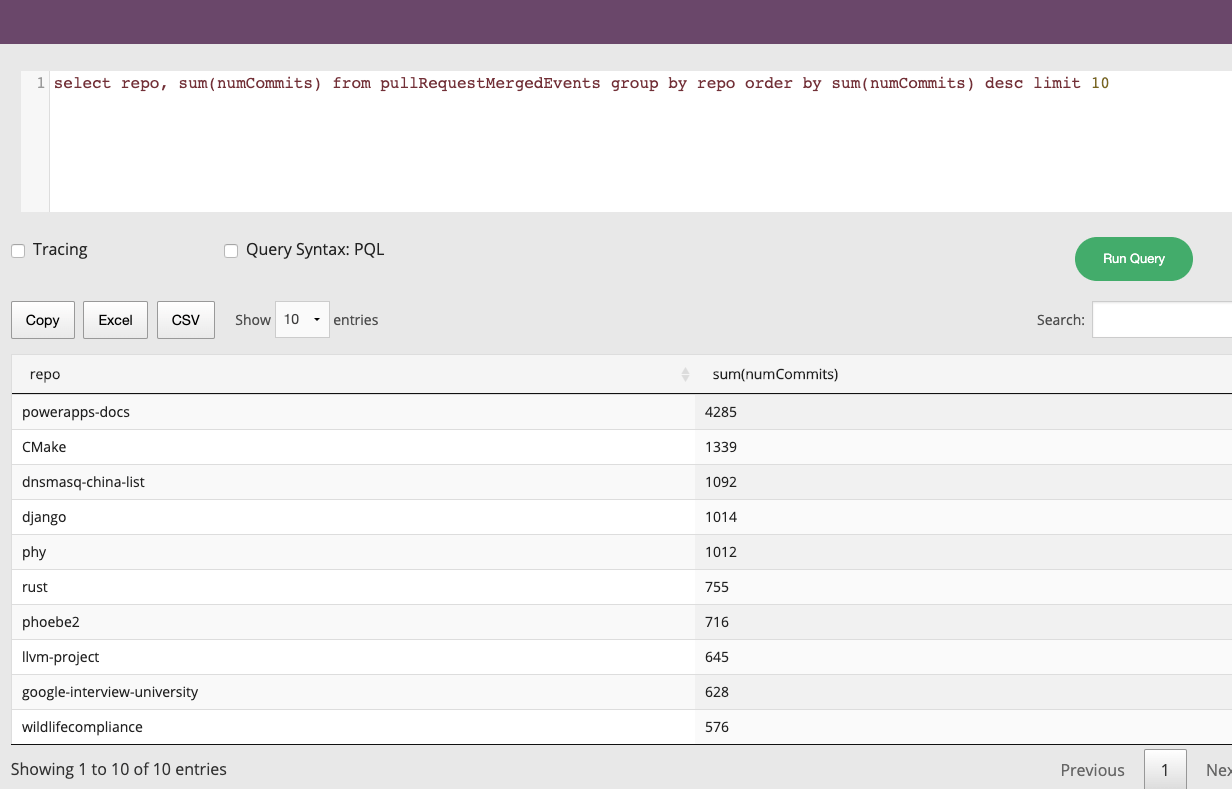
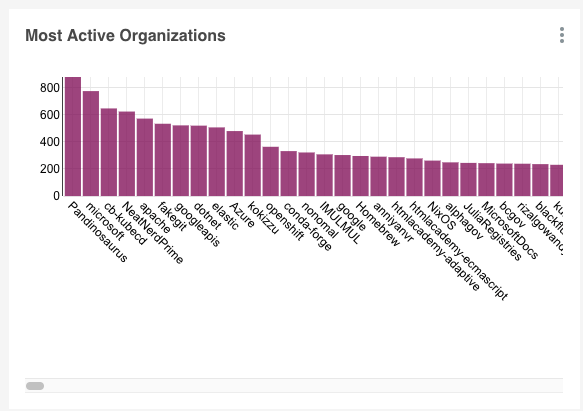
This release introduces some new great features, performance enhancements, UI improvements, and bug fixes which are described in details in the following sections. The release was cut from this commit fd9c58a.
The dependency graph for plug-and-play architecture that was introduced in release 0.3.0 has been extended and now it contains new nodes for Pinot Segment SPI.
Implement NOT Operator (#8148)
Add DistinctCountSmartHLLAggregationFunction which automatically store distinct values in Set or HyperLogLog based on cardinality
Add LEAST and GREATEST functions
Handle SELECT * with extra columns
Add FILTER clauses for aggregates
Add ST_Within function
Handle semicolon in query
Add EXPLAIN PLAN
Show Reported Size and Estimated Size in human readable format in UI
Make query console state URL based
Improve query console to not show query result when multiple columns have the same name
Reuse regex matcher in dictionary based LIKE queries
Early terminate orderby when columns already sorted
Do not do another pass of Query Automaton Minimization
Adding NoopPinotMetricFactory and corresponding changes
Allow to specify fixed segment name for SegmentProcessorFramework
Move all prestodb dependencies into a separated module
Fix string comparisons
Bugfix for order-by all sorted optimization
Fix dockerfile
Ensure partition function never return negative partition
Fix the issue with HashCode partitioning function
Fix the issue with validation on table creation
Change PinotFS API's
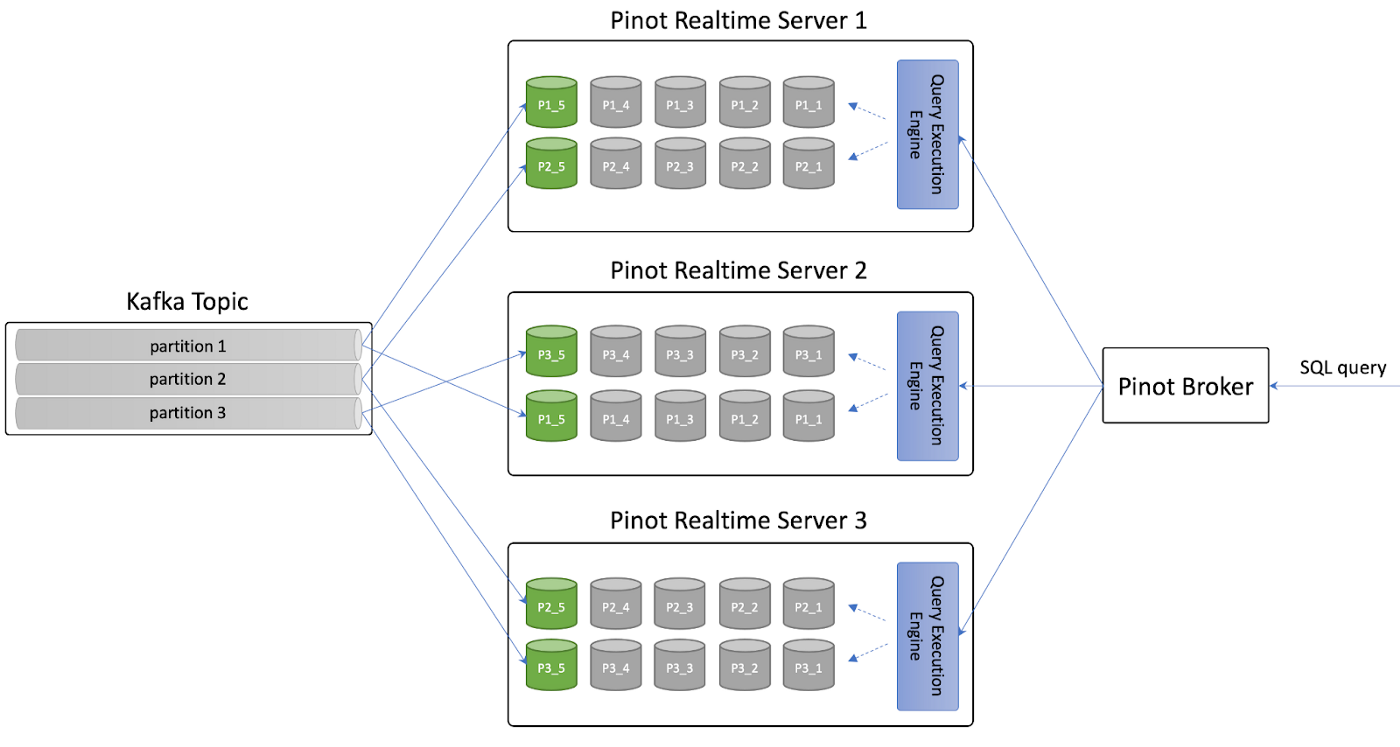
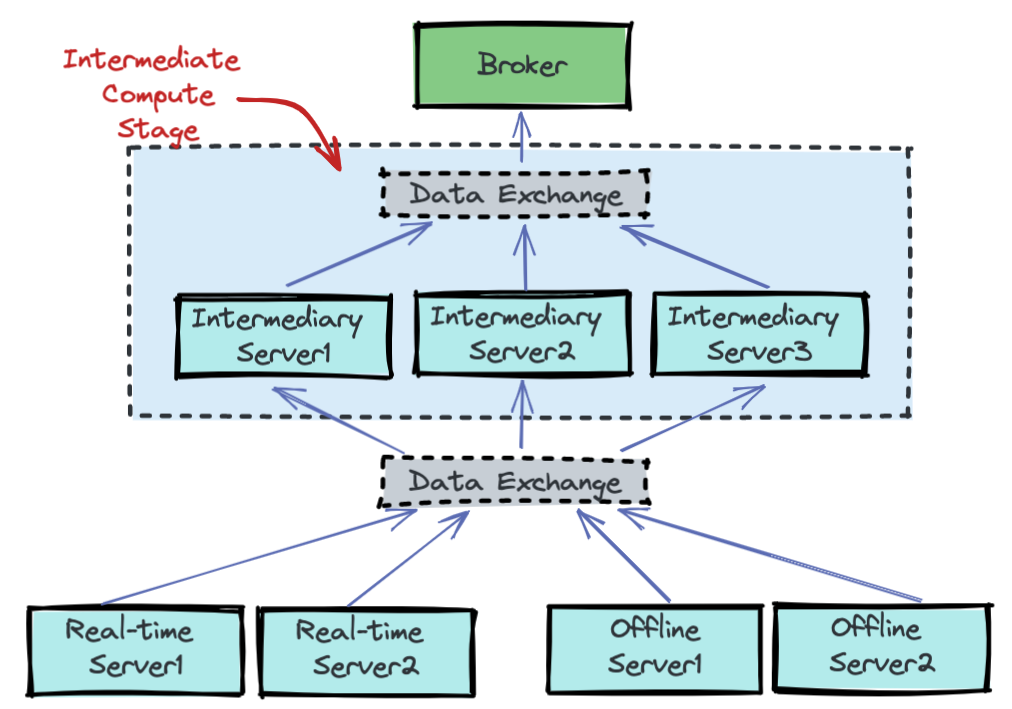
Fix issue with opening new tabs from Pinot Dashboard (#8021)
Fix issue with Query console going blank on syntax error (#8006)
Make query stats always show even there's error (#7981)
Implement OIDC auth workflow in UI (#7121)
Add tooltip and modal for table status (#7899)
Add option to wrap lines in custom code mirror (#7857)
Add ability to comment out queries with cmd + / (#7841)
Return exception when unavailable segments on empty broker response (#7823)
Properly handle the case where segments are missing in externalview (#7803)
Add TIMESTAMP to datetime column Type (#7746)
Optimize geometry serializer usage when literal is available (#8167)
Improve performance of no-dictionary group by (#8195)
Allocation free DataBlockCache lookups (#8140)
Prune unselected THEN statements in CaseTransformFunction (#8138)
Aggregation delay conversion to double (#8139)
Reduce object allocation rate in ExpressionContext or FunctionContext (#8124)
Lock free DimensionDataTableManager (#8102)
Improve json path performance during ingestion by upgrading JsonPath (#7819)
Reduce allocations and speed up StringUtil.sanitizeString (#8013)
Faster metric scans - ForwardIndexReader (#7920)
Unpeel group by 3 ways to enable vectorization (#7949)
Power of 2 fixed size chunks (#7934)
Don't use mmap for compression except for huge chunks (#7931)
Exit group-by marking loop early (#7935)
Improve performance of base chunk forward index write (#7930)
Cache JsonPaths to prevent compilation per segment (#7826)
Use LZ4 as default compression mode (#7797)
Peel off special case for 1 dimensional groupby (#7777)
Bump roaringbitmap version to improve range queries performance (#7734)
Automatically update broker resource on broker changes (#8249)
Update ScalarFunction annotation from name to names to support function alias. (#8252)
Implemented BoundedColumnValue partition function (#8224)
Add copy recursive API to pinotFS (#8200)
Add Support for Getting Live Brokers for a Table (without type suffix) (#8188)
Pinot docker image - cache prometheus rules (#8241)
In BrokerRequestToQueryContextConverter, remove unused filterExpressionContext (#8238)
Adding retention period to segment delete REST API (#8122)
Pinot docker image - upgrade prometheus and scope rulesets to components (#8227)
Allow segment name postfix for SegmentProcessorFramework (#8230)
Superset docker image - update pinotdb version in superset image (#8231)
Add retention period to deleted segment files and allow table level overrides (#8176)
Remove incubator from pinot and superset (#8223)
Adding table config overrides for disabling groovy (#8196)
Optimise sorted docId iteration order in mutable segments (#8213)
Adding secure grpc query server support (#8207)
Move Tls configs and utils from pinot-core to pinot-common (#8210)
Reduce allocation rate in LookupTransformFunction (#8204)
Allow subclass to customize what happens pre/post segment uploading (#8203)
Enable controller service auto-discovery in Jersey framework (#8193)
Add support for pushFileNamePattern in pushJobSpec (#8191)
Add additionalMatchLabels to helm chart (#7177)
Simulate rsvps after meetup.com retired the feed (#8180)
Adding more checkstyle rules (#8197)
Add persistence.extraVolumeMounts and persistence.extraVolumes to Kubernetes statefulsets (#7486)
Adding scala profile for kafka 2.x build and remove root pom scala dependencies (#8174)
Allow real-time data providers to accept non-kafka producers (#8190)
Enhance revertReplaceSegments api (#8166)
Adding broker level config for disabling Pinot queries with Groovy (#8159)
Make presto driver query pinot server with SQL (#8186)
Adding controller config for disabling Groovy in ingestionConfig (#8169)
Adding main method for LaunchDataIngestionJobCommand for spark-submit command (#8168)
Add auth token for segment replace rest APIs (#8146)
Add allowRefresh option to UploadSegment (#8125)
Add Ingress to Broker and Controller helm charts (#7997)
Improve progress reporter in SegmentCreationMapper (#8129)
St_* function error messages + support literal transform functions (#8001)
Add schema and segment crc to SegmentDirectoryContext (#8127)
Extend enableParallePushProtection support in UploadSegment API (#8110)
Support BOOLEAN type in Config Recommendation Engine (#8055)
Add a broker metric to distinguish exception happens when acquire channel lock or when send request to server (#8105)
Add pinot.minion prefix on minion configs for consistency (#8109)
Enable broker service auto-discovery in Jersey framework (#8107)
Timeout if waiting server channel lock takes a long time (#8083)
Wire EmptySegmentPruner to routing config (#8067)
Support for TIMESTAMP data type in Config Recommendation Engine (#8087)
Listener TLS customization (#8082)
Add consumption rate limiter for LLConsumer (#6291)
Implement Real Time Mutable FST (#8016)
Allow quickstart to get table files from filesystem (#8093)
Add support for instant segment deletion (#8077)
Add a config file to override quickstart configs (#8059)
Add pinot server grpc metadata acl (#8030)
Move compatibility verifier to a separate module (#8049)
Move hadoop and spark ingestion libs from plugins directory to external-plugins (#8048)
Add global strategy for partial upsert (#7906)
Upgrade kafka to 2.8.1 (#7883)
Created EmptyQuickstart command (#8024)
Allow SegmentPushUtil to push real-time segment (#8032)
Add ignoreMerger for partial upsert (#7907)
Make task timeout and concurrency configurable (#8028)
Return 503 response from health check on shut down (#7892)
Pinot-druid-benchmark: set the multiValueDelimiterEnabled to false when importing TPC-H data (#8012)
Cleanup: Remove remaining occurrences of incubator. (#8023)
Refactor segment loading logic in BaseTableDataManager to decouple it with local segment directory (#7969)
Improving segment replacement/revert protocol (#7995)
PinotConfigProvider interface (#7984)
Enhance listSegments API to exclude the provided segments from the output (#7878)
Remove outdated broker metric definitions (#7962)
Add skip key for realtimeToOffline job validation (#7921)
Upgrade async-http-client (#7968)
Allow Reloading Segments with Multiple Threads (#7893)
Ignore query options in commented out queries (#7894)
Remove TableConfigCache which does not listen on ZK changes (#7943)
Switch to zookeeper of helm 3.0x (#7955)
Use a single react hook for table status modal (#7952)
Add debug logging for real-time ingestion (#7946)
Separate the exception for transform and indexing for consuming records (#7926)
Disable JsonStatementOptimizer (#7919)
Make index readers/loaders pluggable (#7897)
Make index creator provision pluggable (#7885)
Support loading plugins from multiple directories (#7871)
Update helm charts to honour readinessEnabled probes flags on the Controller, Broker, Server and Minion StatefulSets (#7891)
Support non-selection-only GRPC server request handler (#7839)
GRPC broker request handler (#7838)
Add validator for SDF (#7804)
Support large payload in zk put API (#7364)
Push JSON Path evaluation down to storage layer (#7820)
When upserting new record, index the record before updating the upsert metadata (#7860)
Add Post-Aggregation Gapfilling functionality. (#7781)
Clean up deprecated fields from segment metadata (#7853)
Remove deprecated method from StreamMetadataProvider (#7852)
Obtain replication factor from tenant configuration in case of dimension table (#7848)
Use valid bucket end time instead of segment end time for merge/rollup delay metrics (#7827)
Make pinot start components command extensible (#7847)
Make upsert inner segment update atomic (#7844)
Clean up deprecated ZK metadata keys and methods (#7846)
Add extraEnv, envFrom to statefulset help template (#7833)
Make openjdk image name configurable (#7832)
Add getPredicate() to PredicateEvaluator interface (#7840)
Make split commit the default commit protocol (#7780)
Pass Pinot connection properties from JDBC driver (#7822)
Add Pinot client connection config to allow skip fail on broker response exception (#7816)
Change default range index version to v2 (#7815)
Put thread timer measuring inside of wall clock timer measuring (#7809)
Add getRevertReplaceSegmentRequest method in FileUploadDownloadClient (#7796)
Add JAVA_OPTS env var in docker image (#7799)
Split thread cpu time into three metrics (#7724)
Add config for enabling real-time offset based consumption status checker (#7753)
Add timeColumn, timeUnit and totalDocs to the json segment metadata (#7765)
Set default Dockerfile CMD to -help (#7767)
Add getName() to PartitionFunction interface (#7760)
Support Native FST As An Index Subtype for FST Indices (#7729)
Add forceCleanup option for 'startReplaceSegments' API (#7744)
Add config for keystore types, switch tls to native implementation, and add authorization for server-broker tls channel (#7653)
Extend FileUploadDownloadClient to send post request with json body (#7751)
Handle indexing failures without corrupting inverted indexes (#8211)
Fixed broken HashCode partitioning (#8216)
Fix segment replace test (#8209)
Fix filtered aggregation when it is mixed with regular aggregation (#8172)
Fix FST Like query benchmark to remove SQL parsing from the measurement (#8097)
Do not identify function types by throwing exceptions (#8137)
Fix regression bug caused by sharing TSerializer across multiple threads (#8160)
Fix validation before creating a table (#8103)
Check cron schedules from table configs after subscribing child changes (#8113)
Disallow duplicate segment name in tar file (#8119)
Fix storage quota checker NPE for Dimension Tables (#8132)
Fix TraceContext NPE issue (#8126)
Update gcloud libraries to fix underlying issue with api's with CMEK (#8121)
Fix error handling in jsonPathArray (#8120)
Fix error handling in json functions with default values (#8111)
Fix controller config validation failure for customized TLS listeners (#8106)
Validate the numbers of input and output files in HadoopSegmentCreationJob (#8098)
Broker Side validation for the query with aggregation and col but without group by (#7972)
Improve the proactive segment clean-up for REVERTED (#8071)
Allow JSON forward indexes (#8073)
Fix the PinotLLCRealtimeSegmentManager on segment name check (#8058)
Always use smallest offset for new partitionGroups (#8053)
Fix RealtimeToOfflineSegmentsTaskExecutor to handle time gap (#8054)
Refine segment consistency checks during segment load (#8035)
Fixes for various JDBC issues (#7784)
Delete tmp- segment directories on server startup (#7961)
Fix ByteArray datatype column metadata getMaxValue NPE bug and expose maxNumMultiValues (#7918)
Fix the issues that Pinot upsert table's uploaded segments get deleted when a server restarts. (#7979)
Fixed segment upload error return (#7957)
Fix QuerySchedulerFactory to plug in custom scheduler (#7945)
Fix the issue with grpc broker request handler not started correctly (#7950)
Fix real-time ingestion when an entire batch of messages is filtered out (#7927)
Move decode method before calling acquireSegment to avoid reference count leak (#7938)
Fix semaphore issue in consuming segments (#7886)
Add bootstrap mode for PinotServiceManager to avoid glitch for health check (#7880)
Fix the broker routing when segment is deleted (#7817)
Fix obfuscator not capturing secretkey and keytab (#7794)
Fix segment merge delay metric when there is empty bucket (#7761)
Fix QuickStart by adding types for invalid/missing type (#7768)
Use oldest offset on newly detected partitions (#7756)
Fix javadoc to compatible with jdk8 source (#7754)
Handle null segment lineage ZNRecord for getSelectedSegments API (#7752)
Handle fields missing in the source in ParquetNativeRecordReader (#7742)
Many of the datasets are time series in nature, tracking state change of an entity over time. The granularity of recorded data points might be sparse or the events could be missing due to network and other device issues in the IOT environment. But analytics applications which are tracking the state change of these entities over time, might be querying for values at lower granularity than the metric interval.
Here is the sample data set tracking the status of parking lots in parking space.
We want to find out the total number of parking lots that are occupied over a period of time which would be a common use case for a company that manages parking spaces.
Let us take 30 minutes' time bucket as an example:
If you look at the above table, you will see a lot of missing data for parking lots inside the time buckets. In order to calculate the number of occupied park lots per time bucket, we need gap fill the missing data.
There are two ways of gap filling the data: FILL_PREVIOUS_VALUE and FILL_DEFAULT_VALUE.
FILL_PREVIOUS_VALUE means the missing data will be filled with the previous value for the specific entity, in this case, park lot, if the previous value exists. Otherwise, it will be filled with the default value.
FILL_DEFAULT_VALUE means that the missing data will be filled with the default value. For numeric column, the defaul value is 0. For Boolean column type, the default value is false. For TimeStamp, it is January 1, 1970, 00:00:00 GMT. For STRING, JSON and BYTES, it is empty String. For Array type of column, it is empty array.
We will leverage the following the query to calculate the total occupied parking lots per time bucket.
The most nested sql will convert the raw event table to the following table.
The second most nested sql will gap fill the returned data as following:
The outermost query will aggregate the gapfilled data as follows:
There is one assumption we made here that the raw data is sorted by the timestamp. The Gapfill and Post-Gapfill Aggregation will not sort the data.
The above example just shows the use case where the three steps happen:
The raw data will be aggregated;
The aggregated data will be gapfilled;
The gapfilled data will be aggregated.
There are three more scenarios we can support.
If we want to gapfill the missing data per half an hour time bucket, here is the query:
At first the raw data will be transformed as follows:
Then it will be gapfilled as follows:
The nested sql will convert the raw event table to the following table.
The outer sql will gap fill the returned data as following:
The raw data will be transformed as following at first:
The transformed data will be gap filled as follows:
The aggregation will generate the following table:
P1
2021-10-01 09:01:00.000
1
P2
2021-10-01 09:17:00.000
1
P1
2021-10-01 09:33:00.000
0
P1
2021-10-01 09:47:00.000
1
P3
2021-10-01 10:05:00.000
1
P2
2021-10-01 10:06:00.000
0
P2
2021-10-01 10:16:00.000
1
P2
2021-10-01 10:31:00.000
0
P3
2021-10-01 11:17:00.000
0
P1
2021-10-01 11:54:00.000
0
2021-10-01 09:00:00.000
1
1
SELECT time_col, SUM(status) AS occupied_slots_count
FROM (
SELECT GAPFILL(time_col,'1:MILLISECONDS:SIMPLE_DATE_FORMAT:yyyy-MM-dd HH:mm:ss.SSS','2021-10-01 09:00:00.000',
'2021-10-01 12:00:00.000','30:MINUTES', FILL(status, 'FILL_PREVIOUS_VALUE'),
TIMESERIESON(lotId)), lotId, status
FROM (
SELECT DATETIMECONVERT(event_time,'1:MILLISECONDS:EPOCH',
'1:MILLISECONDS:SIMPLE_DATE_FORMAT:yyyy-MM-dd HH:mm:ss.SSS','30:MINUTES') AS time_col,
lotId, lastWithTime(is_occupied, event_time, 'INT') AS status
FROM parking_data
WHERE event_time >= 1633078800000 AND event_time <= 1633089600000
GROUP BY 1, 2
ORDER BY 1
LIMIT 100)
LIMIT 100)
GROUP BY 1
LIMIT 100P1
2021-10-01 09:00:00.000
1
2021-10-01 09:00:00.000
1
1
2021-10-01 09:00:00.000
2
2021-10-01 09:30:00.000
2
SELECT GAPFILL(DATETIMECONVERT(event_time,'1:MILLISECONDS:EPOCH',
'1:MILLISECONDS:SIMPLE_DATE_FORMAT:yyyy-MM-dd HH:mm:ss.SSS','30:MINUTES'),
'1:MILLISECONDS:SIMPLE_DATE_FORMAT:yyyy-MM-dd HH:mm:ss.SSS','2021-10-01 09:00:00.000',
'2021-10-01 12:00:00.000','30:MINUTES', FILL(is_occupied, 'FILL_PREVIOUS_VALUE'),
TIMESERIESON(lotId)) AS time_col, lotId, is_occupied
FROM parking_data
WHERE event_time >= 1633078800000 AND event_time <= 1633089600000
ORDER BY 1
LIMIT 100P1
2021-10-01 09:00:00.000
1
P1
2021-10-01 09:00:00.000
SELECT GAPFILL(time_col,'1:MILLISECONDS:SIMPLE_DATE_FORMAT:yyyy-MM-dd HH:mm:ss.SSS','2021-10-01 09:00:00.000',
'2021-10-01 12:00:00.000','30:MINUTES', FILL(status, 'FILL_PREVIOUS_VALUE'),
TIMESERIESON(lotId)), lotId, status
FROM (
SELECT DATETIMECONVERT(event_time,'1:MILLISECONDS:EPOCH',
'1:MILLISECONDS:SIMPLE_DATE_FORMAT:yyyy-MM-dd HH:mm:ss.SSS','30:MINUTES') AS time_col,
lotId, lastWithTime(is_occupied, event_time, 'INT') AS status
FROM parking_data
WHERE event_time >= 1633078800000 AND event_time <= 1633089600000
GROUP BY 1, 2
ORDER BY 1
LIMIT 100)
LIMIT 100P1
2021-10-01 09:00:00.000
1
2021-10-01 09:00:00.000
1
1
SELECT time_col, SUM(is_occupied) AS occupied_slots_count
FROM (
SELECT GAPFILL(DATETIMECONVERT(event_time,'1:MILLISECONDS:EPOCH',
'1:MILLISECONDS:SIMPLE_DATE_FORMAT:yyyy-MM-dd HH:mm:ss.SSS','30:MINUTES'),
'1:MILLISECONDS:SIMPLE_DATE_FORMAT:yyyy-MM-dd HH:mm:ss.SSS','2021-10-01 09:00:00.000',
'2021-10-01 12:00:00.000','30:MINUTES', FILL(is_occupied, 'FILL_PREVIOUS_VALUE'),
TIMESERIESON(lotId)) AS time_col, lotId, is_occupied
FROM parking_data
WHERE event_time >= 1633078800000 AND event_time <= 1633089600000
ORDER BY 1
LIMIT 100)
GROUP BY 1
LIMIT 100P1
2021-10-01 09:00:00.000
1
P1
2021-10-01 09:00:00.000
2021-10-01 09:00:00.000
2
2021-10-01 09:30:00.000
2
2021-10-01 09:30:00.000
0,1
2021-10-01 10:00:00.000
0,1
1
2021-10-01 10:30:00.000
0
2021-10-01 11:00:00.000
0
2021-10-01 11:30:00.000
0
P2
2021-10-01 09:00:00.000
1
P1
2021-10-01 09:30:00.000
1
P3
2021-10-01 10:00:00.000
1
P2
2021-10-01 10:00:00.000
1
P2
2021-10-01 10:30:00.000
0
P3
2021-10-01 11:00:00.000
0
P1
2021-10-01 11:30:00.000
0
0
2021-10-01 09:30:00.000
1
1
0
2021-10-01 10:00:00.000
1
1
1
2021-10-01 10:30:00.000
1
0
1
2021-10-01 11:00:00.000
1
0
0
2021-10-01 11:30:00.000
0
0
0
2021-10-01 10:00:00.000
3
2021-10-01 10:30:00.000
2
2021-10-01 11:00:00.000
1
2021-10-01 11:30:00.000
0
P2
2021-10-01 09:00:00.000
1
P1
2021-10-01 09:30:00.000
0
P1
2021-10-01 09:30:00.000
1
P3
2021-10-01 10:00:00.000
1
P2
2021-10-01 10:00:00.000
0
P2
2021-10-01 10:00:00.000
1
P2
2021-10-01 10:30:00.000
0
P3
2021-10-01 11:00:00.000
0
P1
2021-10-01 11:30:00.000
0
1
P2
2021-10-01 09:00:00.000
1
P3
2021-10-01 09:00:00.000
0
P1
2021-10-01 09:30:00.000
0
P1
2021-10-01 09:30:00.000
1
P2
2021-10-01 09:30:00.000
1
P3
2021-10-01 09:30:00.000
0
P1
2021-10-01 10:00:00.000
1
P3
2021-10-01 10:00:00.000
1
P2
2021-10-01 10:00:00.000
0
P2
2021-10-01 10:00:00.000
1
P1
2021-10-01 10:30:00.000
1
P2
2021-10-01 10:30:00.000
0
P3
2021-10-01 10:30:00.000
1
P1
2021-10-01 11:00:00.000
1
P2
2021-10-01 11:00:00.000
0
P3
2021-10-01 11:00:00.000
0
P1
2021-10-01 11:30:00.000
0
P2
2021-10-01 11:30:00.000
0
P3
2021-10-01 11:30:00.000
0
P2
2021-10-01 09:00:00.000
1
P1
2021-10-01 09:30:00.000
1
P3
2021-10-01 10:00:00.000
1
P2
2021-10-01 10:00:00.000
1
P2
2021-10-01 10:30:00.000
0
P3
2021-10-01 11:00:00.000
0
P1
2021-10-01 11:30:00.000
0
0
2021-10-01 09:30:00.000
1
1
0
2021-10-01 10:00:00.000
1
1
1
2021-10-01 10:30:00.000
1
0
1
2021-10-01 11:00:00.000
1
0
0
2021-10-01 11:30:00.000
0
0
0
P2
2021-10-01 09:00:00.000
1
P1
2021-10-01 09:30:00.000
0
P1
2021-10-01 09:30:00.000
1
P3
2021-10-01 10:00:00.000
1
P2
2021-10-01 10:00:00.000
0
P2
2021-10-01 10:00:00.000
1
P2
2021-10-01 10:30:00.000
0
P3
2021-10-01 11:00:00.000
0
P1
2021-10-01 11:30:00.000
0
1
P2
2021-10-01 09:00:00.000
1
P3
2021-10-01 09:00:00.000
0
P1
2021-10-01 09:30:00.000
0
P1
2021-10-01 09:30:00.000
1
P2
2021-10-01 09:30:00.000
1
P3
2021-10-01 09:30:00.000
0
P1
2021-10-01 10:00:00.000
1
P3
2021-10-01 10:00:00.000
1
P2
2021-10-01 10:00:00.000
0
P2
2021-10-01 10:00:00.000
1
P1
2021-10-01 10:30:00.000
1
P2
2021-10-01 10:30:00.000
0
P3
2021-10-01 10:30:00.000
1
P2
2021-10-01 10:30:00.000
0
P1
2021-10-01 11:00:00.000
1
P2
2021-10-01 11:00:00.000
0
P3
2021-10-01 11:00:00.000
0
P1
2021-10-01 11:30:00.000
0
P2
2021-10-01 11:30:00.000
0
P3
2021-10-01 11:30:00.000
0
2021-10-01 10:00:00.000
3
2021-10-01 10:30:00.000
2
2021-10-01 11:00:00.000
1
2021-10-01 11:30:00.000
0
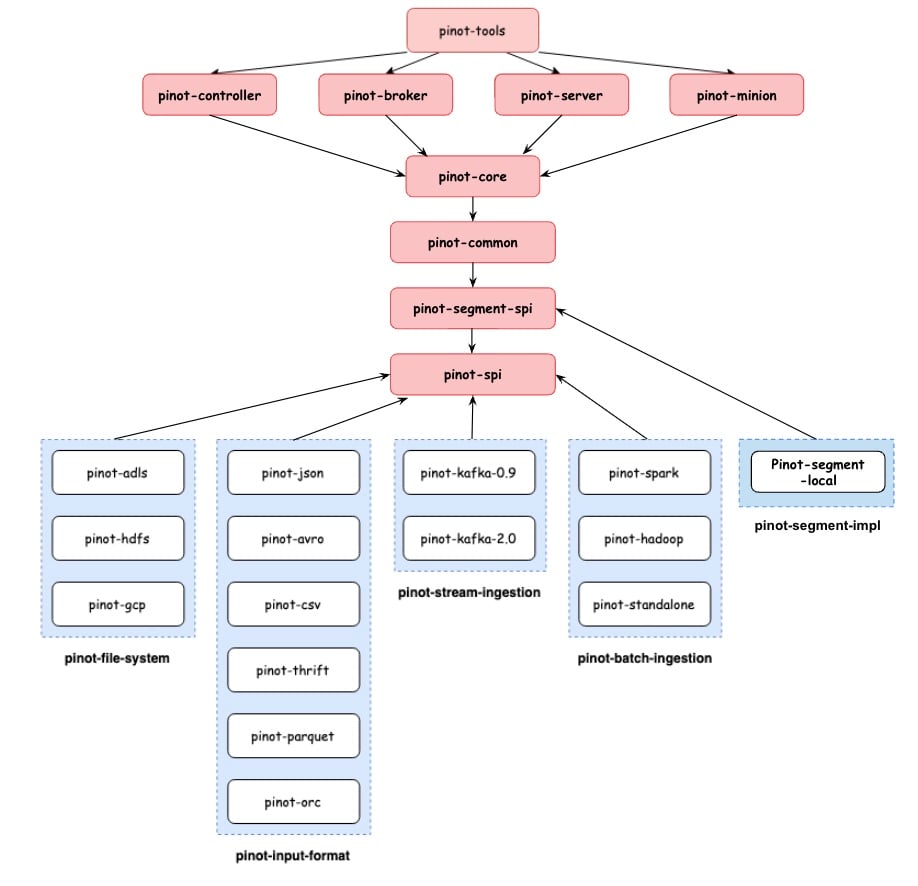
This page covers the latest changes included in the Apache Pinot™ 1.0.0 release, including new features, enhancements, and bug fixes.
This release includes several new features, enhancements, and bug fixes, including the following highlights:
Multi-stage query engine: new features, enhancements, and bug fixes. Learn how to enable and use the multi-stage query engine or more about how the multi-stage query engine works.
Support for window functions
Initial (phase 1) Query runtime for window functions with ORDER BY within the OVER() clause (#10449)
Support for the ranking ROW_NUMBER() window function (, )
Set operations support:
Support SetOperations (UNION, INTERSECT, MINUS) compilation in query planner ()
Timestamp and Date Operations
Support TIMESTAMP type and date ops functions ()
Support more aggregation functions that are currently implementable ()
Support multi-value aggregation functions ()
Support Sketch based functions (), ()
Make Intermediate Stage Worker Assignment Tenant Aware ()
Evaluate literal expressions during query parsing, enabling more efficient query execution. (
Added support for partition parallelism in partitioned table scans, allowing for more efficient data retrieval ().
[multistage]Adding more tuple sketch scalar functions and integration tests ()
Turn on v2 engine by default ()
Introduced the ability to stream leaf stage blocks for more efficient data processing ().
Early terminate SortOperator if there is a limit ()
Fix Predicate Pushdown by Using Rule Collection ()
Try fixing mailbox cancel race condition ()
Catch Throwable to Propagate Proper Error Message ()
Add the ability to include new index types at runtime in Apache Pinot. This opens the ability of adding third party indexes, including proprietary indexes. More details
NULL support for ORDER BY, DISTINCT, GROUP BY, value transform functions and filtering.
Delete support in upsert enabled tables ()
Support added to extend upserts and allow deleting records from a realtime table. The design details can be found .
Preload segments with upsert snapshots to speedup table loading ()
Adds a feature to preload segments from a table that uses the upsert snapshot feature. The segments with validDocIds snapshots can be preloaded in a more efficient manner to speed up the table loading (thus server restarts).
TTL configs for upsert primary keys ()
Adds support for specifying expiry TTL for upsert primary key metadata cleanup.
Segment compaction for upsert real-time tables ()
Adds a new minion task to compact segments belonging to a real-time table with upserts.
Added spark3 support for Pinot Spark Connector ()
Also added support to pass pinot query options to spark connector ()
Adds new implementations of PinotDataBuffer that uses Unsafe java APIs and foreign memory APIs. Also added support for PinotDataBufferFactory to allow plugging in custom PinotDataBuffer implementations.
Add PercentileKLL aggregation function ()
Support for ARG_MIN and ARG_MAX Functions ()
refactor argmin/max to exprmin/max and make it calcite compliant ()
Add clpDecode transform function for decoding CLP-encoded fields. ()
Add CLPDecodeRewriter to make it easier to call clpDecode with a column-group name rather than the individual columns. ()
Add SchemaConformingTransformer to transform records with varying keys to fit a table's schema without dropping fields. ()
Allows overriding index configs at tier level, allowing for more flexible index configurations for different tiers.
Kinesis stream header extraction ()
Extract record keys, headers and metadata from Pulsar sources ()
Realtime pre-aggregation for Distinct Count HLL & Big Decimal ()
Adds persistence of authentication details in the browser session. This means that even if you refresh the app, you will still be logged in until the authentication session expires ()
AuthProvider logic updated to decode the access token and extract user name and email. This information will now be available in the app for features to consume. ()
Make Pinot base build and runtime images support Amazon Corretto and MS OpenJDK ()
Support multi-arch pinot docker image ()
Update dockerfile with recent jdk distro changes ()
Rebalance
Rebalance status API ()
Tenant level rebalance API Tenant rebalance and status tracking APIs ()
Config to use customized broker query thread pool ()
Added new configuration options below which allow use of a bounded thread pool and allocate capacities for it.
This feature allows better management of broker resources.
Drop results support ()
Adds a parameter to queryOptions to drop the resultTable from the response. This mode can be used to troubleshoot a query (which may have sensitive data in the result) using metadata only.
Make column order deterministic in segment ()
In segment metadata and index map, store columns in alphabetical order so that the result is deterministic. Segments generated before/after this PR will have different CRC, so during the upgrade, we might get segments with different CRC from old and new consuming servers. For the segment consumed during the upgrade, some downloads might be needed.
Allow configuring helix timeouts for EV dropped in Instance manager ()
Adds options to configure helix timeouts
external.view.dropped.max.wait.ms`` - The duration of time in milliseconds to wait for the external view to be dropped. Default - 20 minutes. external.view.check.interval.ms`` - The period in milliseconds in which to ping ZK for latest EV state.
Enable case insensitivity by default ()
This PR makes Pinot case insensitive be default, and removes the deprecated property enable.case.insensitive.pql
Newly added APIs and client methods
Add Server API to get tenant pools ()
Add new broker query point for querying multi-stage engine ()
Add a new controller endpoint for segment deletion with a time window ()
High level consumers are no longer supported
Cleanup HLC code ()
Remove support for High level consumers in Apache Pinot ()
Type information preservation of query literals
[feature] [backward-incompat] [null support # 2] Preserve null literal information in literal context and literal transform () String versions of numerical values are no longer accepted. For example, "123" won't be treated as a numerical anymore.
Controller job status ZNode path update
Moving Zk updates for reload, force_commit to their own Znodes which … () The status of previously completed reload jobs will not be available after this change is deployed.
Metric names for mutable indexes to change
Implement mutable index using index SPI () Due to a change in the IndexType enum used for some logs and metrics in mutable indexes, the metric names may change slightly.
Update in controller API to enable / disable / drop instances
Update getTenantInstances call for controller and separate POST operations on it ()
Change in substring query function definition
Change substring to comply with standard sql definition ()
Allow queries on multiple tables of same tenant to be executed from controller UI
Encapsulate changes in IndexLoadingConfig and SegmentGeneratorConfig
[Index SPI] IndexType ()
Remove support for High level consumers in Apache Pinot ()
Fix JDBC driver check for username ()
[Clean up] Remove getColumnName() from AggregationFunction interface ()
Table level Access Validation, QPS Quota, Phase Metrics for multistage queries ()
Support partition based leaf stage processing ()
Populate queryOption down to leaf ()
Pushdown explain plan queries from the controller to the broker ()
Enhanced the multi-stage group-by executor to support limiting the number of groups,
improving query performance and resource utilization ().
Improved resilience and reliability of the multi-stage join operator, now with added support for hash join right table protection ().
Handle Integer.MIN_VALUE in hashCode based FieldSelectionKeySelector ()
Improve error message in case of non-existent table queried from the controller ()
Derive SUM return type to be PostgreSQL compatible ()
Adding vector scalar functions ()
[feature] multi-value datetime transform variants ()
FUNNEL_COUNT Aggregation Function ()
[multistage] Add support for RANK and DENSE_RANK ranking window functions ()
add theta sketch scalar ()
Register dateTimeConverter,timeConvert,dateTrunc, regexpReplace to v2 functions ()
Add extract(quarter/dow/doy) support ()
Funnel Count - Multiple Strategies (no partitioning requisites) ()
Add Boolean assertion transform functions. ()
Null support for protobuf ingestion. ()
Instance retag validation check api ()
Use PUT request to enable/disable table/instance ()
Update the pinot tenants tables api to support returning broker tagged tables ()
Add requestId for BrokerResponse in pinot-broker and java-client ()
Provide results in CompletableFuture for java clients and expose metrics ()
Introduce BaseProjectOperator and ValueBlock ()
Add support to create realtime segment in local ()
Refactor: Pass context instead on individual arguments to operator ()
Add "processAll" mode for MergeRollupTask ()
Upgrade h2 version from 1.x to 2.x ()
Added optional force param to the table configs update API ()
Enhance broker reduce to handle different column names from server response ()
Adding fields to enable/disable dictionary optimization. ()
Remove converted H2 type NUMERIC(200, 100) from BIG_DECIMAL ()
Add JOIN support to PinotQuery ()
Add testng on verifier ()
Clean up temp consuming segment files during server start ()
make pinot k8s sts and deployment start command configurable ()
Fix Bottleneck for Server Bootstrap by Making maxConnsPerRoute Configurable ()
Type match between resultType and function's dataType ()
create segment zk metadata cache ()
Allow ValueBlock length to increase in TransformFunction ()
Allow configuring helix timeouts for EV dropped in Instance manager ()
Enhance error reporting ()
Combine "GET /segments" API & "GET /segments/{tableName}/select" ()
Exposed the CSV header map as part of CSVRecordReader ()
Moving Zk updates for reload,force_commit to their own Znodes which will spread out Zk write load across jobTypes ()
Enabling dictionary override optimization on the segment reload path as well. ()
Make broker's rest resource packages configurable ()
Check EV not exist before allowing creating the table ()
Adding an parameter (toSegments) to the endSegmentReplacement API ()
update target tier for segments if tierConfigs is provided ()
Add support for custom compression factor for Percentile TDigest aggregation functions ()
Utility to convert table config into updated format ()
Segment lifecycle event listener support ()
Add server metrics to capture gRPC activity ()
Separate and parallelize BloomFilter based semgment pruner ()
API to expose the contract/rules imposed by pinot on tableConfig
Add description field to metrics in Pinot ()
changing the dedup store to become pluggable
Make the TimeUnit in the DATETRUNC function case insensitive. ()
[feature] Consider tierConfigs when assigning new offline segment
Compress idealstate according to estimated size
10689: Update for pinot helm release version 0.2.7 ()
Fail the query if a filter's rhs contains NULL. ()
Support Off Heap for Native Text Indices ()
refine segment reload executor to avoid creating threads unbounded
compress nullvector bitmap upon seal ()
Enable case insensitivity by default ()
Push out-of-order events metrics for full upsert ()
[feature] add requestId for BrokerResponse in pinot-broker and java-client
Provide results in CompletableFuture for java clients and expose metrics
Add minion observability for segment upload/download failures ()
Enhance early terminate for combine operator ()
Add fromController method that accepts a PinotClientTransport ()
Ensure min/max value generation in the segment metadata. ()
Apply some allocation optimizations on GrpcSendingMailbox ()
When enable case-insensitive, don't allow to add newly column name which have the same lowercase name with existed columns. ()
Replace Long attributes with primitive values to reduce boxing ()
retry KafkaConsumer creation in KafkaPartitionLevelConnectionHandler.java () ()
Support for new dataTime format in DateTimeGranularitySpec without explicitly setting size ()
Returning 403 status code in case of authorization failures ()
Simplify compatible test to avoid test against itself ()
Updated code for setting value of segment min/max property. ()
Add stat to track number of segments that have valid doc id snapshots ()
Add brokerId and brokerReduceTimeMs to the broker response stats ()
safely multiply integers to prevent overflow ()
Move largest comparison value update logic out of map access ()
Optimize DimensionTableDataManager to abort unnecesarry loading ()
Refine isNullsLast and isAsc functions. ()
Update the pinot tenants tables api to support returning broker tagged tables ()
add multi-value support for native text index ()
Add percentiles report in QuerySummary ()
Add meter for broker responses with unavailable segments ()
Enhance Minion task management ()
add additional lucene index configs ()
Add DECIMAL data type to orc record reader ()
add configuration to fail server startup on non-good status checker ()
allow passing freshness checker after an idle threshold ()
Add broker validation for hybrid tableConfig creation ()
Support partition parallelism for partitioned table scan ()
Bug fix: Start counting operator execution time from first NoOp block ()
Fix unavailable instances issues for StrictReplicaGroup ()
Change shell to bash ()
Fix the double destroy of segment data manager during server shutdown ()
Remove "isSorted()" precondition check in the ForwardIndexHandler ()
Fix null handling in streaming selection operator ()
Fix jackson dependencies ()
Startree index build enhancement ()
optimize queries where lhs and rhs of predicate are equal ()
Trivial fix on a warning detected by static checker ()
wait for full segment commit protocol on force commit ()
Fix bug and add test for noDict -> Dict conversion for sorted column ()
Make column order deterministic in segment ()
Type match between resultType and function's dataType ()
Allow empty segmentsTo for segment replacement protocol ()
Use string as default compatible type for coalesce ()
Use threadlocal variable for genericRow to make the MemoryOptimizedTable threadsafe ()
Fix shading in spark2 connector pom file ()
Fix ramping delay caused by long lasting sequence of unfiltered messa… ()
Do not serialize metrics in each Operator ()
Make pinot-controller apply webpack production mode when bin-dist profile is used. ()
Fix FS props handling when using /ingestFromUri ()
Clean up v0_deprecated batch ingestion jobs ()
Deprecate kafka 0.9 support ()
safely multiply integers to prevent overflow ()
Reduce timeout for codecov and not fail the job in any case ()
Fix DataTableV3 serde bug for empty array ()
Do not record operator stats when tracing is enabled ()
Forward auth token for logger APIs from controller to other controllers and brokers ()
Bug fix: Partial upsert default strategy is null ()
Fix flaky test caused by EV check during table creation ()
Fix withDissabledTrue typo ()
Cleanup unnecessary mailbox id ser/de ()
no error metric for queries where all segments are pruned ()
bug fix: to keep QueryParser thread safe when handling many read requests on class RealtimeLuceneTextIndex ()
Fix static DictionaryIndexConfig.DEFAULT_OFFHEAP being actually onheap ()
10567: [cleanup pinot-integration-test-base], clean query generations and some other refactoring. ()
Fixes backward incompatability with SegmentGenerationJobSpec for segment push job runners ()
Bug fix to get the toSegments list correctly ()
10661: Fix for failing numeric comparison in where clause for IllegalStateException. ()
Fixes partial upsert not reflecting multiple comparison column values ()
Fix Bug in Reporting Timer Value for Min Consuming Freshness ()
Fix typo of rowSize -> columnSize ()
update segment target tier before table rebalance ()
Fix a bug in star-tree filter operator which can incorrecly filter documents ()
Enhance the instrumentation for a corner case where the query doesn't go through DocIdSetOp ()
bug fix: add missing properties when edit instance config ()
Making segmentMapper do the init and cleanup of RecordReader ()
Fix githubEvents table for quickstart recipes ()
Minor Realtime Segment Commit Upload Improvements ()
Return 503 for all interrupted queries. Refactor the query killing code. ()
Add decoder initialization error to the server's error cache ()
bug fix: add @JsonProperty to SegmentAssignmentConfig ()
ensure we wait the full no query timeout before shutting down ()
Clean up KLL functions with deprecated convention ()
Redefine the semantics of SEGMENT_STREAMED_DOWNLOAD_UNTAR_FAILURES metric to count individual segment fetch failures. ()
fix excpetion during exchange routing causes stucked pipeline ()
[bugfix] fix floating point and integral type backward incompatible issue ()
[pinot-core] Start consumption after creating segment data manager ()
Fix IndexOutOfBoundException in filtered aggregation group-by ()
Fix null pointer exception in segment debug endpoint
Clean up RangeIndexBasedFilterOperator. ()
Fix the escape/unescape issue for property value in metadata ()
Fix a bug in the order by comparator ()
Keeps nullness attributes of merged in comparison column values ()
Add required JSON annotation in H3IndexResolution ()
Fix a bug in SELECT DISTINCT ORDER BY. ()
jsonPathString should return null instead of string literal "null" ()
Bug Fix: Segment Purger cannot purge old segments after schema evolution ()
Fix by giving metainfo more priority than config ()
Close PinotFS after Data Manager Shutdowns ()
bump awssdk version for a bugfix on http conn leakage ()
Fix MultiNodesOfflineClusterIntegrationTest.testServerHardFailure() ()
Fix a bug in SELECT DISTINCT ORDER BY LIMIT. ()
Fix an integer overflow bug. ()
Return true when _resultSet is not null ()
Fixing table name extraction for lateral join queries ()
Fix casting when prefetching mmap'd segment larger than 2GB ()
Null check before closing reader ()
Fixes SQL wildcard escaping in LIKE queries ()
[Clean up] Do not count DISTINCT as aggregation ()
do not readd lucene readers to queue if segment is destroyed
Message batch ingestion lag fix ()
Fix a typo in snapshot lock ()
When extracting root-level field name for complex type handling, use the whole delimiter ()
update jersey to fix Denial of Service (DoS) ()
Update getTenantInstances call for controller and separate POST operations on it ()
update freemaker to fix Server-side Template Injection ()
format double 0 properly to compare with h2 results ()
Fix double-checked locking in ConnectionFactory ()
Remove presto-pinot-driver and pinot-java-client-jdk8 module ()
Make RequestUtils always return a string array when getTableNames ()
Fix BOOL_AND and BOOL_OR result type ()
[cleanup] Consolidate some query and controller/broker methods in integration tests ()
Fix grpc regression on multi-stage engine ()
Delete an obsolete TODO. ()
Minor fix on AddTableCommand.toString() ()
Allow using Lucene text indexes on mutable MV columns. ()
Allow offloading multiple segments from same table in parallel ()
Added serviceAccount to minion-stateless ()
Bug fix: TableUpsertMetadataManager is null ()
Fix reload bug ()
Allow extra aggregation types in RealtimeToOfflineSegmentsTask ()
Fix a bug when use range index to solve EQ predicate ()
Sanitise API inputs used as file path variables ()
Fix NPE when nested query doesn't have gapfill ()
Fix the NPE when query response error stream is null ()
Make interface methods non private, for java 8 compatibility ()
Increment nextDocId even if geo indexing fails ()
Fix the issue of consuming segment entering ERROR state due to stream connection errors ()
In TableRebalancer, remove instance partitions only when reassigning instances ()
Remove JDK 8 unsupported code ()
Fix compat test by adding -am flag to build pinot-integration-tests ()
dont duplicate register scalar function in CalciteSchema ()
Fix the storage quota check for metadata push ()
Delete filtering NULL support dead code paths. ()
[bugfix] Do not move real-time segments to working dir on restart ()
Fix a bug in ExpressionScanDocIdIterator for multi-value. ()
Exclude NULLs when PredicateEvaluator::isAlwaysTrue is true. ()
UI: fix sql query options seperator ()
Fix a NullPointerException bug in ScalarTransformFunctionWrapper. ()
[refactor] improve disk read for partial upsert handler ()
Fix the wrong query time when the response is empty ()
getMessageAtIndex should actually return the value in the streamMessage for compatibility ()
Remove presto jdk8 related dependencies ()
Remove special routing handling for multiple consuming segments ()
Properly handle shutdown of TableDataManager ()
Fixing the stale pinot ServerInstance in _tableTenantServersMap ()
Fix the thread safety issue for mutable forward index ()
Fix RawStringDistinctExecutor integer overflow ()
[logging] fix consume rate logging bug to respect 1 minute threshold ()
pinot.broker.enable.bounded.http.async.executor
pinot.broker.http.async.executor.max.pool.size
pinot.broker.http.async.executor.core.pool.size
pinot.broker.http.async.executor.queue.sizeHaving ()
Order by ()
In/NotIn clause ()
Cast (
Thread safe query planning ()
Partial query execution and round robin scheduling ()
Improve data table serde ()
Force commit consuming segments by in
add a freshness based consumption status checker by in
Add metrics to track controller segment download and upload requests in progress by in
Show most recent scheduling errors by in
Do not use aggregation result for distinct query in IntermediateResultsBlock by in
Emit metrics for ratio of actual consumption rate to rate limit in real-time tables by in
Allow hiding query console tab based on cluster config ()
Allow hiding pinot broker swagger UI by config ()
Add UI to show fine-grained minion task progress ()
Upgrade h3 lib from 3.7.2 to 4.0.0 to lower glibc requirement ()
Upgrade ZK version to 3.6.3 ()
Upgrade snakeyaml from 1.30 to 1.33 ()
Fix bug with logging request headers by in
Fix a UT that only shows up on host with more cores by in
Fix message count by in
LIke/Rexlike ()
Range predicate ()
[Feature] Add an option to search input files recursively in ingestion job. The default is set to true to be backward compatible. by in
add query cancel APIs on controller backed by those on brokers by in
Add Spark Job Launcher tool by in
Enable Consistent Data Push for Standalone Segment Push Job Runners by in
Allow server to directly return the final aggregation result by in
TierBasedSegmentDirectoryLoader to keep segments in multi-datadir by in
Adaptive Server Selection by in
[Feature] Support IsDistinctFrom and IsNotDistinctFrom by in
Allow ingestion of errored records with incorrect datatype by in
Allow setting custom time boundary for hybrid table queries by in
skip late cron job with max allowed delay by in
Do not allow implicit cast for BOOLEAN and TIMESTAMP by in
Add missing properties in CSV plugin by in
set MDC so that one can route minion task logs to separate files cleanly by in
Add a new API to fix segment date time in metadata by in
Update get bytes to return raw bytes of string and support getBytesMV by in
Exposing consumer's record lag in /consumingSegmentsInfo by in
Do not create dictionary for high-cardinality columns by in
get task runtime configs tracked in Helix by in
Add more options to json index by in
add SegmentTierAssigner and refine restful APIs to get segment tier info by in
Add segment level debug API by in
Add record availability lag for Kafka connector by in
notify servers that need to move segments to new tiers via SegmentReloadMessage by in
Allow to configure multi-datadirs as instance configs and a Quickstart example about them by in
Customize stopword for Lucene Index by in
Add memory optimized dimension table by in
ADLS file system upgrade by in
Added Delete Schema/Table pinot admin commands by in
Adding new ADLSPinotFS auth type: DEFAULT by in
Add rate limit to Kinesis requests by in
Adding configs for zk client timeout by in
add metrics entry offlineTableCount by in
refine query cancel resp msg by in
add @ManualAuthorization annotation for non-standard endpoints by in
Optimize ser/de to avoid using output stream by in
Add Support for Covariance Function by in
Throw an exception when MV columns are present in the order-by expression list in selection order-by only queries by in
Improve server query cancellation and timeout checking during execution by in
Add capabilities to ingest from another stream without disabling the real-time table by in
Add minMaxInvalid flag to avoid unnecessary needPreprocess by in
Add array cardinality function by in
TierBasedSegmentDirectoryLoader to keep segments in multi-datadir by in
Add support for custom null values in CSV record reader by in
Infer parquet reader type based on file metadata by in
Add Support for Cast Function on MV Columns by in
Allow ingestion of errored records with incorrect datatype by in
[Feature] Not Operator Transformation by in
Handle null string in CSV decoder by in
[Feature] Not scalar function by in
Add support for EXTRACT syntax and converts it to appropriate Pinot expression by in
Add support for Auth in controller requests in java query client by in
delete all related minion task metadata when deleting a table by in
BloomFilterRule should only recommend for supported column type by in
Support all the types in ParquetNativeRecordReader by in
Improve segment name check in metadata push by in
Allow expression transformer cotinue on error by in
skip late cron job with max allowed delay by in
Enhance and filter predicate evaluation efficiency by in
Deprecate instanceId Config For Broker/Minion Specific Configs by in
Optimize combine operator to fully utilize threads by in
Terminate the query after plan generation if timeout by in
[Feature] Support IsDistinctFrom and IsNotDistinctFrom by in
[Feature] Support Coalesce for Column Names by in
Disable logging for interrupted exceptions in kinesis by in
Benchmark thread cpu time by in
Use ISODateTimeFormat as default for SIMPLE_DATE_FORMAT by in
Extract the common logic for upsert metadata manager by in
Make minion task metadata manager methods more generic by in
Always pass clientId to kafka's consumer properties by in
Adaptive Server Selection by in
Refine IndexHandler methods a bit to make them reentrant by in
use MinionEventObserver to track finer grained task progress status on worker by in
Allow spaces in input file paths by in
Add support for gracefully handling the errors while transformations by in
Cache Deleted Segment Names in Server to Avoid SegmentMissingError by in
Handle Invalid timestamps by in
refine minion worker event observer to track finer grained progress for tasks by in
spark-connector should use v2/brokers endpoint by in
Remove netty server query support from presto-pinot-driver to remove pinot-core and pinot-segment-local dependencies by in
Adaptive Server Selection: Address pending review comments by in
track progress from within segment processor framework by in
Decouple ser/de from DataTable by in
collect file info like mtime, length while listing files for free by in
Extract record keys, headers and metadata from Stream sources by in
[pinot-spark-connector] Bump spark connector max inbound message size by in
refine the minion task progress api a bit by in
add parsing for AT TIME ZONE by in
Eliminate explosion of metrics due to gapfill queries by in
ForwardIndexHandler: Change compressionType during segmentReload by in
Introduce Segment AssignmentStrategy Interface by in
Add query interruption flag check to broker groupby reduction by in
adding optional client payload by in
[feature] distinct from scalar functions by in
Check data table version on server only for null handling by in
Add docId and column name to segment read exception by in
Sort scanning based operators by cardinality in AndDocIdSet evaluation by in
Do not fail CI when codecov upload fails by in
[Upsert] persist validDocsIndex snapshot for Pinot upsert optimization by in
broker filter by in
[feature] coalesce scalar by in
Allow setting custom time boundary for hybrid table queries by in
[GHA] add cache timeout by in
Optimize PinotHelixResourceManager.hasTable() by in
Include exception when upsert metadata manager cannot be created by in
allow to config task expire time by in
expose task finish time via debug API by in
Remove the wrong warning log in KafkaPartitionLevelConsumer by in
starting http server for minion worker conditionally by in
Make StreamMessage generic and a bug fix by in
Improve primary key serialization performance by in
[Upsert] Skip removing upsert metadata when shutting down the server by in
add array element at function by in
Handle the case when enableNullHandling is true and an aggregation function is used w/ a column that has an empty null bitmap by in
Support segment storage format without forward index by in
Adding SegmentNameGenerator type inference if not explicitly set in config by in
add version information to JMX metrics & component logs by in
remove unused RecordTransform/RecordFilter classes by in
Support rewriting forward index upon changing compression type for existing raw MV column by in
Support Avro's Fixed data type by in
[feature] [kubernetes] add loadBalancerSourceRanges to service-external.yaml for controller and broker by in
Limit up to 10 unavailable segments to be printed in the query exception by in
remove more unused filter code by in
Do not cache record reader in segment by in
make first part of user agent header configurable by in
optimize order by sorted ASC, unsorted and order by DESC cases by in
Enhance cluster config update API to handle non-string values properly by in
Reverts recommender REST API back to PUT (reverts PR ) by in
Remove invalid pruner names from server config by in
Using usageHelp instead of deprecated help in picocli commands by in
Handle unique query id on server by in
stateless group marker missing several by in
Support reloading consuming segment using force commit by in
Improve star-tree to use star-node when the predicate matches all the non-star nodes by in
add FetchPlanner interface to decide what column index to prefetch by in
Improve star-tree traversal using ArrayDeque by in
Handle errors in combine operator by in
return different error code if old version is not on master by in
Support creating dictionary at runtime for an existing column by in
check mutable segment explicitly instead of checking existence of indexDir by in
Remove leftover file before downloading segmentTar by in
add index key and size map to segment metadata by in
Use ideal state as source of truth for segment existence by in
Close Filesystem on exit with Minion Tasks by in
render the tables list even as the table sizes are loading by in
Add Support for IP Address Function by in
bubble up error messages from broker by in
Add support to disable the forward index for existing columns by in
show table metadata info in aggregate index size form by in
Preprocess immutable segments from REALTIME table conditionally when loading them by in
revert default timeout nano change in QueryConfig by in
AdaptiveServerSelection: Update stats for servers that have not responded by in
Add null value index for default column by in
[MergeRollupTask] include partition info into segment name by in
Adding a consumer lag as metric via a periodic task in controller by in
Deserialize Hyperloglog objects more optimally by in
Download offline segments from peers by in
Thread Level Usage Accounting and Query Killing on Server by in
Add max merger and min mergers for partial upsert by in
added pinot helm 0.2.6 with secure version pinot 0.11.0 by in
Combine the read access for replication config by in
add v1 ingress in helm chart by in
Optimize AdaptiveServerSelection for replicaGroup based routing by in
Do not sort the instances in InstancePartitions by in
Merge new columns in existing record with default merge strategy by in
Support disabling dictionary at runtime for an existing column by in
support BOOL_AND and BOOL_OR aggregate functions by in
Use Pulsar AdminClient to delete unused subscriptions by in
add table sort function for table size by in
In Kafka consumer, seek offset only when needed by in
fallback if no broker found for the specified table name by in
Allow liveness check during server shutting down by in
Allow segment upload via Metadata in MergeRollup Minion task by in
Add back the Helix workaround for missing IS change by in
Allow uploading real-time segments via CLI by in
Add capability to update and delete table config via CLI by in
default to TAR if push mode is not set by in
load startree index via segment reader interface by in
Allow collections for MV transform functions by in
Construct new IndexLoadingConfig when loading completed real-time segments by in
Make GET /tableConfigs backwards compatible in case schema does not match raw table name by in
feat: add compressed file support for ORCRecordReader by in
Add Variance and Standard Deviation Aggregation Functions by in
enable MergeRollupTask on real-time tables by in
Update cardinality when converting raw column to dict based by in
Add back auth token for UploadSegmentCommand by in
Improving gz support for avro record readers by in
Default column handling of noForwardIndex and regeneration of forward index on reload path by in
[Feature] Support coalesce literal by in
Ability to initialize S3PinotFs with serverSideEncryption properties when passing client directly by in
handle pending minion tasks properly when getting the task progress status by in
allow gauge stored in metric registry to be updated by in
support case-insensitive query options in SET syntax by in
pin versions-maven-plugin to 2.13.0 by in
Pulsar Connection handler should not spin up a consumer / reader by in
Handle in-memory segment metadata for index checking by in
Support the cross-account access using IAM role for S3 PinotFS by in
report minion task metadata last update time as metric by in
support SKEWNESS and KURTOSIS aggregates by in
emit minion task generation time and error metrics by in
Use the same default time value for all replicas by in
Reduce the number of segments to wait for convergence when rebalancing by in
Show minion task runtime config details in UI ()
Redefine the segment status ()
Show an option to reload the segments during edit schema ()
Load schema UI async ()
Fix blank screen when redirect to unknown app route ()
Upgrade spotless-maven-plugin from 2.9.0 to 2.28.0 ()
Upgrade decode-uri-component from 0.2.0 to 0.2.2 ()
Fix PerfBenchmarkRunner to skip the tmp dir by in
Fix thrift deserializer thread safety issue by in
Fix transformation to string for BOOLEAN and TIMESTAMP by in
[hotfix] Add VARBINARY column to switch case branch by in
Fix annotation for "/recommender" endpoint by in
Fix jdk8 build issue due to missing pom dependency by in
Fix pom to use pinot-common-jdk8 for pinot-connector jkd8 java client by in
Fix log to reflect job type by in
[Bugfix] schema update bug fix by in
fix histogram null pointer exception by in
Fix thread safety issues with SDF (WIP) by in
Bug fix: failure status in ingestion jobs doesn't reflect in exit code by in
Fix skip segment logic in MinMaxValueBasedSelectionOrderByCombineOperator by in
Fix the bug of hybrid table request using the same request id by in
Fix the range check for range index on raw column by in
Fix Data-Correctness Bug in GTE Comparison in BinaryOperatorTransformFunction by in
extend PinotFS impls with listFilesWithMetadata and some bugfix by in
fix null transform bound check by in
Fix JsonExtractScalar when no value is extracted by in
Fix AddTable for real-time tables by in
Fix some type convert scalar functions by in
fix spammy logs for ConfluentSchemaRegistryRealtimeClusterIntegrationTest [MINOR] by in
Fix timestamp index on column of preserved key by in
Fix record extractor when ByteBuffer can be reused by in
Fix explain plan ALL_SEGMENTS_PRUNED_ON_SERVER node by in
Fix time validation when data type needs to be converted by in
UI: fix incorrect task finish time by in
Fix the bug where uploaded segments cannot be deleted on real-time table by in
[bugfix] correct the dir for building segments in FileIngestionHelper by in
Fix NonAggregationGroupByToDistinctQueryRewriter by in
fix distinct result return by in
Fix GcsPinotFS by in
fix DataSchema thread-safe issue by in
Bug fix: Add missing table config fetch for /tableConfigs list all by in
Fix re-uploading segment when the previous upload failed by in
Fix string split which should be on whole separator by in
Fix server request sent delay to be non-negative by in
bugfix: Add missing BIG_DECIMAL support for GenericRow serde by in
Fix extra restlet resource test which should be stateless by in
AdaptiveServerSelection: Fix timer by in
fix PinotVersion to be compatible with prometheus by in
Fix the setup for ControllerTest shared cluster by in
[hotfix]groovy class cache leak by in
Fix TIMESTAMP index handling in SegmentMapper by in
Fix the server admin endpoint cache to reflect the config changes by in
[bugfix] fix case-when issue by in
[bugfix] Let StartControllerCommand also handle "pinot.zk.server", "pinot.cluster.name" in default conf/pinot-controller.conf by in
[hotfix] semi-join opt by in
Fixing the rebalance issue for real-time table with tier by in
UI: show segment debug details when segment is in bad state by in
Fix the replication in segment assignment strategy by in
fix potential fd leakage for SegmentProcessorFramework by in
Fix NPE when reading ZK address from controller config by in
have query table list show search bar; fix InstancesTables filter by in
[pinot-spark-connector] Fix empty data table handling in GRPC reader by in
[bugfix] fix mergeRollupTask metrics by in
Bug fix: Get correct primary key count by in
Fix issues for real-time table reload by in
UI: fix segment status color remains same in different table page by in
Fix bloom filter creation on BYTES by in
[hotfix] broker selection not using table name by in
Fix race condition when 2 segment upload occurred for the same segment by in
fix timezone_hour/timezone_minute functions by in
[Bugfix] Move brokerId extraction to BaseBrokerStarter by in
Fix ser/de for StringLongPair by in
bugfix dir check for HadoopPinotFS.copyFromLocalDir by in
Bugfix: Use correct exception import in TableRebalancer. by in
Fix NPE in AbstractMetrics From Race Condition by in