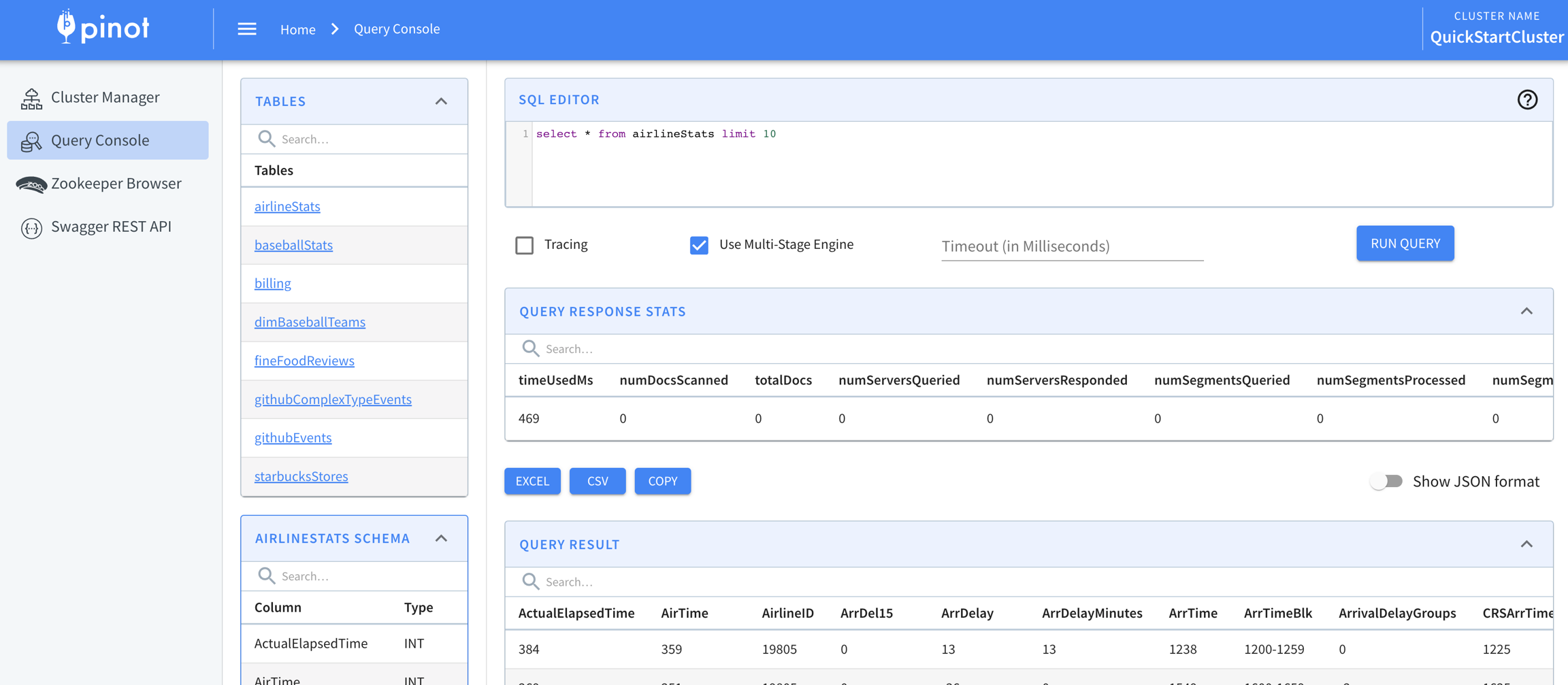
Pinot provides a SQL interface for querying, which uses the Calcite SQL parser to parse queries and the MYSQL_ANSI dialect. For details on the syntax, see the the Calcite documentation. To find supported SQL operators, see Class SqlLibraryOperators.
Pinot 1.0
In Pinot 1.0, the multi-stage query engine supports inner join, left-outer, semi-join, and nested queries out of the box. It's optimized for in-memory process and latency. For more information, see how to .
Pinot also supports using simple Data Definition Language (DDL) to insert data into a table from file directly. For details, see . More DDL supports will be added in the future. But for now, the most common way for data definition is using the .
Note: For queries that require a large amount of data shuffling, require spill-to-disk, or are hitting any other limitations of the multi-stage query engine (v2), we still recommend using Presto.
Identifier vs Literal
In Pinot SQL:
Double quotes(") are used to force string identifiers, e.g. column names
Single quotes(') are used to enclose string literals. If the string literal also contains a single quote, escape this with a single quote e.g '''Pinot''' to match the string literal 'Pinot'
Misusing those might cause unexpected query results, like the following examples:
WHERE a='b' means the predicate on the column a equals to a string literal value 'b'
WHERE a="b" means the predicate on the column a equals to the value of the column b
If your column names use reserved keywords (e.g. timestamp or date) or special characters, you will need to use double quotes when referring to them in queries.
Note: Define decimal literals within quotes to preserve precision.
Example Queries
Selection
Aggregation
Grouping on Aggregation
Ordering on Aggregation
Filtering
For performant filtering of IDs in a list, see .
Filtering with NULL predicate
Selection (Projection)
Ordering on Selection
Pagination on Selection
Note that results might not be consistent if the ORDER BY column has the same value in multiple rows.
Wild-card match (in WHERE clause only)
The example below counts rows where the column airlineName starts with U:
Case-When Statement
Pinot supports the CASE-WHEN-ELSE statement, as shown in the following two examples:
UDF
Pinot doesn't currently support injecting functions. Functions have to be implemented within Pinot, as shown below:
For more examples, see .
BYTES column
Pinot supports queries on BYTES column using hex strings. The query response also uses hex strings to represent bytes values.
The query below fetches all the rows for a given UID:
Cardinality Estimation
Cardinality estimation is a classic problem. Pinot solves it with multiple ways each of which has a trade-off between accuracy and latency.
Returns accurate count for all unique values in a column.
The underlying implementation is using a IntOpenHashSet in library: it.unimi.dsi:fastutil:8.2.3 to hold all the unique values.
Approximate Results
It usually takes a lot of resources and time to compute exact results for unique counting on large datasets. In some circumstances, we can tolerate a certain error rate, in which case we can use approximation functions to tackle this problem.
HyperLogLog
HyperLogLog is an approximation algorithm for unique counting. It uses fixed number of bits to estimate the cardinality of given data set.
Pinot leverages HyperLogLog Class in library com.clearspring.analytics:stream:2.7.0as the data structure to hold intermediate results.
Functions:
DistinctCountHLL(x)_ -> LONG_
For column type INT/LONG/FLOAT/DOUBLE/STRING , Pinot treats each value as an individual entry to add into HyperLogLog Object, then compute the approximation by calling method cardinality().
For column type BYTES, Pinot treats each value as a serialized HyperLogLog Object with pre-aggregated values inside. The bytes value is generated by org.apache.pinot.core.common.ObjectSerDeUtils.HYPER_LOG_LOG_SER_DE.serialize(hyperLogLog).
All deserialized HyperLogLog object will be merged into one then calling method **cardinality() **to get the approximated unique count.
Theta Sketches
The Theta Sketch framework enables set operations over a stream of data, and can also be used for cardinality estimation. Pinot leverages the Sketch Class and its extensions from the library org.apache.datasketches:datasketches-java:4.2.0 to perform distinct counting as well as evaluating set operations.
Functions:
DistinctCountThetaSketch(<thetaSketchColumn>, <thetaSketchParams>, predicate1, predicate2..., postAggregationExpressionToEvaluate**) **-> LONG
thetaSketchColumn (required): Name of the column to aggregate on.
thetaSketchParams (required): Parameters for constructing the intermediate theta-sketches. Currently, the only supported parameter is nominalEntries.
predicates (optional)_: _ These are individual predicates of form lhs <op> rhs which are applied on rows selected by the where clause. During intermediate sketch aggregation, sketches from the thetaSketchColumn that satisfies these predicates are unionized individually. For example, all filtered rows that match country=USA are unionized into a single sketch. Complex predicates that are created by combining (AND/OR) of individual predicates is supported.
postAggregationExpressionToEvaluate (required): The set operation to perform on the individual intermediate sketches for each of the predicates. Currently supported operations are SET_DIFF, SET_UNION, SET_INTERSECT , where DIFF requires two arguments and the UNION/INTERSECT allow more than two arguments.
In the example query below, the where clause is responsible for identifying the matching rows. Note, the where clause can be completely independent of the postAggregationExpression. Once matching rows are identified, each server unionizes all the sketches that match the individual predicates, i.e. country='USA' , device='mobile' in this case. Once the broker receives the intermediate sketches for each of these individual predicates from all servers, it performs the final aggregation by evaluating the postAggregationExpression and returns the final cardinality of the resulting sketch.
This is the same as the previous function, except it returns the byte serialized sketch instead of the cardinality sketch. Since Pinot returns responses as JSON strings, bytes are returned as hex encoded strings. The hex encoded string can be deserialized into sketch by using the library org.apache.commons.codec.binaryas Hex.decodeHex(stringValue.toCharArray()).
Tuple Sketches
The Tuple Sketch is an extension of the Theta Sketch. Tuple sketches store an additional summary value with each retained entry which makes the sketch ideal for summarizing attributes such as impressions or clicks. Tuple sketches are interoperable with the Theta Sketch and enable set operations over a stream of data, and can also be used for cardinality estimation.
Functions:
avgValueIntegerSumTupleSketch(<tupleSketchColumn>, <tupleSketchLgK>**) -> Long
tupleSketchColumn (required): Name of the column to aggregate on.
tupleSketchLgK (optional): lgK which is the the log2 of K, which controls both the size and accuracy of the sketch.
This function can be used to combine the summary values from the random sample stored within the Tuple sketch and formulate an estimate for an average that applies to the entire dataset. The average should be interpreted as applying to each key tracked by the sketch and is rounded to the nearest whole number.
distinctCountTupleSketch(<tupleSketchColumn>, <tupleSketchLgK>**) -> LONG
tupleSketchColumn (required): Name of the column to aggregate on.
tupleSketchLgK (optional): lgK which is the the log2 of K, which controls both the size and accuracy of the sketch.
This returns the cardinality estimate for a column where the values are already encoded as Tuple sketches, stored as BYTES.
This is the same as the previous function, except it returns the byte serialized sketch instead of the cardinality sketch. Since Pinot returns responses as JSON strings, bytes are returned as hex encoded strings. The hex encoded string can be deserialized into sketch by using the library org.apache.commons.codec.binaryas Hex.decodeHex(stringValue.toCharArray()).
sumValueIntegerSumTupleSketch(<tupleSketchColumn>, <tupleSketchLgK>**) -> Long
tupleSketchColumn (required): Name of the column to aggregate on.
tupleSketchLgK (optional): lgK which is the the log2 of K, which controls both the size and accuracy of the sketch.
This function can be used to combine the summary values (using sum) from the random sample stored within the Tuple sketch and formulate an estimate that applies to the entire dataset. See avgValueIntegerSumTupleSketch for extracting an average for integer summaries. If other merging options are required, it is best to extract the raw sketches directly or to implement a new Pinot aggregation function to support these.
Compressed Probability Counting (CPC) Sketches
The Compressed Probability Counting(CPC) Sketch enables extremely space-efficient cardinality estimation. The stored CPC sketch can consume about 40% less space than an HLL sketch of comparable accuracy. Pinot can aggregate multiple existing CPC sketches together to get a total distinct count or estimated directly from raw values.
Functions:
distinctCountCpcSketch(<cpcSketchColumn>, <cpcSketchLgK>**) -> Long
cpcSketchColumn (required): Name of the column to aggregate on.
cpcSketchLgK (optional): lgK which is the the log2 of K, which controls both the size and accuracy of the sketch.
This returns the cardinality estimate for a column.
cpcSketchColumn (required): Name of the column to aggregate on.
cpcSketchLgK (optional): lgK which is the the log2 of K, which controls both the size and accuracy of the sketch.
This is the same as the previous function, except it returns the byte serialized sketch instead of the cardinality sketch. Since Pinot returns responses as JSON strings, bytes are returned as hex encoded strings. The hex encoded string can be deserialized into sketch by using the library org.apache.commons.codec.binaryas Hex.decodeHex(stringValue.toCharArray()).
UltraLogLog (ULL) Sketches
The UltraLogLog Sketch from Dynatrace is a variant of HyperLogLog and is used for approximate distinct counts. The UltraLogLog sketch shares many of the same properties of a typical HyperLogLog sketch but requires less space and also provides a simpler and faster estimator.
Pinot uses an production-ready Java implementation available in Hash4j available under the Apache license.
Functions:
distinctCountULL(<ullSketchColumn>, <ullSketchPrecision>**) -> Long
ullSketchColumn (required): Name of the column to aggregate on.
ullSketchPrecision (optional): p which is the precision parameter, which controls both the size and accuracy of the sketch.
This returns the cardinality estimate for a column.
ullSketchColumn (required): Name of the column to aggregate on.
ullSketchPrecision (optional): p which is the precision parameter, which controls both the size and accuracy of the sketch.
This is the same as the previous function, except it returns the byte serialized sketch instead of the cardinality sketch. Since Pinot returns responses as JSON strings, bytes are returned as hex encoded strings. The hex encoded string can be deserialized into sketch by using the library org.apache.commons.codec.binaryas Hex.decodeHex(stringValue.toCharArray()).
//default to limit 10
SELECT *
FROM myTable

SELECT *
FROM myTable
LIMIT 100
SELECT "date", "timestamp"
FROM myTable
SELECT COUNT(*), MAX(foo), SUM(bar)
FROM myTable
SELECT MIN(foo), MAX(foo), SUM(foo), AVG(foo), bar, baz
FROM myTable
GROUP BY bar, baz
LIMIT 50
SELECT MIN(foo), MAX(foo), SUM(foo), AVG(foo), bar, baz
FROM myTable
GROUP BY bar, baz
ORDER BY bar, MAX(foo) DESC
LIMIT 50
SELECT COUNT(*)
FROM myTable
  WHERE foo = 'foo'
  AND bar BETWEEN 1 AND 20
  OR (baz < 42 AND quux IN ('hello', 'goodbye') AND quuux NOT IN (42, 69))
SELECT COUNT(*)
FROM myTable
  WHERE foo IS NOT NULL
  AND foo = 'foo'
  AND bar BETWEEN 1 AND 20
  OR (baz < 42 AND quux IN ('hello', 'goodbye') AND quuux NOT IN (42, 69))
SELECT *
FROM myTable
  WHERE quux < 5
  LIMIT 50
SELECT foo, bar
FROM myTable
  WHERE baz > 20
  ORDER BY bar DESC
  LIMIT 100
SELECT foo, bar
FROM myTable
  WHERE baz > 20
  ORDER BY bar DESC
  LIMIT 50, 100
SELECT COUNT(*)
FROM myTable
  WHERE REGEXP_LIKE(airlineName, '^U.*')
  GROUP BY airlineName LIMIT 10
SELECT
    CASE
      WHEN price > 30 THEN 3
      WHEN price > 20 THEN 2
      WHEN price > 10 THEN 1
      ELSE 0
    END AS price_category
FROM myTable
SELECT
  SUM(
    CASE
      WHEN price > 30 THEN 30
      WHEN price > 20 THEN 20
      WHEN price > 10 THEN 10
      ELSE 0
    END) AS total_cost
FROM myTable
SELECT COUNT(*)
FROM myTable
GROUP BY DATETIMECONVERT(timeColumnName, '1:MILLISECONDS:EPOCH', '1:HOURS:EPOCH', '1:HOURS')
SELECT *
FROM myTable
WHERE UID = 'c8b3bce0b378fc5ce8067fc271a34892'
select distinctCountThetaSketch(
  sketchCol,
  'nominalEntries=1024',
  'country'=''USA'' AND 'state'=''CA'', 'device'=''mobile'', 'SET_INTERSECT($1, $2)'
)
from table
where country = 'USA' or device = 'mobile...'
Grouping Algorithm
In this guide we will learn about the heuristics used for trimming results in Pinot's grouping algorithm (used when processing GROUP BY queries) to make sure that the server doesn't run out of memory.
Within segment
When grouping rows within a segment, Pinot keeps a maximum of <numGroupsLimit> groups per segment. This value is set to 100,000 by default and can be configured by the pinot.server.query.executor.num.groups.limit property.
If the number of groups of a segment reaches this value, the extra groups will be ignored and the results returned may not be completely accurate. The numGroupsLimitReached property will be set to true in the query response if the value is reached.
Trimming tail groups
After the inner segment groups have been computed, the Pinot query engine optionally trims tail groups. Tail groups are ones that have a lower rank based on the ORDER BY clause used in the query.
This configuration is disabled by default, but can be enabled by configuring the pinot.server.query.executor.min.segment.group.trim.size property.
When segment group trim is enabled, the query engine will trim the tail groups and keep max(<minSegmentGroupTrimSize>, 5 * LIMIT) groups if it gets more groups. Pinot keeps at least 5 * LIMIT groups when trimming tail groups to ensure the accuracy of results.
This value can be overridden on a query by query basis by passing the following option:
Cross segments
Once grouping has been done within a segment, Pinot will merge segment results and trim tail groups and keep max(<minServerGroupTrimSize>, 5 * LIMIT) groups if it gets more groups.
<minServerGroupTrimSize> is set to 5,000 by default and can be adjusted by configuring the pinot.server.query.executor.min.server.group.trim.size property. When setting the configuration to -1, the cross segments trim can be disabled.
This value can be overridden on a query by query basis by passing the following option:
When cross segments trim is enabled, the server will trim the tail groups before sending the results back to the broker. It will also trim the tail groups when the number of groups reaches the <trimThreshold>.
This configuration is set to 1,000,000 by default and can be adjusted by configuring the pinot.server.query.executor.groupby.trim.threshold property.
A higher threshold reduces the amount of trimming done, but consumes more heap memory. If the threshold is set to more than 1,000,000,000, the server will only trim the groups once before returning the results to the broker.
At Broker
When broker performs the final merge of the groups returned by various servers, there is another level of trimming that takes place. The tail groups are trimmed and max(<minBrokerGroupTrimSize>, 5 * LIMIT) groups are retained.
Default value of <minBrokerGroupTrimSize> is set to 5000. This can be adjusted by configuring pinot.broker.min.group.trim.size property.
GROUP BY behavior
Pinot sets a default LIMIT of 10 if one isn't defined and this applies to GROUP BY queries as well. Therefore, if no limit is specified, Pinot will return 10 groups.
Pinot will trim tail groups based on the ORDER BY clause to reduce the memory footprint and improve the query performance. It keeps at least 5 * LIMIT groups so that the results give good enough approximation in most cases. The configurable min trim size can be used to increase the groups kept to improve the accuracy but has a larger extra memory footprint.
HAVING behavior
If the query has a HAVING clause, it is applied on the merged GROUP BY results that already have the tail groups trimmed. If the HAVING clause is the opposite of the ORDER BY order, groups matching the condition might already be trimmed and not returned. e.g.
Increase min trim size to keep more groups in these cases.
pinot.server.query.executor.min.server.group.trim.size
The minimum number of groups to keep when trimming groups at the server level.
5,000
SELECT *
FROM ...

OPTION(minSegmentGroupTrimSize=<minSegmentGroupTrimSize>)
SELECT *
FROM ...

OPTION(minServerGroupTrimSize=<minServerGroupTrimSize>)
SELECT SUM(colA)
FROM myTable
GROUP BY colB
HAVING SUM(colA) < 100
ORDER BY SUM(colA) DESC
LIMIT 10
Filtering with IdSet
Learn how to write fast queries for looking up IDs in a list of values.
Filtering with IdSet is only supported with the single-stage query engine (v1).
A common use case is filtering on an id field with a list of values. This can be done with the IN clause, but using IN doesn't perform well with large lists of IDs. For large lists of IDs, we recommend using an IdSet.
This function returns a base 64 encoded IdSet of the values for a single column. The IdSet implementation used depends on the column data type:
INT - RoaringBitmap unless sizeThresholdInBytes is exceeded, in which case Bloom Filter.
LONG - Roaring64NavigableMap unless sizeThresholdInBytes is exceeded, in which case Bloom Filter.
Other types - Bloom Filter
The following parameters are used to configure the Bloom Filter:
expectedInsertions - Number of expected insertions for the BloomFilter, must be positive
fpp - False positive probability to use for the BloomFilter. Must be positive and less than 1.0.
Note that when a Bloom Filter is used, the filter results are approximate - you can get false-positive results (for membership in the set), leading to potentially unexpected results.
IN_ID_SET
IN_ID_SET(columnName, base64EncodedIdSet)
This function returns 1 if a column contains a value specified in the IdSet and 0 if it does not.
IN_SUBQUERY
IN_SUBQUERY(columnName, subQuery)
This function generates an IdSet from a subquery and then filters ids based on that IdSet on a Pinot broker.
IN__PARTITIONED__SUBQUERY
IN_PARTITIONED_SUBQUERY(columnName, subQuery)
This function generates an IdSet from a subquery and then filters ids based on that IdSet on a Pinot server.
This function works best when the data is partitioned by the id column and each server contains all the data for a partition. The generated IdSet for the subquery will be smaller as it will only contain the ids for the partitions served by the server. This will give better performance.
The query passed to IN_SUBQUERY can be run on any table - they aren't restricted to the table used in the parent query.
The query passed to IN__PARTITIONED__SUBQUERY must be run on the same table as the parent query.
Examples
Create IdSet
You can create an IdSet of the values in the yearID column by running the following:
idset(yearID)
When creating an IdSet for values in non INT/LONG columns, we can configure the expectedInsertions:
idset(playerName)
idset(playerName)
We can also configure the fpp parameter:
idset(playerName)
Filter by values in IdSet
We can use the IN_ID_SET function to filter a query based on an IdSet. To return rows for _yearID_s in the IdSet, run the following:
Filter by values not in IdSet
To return rows for _yearID_s not in the IdSet, run the following:
Filter on broker
To filter rows for _yearID_s in the IdSet on a Pinot Broker, run the following query:
To filter rows for _yearID_s not in the IdSet on a Pinot Broker, run the following query:
Filter on server
To filter rows for _yearID_s in the IdSet on a Pinot Server, run the following query:
To filter rows for _yearID_s not in the IdSet on a Pinot Server, run the following query:
JOINs
Pinot supports JOINs, including left, right, full, semi, anti, lateral, and equi JOINs. Use JOINs to connect two table to generate a unified view, based on a related column between the tables.
Pinot 1.0 introduces support for all JOIN types. JOINs in Pinot significantly reduce query latency and simplify architecture, achieving the best performance currently available for an OLAP database.
Use JOINs to combine two tables (a left and right table) together, based on a related column between the tables, and other join filters. JOINs let you gain more insights from your data.
Supported JOINs types and examples
Inner join
The inner join selects rows that have matching values in both tables.
Syntax:
Example of inner join
Joins a table containing user transactions with a table containing promotions shown to the users, to show the spending for every userID.
Left join
A left join returns all values from the left relation and the matched values from the right table, or appends NULL if there is no match. Also referred to as a left outer join.
Syntax:
Right join
A right join returns all values from the right relation and the matched values from the left relation, or appends NULL if there is no match. It is also referred to as a right outer join.
Syntax:
Full join
A full join returns all values from both relations, appending NULL values on the side that does not have a match. It is also referred to as a full outer join.
Syntax:
Cross join
A cross join returns the Cartesian product of two relations. If no WHERE clause is used along with CROSS JOIN, this produces a result set that is the number of rows in the first table multiplied by the number of rows in the second table. If a WHERE clause is included with CROSS JOIN, it functions like an .
Syntax:
Semi/Anti join
Semi/anti-join returns rows from the first table where no matches are found in the second table. Returns one copy of each row in the first table for which no match is found.
Syntax:
Equi join
An equi join uses an equality operator to match a single or multiple column values of the relative tables.
Syntax:
JOINs optimizations
Pinot JOINs include the following optimizations:
Predicate push-down to individual tables
Indexing and pruning to reduce scanning and speeds up query processing
Smart data layout considerations to minimize data shuffling
SELECT ID_SET(yearID)
FROM baseballStats
WHERE teamID = 'WS1'
SELECT ID_SET(playerName, 'expectedInsertions=10')
FROM baseballStats
WHERE teamID = 'WS1'
SELECT ID_SET(playerName, 'expectedInsertions=100')
FROM baseballStats
WHERE teamID = 'WS1'
SELECT ID_SET(playerName, 'expectedInsertions=100;fpp=0.01')
FROM baseballStats
WHERE teamID = 'WS1'
SELECT yearID, count(*)
FROM baseballStats
WHERE IN_ID_SET(
 yearID,
 'ATowAAABAAAAAAA7ABAAAABtB24HbwdwB3EHcgdzB3QHdQd2B3cHeAd5B3oHewd8B30Hfgd/B4AHgQeCB4MHhAeFB4YHhweIB4kHigeLB4wHjQeOB48HkAeRB5IHkweUB5UHlgeXB5gHmQeaB5sHnAedB54HnwegB6EHogejB6QHpQemB6cHqAc='
  ) = 1
GROUP BY yearID
SELECT yearID, count(*)
FROM baseballStats
WHERE IN_ID_SET(
  yearID,
  'ATowAAABAAAAAAA7ABAAAABtB24HbwdwB3EHcgdzB3QHdQd2B3cHeAd5B3oHewd8B30Hfgd/B4AHgQeCB4MHhAeFB4YHhweIB4kHigeLB4wHjQeOB48HkAeRB5IHkweUB5UHlgeXB5gHmQeaB5sHnAedB54HnwegB6EHogejB6QHpQemB6cHqAc='
  ) = 0
GROUP BY yearID
SELECT yearID, count(*)
FROM baseballStats
WHERE IN_SUBQUERY(
  yearID,
  'SELECT ID_SET(yearID) FROM baseballStats WHERE teamID = ''WS1'''
  ) = 1
GROUP BY yearID
SELECT yearID, count(*)
FROM baseballStats
WHERE IN_SUBQUERY(
  yearID,
  'SELECT ID_SET(yearID) FROM baseballStats WHERE teamID = ''WS1'''
  ) = 0
GROUP BY yearID
SELECT yearID, count(*)
FROM baseballStats
WHERE IN_PARTITIONED_SUBQUERY(
  yearID,
  'SELECT ID_SET(yearID) FROM baseballStats WHERE teamID = ''WS1'''
  ) = 1
GROUP BY yearID
SELECT yearID, count(*)
FROM baseballStats
WHERE IN_PARTITIONED_SUBQUERY(
  yearID,
  'SELECT ID_SET(yearID) FROM baseballStats WHERE teamID = ''WS1'''
  ) = 0
GROUP BY yearID
SELECT myTable.column1,myTable.column2,myOtherTable.column1,....
FROM mytable INNER JOIN table2
ON table1.matching_column = myOtherTable.matching_column;
SELECT
  p.userID, t.spending_val

FROM promotion AS p JOIN transaction AS t
  ON p.userID = t.userID

WHERE
  p.promotion_val > 10
  AND t.transaction_type IN ('CASH', 'CREDIT')
  AND t.transaction_epoch >= p.promotion_start_epoch
  AND t.transaction_epoch < p.promotion_end_epoch
SELECT myTable.column1,table1.column2,myOtherTable.column1,....
FROM myTable LEFT JOIN myOtherTable
ON myTable.matching_column = myOtherTable.matching_column;
SELECT table1.column1,table1.column2,table2.column1,....
FROM table1
RIGHT JOIN table2
ON table1.matching_column = table2.matching_column;
SELECT table1.column1,table1.column2,table2.column1,....
FROM table1
FULL JOIN table2
ON table1.matching_column = table2.matching_column;
SELECT *
FROM table1
CROSS JOIN table2;
SELECT  myTable.column1, myOtherTable.column1
 FROM  myOtherTable
 WHERE  NOT EXISTS [ join_criteria ]
SELECT *
FROM table1
JOIN table2
[ON (join_condition)]

OR

SELECT column_list
FROM table1, table2....
WHERE table1.column_name =
table2.column_name;
Query Options
This document contains all the available query options
Supported Query Options
Key
Description
Default Behavior
timeoutMs
Set Query Options
SET statement
After release 0.11.0, query options can be set using the SET statement:
OPTION keyword (deprecated)
Before release 0.11.0, query options can be appended to the query with the OPTION keyword:
Explain Plan (Single-Stage)
Query execution within Pinot is modeled as a sequence of operators that are executed in a pipelined manner to produce the final result. The output of the EXPLAIN PLAN statement can be used to see how queries are being run or to further optimize queries.
Introduction
EXPLAN PLAN can be run in two modes: verbose and non-verbose (default) via the use of a query option. To enable verbose mode the query option explainPlanVerbose=true must be passed.
In the non-verbose EXPLAIN PLAN output above, the Operator column describes the operator that Pinot will run where as, the Operator_Id and Parent_Id columns show the parent-child relationship between operators.
This parent-child relationship shows the order in which operators execute. For example, FILTER_MATCH_ENTIRE_SEGMENT will execute before and pass its output to PROJECT. Similarly, PROJECT will execute before and pass its output to TRANSFORM_PASSTHROUGH operator and so on.
Although the EXPLAIN PLAN query produces tabular output, in this document, we show a tree representation of the EXPLAIN PLAN output so that parent-child relationship between operators are easy to see and user can visualize the bottom-up flow of data in the operator tree execution.
Note a special node with the Operator_Id and Parent_Id called PLAN_START(numSegmentsForThisPlan:1). This node indicates the number of segments which match a given plan. The EXPLAIN PLAN query can be run with the verbose mode enabled using the query option explainPlanVerbose=true which will show the varying deduplicated query plans across all segments across all servers.
EXPLAIN PLAN output should only be used for informational purposes because it is likely to change from version to version as Pinot is further developed and enhanced. Pinot uses a "Scatter Gather" approach to query evaluation (see for more details). At the Broker, an incoming query is split into several server-level queries for each backend server to evaluate. At each Server, the query is further split into segment-level queries that are evaluated against each segment on the server. The results of segment queries are combined and sent to the Broker. The Broker in turn combines the results from all the Servers and sends the final results back to the user. Note that if the EXPLAIN PLAN query runs without the verbose mode enabled, a single plan will be returned (the heuristic used is to return the deepest plan tree) and this may not be an accurate representation of all plans across all segments. Different segments may execute the plan in a slightly different way.
Reading the EXPLAIN PLAN output from bottom to top will show how data flows from a table to query results. In the example shown above, the FILTER_MATCH_ENTIRE_SEGMENT operator shows that all 977889 records of the segment matched the query. The DOC_ID_SET over the filter operator gets the set of document IDs matching the filter operator. The PROJECT operator over the DOC_ID_SET operator pulls only those columns that were referenced in the query. The TRANSFORM_PASSTHROUGH operator just passes the column data from PROJECT operator to the SELECT operator. At SELECT, the query has been successfully evaluated against one segment. Results from different data segments are then combined (COMBINE_SELECT) and sent to the Broker. The Broker combines and reduces the results from different servers (BROKER_REDUCE
The rest of this document illustrates the EXPLAIN PLAN output with examples and describe the operators that show up in the output of the EXPLAIN PLAN.
EXPLAIN PLAN using verbose mode for a query that evaluates filters with and without index
Since verbose mode is enabled, the EXPLAIN PLAN output returns two plans matching one segment each (assuming 2 segments for this table). The first EXPLAIN PLAN output above shows that Pinot used an inverted index to evaluate the predicate "playerID = 'aardsda01'" (FILTER_INVERTED_INDEX). The result was then fully scanned (FILTER_FULL_SCAN) to evaluate the second predicate "playerName = 'David Allan'". Note that the two predicates are being combined using AND in the query; hence, only the data that satsified the first predicate needs to be scanned for evaluating the second predicate. However, if the predicates were being combined using OR, the query would run very slowly because the entire "playerName" column would need to be scanned from top to bottom to look for values satisfying the second predicate. To improve query efficiency in such cases, one should consider indexing the "playerName" column as well. The second plan output shows a FILTER_EMPTY indicating that no matching documents were found for one segment.
EXPLAIN PLAN ON GROUP BY QUERY
The EXPLAIN PLAN output above shows how GROUP BY queries are evaluated in Pinot. GROUP BY results are created on the server (AGGREGATE_GROUPBY_ORDERBY) for each segment on the server. The server then combines segment-level GROUP BY results (COMBINE_GROUPBY_ORDERBY) and sends the combined result to the Broker. The Broker combines GROUP BY result from all the servers to produce the final result which is send to the user. Note that the COMBINE_SELECT operator from the previous query was not used here, instead a different COMBINE_GROUPBY_ORDERBY operator was used. Depending upon the type of query different combine operators such as COMBINE_DISTINCT and COMBINE_ORDERBY etc may be seen.
EXPLAIN PLAN OPERATORS
The root operator of the EXPLAIN PLAN output is BROKER_REDUCE. BROKER_REDUCE indicates that Broker is processing and combining server results into final result that is sent back to the user. BROKER_REDUCE has a COMBINE operator as its child. Combine operator combines the results of query evaluation from each segment on the server and sends the combined result to the Broker. There are several combine operators (COMBINE_GROUPBY_ORDERBY, COMBINE_DISTINCT, COMBINE_AGGREGATE, etc.) that run depending upon the operations being performed by the query. Under the Combine operator, either a Select (SELECT, SELECT_ORDERBY, etc.) or an Aggregate (AGGREGATE, AGGREGATE_GROUPBY_ORDERBY, etc.) can appear. Aggreate operator is present when query performs aggregation (
User-Defined Functions (UDFs)
Pinot currently supports two ways for you to implement your own functions:
To enable basic null support (IS NULL and IS NOT NULL) and generate the null index, set nullHandlingEnabled=true in the Table index configuration tableIndexConfig. When null support is enabled, IS NOT NULL and IS NULL evaluate to true or false according to whether a null is detected. See Null value support for more information. (introduced in 0.11.0)
false (disabled)
explainPlanVerbose
Return verbose result for EXPLAIN query (introduced in 0.11.0)
false (not verbose)
useMultistageEngine
Use multi-stage engine to execute the query (introduced in 0.11.0)
false (use single-stage engine)
maxExecutionThreads
Maximum threads to use to execute the query. Useful to limit the resource usage for expensive queries
Half of the CPU cores for non-group-by queries; all CPU cores for group-by queries
numReplicaGroupsToQuery
When replica-group based routing is enabled, use it to query multiple replica-groups (introduced in 0.11.0)
1 (only query servers within the same replica-group)
minSegmentGroupTrimSize
Minimum groups to keep when trimming groups at the segment level for group-by queries. See Configuration Parameters
Server level config
minServerGroupTrimSize
Minimum groups to keep when trimming groups at the server level for group-by queries. See Configuration Parameters
Configure maximum rows allowed in join hash-table creation phase
default value read from cluster config
if not set, the default will be
2^20 (1024*1024)
inPredicatePreSorted
(Only apply to STRING columns) Indicates that the values in the IN clause is already sorted, so that Pinot doesn't need to sort them again at query time
false (values in IN predicate is not pre-sorted)
inPredicateLookupAlgorithm
(Only apply to STRING columns) The algorithm to use to look up the dictionary ids for the IN clause values.
DIVIDE_BINARY_SEARCH: Sort the IN clause values and do binary search on both dictionary and IN clause values at same time to reduce the value lookups
SCAN: Sort the IN clause values and scan both dictionary and IN clause values to get the matching dictionary ids
PLAIN_BINARY_SEARCH: Do not sort the IN clause values, but directly binary search each IN clause value in the dictionary
DIVIDE_BINARY_SEARCH
maxServerResponseSizeBytes
Long value config indicating the maximum length of the serialized response per server for a query.
Long value config indicating the maximum serialized response size across all servers for a query. This value is equally divided across all servers processing the query.
) into a final result that is sent to the user. The
PLAN_START(numSegmentsForThisPlan:1)
indicates that a single segment matched this query plan. If verbose mode is enabled many plans can be returned and each will contain a node indicating the number of matched segments.
count(*)
,
min
,
max
, etc.); otherwise, a Select operator is present. If the query performs scalar transformations (Addition, Multiplication, Concat, etc.), then one would see TRANSFORM operator appear under the SELECT operator. Often a
TRANSFORM_PASSTHROUGH
operator is present instead of the TRANSFORM operator.
TRANSFORM_PASSTHROUGH
just passes results from operators that appear lower in the operator execution heirarchy to the SELECT operator.
DOC_ID_SET
operator usually appear above FILTER operators and indicate that a list of matching document IDs are assessed. FILTER operators usually appear at the bottom of the operator heirarchy and show index use. For example, the presence of FILTER_FULL_SCAN indicates that index was not used (and hence the query is likely to run relatively slow). However, if the query used an index one of the indexed filter operators (
Pinot allows you to run any function using Apache Groovy scripts. The syntax for executing Groovy script within the query is as follows:
GROOVY('result value metadata json', ''groovy script', arg0, arg1, arg2...)
This function will execute the groovy script using the arguments provided and return the result that matches the provided result value metadata. **** The function requires the following arguments:
Result value metadata json - json string representing result value metadata. Must contain non-null keys resultType and isSingleValue.
Groovy script to execute- groovy script string, which uses arg0, arg1, arg2 etc to refer to the arguments provided within the script
arguments - pinot columns/other transform functions that are arguments to the groovy script
Examples
Add colA and colB and return a single-value INT
groovy( '{"returnType":"INT","isSingleValue":true}', 'arg0 + arg1', colA, colB)\
Find the max element in mvColumn array and return a single-value INT
⚠️ Note that Groovy script doesn't accept Built-In ScalarFunction that's specific to Pinot queries. See the section below for more information.
⚠️Enabling Groovy
Allowing execuatable Groovy in queries can be a security vulnerability. Use caution and be aware of the security risks if you decide to allow groovy. If you would like to enable Groovy in Pinot queries, you can set the following broker config.
pinot.broker.disable.query.groovy=false
If not set, Groovy in queries is disabled by default.
The above configuration applies across the entire Pinot cluster. If you want a table level override to enable/disable Groovy queries, the following property can be set in the query table config.
Scalar Functions
Since the 0.5.0 release, Pinot supports custom functions that return a single output for multiple inputs. Examples of scalar functions can be found in StringFunctions and DateTimeFunctions
Pinot automatically identifies and registers all the functions that have the @ScalarFunction annotation.
Only Java methods are supported.
Adding user defined scalar functions
You can add new scalar functions as follows:
Create a new java project. Make sure you keep the package name as org.apache.pinot.scalar.XXXX
In your java project include the dependency
Annotate your methods with @ScalarFunction annotation. Make sure the method is static and returns only a single value output. The input and output can have one of the following types -
Integer
Long
Double
String
Place the compiled JAR in the /plugins directory in pinot. You will need to restart all Pinot instances if they are already running.
Now, you can use the function in a query as follows:
⚠️ Note that the function name in SQL is the same as the function name in Java. The SQL function name is case-insensitive as well.
pinot.query.join.max.rows
SET key1 = 'value1';
SET key2 = 123;
SELECT * FROM myTable
SELECT * FROM myTable OPTION(key1=value1, key2=123)
SELECT * FROM myTable OPTION(key1=value1) OPTION(key2=123)
SELECT * FROM myTable OPTION(timeoutMs=30000)
This document describes EXPLAIN PLAN syntax for multi-stage engine (v2)
In Single-stage engine Explain Plan, we do not differentiate any logical/physical plan b/c the structure of the query is fixed. By default it explain the Physical Plan
In multi-stage engine we support EXPLAIN PLAN syntax mostly following Apache Calcite's EXPLAIN PLAN syntax. Here are several examples:
Explain Logical Plan
Using SSB standard query example:
The result field contains 2 columns and 1 row:
noted that all the normal options for EXPLAIN PLAN in Apache Calcite also works in Pinot with extra information including attributes, type, etc.
Explain Implementation (Pyhsical) Plan
If we want to gather the implementation plan specific to Pinot internal multi-stage engine operator chain. You can use the EXPLAIN IMPLEMENTATION PLAN :
Notes that now there is information regarding how many servers were used, and how are data being shuffled between nodes. etc.
EXPLAIN PLAN FOR
select
  P_BRAND1, sum(LO_REVENUE)
from ssb_lineorder_1, ssb_part_1
where LO_PARTKEY = P_PARTKEY
  and P_CATEGORY = 'MFGR#12'
group by P_BRAND1
To see how JSON data can be queried, assume that we have the following table:
We also assume that "jsoncolumn" has a Json Index on it. Note that the last two rows in the table have different structure than the rest of the rows. In keeping with JSON specification, a JSON column can contain any valid JSON data and doesn't need to adhere to a predefined schema. To pull out the entire JSON document for each row, we can run the query below:
To drill down and pull out specific keys within the JSON column, we simply append the JsonPath expression of those keys to the end of the column name.
id
last_name
first_name
value
Note that the third column (value) is null for rows with id 106 and 107. This is because these rows have JSON documents that don't have a key with JsonPath $.data[1]. We can filter out these rows.
id
last_name
first_name
value
Certain last names (duck and mouse for example) repeat in the data above. We can get a count of each last name by running a GROUP BY query on a JsonPath expression.
jsoncolumn.name.last
count(*)
Also there is numerical information (jsconcolumn.$.id) embeded within the JSON document. We can extract those numerical values from JSON data into SQL and sum them up using the query below.
jsoncolumn.name.last
sum(jsoncolumn.score)
JSON_MATCH and JSON_EXTRACT_SCALAR
Note that the JSON_MATCH function utilizes JsonIndex and can only be used if a JsonIndex is already present on the JSON column. As shown in the examples above, the second argument of JSON_MATCH operator takes a predicate. This predicate is evaluated against the JsonIndex and supports =, !=, IS NULL, or IS NOT NULL operators. Relational operators, such as >, <, >=
jsoncolumn.name.last
sum(jsoncolumn.score)
JSON_MATCH function also provides the ability to use wildcard * JsonPath expressions even though it doesn't support full JsonPath expressions.
last_name
total
While, JSON_MATCH supports IS NULL and IS NOT NULL operators, these operators should only be applied to leaf-level path elements, i.e the predicate JSON_MATCH(jsoncolumn, '"$.data[*]" IS NOT NULL') is not valid since "$.data[*]" does not address a "leaf" element of the path; however, "$.data[0]" IS NOT NULL') is valid since "$.data[0]" unambigously identifies a leaf element of the path.
JSON_EXTRACT_SCALAR does not utilize JsonIndex and therefore performs slower than JSON_MATCH which utilizes JsonIndex. However, JSON_EXTRACT_SCALAR supports a wider range for of JsonPath expressions and operators. To make the best use of fast index access (JSON_MATCH) along with JsonPath expressions (JSON_EXTRACT_SCALAR) you can combine the use of these two functions in WHERE clause.
JSON_MATCH syntax
The second argument of the JSON_MATCH function is a boolean expression in string form. This section shows how to correctly write the second argument of JSON_MATCH. Let's assume we want to search a JSON array array data for values k and j. This can be done by the following predicate:
To convert this predicate into string form for use in JSON_MATCH, we first turn the left side of the predicate into an identifier by enclosing it in double quotes:
Next, the literals in the predicate also need to be enclosed by '. Any existing ' need to be escaped as well. This gives us:
Finally, we need to create a string out of the entire expression above by enclosing it in ':
Now we have the string representation of the original predicate and this can be used in JSON_MATCH function:
SELECT id,
       json_extract_scalar(jsoncolumn, '$.name.last', 'STRING', 'null') last_name,
       json_extract_scalar(jsoncolumn, '$.name.first', 'STRING', 'null') first_name
       json_extract_scalar(jsoncolumn, '$.data[1]', 'STRING', 'null') value
  FROM myTable
SELECT id,
       json_extract_scalar(jsoncolumn, '$.name.last', 'STRING', 'null') last_name,
       json_extract_scalar(jsoncolumn, '$.name.first', 'STRING', 'null') first_name,
       json_extract_scalar(jsoncolumn, '$.data[1]', 'STRING', 'null') value
  FROM myTable
 WHERE JSON_MATCH(jsoncolumn, '"$.data[1]" IS NOT NULL')
  SELECT json_extract_scalar(jsoncolumn, '$.name.last', 'STRING', 'null') last_name,
         count(*)
    FROM myTable
   WHERE JSON_MATCH(jsoncolumn, '"$.data[1]" IS NOT NULL')
GROUP BY json_extract_scalar(jsoncolumn, '$.name.last', 'STRING', 'null')
ORDER BY 2 DESC
  SELECT json_extract_scalar(jsoncolumn, '$.name.last', 'STRING', 'null') last_name,
         sum(json_extract_scalar(jsoncolumn, '$.id', 'INT', 0)) total
    FROM myTable
   WHERE JSON_MATCH(jsoncolumn, '"$.name.last" IS NOT NULL')
GROUP BY json_extract_scalar(jsoncolumn, '$.name.last', 'STRING', 'null')
  SELECT json_extract_scalar(jsoncolumn, '$.name.last', 'STRING', 'null') last_name,
         sum(json_extract_scalar(jsoncolumn, '$.id', 'INT', 0)) total
    FROM myTable
   WHERE JSON_MATCH(jsoncolumn, '"$.name.last" IS NOT NULL') AND json_extract_scalar(jsoncolumn, '$.id', 'INT', 0) > 102
GROUP BY json_extract_scalar(jsoncolumn, '$.name.last', 'STRING', 'null')
  SELECT json_extract_scalar(jsoncolumn, '$.name.last', 'STRING', 'null') last_name,
         json_extract_scalar(jsoncolumn, '$.id', 'INT', 0) total
    FROM myTable
   WHERE JSON_MATCH(jsoncolumn, '"$.data[*]" = ''f''')
GROUP BY json_extract_scalar(jsoncolumn, '$.name.last', 'STRING', 'null')
data[0] IN ('k', 'j')
"data[0]" IN ('k', 'j')
"data[0]" IN (''k'', ''j'')
'"data[0]" IN (''k'', ''j'')'
WHERE JSON_MATCH(jsoncolumn, '"data[0]" IN (''k'', ''j'')')
Transformation Functions
This document contains the list of all the transformation functions supported by Pinot SQL.
Math Functions
Function
Sum of at least two values
Difference between two values
String Functions
Multiple string functions are supported out of the box from release-0.5.0 .
Function
DateTime Functions
Date time functions allow you to perform transformations on columns that contain timestamps or dates.
Function
JSON Functions
Transform Functions
These functions can only be used in Pinot SQL queries.
Function
Scalar Functions
These functions can be used for column transformation in table ingestion configs.
Function
Binary Functions
Function
Multi-value Column Functions
All of the functions mentioned till now only support single value columns. You can use the following functions to do operations on multi-value columns.
Function
Advanced Queries
Geospatial Queries
Pinot supports Geospatial queries on columns containing text-based geographies. For more details on the queries and how to enable them, see .
Text Queries
Pinot supports pattern matching on text-based columns. Only the columns mentioned as text columns in table config can be queried using this method. For more details on how to enable pattern matching, see .
returns true if columns starts with prefix string.
replace all instances of find with replace in input
string padded from the right side with pad to reach final size
string padded from the left side with pad to reach final size
the Unicode codepoint of the first character of the string
the character corresponding to the Unicode codepoint
Extracts values that match the provided regular expression
Find and replace a string or regexp pattern with a target string or regexp pattern
removes all instances of search from string
url-encode a string with UTF-8 format
decode a url to plaintext string
decode a Base64-encoded string to bytes represented as a hex string
decode a UTF8-encoded string to bytes represented as a hex string
checks if ipAddress is in the subnet of the ipPrefix
Round the given time value to nearest bucket start value.
Return current time as epoch millis
Return time as epoch millis before the given period (in ISO-8601 duration format)
Returns the hour of the time zone offset.
Returns the minute of the time zone offset.
Returns the year from the given epoch millis in UTC timezone.
Returns the year from the given epoch millis and timezone id.
Returns the year of the ISO week from the given epoch millis in UTC timezone. Alias yowis also supported.
Returns the year of the ISO week from the given epoch millis and timezone id. Alias yowis also supported.
Returns the quarter of the year from the given epoch millis in UTC timezone. The value ranges from 1 to 4.
Returns the quarter of the year from the given epoch millis and timezone id. The value ranges from 1 to 4.
Returns the month of the year from the given epoch millis in UTC timezone. The value ranges from 1 to 12.
Returns the month of the year from the given epoch millis and timezone id. The value ranges from 1 to 12.
Returns the ISO week of the year from the given epoch millis in UTC timezone. The value ranges from 1 to 53. Alias weekOfYear is also supported.
Returns the ISO week of the year from the given epoch millis and timezone id. The value ranges from 1 to 53. Alias weekOfYear is also supported.
Returns the day of the year from the given epoch millis in UTC timezone. The value ranges from 1 to 366. Alias doy is also supported.
Returns the day of the year from the given epoch millis and timezone id. The value ranges from 1 to 366. Alias doy is also supported.
Returns the day of the month from the given epoch millis in UTC timezone. The value ranges from 1 to 31. Alias dayOfMonth is also supported.
Returns the day of the month from the given epoch millis and timezone id. The value ranges from 1 to 31. Alias dayOfMonth is also supported.
Returns the day of the week from the given epoch millis in UTC timezone. The value ranges from 1(Monday) to 7(Sunday). Alias dow is also supported.
Returns the day of the week from the given epoch millis and timezone id. The value ranges from 1(Monday) to 7(Sunday). Alias dow is also supported.
Returns the hour of the day from the given epoch millis in UTC timezone. The value ranges from 0 to 23.
Returns the hour of the day from the given epoch millis and timezone id. The value ranges from 0 to 23.
Returns the minute of the hour from the given epoch millis in UTC timezone. The value ranges from 0 to 59.
Returns the minute of the hour from the given epoch millis and timezone id. The value ranges from 0 to 59.
Returns the second of the minute from the given epoch millis in UTC timezone. The value ranges from 0 to 59.
Returns the second of the minute from the given epoch millis and timezone id. The value ranges from 0 to 59.
Returns the millisecond of the second from the given epoch millis in UTC timezone. The value ranges from 0 to 999.
Returns the millisecond of the second from the given epoch millis and timezone id. The value ranges from 0 to 999.
SUBSTR(col, startIndex, endIndex)
Gets substring of the input string from start to endIndex. Index begins at 0. Set endIndex to -1 to calculate till end of the string
EXTRACT(dateTimeField FROM dateTimeExpression)
Extracts the field from the DATETIME expression of the format 'YYYY-MM-DD HH:MM:SS'. Currently, this transformation function supports YEAR, MONTH, DAY, HOUR, MINUTE, and SECOND fields.
JSONPATH(jsonField, 'jsonPath')
Extracts the object value from jsonField based on 'jsonPath', the result type is inferred based on JSON value. Cannot be used in query because data type is not specified.
JSONPATHARRAY(jsonField, 'jsonPath')
Extracts an array from jsonField based on 'jsonPath', the result type is inferred based on JSON value. Cannot be used in query because data type is not specified.
JSONPATHARRAYDEFAULTEMPTY(jsonField, 'jsonPath')
Extracts an array from jsonField based on 'jsonPath', the result type is inferred based on JSON value. Returns empty array for null or parsing error. Cannot be used in query because data type is not specified.
SHA(bytesCol)
Return SHA-1 digest of binary column(bytes type) as hex string
SHA256(bytesCol)
Return SHA-256 digest of binary column(bytes type) as hex string
SHA512(bytesCol)
Return SHA-512 digest of binary column(bytes type) as hex string
MD5(bytesCol)
Return MD5 digest of binary column(bytes type) as hex string
toBase64(bytesCol)
Return the Base64-encoded string of binary column(bytes type)
fromUtf8(bytesCol)
Return the UTF8-encoded string of binary column(bytes type)
MAP_VALUE
Select the value for a key from Map stored in Pinot.
MAP_VALUE(mapColumn, 'myKey', valueColumn)
VALUEIN
The transform function will filter the value from the multi-valued column with the given constant values. The VALUEIN transform function is especially useful when the same multi-valued column is both filtering column and grouping column.
The following aggregation functions can be used for multi-value columns
Function
FILTER Clause in aggregation
Pinot supports FILTER clause in aggregation queries as follows:
In the query above, COL1 is aggregated only for rows where COL2 > 300 and COL3 > 50 . Similarly, COL2 is aggregated where COL2 < 50 and COL3 > 50.
With enabled, this allows to filter out the null values while performing aggregation as follows:
In the above query, COL1 is aggregated only for the non-null values. Without NULL value support, we would have to filter using the default null value.
Deprecated functions:
Function
Description
Example
Query Syntax
Query Pinot using supported syntax.
Query Pinot using supported syntax.
Returns the count of distinct values for a multi-value column as Integer
Returns the count of distinct values for a multi-value column as Integer. This function is accurate for INT or dictionary encoded column, but approximate for other cases where hash codes are used in distinct counting and there may be hash collision.
Returns an approximate distinct count using HyperLogLog as Long
Returns HyperLogLog response serialized as string. The serialized HLL can be converted back into an HLL and then aggregated with other HLLs. A common use case may be to merge HLL responses from different Pinot tables, or to allow aggregation after client-side batching.
Returns the most frequent value of a numeric column as Double. When multiple modes are present it gives the minimum of all the modes. This behavior can be overridden to get the maximum or the average mode.
Returns the Nth percentile (using compression factor of CF) of the values for a numeric column using T-digest as Double
PERCENTILETDIGEST(playerScore, 50, 1000)
PERCENTILETDIGEST(playerScore, 99.9, 500)
Double.NaN
PERCENTILESMARTTDIGEST
Returns the Nth percentile of the values for a numeric column as Double. When there are too many values, automatically switch to approximate percentile using TDigest. The switch threshold (100_000 by default) and compression (100 by default) for the TDigest can be configured via the optional second argument.
Returns the count of distinct values of a column as Integer. This function is accurate for INT column, but approximate for other cases where hash codes are used in distinct counting and there may be hash collisions.
Returns HyperLogLog response serialized as String. The serialized HLL can be converted back into an HLL and then aggregated with other HLLs. A common use case may be to merge HLL responses from different Pinot tables, or to allow aggregation after client-side batching.
DISTINCTCOUNTRAWHLL(playerName)
0
DISTINCTCOUNTSMARTHLL
Returns the count of distinct values of a column as Integer. When there are too many distinct values, automatically switch to approximate distinct count using HyperLogLog. The switch threshold (100_000 by default) and log2m (12 by default) for the HyperLogLog can be configured via the optional second argument.
Returns the count of distinct values of a column as Long when the column is pre-partitioned for each segment, where there is no common value within different segments. This function calculates the exact count of distinct values within the segment, then simply sums up the results from different segments to get the final result.
Returns the count of distinct values of a column as Long when the column is pre-partitioned for each segment, where there is no common value within different segments. This function calculates the exact count of distinct values within the segment, then simply sums up the results from different segments to get the final result.
Get the last value of dataColumn where the timeColumn is used to define the time of dataColumn and the dataType specifies the type of dataColumn, which can be BOOLEAN, INT, LONG, FLOAT, DOUBLE, STRING
Get the first value of dataColumn where the timeColumn is used to define the time of dataColumn and the dataType specifies the type of dataColumn, which can be BOOLEAN, INT, LONG, FLOAT, DOUBLE, STRING
FASTHLL stores serialized HyperLogLog in String format, which performs worse than DISTINCTCOUNTHLL, which supports serialized HyperLogLog in BYTES (byte array) format
FASTHLL(playerName)
COUNTMV
Returns the count of a multi-value column as Long
MINMV
Returns the minimum value of a numeric multi-value column as Double
MAXMV
Returns the maximum value of a numeric multi-value column as Double
SUMMV
Returns the sum of the values for a numeric multi-value column as Double
AVGMV
Returns the average of the values for a numeric multi-value column as Double
MINMAXRANGEMV
Returns the max - min value for a numeric multi-value column as Double
PERCENTILEMV(column, N)
Returns the Nth percentile of the values for a numeric multi-value column as Double
stores serialized HyperLogLog in String format, which performs worse than DISTINCTCOUNTHLL, which supports serialized HyperLogLog in BYTES (byte array) format
This is an overview of the window aggregate feature.
Window aggregate syntax
Pinot's window function (windowedAggCall) includes the following syntax definition:
windowAggCall refers to the actual windowed agg operation.
windowAggFunction refers to the aggregation function used inside a windowed aggregate, see supported .
window
You can jump to the section to see more concrete use cases of window aggregate on Pinot.
Example window aggregate query layout
The following query shows the complete components of the window function. Note, PARTITION BY and ORDER BY are optional.
Window mechanism (OVER clause)
Partition by clause
If a PARTITION BY clause is specified, the intermediate results will be grouped into different partitions based on the values of the columns appearing in the PARTITION BY clause.
If the PARTITION BY clause isn’t specified, the whole result will be regarded as one big partition, i.e. there is only one partition in the result set.
Order by clause
If an ORDER BY clause is specified, all the rows within the same partition will be sorted based on the values of the columns appearing in the window ORDER BY clause. The ORDER BY clause decides the order in which the rows within a partition are to be processed.
If no ORDER BY clause is specified while a PARTITION BY clause is specified, the order of the rows is undefined. To order the output, use a global ORDER BY clause in the query.
Frame clause
Important Note: in release 1.0.0 window aggregate only supports UNBOUND PRECEDING, UNBOUND FOLLOWING and CURRENT ROW. frame and row count support have not been implemented yet.
{RANGE|ROWS} frame_start OR
{RANGE|ROWS} BETWEEN frame_start AND frame_end; frame_start and frame_end can be any of:
UNBOUNDED PRECEDING: expression PRECEDING. May only be allowed in ROWS mode [depends on DB, some support some don’t]
If there is no FRAME, no PARTITION BY, and no ORDER BY clause specified in the OVER clause (empty OVER), the whole result set is regarded as one partition, and there's one frame in the window.
The OVER clause applies a specified supported to compute values over a group of rows and return a single result for each row. The OVER clause specifies how the rows are arranged and how the aggregation is done on those rows.
Inside the over clause, there are three optional components: PARTITION BY clause, ORDER BY clause, and FRAME clause.
Window aggregate functions
Window aggregate functions are commonly used to do the following:
Supported window aggregate functions are listed in the following table.
Function
Description
Example
Default Value When No Record Selected
Window aggregate query examples
Sum transactions by customer ID
Calculate the rolling sum transaction amount ordered by the payment date for each customer ID (note, the default frame here is UNBOUNDED PRECEDING and CURRENT ROW).
customer_id
payment_date
amount
sum
Find the minimum or maximum transaction by customer ID
Calculate the least (use MIN()) or most expensive (use MAX()) transaction made by each customer comparing all transactions made by the customer (default frame here is UNBOUNDED PRECEDING and UNBOUNDED FOLLOWING). The following query shows how to find the least expensive transaction.
customer_id
payment_date
amount
min
Find the average transaction amount by customer ID
Calculate a customer’s average transaction amount for all transactions they’ve made (default frame here is UNBOUNDED PRECEDING and UNBOUNDED FOLLOWING).
customer_id
payment_date
amount
avg
Rank year-to-date sales for a sales team
Use ROW_NUMBER() to rank team members by their year-to-date sales (default frame here is UNBOUNDED PRECEDING and UNBOUNDED FOLLOWING).
Row
FirstName
LastName
Total sales YTD
Count the number of transactions by customer ID
Count the number of transactions made by each customer (default frame here is UNBOUNDED PRECEDING and UNBOUNDED FOLLOWING).
customer_id
payment_date
amount
count
GapFill Function For Time-Series Dataset
GapFill Function is only supported with the single-stage query engine (v1).
Many of the datasets are time series in nature, tracking state change of an entity over time. The granularity of recorded data points might be sparse or the events could be missing due to network and other device issues in the IOT environment. But analytics applications which are tracking the state change of these entities over time, might be querying for values at lower granularity than the metric interval.
Here is the sample data set tracking the status of parking lots in parking space.
is the window definition / windowing mechanism, see supported
.
CURRENT ROW expression FOLLOWING. May only be allowed in ROWS mode [depends on DB, some support some don’t]
UNBOUNDED FOLLOWING:
If no FRAME clause is specified, then the default frame behavior depends on whether ORDER BY is present or not.
If an ORDER BY clause is specified, the default behavior is to calculate the aggregation from the beginning of the partition to the current row or UNBOUNDED PRECEDING to CURRENT ROW.
If only a PARTITION BY clause is present, the default frame behavior is to calculate the aggregation from UNBOUNDED PRECEDING to CURRENT ROW.
We want to find out the total number of parking lots that are occupied over a period of time which would be a common use case for a company that manages parking spaces.
Let us take 30 minutes' time bucket as an example:
timeBucket/lotId
P1
P2
P3
2021-10-01 09:00:00.000
1
1
2021-10-01 09:30:00.000
0,1
2021-10-01 10:00:00.000
If you look at the above table, you will see a lot of missing data for parking lots inside the time buckets. In order to calculate the number of occupied park lots per time bucket, we need gap fill the missing data.
The Ways of Gap Filling the Data
There are two ways of gap filling the data: FILL_PREVIOUS_VALUE and FILL_DEFAULT_VALUE.
FILL_PREVIOUS_VALUE means the missing data will be filled with the previous value for the specific entity, in this case, park lot, if the previous value exists. Otherwise, it will be filled with the default value.
FILL_DEFAULT_VALUE means that the missing data will be filled with the default value. For numeric column, the defaul value is 0. For Boolean column type, the default value is false. For TimeStamp, it is January 1, 1970, 00:00:00 GMT. For STRING, JSON and BYTES, it is empty String. For Array type of column, it is empty array.
We will leverage the following the query to calculate the total occupied parking lots per time bucket.
Aggregation/Gapfill/Aggregation
Query Syntax
Workflow
The most nested sql will convert the raw event table to the following table.
lotId
event_time
is_occupied
P1
2021-10-01 09:00:00.000
1
P2
2021-10-01 09:00:00.000
1
P1
2021-10-01 09:30:00.000
1
The second most nested sql will gap fill the returned data as following:
timeBucket/lotId
P1
P2
P3
2021-10-01 09:00:00.000
1
1
0
2021-10-01 09:30:00.000
1
1
0
2021-10-01 10:00:00.000
The outermost query will aggregate the gapfilled data as follows:
timeBucket
totalNumOfOccuppiedSlots
2021-10-01 09:00:00.000
2
2021-10-01 09:30:00.000
2
2021-10-01 10:00:00.000
3
2021-10-01 10:30:00.000
2
2021-10-01 11:00:00.000
1
There is one assumption we made here that the raw data is sorted by the timestamp. The Gapfill and Post-Gapfill Aggregation will not sort the data.
The above example just shows the use case where the three steps happen:
The raw data will be aggregated;
The aggregated data will be gapfilled;
The gapfilled data will be aggregated.
There are three more scenarios we can support.
Select/Gapfill
If we want to gapfill the missing data per half an hour time bucket, here is the query:
Query Syntax
Workflow
At first the raw data will be transformed as follows:
lotId
event_time
is_occupied
P1
2021-10-01 09:00:00.000
1
P2
2021-10-01 09:00:00.000
1
P1
2021-10-01 09:30:00.000
0
Then it will be gapfilled as follows:
lotId
event_time
is_occupied
P1
2021-10-01 09:00:00.000
1
P2
2021-10-01 09:00:00.000
1
P3
2021-10-01 09:00:00.000
0
Aggregate/Gapfill
Query Syntax
Workflow
The nested sql will convert the raw event table to the following table.
lotId
event_time
is_occupied
P1
2021-10-01 09:00:00.000
1
P2
2021-10-01 09:00:00.000
1
P1
2021-10-01 09:30:00.000
1
The outer sql will gap fill the returned data as following:
timeBucket/lotId
P1
P2
P3
2021-10-01 09:00:00.000
1
1
0
2021-10-01 09:30:00.000
1
1
0
2021-10-01 10:00:00.000
Gapfill/Aggregate
Query Syntax
Workflow
The raw data will be transformed as following at first:
lotId
event_time
is_occupied
P1
2021-10-01 09:00:00.000
1
P2
2021-10-01 09:00:00.000
1
P1
2021-10-01 09:30:00.000
0
The transformed data will be gap filled as follows:
lotId
event_time
is_occupied
P1
2021-10-01 09:00:00.000
1
P2
2021-10-01 09:00:00.000
1
P3
2021-10-01 09:00:00.000
0
The aggregation will generate the following table:
timeBucket
totalNumOfOccuppiedSlots
2021-10-01 09:00:00.000
2
2021-10-01 09:30:00.000
2
2021-10-01 10:00:00.000
3
2021-10-01 10:30:00.000
2
2021-10-01 11:00:00.000
1
windowedAggCall:
      windowAggFunction
      OVER
      window

windowAggFunction:
      agg '(' [ ALL | DISTINCT ] value [, value ]* ')'
   |
      agg '(' '*' ')'

window:
      '('
      [ PARTITION BY expression [, expression ]* ]
      [ ORDER BY orderItem [, orderItem ]* ]
      [
          RANGE numericOrIntervalExpression { PRECEDING | FOLLOWING }
      |   ROWS numericExpression { PRECEDING | FOLLOWING }
      ]
      ')'
SELECT FUNC(column1) OVER (PARTITION BY column2 ORDER BY column3)
    FROM tableName
    WHERE filter_clause
SELECT customer_id, payment_date, amount, SUM(amount) OVER(PARTITION BY customer_id ORDER BY payment_date) from payment;
SELECT customer_id, payment_date, amount, MIN(amount) OVER(PARTITION BY customer_id) from payment;
SELECT customer_id, payment_date, amount, AVG(amount) OVER(PARTITION BY customer_id) from payment;
SELECT ROW_NUMBER() OVER(ORDER BY SalesYTD DESC) AS Row,
    FirstName, LastName AS "Total sales YTD"
FROM Sales.vSalesPerson;
SELECT customer_id, payment_date, amount, count(amount) OVER(PARTITION BY customer_id) from payment;
SELECT time_col, SUM(status) AS occupied_slots_count
FROM (
    SELECT GAPFILL(time_col,'1:MILLISECONDS:SIMPLE_DATE_FORMAT:yyyy-MM-dd HH:mm:ss.SSS','2021-10-01 09:00:00.000',
                   '2021-10-01 12:00:00.000','30:MINUTES', FILL(status, 'FILL_PREVIOUS_VALUE'),
                    TIMESERIESON(lotId)), lotId, status
    FROM (
        SELECT DATETIMECONVERT(event_time,'1:MILLISECONDS:EPOCH',
               '1:MILLISECONDS:SIMPLE_DATE_FORMAT:yyyy-MM-dd HH:mm:ss.SSS','30:MINUTES') AS time_col,
               lotId, lastWithTime(is_occupied, event_time, 'INT') AS status
        FROM parking_data
        WHERE event_time >= 1633078800000 AND  event_time <= 1633089600000
        GROUP BY 1, 2
        ORDER BY 1
        LIMIT 100)
    LIMIT 100)
GROUP BY 1
LIMIT 100
SELECT GAPFILL(DATETIMECONVERT(event_time,'1:MILLISECONDS:EPOCH',
               '1:MILLISECONDS:SIMPLE_DATE_FORMAT:yyyy-MM-dd HH:mm:ss.SSS','30:MINUTES'),
               '1:MILLISECONDS:SIMPLE_DATE_FORMAT:yyyy-MM-dd HH:mm:ss.SSS','2021-10-01 09:00:00.000',
               '2021-10-01 12:00:00.000','30:MINUTES', FILL(is_occupied, 'FILL_PREVIOUS_VALUE'),
               TIMESERIESON(lotId)) AS time_col, lotId, is_occupied
FROM parking_data
WHERE event_time >= 1633078800000 AND  event_time <= 1633089600000
ORDER BY 1
LIMIT 100
SELECT GAPFILL(time_col,'1:MILLISECONDS:SIMPLE_DATE_FORMAT:yyyy-MM-dd HH:mm:ss.SSS','2021-10-01 09:00:00.000',
               '2021-10-01 12:00:00.000','30:MINUTES', FILL(status, 'FILL_PREVIOUS_VALUE'),
               TIMESERIESON(lotId)), lotId, status
FROM (
    SELECT DATETIMECONVERT(event_time,'1:MILLISECONDS:EPOCH',
           '1:MILLISECONDS:SIMPLE_DATE_FORMAT:yyyy-MM-dd HH:mm:ss.SSS','30:MINUTES') AS time_col,
           lotId, lastWithTime(is_occupied, event_time, 'INT') AS status
    FROM parking_data
    WHERE event_time >= 1633078800000 AND  event_time <= 1633089600000
    GROUP BY 1, 2
    ORDER BY 1
    LIMIT 100)
LIMIT 100
SELECT time_col, SUM(is_occupied) AS occupied_slots_count
FROM (
    SELECT GAPFILL(DATETIMECONVERT(event_time,'1:MILLISECONDS:EPOCH',
           '1:MILLISECONDS:SIMPLE_DATE_FORMAT:yyyy-MM-dd HH:mm:ss.SSS','30:MINUTES'),
           '1:MILLISECONDS:SIMPLE_DATE_FORMAT:yyyy-MM-dd HH:mm:ss.SSS','2021-10-01 09:00:00.000',
           '2021-10-01 12:00:00.000','30:MINUTES', FILL(is_occupied, 'FILL_PREVIOUS_VALUE'),
           TIMESERIESON(lotId)) AS time_col, lotId, is_occupied
    FROM parking_data
    WHERE event_time >= 1633078800000 AND  event_time <= 1633089600000
    ORDER BY 1
    LIMIT 100)
GROUP BY 1
LIMIT 100
For more information about using JOINs with the multi-stage query engine, see JOINs.
Lookup UDF Join is only supported with the single-stage query engine (v1). For more information about using JOINs with the multi-stage query engine, see JOINs.
Lookup UDF is used to get dimension data via primary key from a dimension table allowing a decoration join functionality. Lookup UDF can only be used with a dimension table in Pinot.
Syntax
The UDF function syntax is listed as below:
dimTable Name of the dim table to perform the lookup on.
dimColToLookUp The column name of the dim table to be retrieved to decorate our result.
dimJoinKey
Noted that:
all the dim-table-related expressions are expressed as literal strings, this is the LOOKUP UDF syntax limitation: we cannot express column identifier which doesn't exist in the query's main table, which is the factTable table.
the syntax definition of [ '''dimJoinKey''', factJoinKey ]* indicates that if there are multiple dim partition columns, there should be multiple join key pair expressed.
Examples
Here are some of the examples
Single-partition-key-column Example
Consider the table baseballStats
Column
Type
and dim table dimBaseballTeams
Column
Type
several acceptable queries are:
Dim-Fact LOOKUP example
playerName
teamID
teamName
teamAddress
Self LOOKUP example
teamID
nameFromLocal
nameFromLookup
Complex-partition-key-columns Example
Consider a single dimension table with schema:
BILLING SCHEMA
Column
Type
Self LOOKUP example
customerId
missedPayment
lookedupCity
Usage FAQ
The data return type of the UDF will be that of the dimColToLookUp column type.
when multiple primary key columns are used for the dimension table (e.g. composite primary key), ensure that the order of keys appearing in the lookup() UDF is the same as the order defined in the primaryKeyColumns from the dimension table schema.
The column name on which we want to perform the lookup i.e. the join column name for dim table.
factJoinKey The column name on which we want to perform the lookup against e.g. the join column name for fact table
INT
numberOfGames
INT
numberOfGamesAsBatter
INT
AtBatting
INT
runs
INT
Seattle Mariners (since 1977) or Seattle Pilots (1969)
1250 First Avenue South, Seattle, WA
David Allan
SEA
Seattle Mariners (since 1977) or Seattle Pilots (1969)
1250 First Avenue South, Seattle, WA
Baltimore Orioles (original- 1901–1902 current- since 1954)
Baltimore Orioles (original- 1901–1902 current- since 1954)
STRING
maritalStatus
STRING
buildingType
STRING
missedPayment
STRING
billingMonth
STRING
Paid
Cupertino
435
Paid
Cupertino
playerID
STRING
yearID
INT
teamID
STRING
league
STRING
playerName
STRING
teamID
STRING
teamName
STRING
teamAddress
STRING
David Allan
BOS
Boston Red Caps/Beaneaters (from 1876–1900) or Boston Red Sox (since 1953)