Code Setup
Dev Environment Setup
To contribute to Pinot, follow the instructions below.
Pinot uses git for source code management. If you are new to Git, it will be good to review of Git and a common tasks like and .
Getting the Source Code
To limit the number of branches created on the Apache Pinot repository, we recommend that you create a fork by clicking on the fork button . Read more about
Clone the repository locally
Pinot is a Maven project and familiarity with Maven will help you work with Pinot code. If you are new to Maven, you can read about Maven and .
Run the following maven command to set up the project.
Import the project into your favorite IDE. Set up stylesheet according to your IDE. We have provided instructions for intellij and eclipse. If you are using other IDEs, ensure you use stylesheet based on .
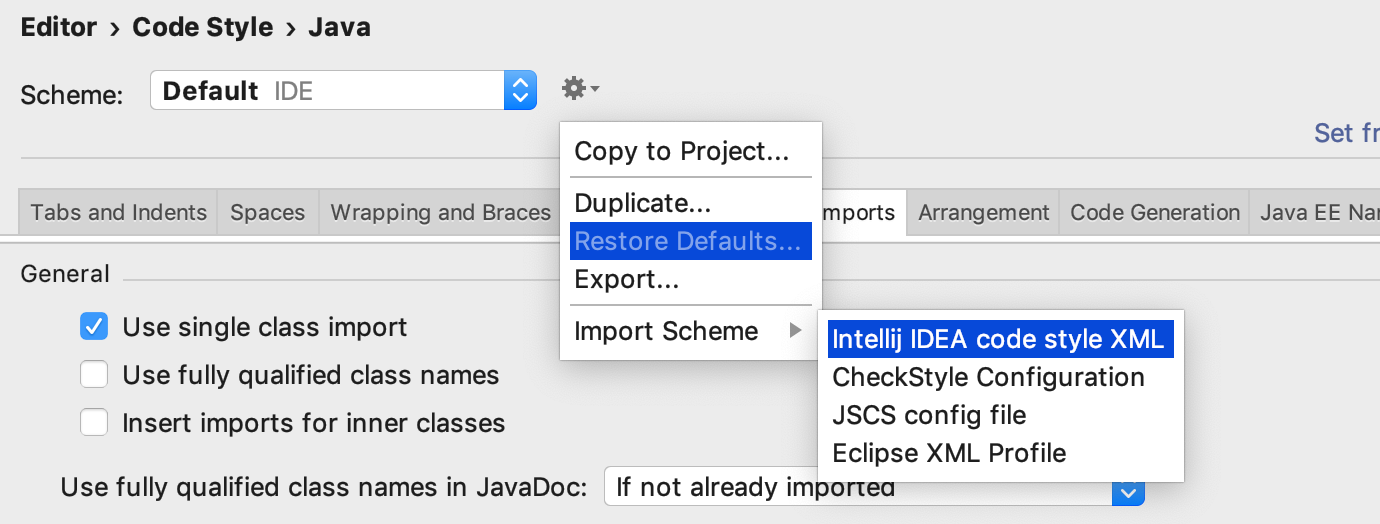
To import the Pinot stylesheet this launch intellij and navigate to Preferences (on Mac) or Settings on Linux.
Navigate to Editor -> Code Style -> Java
Select Import Scheme -> Intellij IDES code style XML
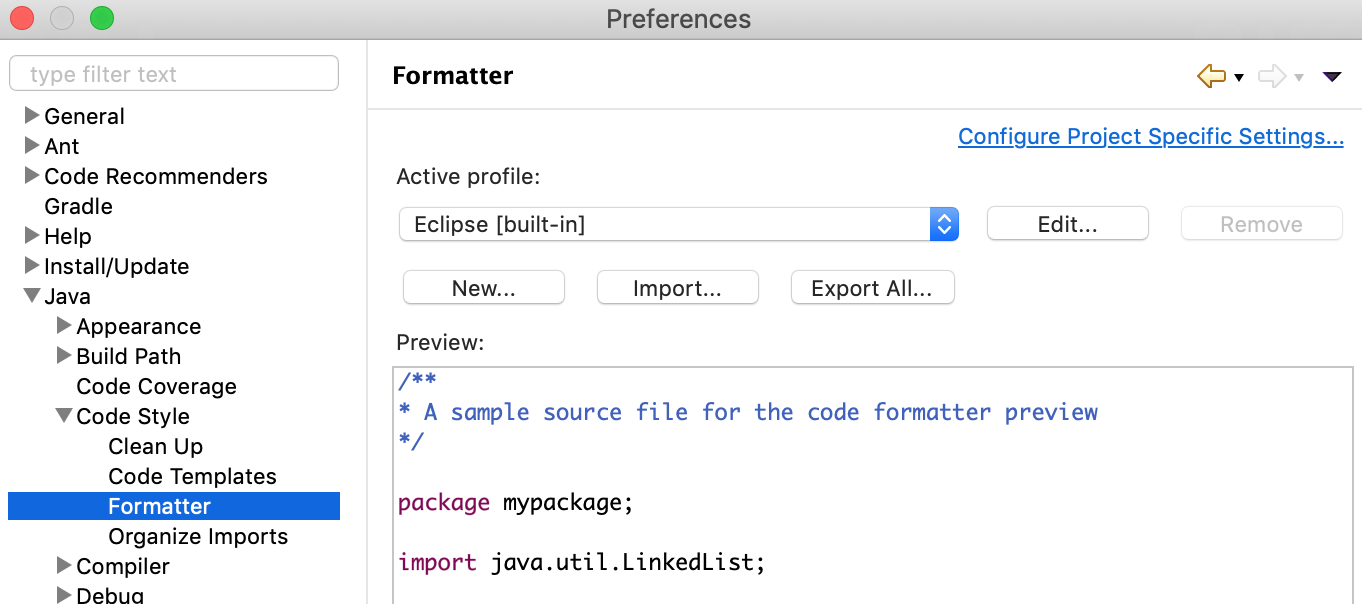
To import the Pinot stylesheet this launch eclipse and navigate to Preferences (on Mac) or Settings on Linux.
Navigate to Java->Code Style->Formatter
Choose codestyle-eclipse.xml from pinot/config folder of your workspace. Click Apply.
Starting Pinot via IDE
Once the IDE is set up, you can run for batch mode or for real-time mode.
Batch Quickstart
start all Pinot components (ZK, Controller, Server, Broker) in the same JVM
create Baseball Stats table
Go to localhost:9000 in your browser and play with the query console.
Real-time Quickstart
start all Pinot components (ZK, Controller, Server, Broker) in the same JVM
Start Kafka in the same JVM
Go to localhost:9000 in your browser and play with the meetup RSVP table.