> For the complete documentation index, see [llms.txt](https://docs.pinot.apache.org/llms.txt). Markdown versions of documentation pages are available by appending `.md` to page URLs; this page is available as [Markdown](https://docs.pinot.apache.org/release-1.4.0/integrations/metabase.md).
# Metabase
Integrating Apache Pinot with Metabase
This guide provides step-by-step instructions for setting up Metabase with an Apache Pinot connector. The integration allows you to visualize and explore data stored in Apache Pinot directly within Metabase dashboards.
> Note: This is a preview version. For issues or bug reports, please join slack or file github issue.
The code is available at under Apache 2 license.
## Prerequisites
Ensure the following tools are installed on your system:
* Git
* Docker
* Node.js (version 22+)
* Java (version 17+)
* Clojure 1.12.1.1550
* NodeJS 22
* NPM 10
* Yarn 1.22
* Apache Pinot 1.3.0
* Metabase v0.55.7
## QuickStart
### Local Run
* Start Pinot
To be simple, use Pinot docker image to run with quickstart
```bash
docker run -d --name pinot-quickstart -p 9000:9000 -p 8000:8000 -p 8080:8080 apachepinot/pinot:latest QuickStart -type MULTI_STAGE
```
* Download Metabase
Go to Metabase release page, find the release jar.
This quickstart uses [Metabase v0.55.7](https://github.com/metabase/metabase/releases/tag/v0.55.7) .
JAR download:
```bash
mkdir -p /tmp/metabase
cd /tmp/metabase
wget https://downloads.metabase.com/v0.55.7.x/metabase.jar
```
* Download Pinot driver
Pinot plugins are released at
This QuickStart uses [Pinot Driver v1.1.0](https://github.com/startreedata/metabase-pinot-driver/releases/tag/v1.1.0)
```bash
mkdir -p /tmp/metabase/plugins
cd /tmp/metabase/plugins
wget -O pinot.metabase-driver.jar https://github.com/startreedata/metabase-pinot-driver/releases/download/v1.1.0/pinot.metabase-driver-v1.1.0.jar
```
* Start Metabase with Pinot plugin
```bash
cd /tmp/metabase
java --add-opens java.base/java.nio=ALL-UNNAMED -jar metabase.jar
```
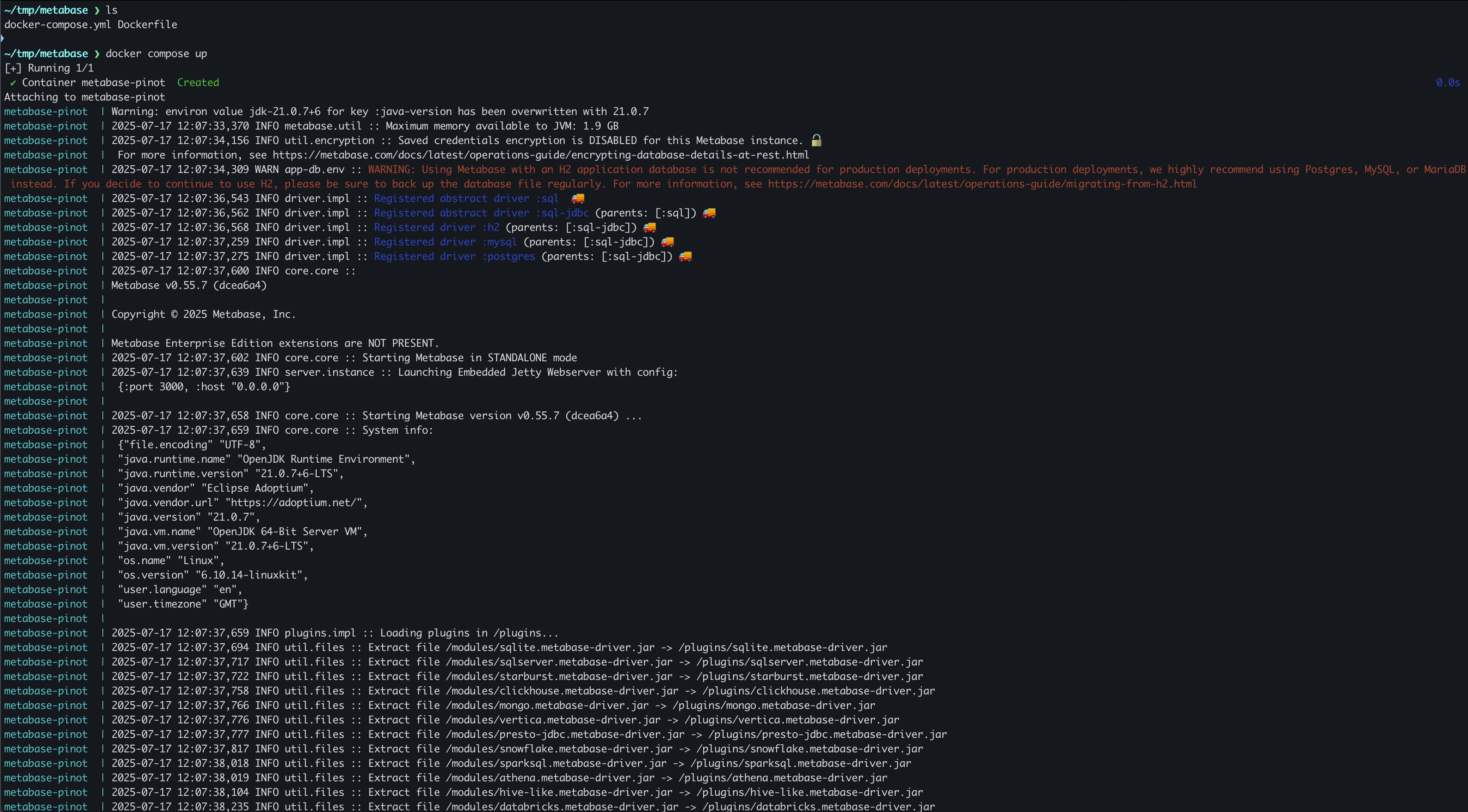
Now everything should come up, you could also find the pinot plugin is loaed from the log:
Once Metabase is up, go to [http://localhost:3000](http://localhost:3000/) to explore it.
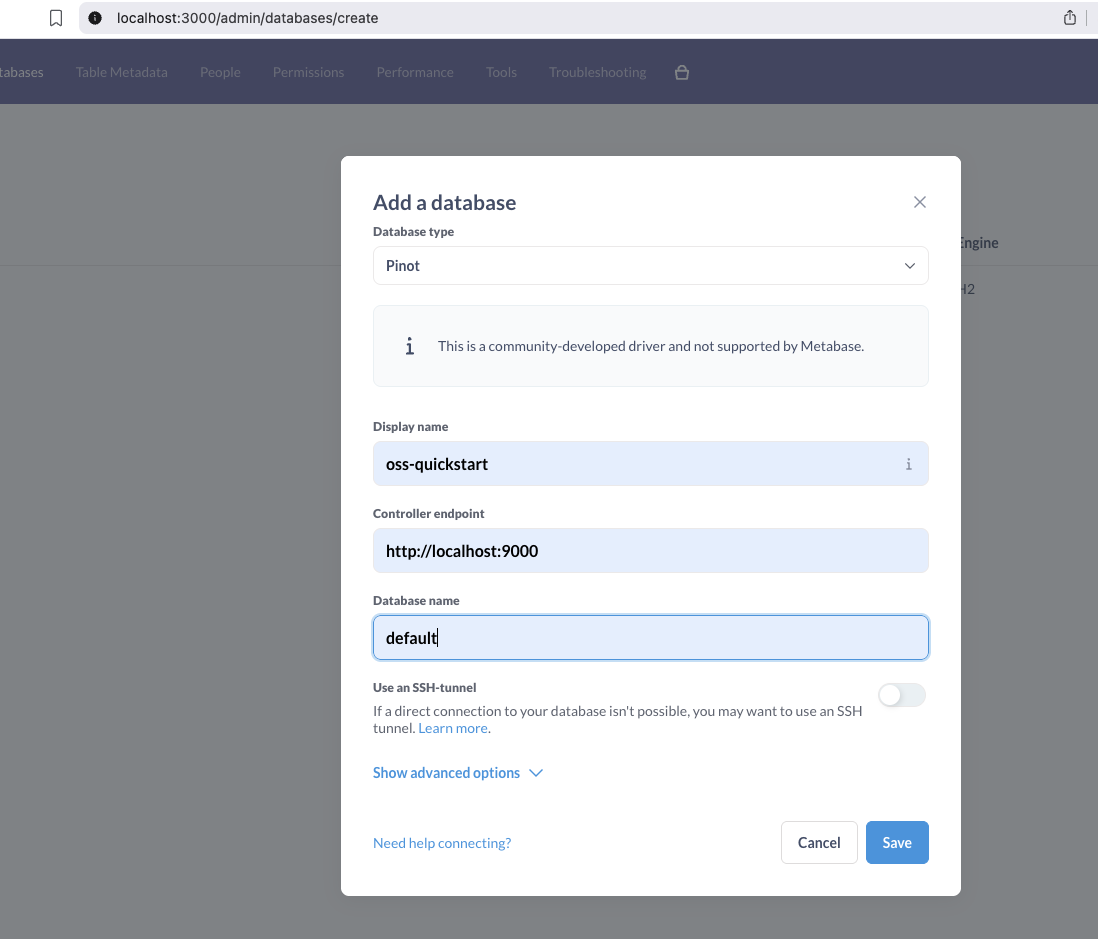
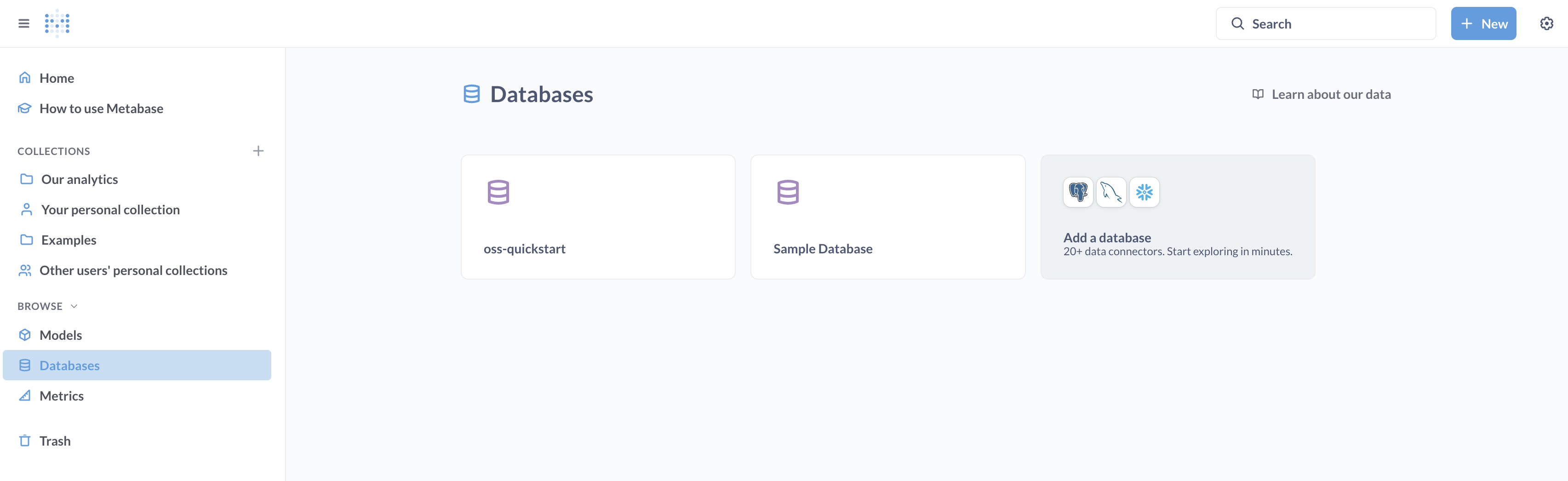
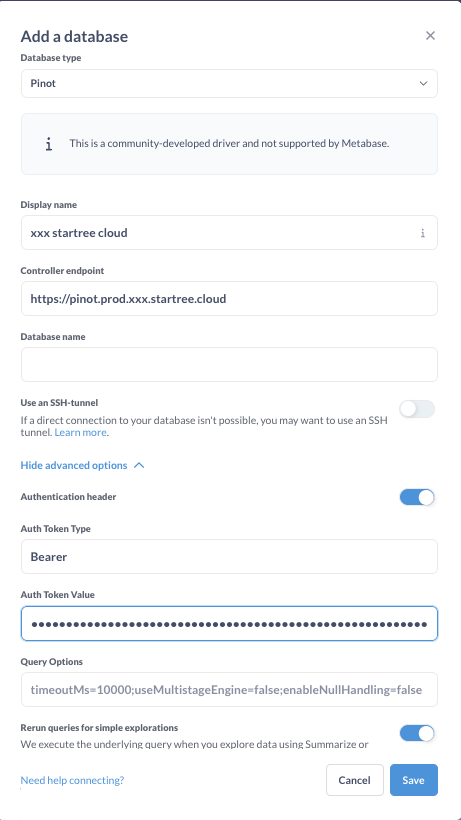
After the login, you can click the right side bar to Add Pinot database:
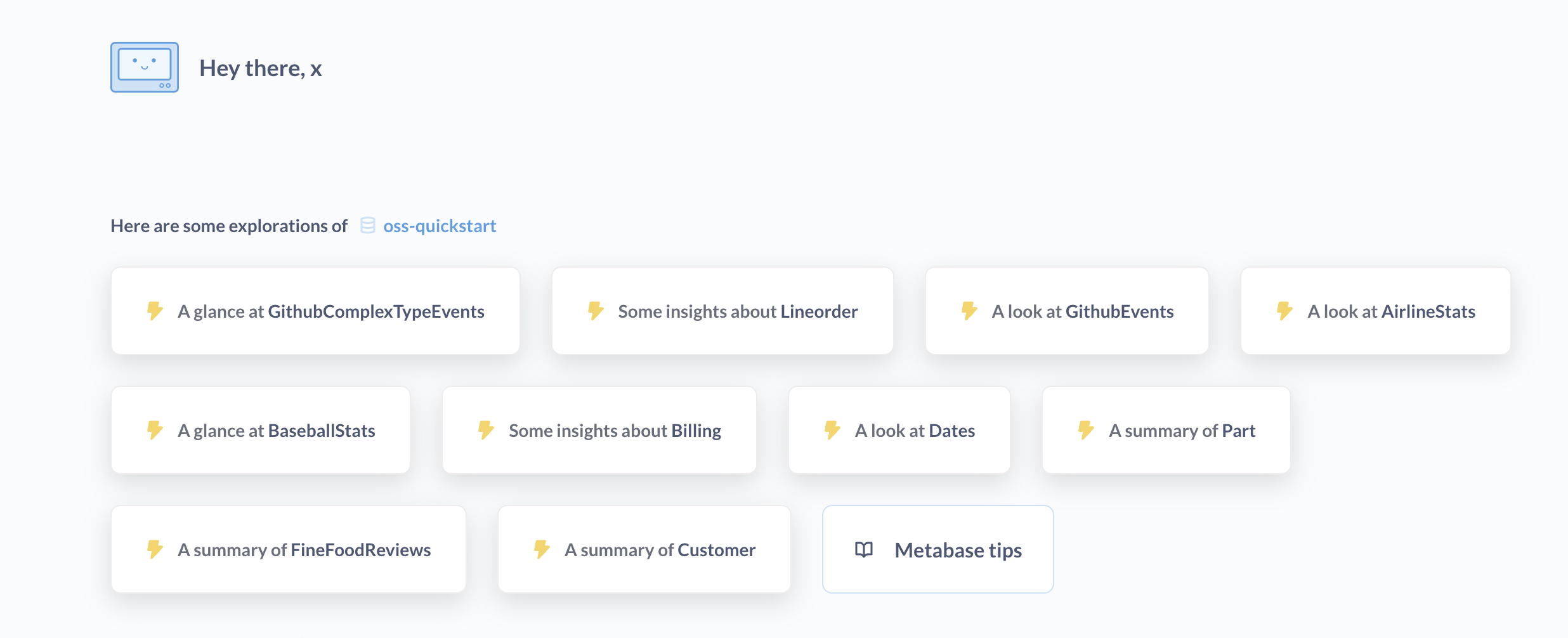
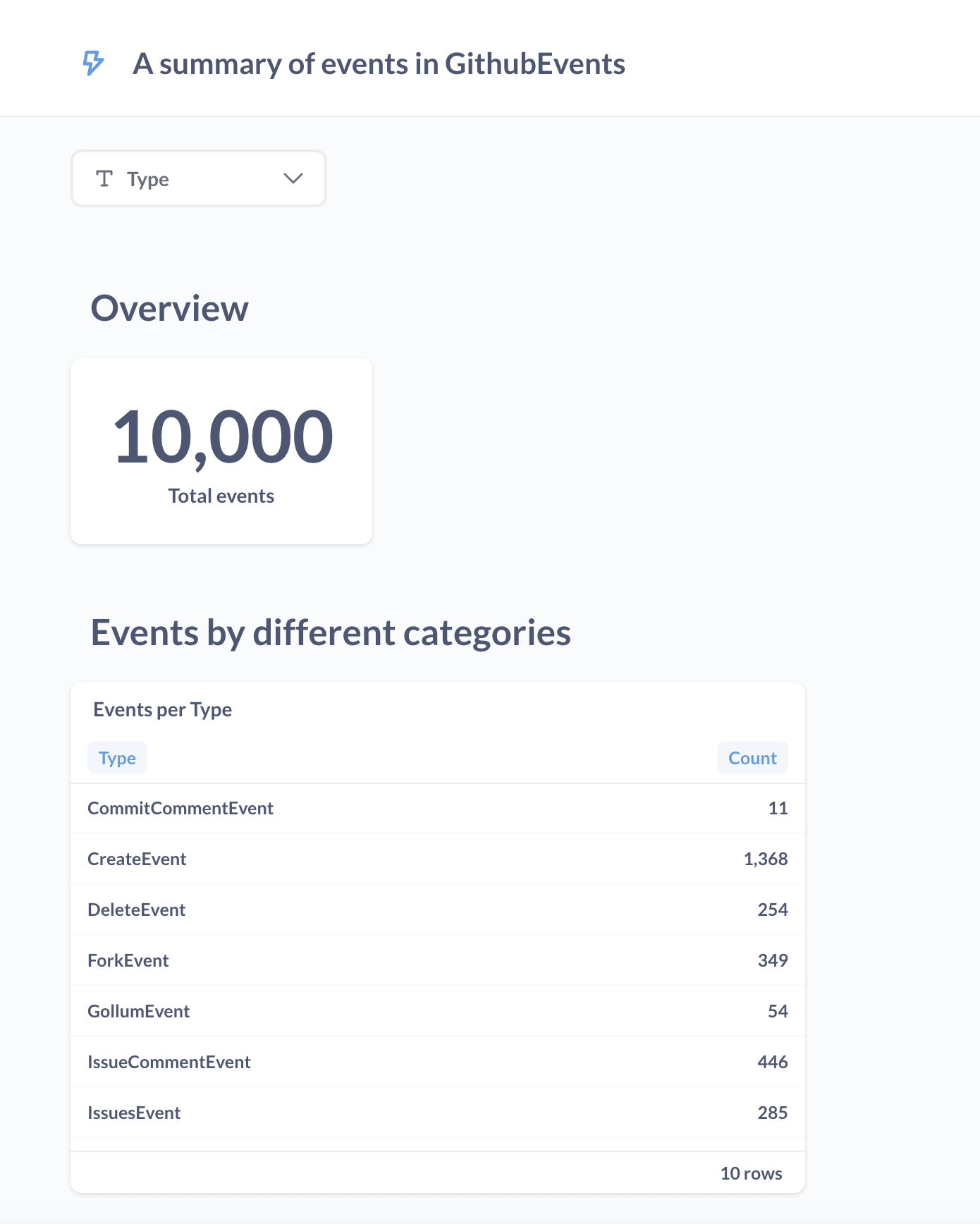
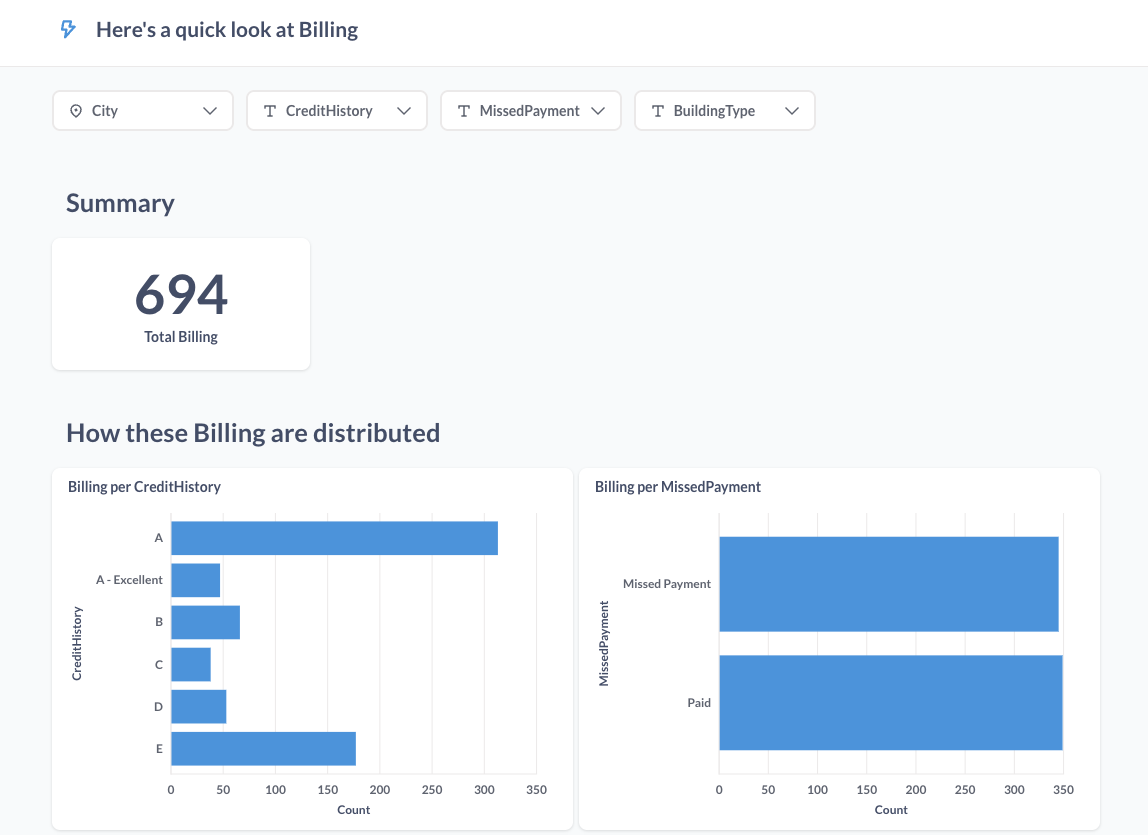
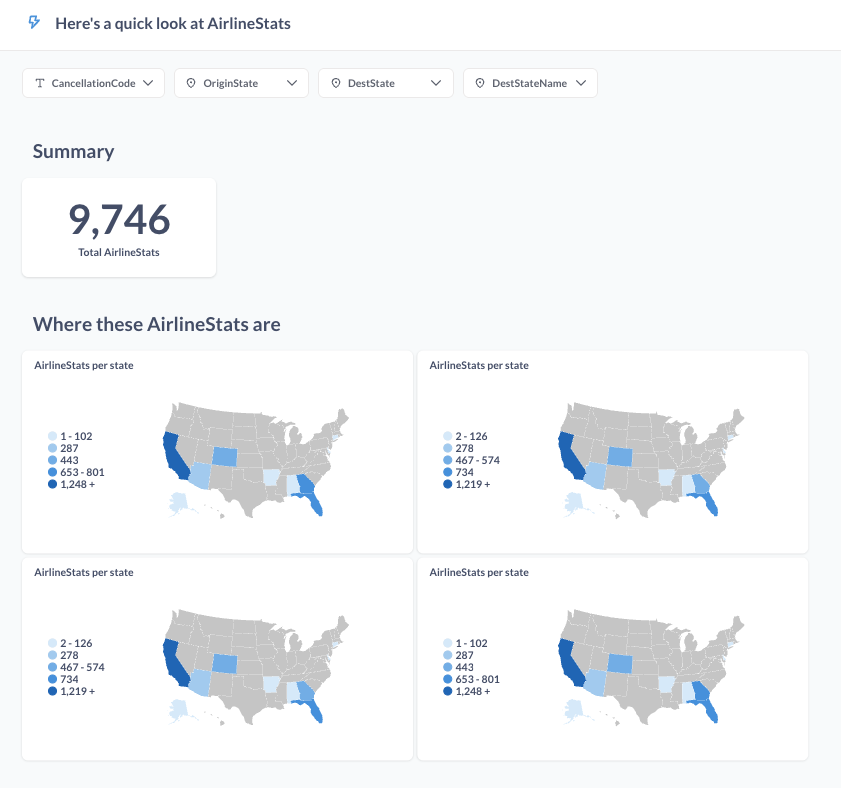
After the configuration is done, Metabase will generate some explorations automatically.\\
### Docker Compose
Copy below `Dockerfile` and `docker-compose.yml` to a directory, e.g. `/tmp/metabase` .
`Dockerfile:`
```docker
FROM metabase/metabase:v0.55.7
RUN mkdir -p /plugins && \
curl -L -o /plugins/pinot.metabase-driver.jar \
https://github.com/startreedata/metabase-pinot-driver/releases/download/v1.1.0/pinot.metabase-driver-v1.1.0.jar
ENV MB_PLUGINS_DIR=/plugins
```
`docker-compose.yml:`
```yaml
services:
metabase:
build: .
container_name: metabase-pinot
ports:
- "3000:3000"
environment:
- MB_PLUGINS_DIR=/plugins
volumes:
- metabase_data:/metabase-data
restart: unless-stopped
volumes:
metabase_data:
```
Run `docker compose up` to start everything:
## Advanced Options
### Authentication header
Users can enable it by expanding the advanced options, then enable `Authentication header`
The supported `Auth Token Type` is `Basic` or `Bearer` .
`Auth Token Value` is a string from your admin.
---
# Agent Instructions
This documentation is published with GitBook. GitBook is the documentation platform designed so that both humans and AI agents can read, navigate, and reason over technical content effectively. Learn more at gitbook.com.
## Querying This Documentation
If you need additional information that is not directly available in this page, you can query the documentation by asking a question.
Perform an HTTP GET request on the following URL with the `ask` and `goal` query parameters:
```
GET https://docs.pinot.apache.org/release-1.4.0/integrations/metabase.md?ask=&goal=
```
`ask` is the immediate question: it should be specific, self-contained, and written in natural language.
`goal` is what the user is ultimately trying to achieve, the reason they need the answer. Sharing it helps GitBook give you a better, more relevant answer. A goal is most helpful when it describes the outcome the user wants rather than restating the question. For example, with `ask=how do I create an API token`, a goal like `automate deployments from our CI pipeline` lets GitBook tailor the answer to that use case.
The response will contain a direct answer to the question and relevant excerpts and sources from the documentation.
Use this mechanism when the answer is not explicitly present in the current page, you need clarification or additional context, or you want to retrieve related documentation sections.