All pages
Powered by GitBook
1 of 1

Loading...

Monitor Pinot using Prometheus and Grafana

Here we will introduce how to monitor Pinot with Prometheus and Grafana in Kubernetes environment.

Prerequisite

  • Kubernetes v1.16.5

  • HelmCharts v3.1.2

Deploy Pinot

Install Pinot helm repo

Configure Pinot Helm to enable Prometheus JMX Exporter

  1. Configure jvmOpts:

Add to controller.jvmOpts / broker.jvmOpts/ server.jvmOpts . Note that Pinot Docker image already packages jmx_prometheus_javaagent.jar.

Below config will expose pinot metrics to port 8008 for Prometheus to scrape.

You can port forward port 8008 to local and access metrics though:

  1. Configure service annotations:

Add Prometheus related annotations to enable Prometheus to scrape metrics.

  • controller.service.annotations

  • broker.service.annotations

  • server.service.annotations

Deploy Pinot Helm

Deploy Prometheus

Once Pinot is deployed and running, we can start deploy Prometheus.

Similar to Pinot Helm, we will have Prometheus Helm and its config yaml file:

Configure Prometheus

Remember to check the configs:

  • server.persistentVolume: data storage location/size limit/storage class

  • server.retention: how long to keep the data (default is 15d)

Deploy Prometheus

Access Prometheus

Port forward Prometheus service to local and open the page on localhost:30080

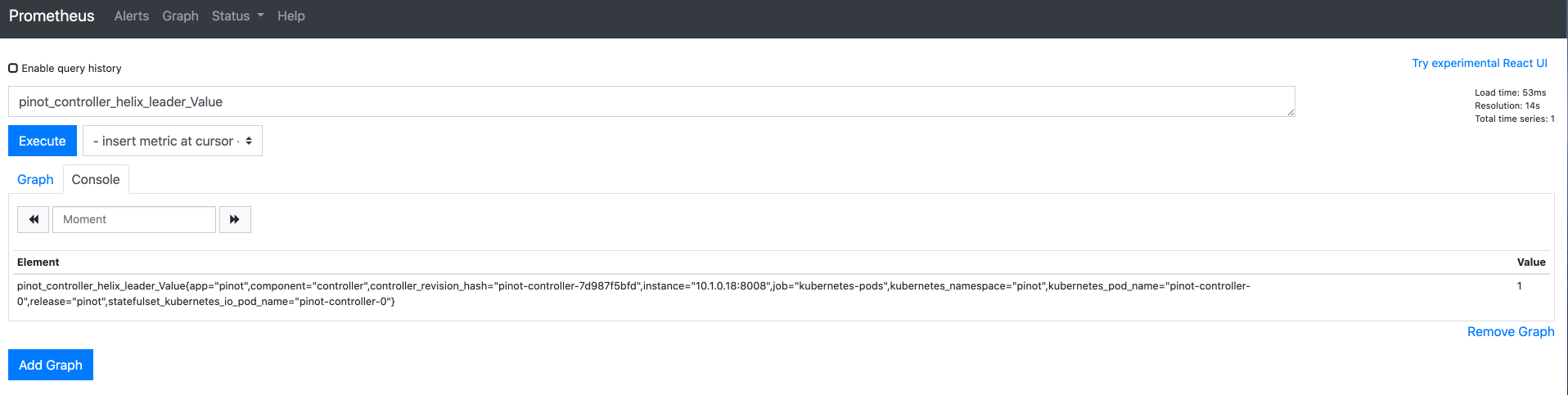
Then we can query metrics Prometheus scrapped:

Deploy Grafana

Similar to Pinot Helm, we will have Grafana Helm and it's config yaml file:

  • Configure Grafana

  • Deploy Grafana

Get password to access Grafana

Access Grafana dashboard

You can access it locally through port forwarding:

Log in with your credentials.

admin/[ PASSWORD GET FROM PREVIOUS STEP]

Add data source

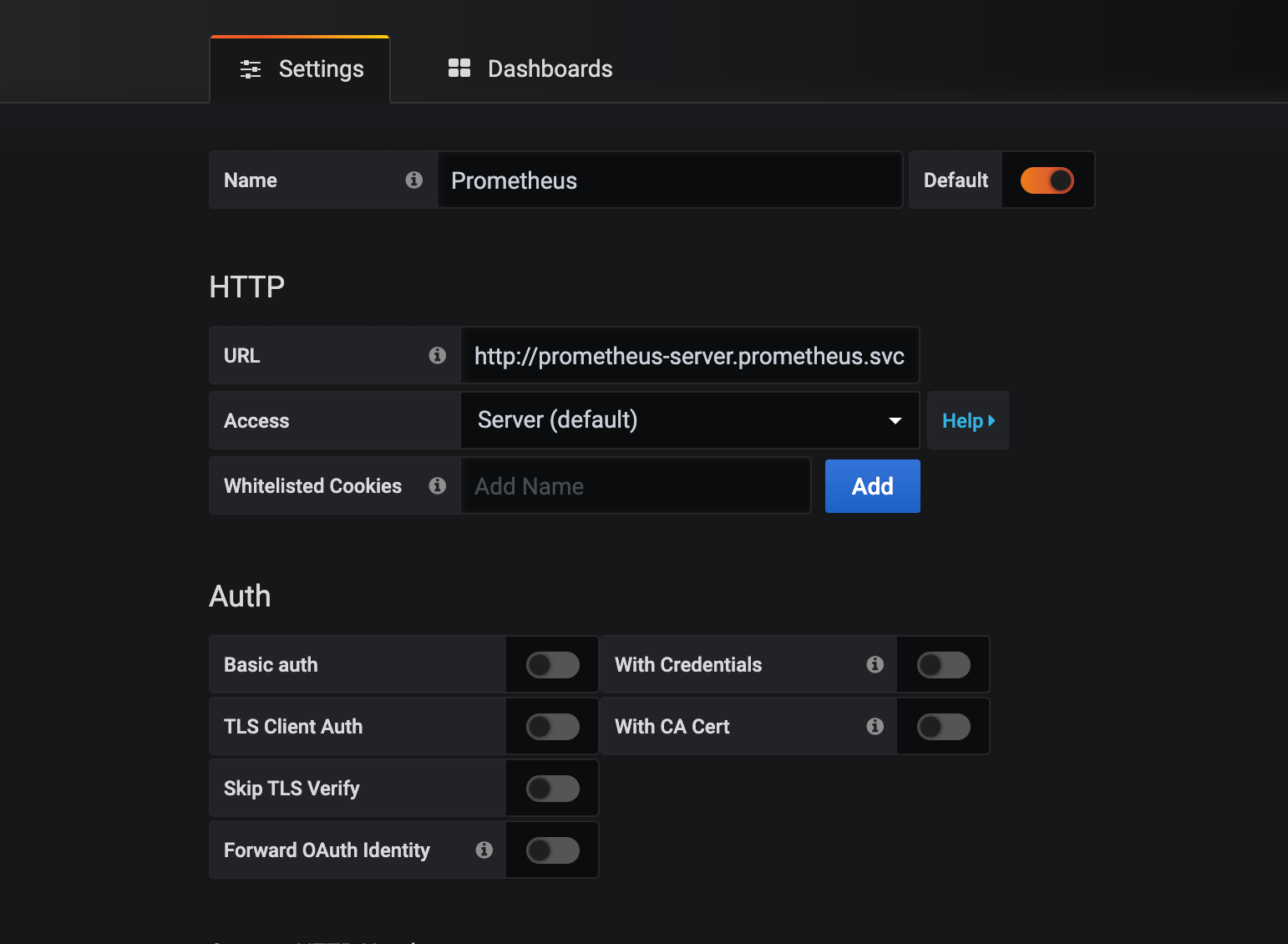
Click on Prometheus and set HTTP URL to http://prometheus-server.prometheus.svc.cluster.local

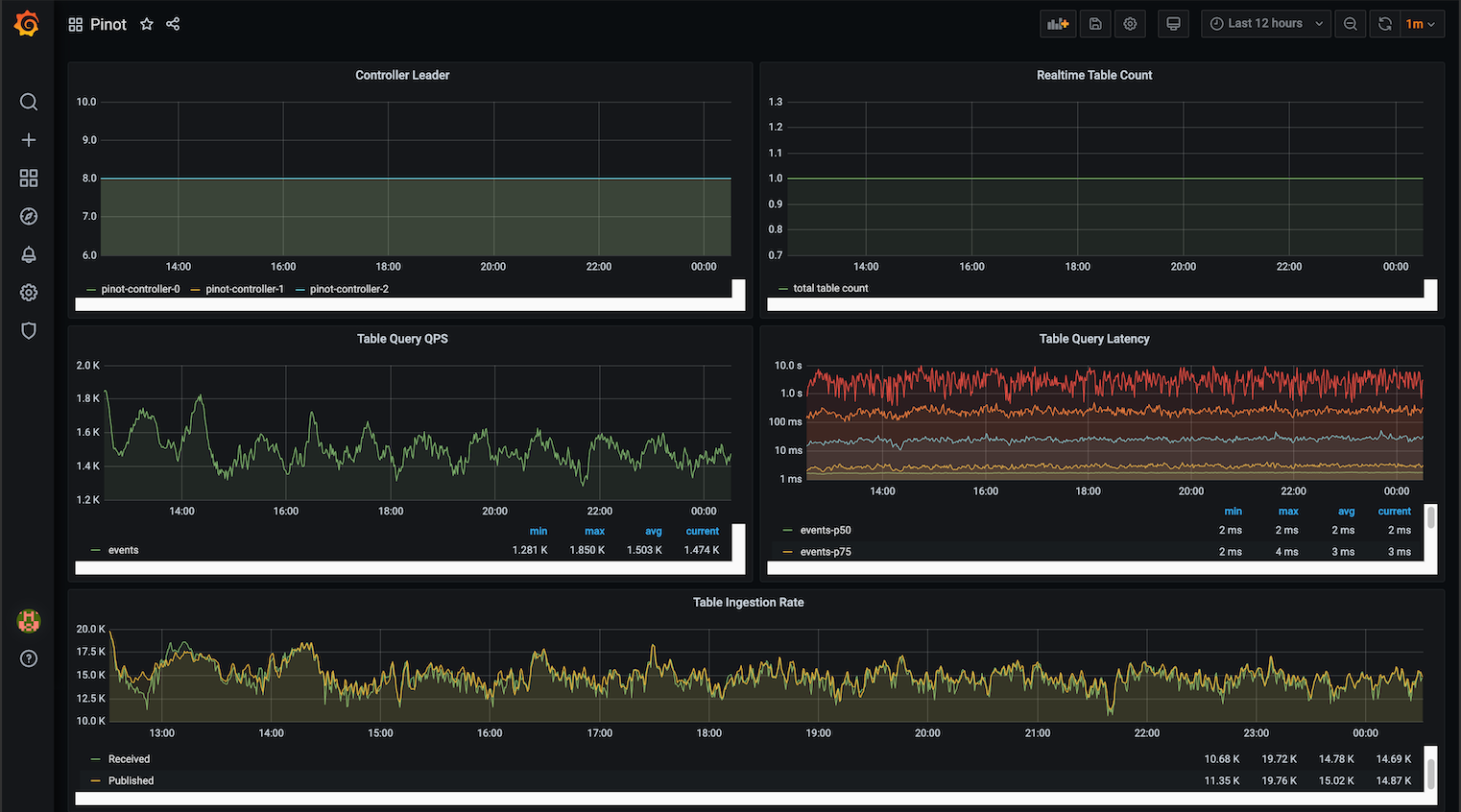
Configure Pinot dashboard

Once data source is added, we can import a Pinot dashboard:

A sample Pinot dashboard JSON is:

Upload this file and select Prometheus as data source to finish the import:

Then you can explore and make your own Pinot dashboard.
controller.podAnnotations

  • broker.podAnnotations

  • server.podAnnotations

  • JMX Prometheus Java Agent
    http://localhost:8008/metrics
    59KB
    Pinot-1601334866100.json
    Open
    sample-pinot-dashboard
    Prometheus data source config
    Grafana Import Button
    Grafana Import Page
    ## Adding Pinot helm repo
    helm repo add pinot https://raw.githubusercontent.com/apache/pinot/master/kubernetes/helm
    ## Extract all the configurable values of Pinot Helm into a config.
    helm inspect values pinot/pinot > /tmp/pinot-values.yaml
    controller:
      ...
      jvmOpts: "-javaagent:/opt/pinot/etc/jmx_prometheus_javaagent/jmx_prometheus_javaagent.jar=8008:/opt/pinot/etc/jmx_prometheus_javaagent/configs/pinot.yml -Xms256M -Xmx1G"
    controller:
      ...
      service:
        annotations:
          "prometheus.io/scrape": "true"
          "prometheus.io/port": "8008"
      ...
      podAnnotations:
        "prometheus.io/scrape": "true"
        "prometheus.io/port": "8008"
    kubectl create ns pinot
    helm install pinot pinot/pinot -n pinot --values /tmp/pinot-values.yaml
    helm repo add prometheus-community https://prometheus-community.github.io/helm-charts
    helm inspect values prometheus-community/prometheus > /tmp/prometheus-values.yaml
    kubectl create ns prometheus
    helm install prometheus prometheus-community/prometheus -n prometheus --values /tmp/prometheus-values.yaml
    kubectl port-forward service/prometheus-server 30080:80 -n prometheus
    helm repo add grafana https://grafana.github.io/helm-charts
    helm inspect values grafana/grafana > /tmp/grafana-values.yaml
    kubectl create ns grafana
    helm install grafana grafana/grafana -n grafana --values /tmp/grafana-values.yaml
    kubectl get secret --namespace grafana grafana -o jsonpath="{.data.admin-password}" | base64 --decode ; echo
    kubectl port-forward service/grafana 20080:80 -n grafana