All pages
Powered by GitBook
1 of 1

Loading...

Running Pinot in Production

Requirements

You will need the following in order to run pinot in production:

  • Hardware for controller/broker/servers as per your load

  • Working installation of Zookeeper that Pinot can use. We recommend setting aside a path within zookpeer and including that path in pinot.controller.zkStr. Pinot will create its own cluster under this path (cluster name decided by pinot.controller.helixClusterName)

  • Shared storage mounted on controllers (if you plan to have multiple controllers for the same cluster). Alternatively, an implementation of PinotFS that the Pinot hosts have access to.

  • HTTP load balancers for spraying queries across brokers (or other mechanism to balance queries)

  • HTTP load balancers for spraying controller requests (e.g. segment push, or other controller APIs) or other mechanisms for distribution of these requests.

Deploying Pinot

In general, when deploying Pinot services, it is best to adhere to a specific ordering in which the various components should be deployed. This deployment order is recommended in case of the scenario that there might be protocol or other significant differences, the deployments go out in a predictable order in which failure due to these changes can be avoided.

The ordering is as follows:

  1. pinot-controller

  2. pinot-broker

  3. pinot-server

  4. pinot-minion

Managing Pinot

Pinot provides a web-based management console and a command-line utility (pinot-admin.sh) in order to help provision and manage pinot clusters.

Pinot Management Console

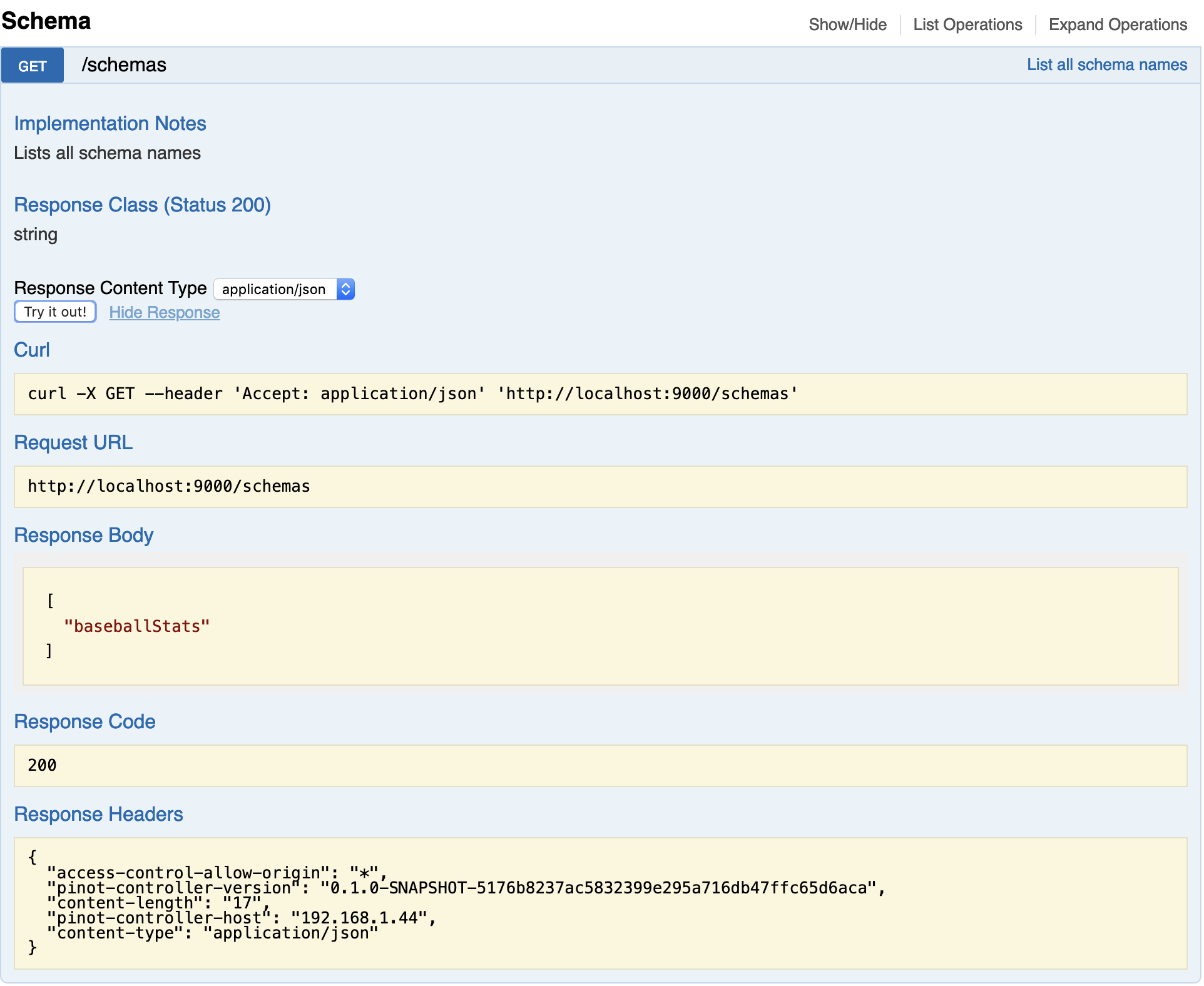
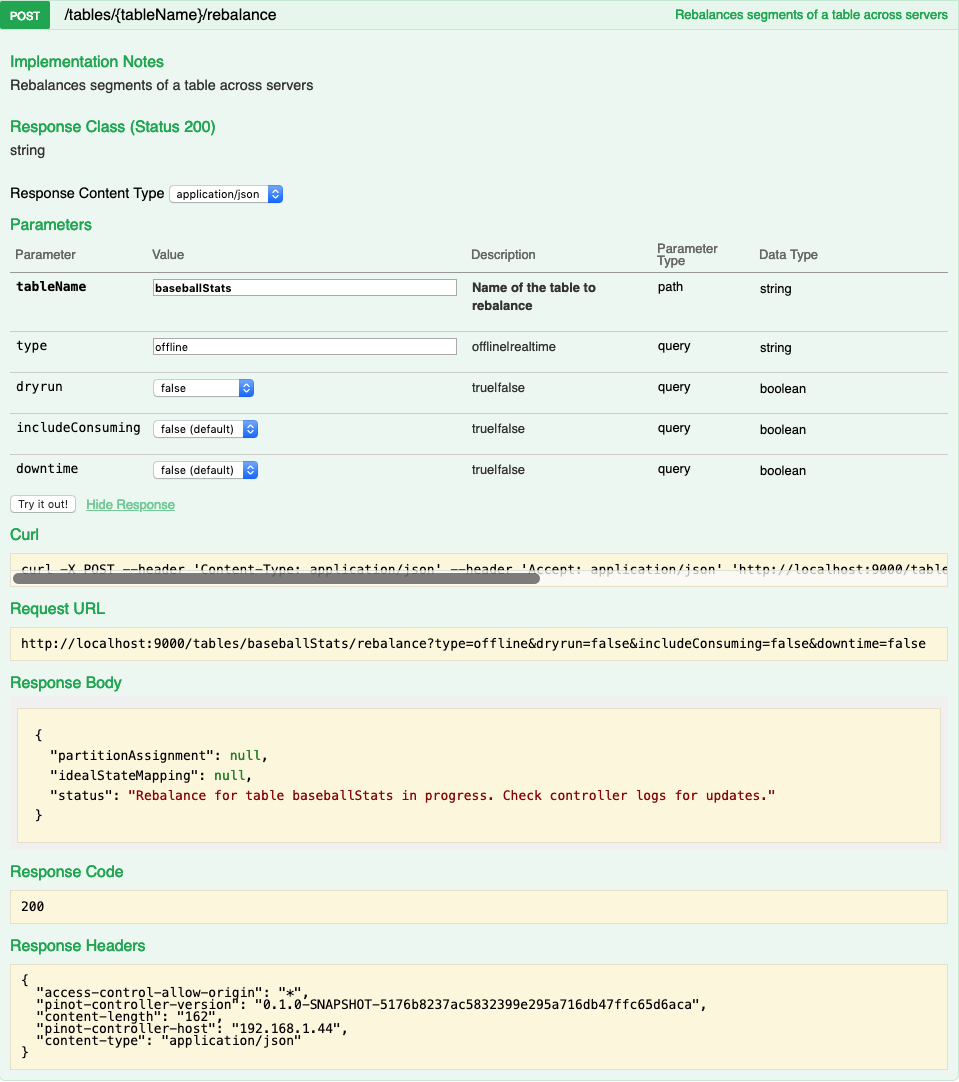
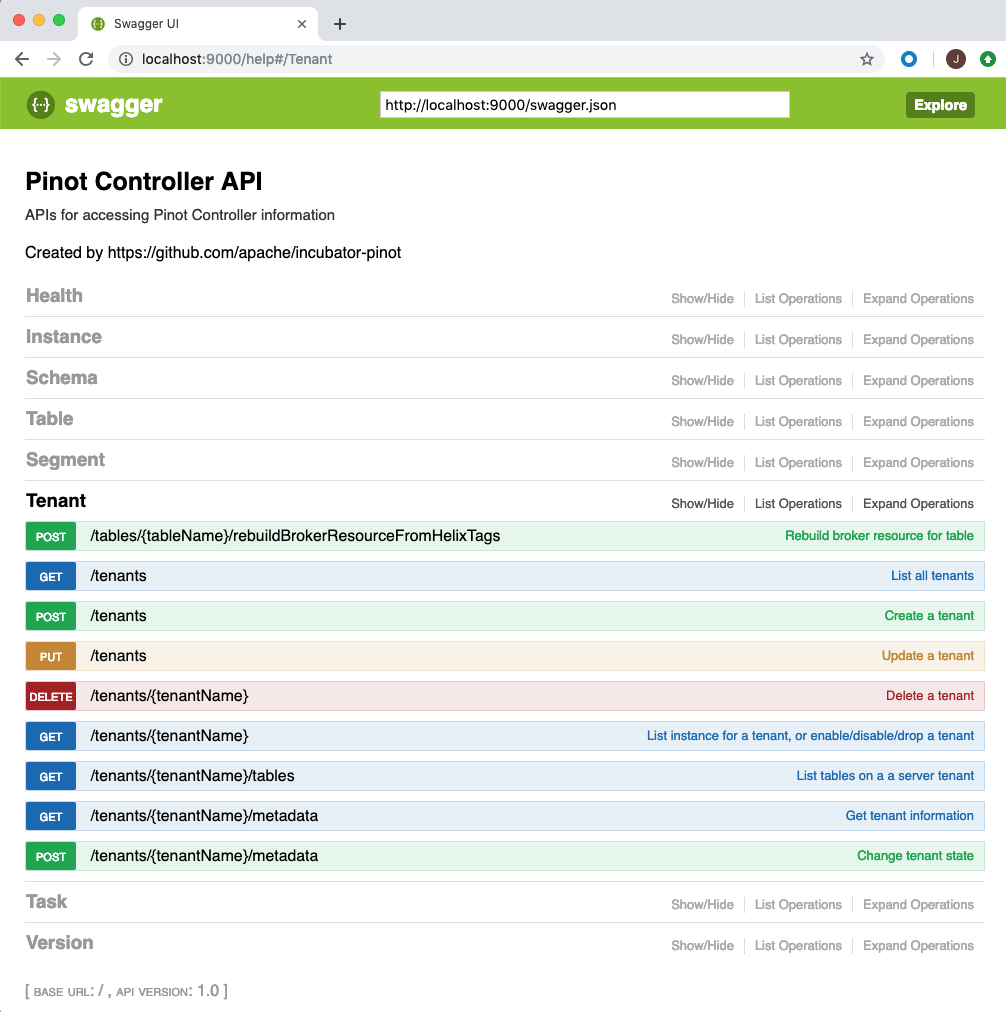
The web based management console allows operations on tables, tenants, segments and schemas. You can access the console via http://controller-host:port/help. The console also allows you to enter queries for interactive debugging. Here are some screen-shots from the console.

Listing all the schemas in the Pinot cluster:

Rebalancing segments of a table:

Command line utility (pinot-admin.sh)

The command line utility (pinot-admin.sh) can be generated by running mvn install package -DskipTests -Pbin-dist in the directory in which you checked out Pinot.

Here is an example of invoking the command to create a pinot segment:

Here is an example of executing a query on a Pinot table:

Graceful Server Node Replacement

On a cloud based platform, node replacement is frequent. A common way to replace Pinot server is to assign the same instanceId to both the old node (ON) and the new node(NN). With this approach, ON usually needs to be stopped before starting the NN in order to prevent failures on taking the same Helix instanceId. NN startup used to take a long time because it needs to download and load all segments from deepstore or peer(s). Pinot has a graceful server node replacement support to make server replacement's overhead same as node restart.

To achieve graceful node replacement, the operators need to setup the workflow in following sequence:

  1. Start NN in the "pre-download" mode by adding one more parameter to StartServerCommand, like:

This step would let the NN download all immutable segments of the instanceId and make its disk state identical as the ON. (Refer to this for more details)

  1. Waiting for NN "pre-download" complete with one of following conditions:

  • Pre-download fully succeed

  • Pre-download partially succeed but have retried enough times

  • Pre-download failed in non-retriable mode

  • Already waited for a max time period

  1. Stop the ON

  2. Start the NN in the normal mode

Monitoring Pinot

Pinot exposes several metrics to monitor the service and ensure that pinot users are not experiencing issues. In this section we discuss some of the key metrics that are useful to monitor. A full list of metrics is available in the section.

Pinot Server

  • Missing Segments -

    • Number of missing segments that the broker queried for (expected to be on the server) but the server didn’t have. This can be due to retention or stale routing table.

  • Query latency -

Pinot Broker

  • Incoming queries -

    • Queries received by a broker.

  • Access denied -

Pinot Controller

Many of the controller metrics include a table name and thus are dynamically generated in the code. The metrics below point to the classes which generate the corresponding metrics.

To get the real metric name, the easiest route is to spin up a controller instance, create a table with the name you want and look through the generated metrics.

Todo

Give a more detailed explanation of how metrics are generated, how to identify real metrics names and where to find them in the code.

  • Percent Segments Available -

    • Percentage of complete online replicas in external view as compared to replicas in ideal state.

  • Segments in Error State -

Total time to take from receiving to finishing executing the query.

  • Query Execution Exceptions - QUERY_EXECUTION_EXCEPTIONS

    • The number of exception which might have occurred during query execution.

  • Real-time Consumption Status - LLC_PARTITION_CONSUMING

    • This gives a binary value based on whether low-level consumption is healthy (1) or unhealthy (0). It’s important to ensure at least a single replica of each partition is consuming.

  • Real-time Highest Offset Consumed - HIGHEST_STREAM_OFFSET_CONSUMED

    • The highest offset which has been consumed so far.

  • Queries dropped due to access restrictions.
  • Partial Responses

    • Unavailable segments - BROKER_RESPONSES_WITH_UNAVAILABLE_SEGMENTS

      • Queries with some segments unavailable (no active server hosting them).

    • Partial servers responded-

      • Queries with not all servers responded.

    • Processing exceptions -

      • Queries with processing exceptions (including server side exceptions, unavailable segments, partial servers responded).

    • Groups limit reached -

      • Queries with numGroupsLimit reached. See for more details.

  • Table QPS quota exceeded - QUERY_QUOTA_EXCEEDED

    • Binary metric which will indicate when the configured QPS quota for a table is exceeded (1) or if there is capacity remaining (0).

  • Table QPS quota usage percent - QUERY_QUOTA_CAPACITY_UTILIZATION_RATE

    • Percentage of the configured QPS quota being utilized.

  • Number of segments in an ERROR state for a given table.

  • Last push delay - Generated in the ValidationMetrics class.

    • The time in hours since the last time an offline segment has been pushed to the controller.

  • Percent of replicas up - PERCENT_OF_REPLICAS

    • Percentage of complete online replicas in external view as compared to replicas in ideal state.

  • Table storage quota usage percent - TABLE_STORAGE_QUOTA_UTILIZATION

    • Shows how much of the table’s storage quota is currently being used, metric will a percentage of a the entire quota.

  • PR
    Metrics
    NUM_MISSING_SEGMENTS
    TOTAL_QUERY_TIME
    QUERIES
    REQUEST_DROPPED_DUE_TO_ACCESS_ERROR
    PERCENT_SEGMENTS_AVAILABLE
    SEGMENTS_IN_ERROR_STATE
    $ ./pinot-distribution/target/apache-pinot-0.8.0-SNAPSHOT-bin/apache-pinot-0.8.0-SNAPSHOT-bin/bin/pinot-admin.sh CreateSegment -dataDir /Users/host1/Desktop/test/ -format CSV -outDir /Users/host1/Desktop/test2/ -tableName baseballStats -segmentName baseballStats_data -overwrite -schemaFile ./pinot-distribution/target/apache-pinot-0.8.0-SNAPSHOT-bin/apache-pinot-0.8.0-SNAPSHOT-bin/sample_data/baseballStats_schema.json
    Executing command: CreateSegment  -generatorConfigFile null -dataDir /Users/host1/Desktop/test/ -format CSV -outDir /Users/host1/Desktop/test2/ -overwrite true -tableName baseballStats -segmentName baseballStats_data -timeColumnName null -schemaFile ./pinot-distribution/target/apache-pinot-0.8.0-SNAPSHOT-bin/apache-pinot-0.8.0-SNAPSHOT-bin/sample_data/baseballStats_schema.json -readerConfigFile null -enableStarTreeIndex false -starTreeIndexSpecFile null -hllSize 9 -hllColumns null -hllSuffix _hll -numThreads 1
    Accepted files: [/Users/host1/Desktop/test/baseballStats_data.csv]
    Finished building StatsCollector!
    Collected stats for 97889 documents
    Created dictionary for INT column: homeRuns with cardinality: 67, range: 0 to 73
    Created dictionary for INT column: playerStint with cardinality: 5, range: 1 to 5
    Created dictionary for INT column: groundedIntoDoublePlays with cardinality: 35, range: 0 to 36
    Created dictionary for INT column: numberOfGames with cardinality: 165, range: 1 to 165
    Created dictionary for INT column: AtBatting with cardinality: 699, range: 0 to 716
    Created dictionary for INT column: stolenBases with cardinality: 114, range: 0 to 138
    Created dictionary for INT column: tripples with cardinality: 32, range: 0 to 36
    Created dictionary for INT column: hitsByPitch with cardinality: 41, range: 0 to 51
    Created dictionary for STRING column: teamID with cardinality: 149, max length in bytes: 3, range: ALT to WSU
    Created dictionary for INT column: numberOfGamesAsBatter with cardinality: 166, range: 0 to 165
    Created dictionary for INT column: strikeouts with cardinality: 199, range: 0 to 223
    Created dictionary for INT column: sacrificeFlies with cardinality: 20, range: 0 to 19
    Created dictionary for INT column: caughtStealing with cardinality: 36, range: 0 to 42
    Created dictionary for INT column: baseOnBalls with cardinality: 154, range: 0 to 232
    Created dictionary for STRING column: playerName with cardinality: 11976, max length in bytes: 43, range:  to Zoilo Casanova
    Created dictionary for INT column: doules with cardinality: 64, range: 0 to 67
    Created dictionary for STRING column: league with cardinality: 7, max length in bytes: 2, range: AA to UA
    Created dictionary for INT column: yearID with cardinality: 143, range: 1871 to 2013
    Created dictionary for INT column: hits with cardinality: 250, range: 0 to 262
    Created dictionary for INT column: runsBattedIn with cardinality: 175, range: 0 to 191
    Created dictionary for INT column: G_old with cardinality: 166, range: 0 to 165
    Created dictionary for INT column: sacrificeHits with cardinality: 54, range: 0 to 67
    Created dictionary for INT column: intentionalWalks with cardinality: 45, range: 0 to 120
    Created dictionary for INT column: runs with cardinality: 167, range: 0 to 192
    Created dictionary for STRING column: playerID with cardinality: 18107, max length in bytes: 9, range: aardsda01 to zwilldu01
    Start building IndexCreator!
    Finished records indexing in IndexCreator!
    Finished segment seal!
    Converting segment: /Users/host1/Desktop/test2/baseballStats_data_0 to v3 format
    v3 segment location for segment: baseballStats_data_0 is /Users/host1/Desktop/test2/baseballStats_data_0/v3
    Deleting files in v1 segment directory: /Users/host1/Desktop/test2/baseballStats_data_0
    Driver, record read time : 369
    Driver, stats collector time : 0
    Driver, indexing time : 373
    $ ./pinot-distribution/target/apache-pinot-0.8.0-SNAPSHOT-bin/apache-pinot-0.8.0-SNAPSHOT-bin/bin/pinot-admin.sh PostQuery -query "select count(*) from baseballStats"
    Executing command: PostQuery -brokerHost [broker_host] -brokerPort [broker_port] -query select count(*) from baseballStats
    Result: {"aggregationResults":[{"function":"count_star","value":"97889"}],"exceptions":[],"numServersQueried":1,"numServersResponded":1,"numSegmentsQueried":1,"numSegmentsProcessed":1,"numSegmentsMatched":1,"numDocsScanned":97889,"numEntriesScannedInFilter":0,"numEntriesScannedPostFilter":0,"numGroupsLimitReached":false,"totalDocs":97889,"timeUsedMs":107,"segmentStatistics":[],"traceInfo":{}}
    PropertiesConfiguration properties = CommonsConfigurationUtils.fromPath(<config_path>);
    PredownloadScheduler predownloadScheduler = new PredownloadScheduler(properties);
    predownloadScheduler.start();
    BROKER_RESPONSES_WITH_PARTIAL_SERVERS_RESPONDED
    BROKER_RESPONSES_WITH_PROCESSING_EXCEPTIONS
    BROKER_RESPONSES_WITH_NUM_GROUPS_LIMIT_REACHED
    Grouping Algorithm